HTML 美化与压缩 - 免费在线格式化 HTML

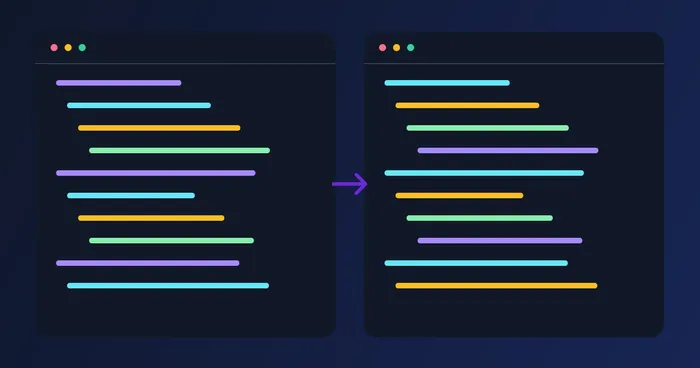
用规范的缩进美化杂乱的 HTML,或压缩为单行。拖入 .html 文件或粘贴内容,然后复制或下载整理后的标记。

在此粘贴你的 HTML……

或拖入 .html 文件

文件在处理后自动删除通过 HTTPS 安全处理

Frequently Asked Questions

粘贴任意 HTML——即便是构建流水线输出的单行压缩代码——工具都会以恰当的缩进重新排版,每行一个标签,空白统一。可选择 2、4 或 8 个空格缩进。输出结果可直接放入编辑器,或粘贴到代码审查评论中。

usage

美化会展开 HTML 以提升可读性:每个标签独占一行,嵌套子元素缩进,各部分之间保留空行。压缩会去除注释、合并连续的空白字符并移除换行符,让文件以更少的字节交付。编辑和审查时使用美化,生产部署时使用压缩。

features

不会——底层引擎 js-beautify 会识别 script 和 style 块,并按相应的 JS 或 CSS 规则格式化其中内容,因此内联脚本依然有效、样式表依然可读。自闭合标签、空元素和带命名空间的属性(svg:xmlns、xlink:href)都能被正确处理。

technical

它能很好地处理纯 HTML 和类 HTML 模板,但纯 JSX(花括号表达式、片段、首字母大写的组件标签)会被当作 HTML 解析,可能出现一些细微的格式问题。对于特定框架的代码,我们建议使用按你的方言配置好的 Prettier;而对于原始 HTML、.htm 和模板文件,我们的工具堪称完美。

features

不会发生任何上传。格式化工具借助 js-beautify 完全在你的浏览器中运行,因此你可以放心粘贴内部页面模板、邮件草稿或含有隐私数据的 HTML,任何内容都不会离开你的设备。

privacy

压缩会去除 HTML 注释,将标签之间的连续空白合并为单个空格,并删除换行。结果是渲染效果完全一致、体积通常缩小 10-30% 的 HTML。再配合服务器端的 gzip,能显著减轻内容繁多页面的初始加载体积。

technical

可以——点击下载,即可将美化后的结果保存为 output.html,或将压缩后的结果保存为 output.min.html。文件采用 UTF-8 编码,因此对英文、西里尔文、中日韩文和从右到左的内容都同样适用。

tips

这是一款仅在浏览器中运行的小工具——零托管成本——因此我们将它作为开发者工具包的一部分免费提供。没有广告,不追踪输出内容,除了你浏览器内存所能承载的上限外,对文件大小没有任何限制。

pricing

美化模式让你选择 2、4 或 8 个空格的缩进。选择你的编辑器或代码风格所用的宽度,然后复制结果或下载为 output.html,使格式直接沿用到你的项目中。

features

The indent selector (2, 4 or 8 spaces) only applies in Prettify mode, since Minify strips all whitespace and line breaks by design — there is nothing left to indent. Switch back to Prettify to see the indent width take effect again.

features

在你粘贴或编辑时,工具会自动运行结构检查,并在输出面板下方直接列出任何未闭合、不匹配或多余的闭合标签——无需单独的按钮。绿色的"未发现结构问题"提示确认标记格式正确。

quality

Use Prettify mode with 2-space indent — it's the most common convention and keeps diffs compact — then check the structural-issues panel to confirm they haven't left an unclosed tag. Once reviewed, switch to Minify mode before shipping to production to strip the extra whitespace back out.

tips

Yes — drag an .html, .htm or .xhtml file onto the upload area, or click it to browse, and its contents load straight into the input box exactly as if you'd pasted them. From there, Prettify, Minify, indent width and the structural checker all work identically whether the markup came from a file or a paste.

usage

Yes — once there's output, a Copy button appears next to the output panel and the primary action area. Clicking it copies the current Prettify or Minify result to your clipboard instantly (it briefly shows 'Copied!' for confirmation), so you can paste directly into your editor or a code review comment without saving an intermediate .html file.

features

How HTML Prettify helps you get it done

Real problems it solves every day — for businesses, creators, and everyday tasks. Find the use case that fits you and start in seconds.

Marketing

邮件模板整理

来自邮件服务商(ESP)的营销邮件 HTML 往往是一整段压缩后的代码块。将它美化排版后即可查看结构、找出那个错位的表格列,并在发送下一封群发邮件前修正错别字。

For Developers

CMS 内容迁移

从一个 CMS 导出再导入另一个 CMS,通常都涉及搬运 HTML。美化让差异对比更易读,压缩可减小体积,两种模式都能保持内容的完整一致。

For Developers

网页抓取输出

从网站抓取的原始 HTML 不经格式化便难以阅读。美化输出以找到您需要的 CSS 选择器,然后为爬虫编写提取规则。

Web & SEO

静态站点优化

在部署前压缩静态站点生成器生成的 HTML。在 gzip 的基础上再减少 10-30% 的文件体积——对内容繁多的页面,首次绘制时间会有可衡量的提升。

Publishing

文档片段

将 HTML 示例粘贴到文档、博客文章或 README 文件中时,先进行美化,以便读者能够看清结构。压缩后的版本则可留作「生产输出」的对比。

For Developers

JSX 重构助手

在将一段 HTML 转换为 JSX 之前,先美化它,让转换脚本看到一棵整洁的树结构。可省去你在 React/Vue 迁移中手动重排版的麻烦。

For Developers

Debugging Broken Page Layouts

Paste a suspect page's HTML and let the built-in structural checker flag unclosed or mismatched tags instantly — often the real cause of a layout that 'just breaks' in one browser, without hunting through raw view-source.

Education

Teaching & Learning HTML Structure

Students and bootcamp learners paste dense HTML from tutorials or CodePen and prettify it with 2-space indent to see the actual nesting hierarchy, making it far easier to follow than a wall of unindented markup.

Career & HR

Client-Ready Code Handoff

Freelancers and agencies prettify the final HTML deliverable before sending it to a client's in-house dev team, so the codebase looks professional and readable on first open — no extra billable hours spent just reformatting.

Research

Competitor Page & SEO Markup Audits

Paste a competitor's raw page source and prettify it, then quickly scan the readable output for heading structure, schema.org JSON-LD placement and meta tag patterns worth borrowing for your own SEO strategy.