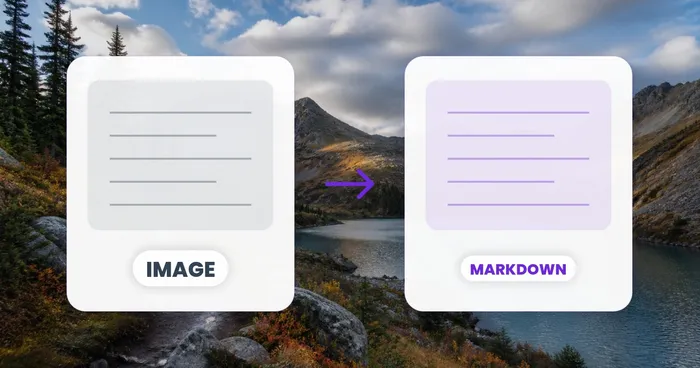
Image to Text (OCR)

Extract text from images — free

Pull editable text out of photos, screenshots and scans with accurate OCR — copy it or download in a click, in 100+ languages.

  • Accurate OCR in 100+ languages
  • Copy the text or download it instantly
  • Free · no signup · files deleted automatically

JPG, PNG, WEBP and more · Up to 50 MB

Extracted text
Extracting text

上传图片

拖入一张截图或扫描的图片

PNG, JPG, WEBP, GIF, TIFF, BMP

文件在处理后自动删除通过 HTTPS 安全处理

Frequently Asked Questions

OCR 引擎会先识别行列结构,再生成真正的 <table>、<thead>、<tbody>、<tr>、<th> 和 <td> 元素,可在所有浏览器、邮件客户端和 CMS 中正常工作。没有 CSS 技巧,没有 flexbox 表格,没有嵌套的 <div> 网格——只有干净、可校验且开箱即可被屏幕阅读器识别的 HTML5。

features

可以。粘贴到 WordPress HTML 区块、Webflow 嵌入、Wix HTML 元素或 Shopify Liquid 模板中,表格便会立即渲染。该标记无依赖——没有 JavaScript,没有外部 CSS——因此在编辑器之间复制粘贴或切换主题时都不会损坏。

usage

可以。标签均成对且正确嵌套,属性值使用双引号,并遵循 HTML5 文档类型的约定。将输出送入 W3C 验证器即可通过。对于需要屏幕阅读器播报的数据密集型表格,可手动添加 ARIA 角色以获得更丰富的无障碍支持。

technical

默认输出不带样式,以便沿用你现有的站点主题。可选开关能添加 Bootstrap(class="table table-striped")、Tailwind 实用类,或用于邮件兼容渲染的基础内联样式。可在表头单元格上添加 scope="col" 以提升无障碍性——对检测到的表头行,工具会自动生成这些属性。

technical

可以——用于版式参考和个人学习。输出会重建表格结构,但请务必确认你拥有重新发布他人网站内容的权利。本工具最常见的用途是将你自己的旧版 PDF 和截图迁移回现代化的 CMS 中,而非抓取受保护的内容。

usage

上传的文件会在几分钟内自动删除,绝不用于训练模型,HTML 输出也不带任何水印、署名或跟踪像素。这让该工具可以放心用于商业网站——代理公司、自由职业者和内部团队都用它来制作落地页、对比表格和文档,无需担心授权问题。

privacy

是的 — 拖入 PNG、JPG 或截图,OCR 会把文字、表格和列表重建为干净的语义化 HTML,可复制或下载。它提取的是内容结构(真正的 <table>、标题、列表),而非视觉化的 CSS 设计,因此非常适合把文字和数据表格搬进 CMS、邮件或博客文章。

usage

Open the Engine setting in the side panel and pick Default for general screenshots, or switch to Engine 1 or Engine 2 if the table headers or stylised fonts in your image aren't being read correctly. After changing it, click Re-run extraction to regenerate the HTML with the new engine.

features

Yes. Use the Language picker in Settings to match the script in your screenshot — this matters for non-English UI text, accented characters and mixed-language documentation pages. The dropdown only lists languages supported by the currently selected engine, so it updates automatically if you switch engines.

usage

Yes — the output view shows an editable textarea with the raw HTML on one side and a live rendered preview on the other, updating as you type. Fix a misread cell, tweak a tag, or add a class, and the preview reflects your change instantly before you copy or download the .html file.

features

Use Engine 2 for stylised or antialiased UI fonts, set the Language picker to match the screenshot's text, then check the live preview pane — if a row or column still looks merged, edit the HTML directly in the textarea before downloading.

tips

How Image to HTML helps you get it done

Real problems it solves every day — for businesses, creators, and everyday tasks. Find the use case that fits you and start in seconds.

For Creators

由设计稿生成网页

将设计师提供的截图转换为带有真正 <table> 元素和语义化标记的起步 HTML,可交给开发人员,也可直接用于 CMS。

For Business

从旧 PDF 迁移至 CMS

一次粘贴,即可将旧 PDF 宣传册中的价格表、常见问题板块和功能对比迁移到现代的 WordPress、Webflow 或 Shopify 页面中。

For Business

邮件简报表格

从设计稿截图生成像素级精准、邮件兼容的 HTML 表格,适用于 Mailchimp、Klaviyo 和 HubSpot Email——无需手写 <table> 标记。

For Business

SaaS 落地页定价表

将定价页面设计稿转换为响应式 HTML 定价表,用于你的 SaaS 落地页,可直接嵌入你现有的营销网站框架。

For Business

联盟营销博客对比图表

联盟营销人员将产品对比截图转换为评测帖文中的语义化 HTML 表格,让搜索引擎和读者都能即时浏览数据。

For Business

会议日程页

将打印的会议议程转换为 HTML 日程页面,采用真正的 <table> 标记,可适配移动端并集成到你的活动网站。

For Creators

带配料表的食谱网站

美食博主将印刷食谱页面转换为整洁的 HTML,配有结构化的配料表和分步说明,可直接用于 WordPress 或 Ghost。

For Business

API 文档表格

开发者关系团队将内部 PDF 中的 API 参考截图转换为 HTML 表格,用于基于 GitBook、Mintlify 或 Docusaurus 搭建的公开文档站点。

Legal

Compliance & Disclosure Tables for Websites

Convert a scanned terms sheet, fee schedule or regulatory disclosure table into semantic HTML you can publish on a compliance page — accessible markup that screen readers and auditors can both parse.

Real Estate

Property Spec Sheets for Listing Pages

Turn a photographed property brochure's specification table — room dimensions, amenities, HOA fees — into an HTML table ready to embed on a real-estate listing page or MLS syndication feed.

Career & HR

Salary & Job Comparison Tables

Convert a screenshotted salary survey or benefits comparison chart into clean HTML for a careers page or job board listing, so candidates can actually read the numbers on mobile.

For E-commerce

Product Spec Sheets for E-commerce Listings

Convert a scanned product spec table — size charts, technical specs, material or ingredient breakdowns — into semantic HTML you can paste directly into a Shopify, WooCommerce or BigCommerce product description, giving shoppers a real scrollable table instead of a blurry embedded photo.