
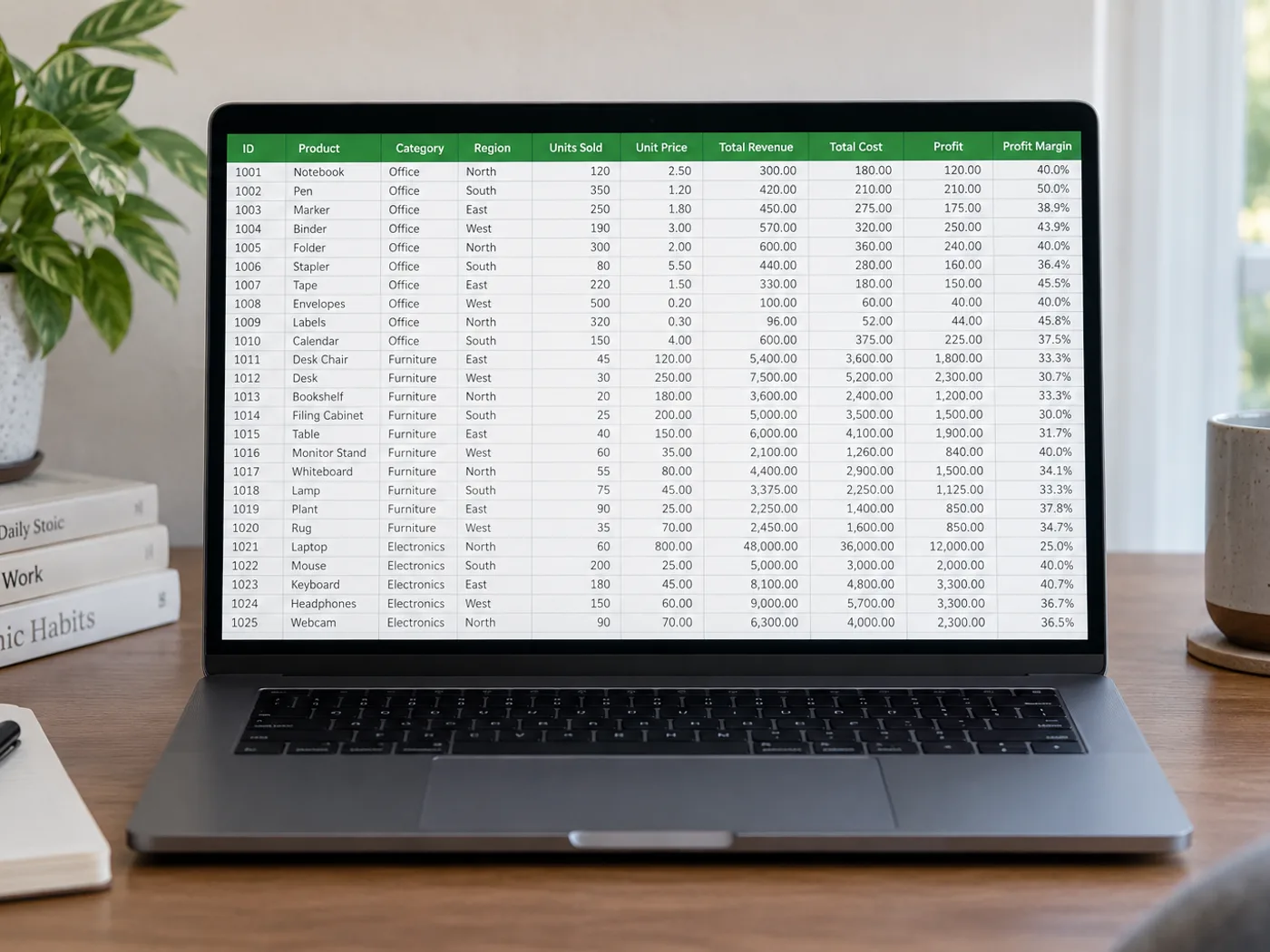
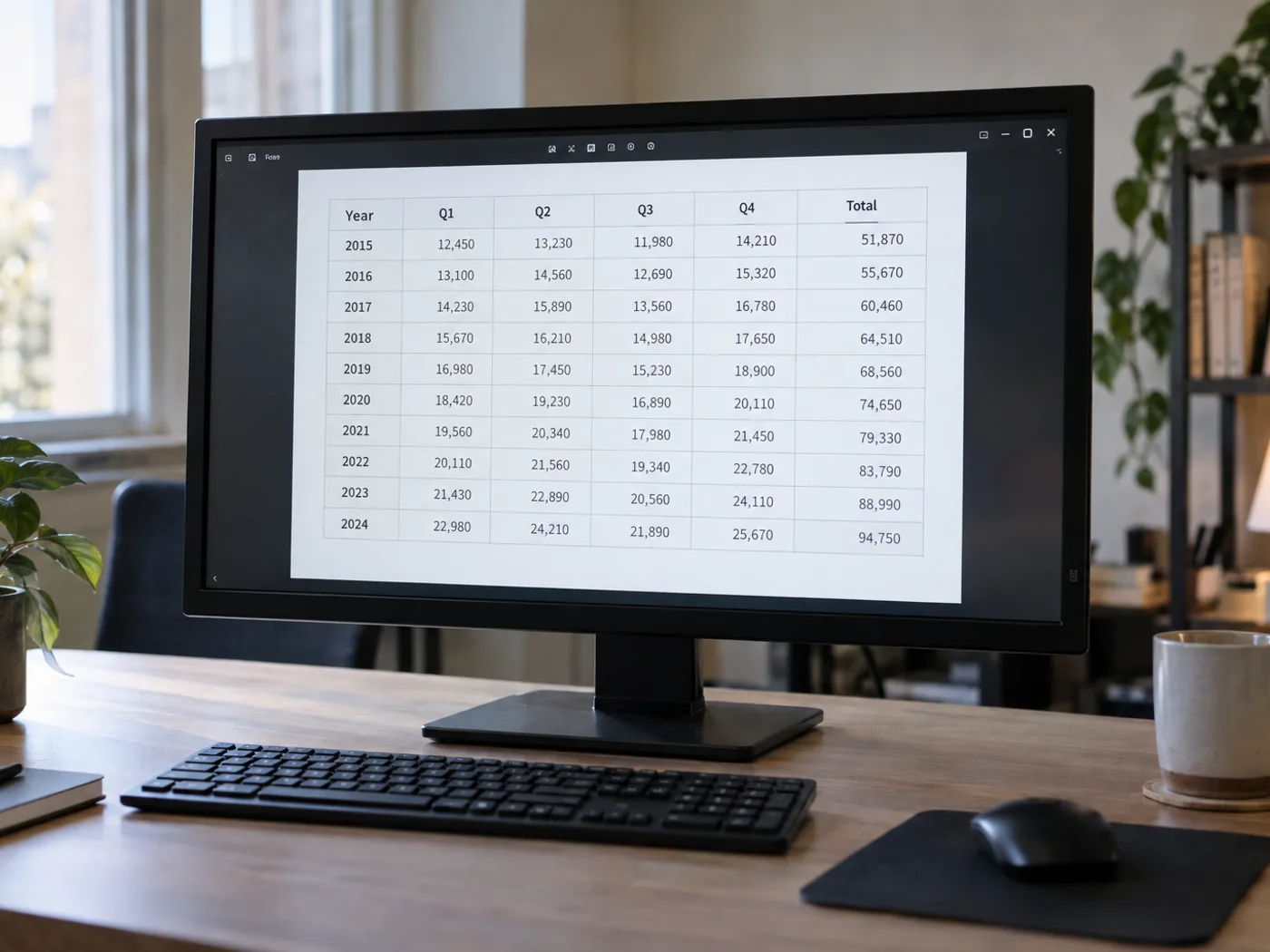
Din PNG-tabel er tydelig, men cellerne er stadig låst fast i et billede
PNG-eksporter bevarer ofte skarp tekst i tabeller, men cellerne består stadig af pixels. Indlæs en gemt PNG-tabel i et regneark, og gennemgå de udtrukne kolonner, før du åbner den i Excel for at sortere, filtrere eller rydde yderligere op.
Rapporttabeller eksporteret som PNG
Genskab de synlige data fra en rapportvedhæftning, der kun findes som billede, når forfatteren ikke har leveret det underliggende regneark.
Referencetabeller med produkt-id'er
Før navne og koder ind i et regneark, og kontrollér indledende nuller samt kombinationer af bogstaver og tal, før de knyttes til eksisterende poster.
Gendan regnearkets celler fra den oprindelige PNG
- Gem PNG-filen i de oprindelige mål frem for at forstørre et lille miniaturebillede.
- Læs tabellen, og gennemgå smalle kolonner, ombrudte overskrifter og id-felter.
- Ret fejlaflæste celler, eksportér som XLSX, og kontrollér formateringen af identifikatorer, når filen åbnes i Excel.
Håndtering af gennemsigtige PNG-filer, diagrammer og foranstillede nuller
- Skal jeg konvertere en PNG til JPG, før jeg udtrækker celler til Excel?
- Nej. Upload PNG-filen direkte. Konvertering til JPG kan skabe komprimeringsartefakter omkring små tegn uden at tilføre information.
- Hvad hvis min PNG-tabel har en gennemsigtig baggrund?
- Teksten skal være tydeligt adskilt fra baggrunden. Hvis forhåndsvisningen er svær at læse, skal du lave en kopi med kontrasterende baggrund, før du udtrækker teksten.
- Bliver en PNG med et diagram til et dataark?
- Denne side er beregnet til synlige tabelceller. En afbildet linje eller søjle indeholder ikke den oprindelige dataserie; brug kildetabellen, hvis den er tilgængelig.
- Hvordan håndterer jeg koder som 00127 i projektmappen?
- Sammenlign den udtrukne kode med PNG-billedet, og kontrollér dens celleformat i Excel. Behandl identifikatorer som tekst, når indledende nuller har betydning.


























