

Penyunting Gambar AI - Sunting, Ganti, Mengembangkan, dan Mengembalikan
Dibangun untuk tepat, kualitas tertinggi hasil yang dapat bervariasi
Jelaskan hasilnya dan biarkan deteksi area edit- otomatis menangani perubahan adegan lengkap. Gunakan sikat hanya untuk penempatan yang tepat, penggantian objek, atau perbaikan opsional.
- Mode edit terfokus dalam satu alur kerja
- Otomatis pementasan, pembersihan, langit, dan latar belakang berjalan
- Outpaint dan aspek konversi salin sumber siap frame persis
Pilih gambar
JPG, PNG, WebP, HEIC, dan format lain yang didukung. Untuk alat ini, batas unggahan paket Free adalah 20 MB; Premium dan paket yang lebih tinggi hingga 50 MB.
Purpose-built AI editors
Choose a focused image-editing workflow
Every workflow uses the same protected editing engine, with task-specific controls, prompts, and guidance.

Penghapus Watermark
Unggah foto dan biarkan deteksi otomatis menemukan lapisan yang menutupi foto lalu memperbaiki areanya.
Open workflow
Pengganti Latar Belakang Potret AI
Pilih suasana yang sesuai dengan pencahayaan potret Anda, lalu periksa tepi subjek.
Open workflow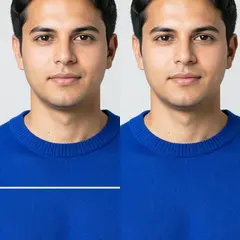
Perbaiki Kerusakan Foto
Gunakan kuas tipis untuk menutupi setiap retakan dan tepinya yang pucat. Pilih Area sobekan untuk bagian hilang yang lebih besar.
Open workflow
Perluas Gambar dengan AI
Pilih rasio aspek target, deskripsikan bagian adegan yang hilang bila perlu, lalu buat komposisi yang lebih luas di sekeliling foto asli.
Open workflow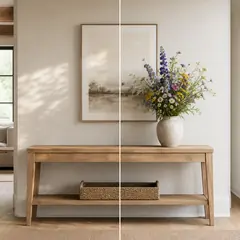
Isian Generatif dengan AI
Warnai bagian yang dipilih, jelaskan penggantinya, lalu tinjau hasilnya sebelum mengunduh.
Open workflow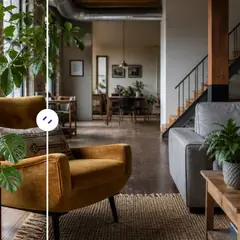
Penghapus Objek dengan AI
Jelaskan objek dan lokasinya, lalu hasilkan rekonstruksi yang bersih secara otomatis atau sempurnakan area tersebut secara manual.
Open workflow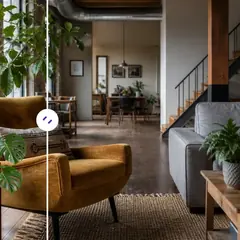
Pengganti Objek dengan AI
Tandai objek dan jelaskan apa yang seharusnya menggantikannya. Tinjau objek pengganti dan area di sekitarnya sebelum mengunduh.
Open workflow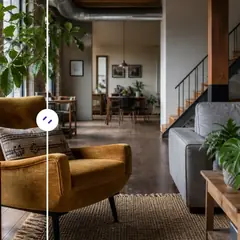
Tambahkan Objek ke Foto dengan AI
Pilih area kosong, jelaskan objeknya, lalu buat objek tersebut di dalam ruang yang dipilih.
Open workflow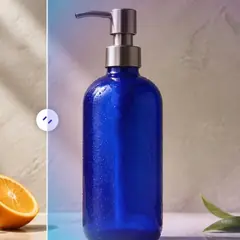
Pengubah Latar Belakang dengan AI
Pilih preset adegan atau deskripsikan latar yang sepenuhnya baru; subjek utama akan diisolasi secara otomatis.
Open workflow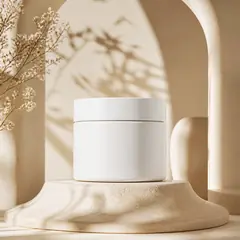
Generator Latar Belakang Produk dengan AI
Pilih latar suasana dan buat adegan di sekeliling produk Anda. Periksa tepi dan detailnya sebelum digunakan.
Open workflow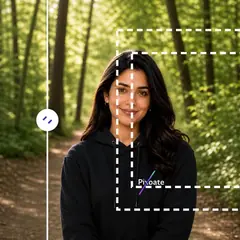
Perluas Gambar dengan AI
Pilih rasio aspek yang lebih besar dan bangun ruang tambahan yang masuk akal di sekeliling pemangkasan saat ini.
Open workflow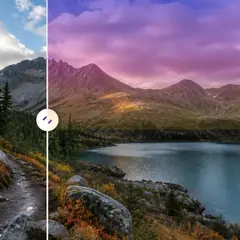
Pengganti Langit dengan AI
Pilih preset langit atau deskripsikan suasana langit yang Anda inginkan.
Open workflow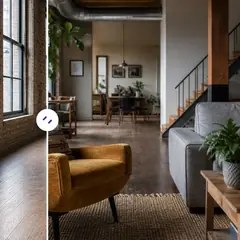
Penataan Ruang dengan AI
Pilih gaya ruangan, sesuaikan prompt, lalu buat konsep penataan lengkap secara otomatis. Sempurnakan area yang dapat diedit hanya bila diperlukan.
Open workflow
Generator Adegan Produk dengan AI
Pilih suasana keseharian atau kampanye, lalu buat suasana itu di sekeliling produk Anda.
Open workflow
Penataan Ruang Virtual dengan AI
Pilih tujuan kamar dan gaya, kemudian hasilkan daftar lengkap secara otomatis. Pemurnian manual tetap tersedia untuk tata letak yang tidak biasa.
Open workflow
Editor Foto Properti dengan AI
Pilih preset tugas properti; alur kerja otomatis berjalan tanpa sapuan manual, sedangkan pengeditan yang peka terhadap penempatan meminta area yang presisi.
Open workflowApa yang dapat Anda lakukan dengan Editor Gambar dengan AI
Tinjau kemampuan utama sebelum Anda mulai.
- Perluas foto menjadi tata letak persegi, potret, atau lanskap
- Isi area yang dicat dengan konten yang baru dijelaskan
- Menghapus atau mengganti objek yang dipilih dalam foto
- Ubah gaya langit, latar belakang, cuaca, atau pemandangan
- Tata ruangan kosong tanpa mengubah arsitekturnya
- Tempatkan foto produk ke dalam studio atau adegan gaya hidup
- Lindungi piksel asli di luar pengeditan lokal yang dicat
Referensi pengaturan
5 pengaturan
Kontrol yang tersedia untuk Editor Gambar dengan AI.
Sunting
- Jenis edittarik-turun
- Pilih alur kerja pengeditan terfokus sehingga gambar, perintah, pilihan opsional, dan bentuk keluaran ditangani secara konsisten.Opsi: Penghapusan watermarkPerbaikan goresanPengeditan berbasis teksIsian generatifPenghapus ajaibPengganti objekPengubah latar belakangLatar Belakang ProdukPerluas dengan AIPerluas gambarLanskap ke potretPotret ke lanskapPenggantian langitPenataan ruanganAdegan produkFoto kepala profesional
- Jelaskan hasil editnyaMasukan teks
- Describe the Visual Ubah in up to 1000 characters; Objek removal, replacement, and Adegan changes require it, while expansion Dapat run without extra Arahan.
Pilihan
- Pilihan ukuran kuasPenggeserJangkauan: 16–160px · Bawaan: 64px
- Generative Isi and Objek replacement require a painted area. Otomatis cleanup, latar belakang, Langit, and staging modes expose the same Kuas Saja Melalui Refine area secara Manual; pixels outside a Manual pilihan are restored from sumber yang telah disiapkan.
Keluaran
- Rasio aspek diperluasPreset
- Pilih bentuk kanvas baru untuk memperluas gambar sambil mempertahankan foto asli di dalam bingkai yang dihasilkan.Opsi: Kuadrat 1:1Potret 4:5Cerita 9:16Lebar 16:9Potret 3:4Pemandangan 4:3
- Ask AI to Pertahankan Subjek identity and Produk DetailHidup / Mati
- Minta editor untuk mempertahankan bentuk, identitas, logo, label, dan teks subjek utama yang dapat dibaca kecuali instruksi Anda secara eksplisit mengubahnya.
Alat terkait untuk Editor Gambar dengan AI
Alat untuk langkah umum selanjutnya setelah Editor Gambar dengan AI.
Studio Gambar AI
Perluas Gambar dengan AI
Perluas gambar melampaui batasannya dengan AI. Konversikan foto menjadi tata letak persegi, potret, cerita, atau layar lebar tanpa memotong bingkai aslinya.
Coba sekarangStudio Gambar AI
Isian Generatif dengan AI
Lukis bagian gambar dan isi dengan konten baru yang dihasilkan AI. Perbaiki celah, tambahkan detail, atau ganti area yang dipilih sekaligus melindungi piksel di sekitar.
Coba sekarangStudio Gambar AI
Penghapus Objek dengan AI
Hapus orang, objek, kabel, papan tanda, dan gangguan yang tidak diinginkan dari foto secara otomatis, dengan penyempurnaan manual opsional untuk pembersihan yang presisi.
Coba sekarangPertanyaan yang Sering Diajukan
Panduan untuk alat ini
Saksikan setiap transformasi selesai
Setiap foto crosses the slash untouched and comes out the other side finished.























