
Convertitore da PNG a WebP: converti PNG in WebP gratuitamente online
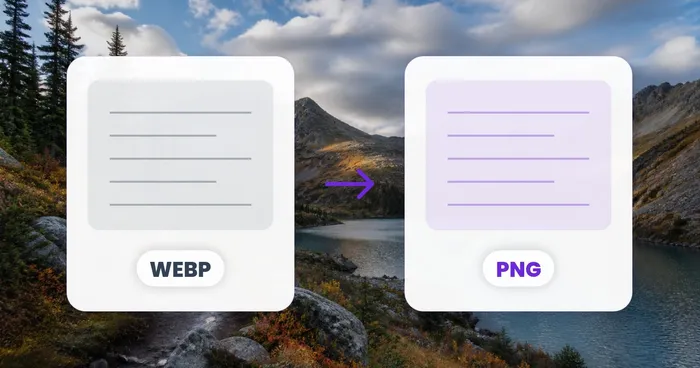
PNG mantiene la tua trasparenza e distrugge la velocità della tua pagina. Converti PNG in WebP e mantieni entrambi: verifica la differenza di dimensioni prima di scaricare.
- Mantieni lo sfondo trasparente, perdi peso nel file
- WebP con o senza perdita di dati: confronta le dimensioni dei file fianco a fianco
- Converti un'immagine o un batch completo in un'unica esecuzione
Trascina qui un PNG per creare un file WebP
Cosa puoi fare con PNG in WebP
Esamina le funzionalità principali prima di iniziare.
- Converti le immagini PNG in WebP moderni
- Riduci il peso del file del 60-80% mantenendo la trasparenza
- Servi grafiche più leggere per pagine che si caricano più in fretta
- Scegli la modalità senza perdita di qualità per conservare ogni dettaglio
- Regola la qualità WebP per il giusto compromesso sulla dimensione
- Converti in blocco molti PNG in un'unica passata
Riferimento alle impostazioni
5 impostazioni
Controlli disponibili per PNG in WebP.
Impostazioni
- Formato di outputMenu a discesa
- Chooses the file type you download. The page opens on its own output format; switch to any other format before converting.Opzioni: JPGPNGWebPAVIFGIFTIFFBMPICOPDF
- QualitàCursoreIntervallo: 20–100 · Predefinito: 90
- For JPG, WebP, AVIF and image-to-PDF output: higher keeps more detail but makes a bigger file; 60–80 suits most photos. Documents (Publisher, XPS, EPS…) become PDFs with every page and sharp text, with no quality setting.
- Modalità senza perditaAttivo / Disattivo
- For WebP and AVIF output: keeps every pixel exactly (best for logos, graphics and transparency) at the cost of a larger file.
- Riempimento sfondoSelettore colore
- Per output JPG, BMP e da immagine a PDF, che non supportano la trasparenza: il colore che riempie le aree trasparenti (bianco per impostazione predefinita).
Modalità
- File singolo / In bloccoMenu a discesa
- Elabora un file o un batch con impostazioni condivise. I risultati batch vengono scaricati come un unico ZIP.Opzioni: File singoloIn blocco
Casi d'uso più comuni
Strumenti correlati per PNG in WebP
Strumenti per i passaggi successivi comuni dopo PNG in WebP.
Conversione immagini
Da WebP a PNG
Converti immagini WebP in PNG mantenendo la trasparenza supportata.
Provalo ora
Conversione immagini
Da JPG a WebP
Converti immagini JPG in WebP e regola la qualità per bilanciare i dettagli e le dimensioni del file.
Provalo ora
Conversione immagini
PNG in JPG
Converti un PNG in JPG e regola la qualità dell'esportazione per bilanciare chiarezza e dimensione del file.
Provalo oraDomande frequenti
Come PNG in WebP ti aiuta a portare a termine il lavoro
Problemi reali che risolve ogni giorno: per aziende, creatori e attività quotidiane. Trova il caso d'uso adatto a te e inizia.
Set di icone e asset UI più veloci
Converti sprite di icone PNG trasparenti e risorse UI in WebP per ridurre il peso della pagina mantenendo intatto ogni pixel trasparente, velocizzando i tempi di caricamento di app e dashboard.
Ottimizzazione delle immagini prodotto per vetrine online
I venditori di Shopify e WooCommerce possono convertire i ritagli di prodotto in PNG trasparente in WebP con il cursore della qualità per superare i controlli di PageSpeed e Core Web Vitals richiesti dai moderni temi delle vetrine.
Compressione degli screenshot per l'App Store
Riduci gli screenshot di app in PNG e i mockup dei press kit in piccoli file WebP per le pagine di listing degli app store e i media kit, usando la modalità Lossless quando le sovrapposizioni di testo devono restare perfettamente nitide.
Ottimizzazione delle immagini in evidenza per blog e CMS
Blogger e team di contenuti su WordPress, Ghost o altre piattaforme CMS convertono in WebP le immagini in evidenza e di intestazione in PNG con il cursore della qualità per superare gli audit di PageSpeed Insights e Core Web Vitals, che penalizzano sempre più i PNG non ottimizzati.
Guide per questo strumento
Guarda ogni trasformazione applicarsi
Ogni foto attraversa la barra senza modifiche e ne esce dall'altro lato già completata.
 Miglioramento dell'intelligenza artificiale
 Arredamento virtuale
 Bellezza naturale
 Ritratti professionali con IA
 Flash diretto usa e getta
 Foto per inserzioni Amazon
 Riilluminazione autentica dell'ora d'oro
 Ristrutturazione della cucina
 Rifocalizzazione Intelligente
 Pubblicità di prodotti
 Acquerello
 Rimozione sfondo










