
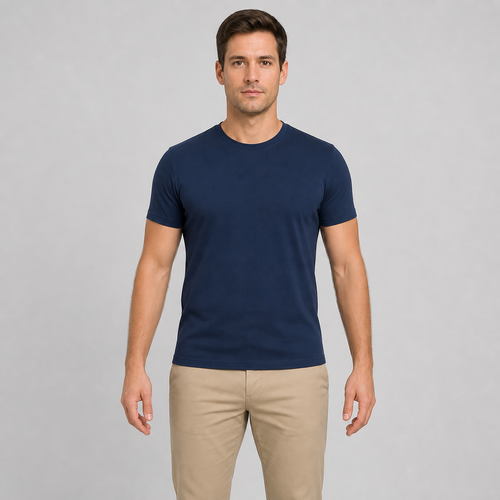
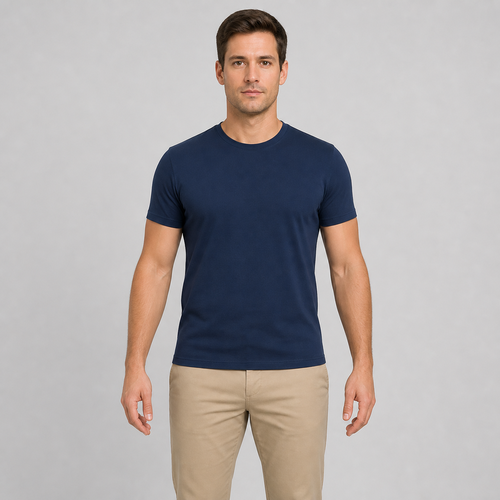
The same source image before and after applying 腕を調整.
腕を調整 applied to the same source image
Original source image before 腕を調整

腕調整 — ポートレートを再生成せず、検証済みの腕を細くする

既存の元画像ピクセルで、検証済みかつ分離した2本の腕帯だけを細くし、顔、肩、胴体、手、両方の限定範囲外にある全ピクセルを変更せず保ちます。

腕を調整 エフェクト用の写真をアップロードしてください

腕を調整 エフェクトでできること

始める前に、利用可能なエフェクト機能を確認してください。

  • Apply the 腕を調整 effect to any photo
  • Fine-tune the effect strength to taste
  • Preview your photo live as you edit
  • Download your edited photo in high quality
  • Apply 腕を調整 to many photos at once

使い方

Arm Adjust makes a restrained change to two clearly separated arms you can clearly see, and leaves the rest of the photo exactly as you shot it. It locates each person by their face, shoulders and hips, then separates two clearly separated arms from the background, hair, skin and clothing before anything moves. The adjustment eases off to nothing at every edge of that area, and nearby background is filled in behind the new outline so no gaps appear. The face and every pixel outside the adjusted area are copied straight into a lossless PNG. In a group photo you pick who to change, or switch on "Apply to everyone" in Settings. Anyone standing too close for their neighbour to stay untouched is left alone rather than guessed at. If the photo is unclear, cut off, transparent or ambiguous, it stops instead of guessing.


処理中

腕を調整は AI アクションを使用します。このエフェクトの処理が開始される前に、個別の許容値が表示されます。

こんな方に最適

sharp, opaque, front-facing photos with a clear face, both shoulders, elbows, wrists and hips visible, straight arms held away from the torso, and clean background on both sides — including group photos where each person has clear space around them.

以下にはあまり適していません: 肩を寄せ合い隙間なく並んだ人物、横向きまたは座ったポーズ、腕を組んだ姿勢や腕を胴体に添えた姿勢、肘や手首が隠れている写真、長くゆったりした袖、腕と胴体の間に物が多い背景、透過画像、モーションブラー、体が画像の端に触れている写真。.

腕を調整の使い方

  • 顔の同一性、身体構造、服、ポートレート全体を再生成せず、腕の幅を控えめに調整します。
  • 分離した2本の腕帯を細くする間、肩、胴体、手、下半身、遠景を元画像と完全に同じ状態に保ちます。
  • 強度を調整して、固定された安全上限の範囲内で、控えめまたはより明確な腕調整を選択します。

選択した 腕を調整 効果についてのよくある質問

腕調整ではどの部分が変わりますか?
写真内の既存ピクセルを使い、安全に分割された2本の腕のシルエットの中央部分だけを細くします。変形は肩と手首の手前でゼロになり、顔、胴体中央、手、下半身、両範囲外の全ピクセルは完全に保たれます。
両腕をまっすぐに伸ばし、胴体から離す必要があるのはなぜですか?
腕を局所的に変形するには、腕の輪郭が明確で、その両側の背景が検証済みである必要があります。腕が曲がっている、胴体に触れている、別の手足と交差している、または複雑な背景に輪郭が埋もれている場合、身体や背景まで歪むおそれがあるため、ツールは安全に処理を停止します。

その他のポートレート&ビューティー効果

注目の効果を動画で確認

特に効果の高い候補を先に表示し、その後に残りのカタログが続きます。


















