
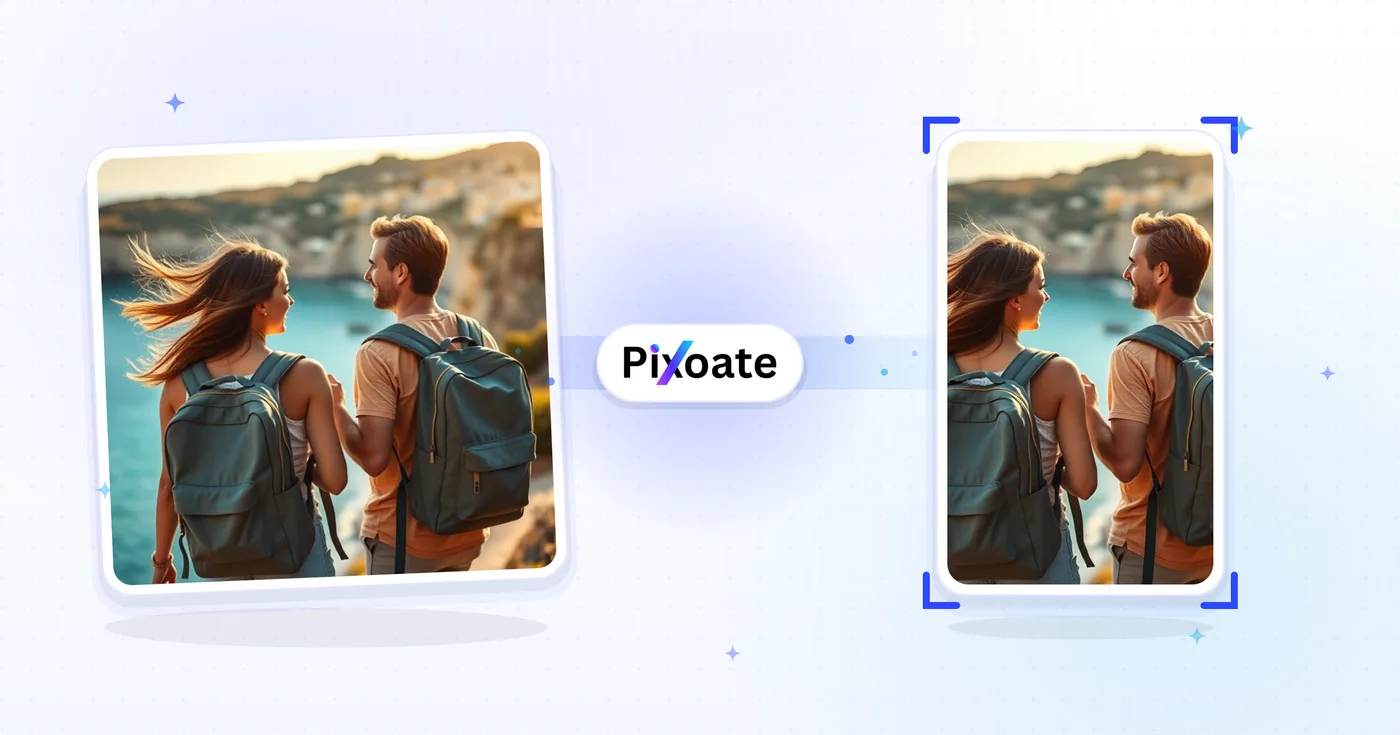
横長&縦長コンバータ — トリミングせずに向きを変更
加工済みの写真全体を残したまま、高速な背景塗りつぶしまたはAI生成の背景を使って、横向きから縦向き、縦向きから横向きへ変換します。
写真をドロップします — 風景またはポートレートを選択し、再調整された画像をダウンロードします
After uploading, choose AI extension, background fill, or cropping. AI extension uses your AI allowance.
向きのオプション
縦向きから横向きへ
縦向きの画像を横向きフォーマットへ変換します。ソーシャルメディアや印刷にぴったりです。
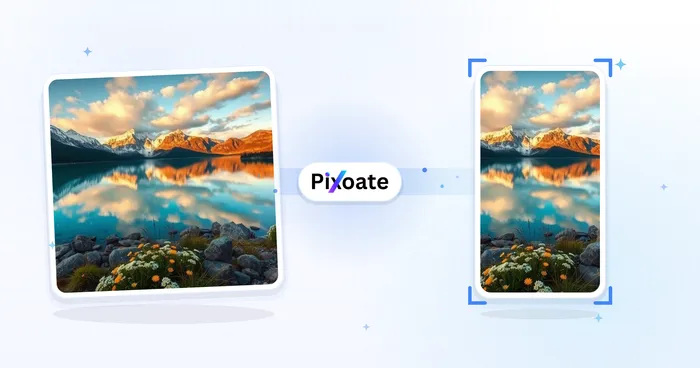
横長から縦長へ
横向きの画像を縦向きに変換します。モバイル表示やストーリーズに最適です。
使い方
Upload your photo, choose a method and target frame, then review the result before downloading.
方向変換機能
Choose how your photo fits
AI extends the surroundings, background fill keeps the whole photo, and cropping removes edges to fit. Review generated details before sharing.
直接制御
Use the controls in your browser to set the frame, adjust your background or crop, and review the processed photo.
セキュリティと保持
サーバー処理されたファイルは、当社のセキュリティ ポリシーに基づいて処理されます。
風景&ポートレートコンバータ でできること
始める前に、主な機能を確認してください。
- 写真を横向きと縦向きに切り替える
- 元のフレームを超えて一致する風景を生成します
- 任意の画像をターゲットの幅と高さに合わせます
- 空のスペースをぼかした背景で埋める
- 写真の後ろに単色またはグラデーションの背景を追加します
- デザインライブラリから背景をドロップします
- 写真の背景を自動的に削除します
- ソーシャルメディア用にサイズを変更し、プリセットを印刷します
設定リファレンス
24 設定
風景&ポートレートコンバータ で使用可能なコントロール。
方法
- どのような仕上がりにしますか?プリセット
- アップロード後に方法を選びます。AIは新しい周囲の風景を生成し、無料のダウンロードはWebサイズです。背景の塗りつぶしは写真全体を残し、切り抜きは枠に合わせて端を削ります。ダウンロード前であれば方法を変更できます。オプション: AIでシーンを拡張背景を追加枠に合わせて切り抜き
- モードドロップダウン
- 写真を1枚ずつ変換するか、同じサイズ・背景・画質の設定で複数の写真を変換して1つのZIPにまとめてダウンロードするかを切り替えます。一括処理はPremium機能です。オプション: 1枚の画像一括処理
サイズ
- サイズプリセット
- Chooses a preset or custom target frame. Background fill uses these pixel sizes. Single-image AI uses supported ratios and shows the actual PNG dimensions with the result. Cropping keeps the selected source pixels; batch AI uses the chosen output size.オプション: プリセットを使用カスタムを使用
- プリセットを使用プリセット
- Background sizes: Portrait 900×1200; Vertical Portrait 1080×1350; Classic Movie Poster 1200×1800; ISO A-Series 1000×1414; Landscape 1200×900; Square 1080×1080; Horizontal Landscape 1910×1000; Wide 1920×1080; Productivity Widescreen 1920×1200; Ultrawide 2100×900; Panoramic 2500×1000; Tall 1080×1920.オプション: 縦向き(3:4)縦向きポートレート(4:5)定番の映画ポスター(2:3)ISO A判用紙(1:1.414)横長(4:3)正方形(1:1)横向き写真(1.91:1)ワイド(16:9)作業用ワイド画面(16:10)ウルトラワイド(21:9)パノラマ(5:2 / 2.5:1)縦長(9:16)
- 幅数値入力レンジ: 100–8000px · デフォルト: 1200px
- 「カスタムを使用」を選んだときの出力の幅を、100〜8000ピクセルの範囲で正確に設定します。
- 高さ数値入力レンジ: 100–8000px · デフォルト: 900px
- 「カスタムを使用」を選んだときの出力の高さを、100〜8000ピクセルの範囲で正確に設定します。
背景
- 背景プリセット
- Chooses the fill around your photo when Add background is selected. For generated surroundings, choose Extend scene with AI under Method. These options work for one image or a whole batch.オプション: ぼかし色グラデーションデザイン写真
- ぼかしの強さスライダーレンジ: 5–50 · デフォルト: 20
- 背景に敷かれる写真のぼかしコピーを、どのくらい強く柔らかくするかを調整します。値を上げるほど、滑らかで抽象的な見た目になります。背景が「ぼかし」に設定されているときに表示されます。
- 背景色カラーピッカー
- 「背景」を「カラー」にしたときに写真の周囲を塗りつぶす色を選びます。初期値は白です。
- 色カラーピッカー
- 番号付きのグラデーションカラーストップをそれぞれ設定します。グラデーションは等間隔に並んだ2〜6個のストップをブレンドし、不要なストップはXボタンで削除できます。
- 色を追加ワンクリック
- グラデーション背景にカラーストップを追加します(最大6つまで)。
- 方向ドロップダウン
- グラデーション背景の流れる向きを設定します。上から下、左から右、角から角(斜め)から選べます。初期値は縦方向です。オプション: 垂直水平斜め
- デザインギャラリー
- 背景デザインライブラリを表示し、写真の周りを既製のデザインで埋められます。一部のデザインはPremiumプランが必要です。
- 背景検索テキスト入力
- デザインライブラリをキーワードで絞り込み、写真に合う背景スタイルをすばやく見つけられます。
- 背景カテゴリギャラリー
- デザインライブラリを、カテゴリチップで1つずつ絞り込みます。「すべて」チップを選ぶと、全デザインが表示されます。カテゴリ一覧は、背景カタログに基づいています。
- 無料のみオン/オフ
- デザインライブラリを無料の背景だけに絞り込み、Premiumプランが必要なデザインを隠します。
- 背景画像をアップロードファイル入力
- 変換後の画像の背景に敷く写真をアップロードします。あとから「背景画像を変更」ボタンで別の写真に差し替えられます。
- エッジのぼかしスライダーレンジ: 0–100 · デフォルト: 0
- 写真の縁をぼかして、硬い四角形で終わらせるのではなく、背景になじませます。くっきりした縁にしたい場合は0のままにしてください。
- 写真の背景を除去(AI)オン/オフ
- 被写体を切り取って選択した背景に配置すると、きれいで自然な合成が得られます。
AI 画像拡張
- AIでシーンを拡張ワンクリック
- 準備済みの元写真はそのままに、AIでシーンを選択したサイズまで広げます。無料のダウンロードはWebサイズです。Premiumまたはクレジットでフル解像度が利用できます。対応する比率では縦横比の維持が必要です。一括処理では、キュー内のすべての画像が拡張され、選択したサイズと形式で出力されます。
切り抜き
- トリミング sizeスライダー
- 選んだ縦横比を保ったまま切り抜き範囲のサイズを変更できます。枠をドラッグして位置を変えるほか、矢印キーで移動し、プラス・マイナスキーでサイズを調整できます。
出力
- 品質スライダーレンジ: 10–100% · デフォルト: 92%
- 変換後の画像で、鮮明さとファイルサイズのバランスを取ります。値を高くするとディテールがより多く残りますが、ファイルは大きくなります。
- アスペクト比を維持して背景で塗りつぶすオン/オフ
- オンのとき(既定)は、写真を指定サイズに収まるように配置し、余った部分を選んだ背景で埋めます。オフにすると、写真が指定サイズちょうどに引き伸ばされます。
- 出力フォーマットドロップダウン
- 変換後の画像のファイル形式を選びます。JPEG は写真向けの小さなファイル、PNG は劣化のない画質、WebP はコンパクトな最新形式です。初期値は JPEG です。オプション: JPEGPNGWebP
風景&ポートレートコンバータ の関連ツール
風景&ポートレートコンバータ の後の一般的な次のステップのためのツール。
SNS公開
縦向き・横向き動画変換ツール
Convert videos between portrait, landscape, square, and custom sizes. Keep the whole frame, crop, add backgrounds, and download MP4 free without a watermark.
今すぐ試すAI 画像スタジオ
AI画像拡張ツール
Choose an aspect ratio and generate new scenery around the original image.
今すぐ試す
AI 画像スタジオ
AI画像拡張
AI でイメージを枠を超えて拡大します。元のフレームをトリミングせずに、写真を正方形、ポートレート、ストーリー、またはワイドスクリーンのレイアウトに変換します。
今すぐ試すよくある質問
風景&ポートレートコンバータでできること
ビジネス、クリエイター、日常業務など、実際の問題を毎日解決します。自分に合ったユースケースを見つけて始めましょう。
Instagramのストーリー 9:16 縦型フォーマット
横向きの写真をInstagramストーリーズ向けの縦型1080x1920フォーマットへ変換し、エンゲージメントと全画面表示を最適化します
YouTubeショート&TikTok縦型動画
横向きの動画や画像を縦型の9:16フォーマットに変えて、YouTube Shorts、TikTok、Instagramリールに
iPhone・Android 壁紙サイズ
写真をiPhone向け壁紙(1170x2532)やAndroid向け壁紙のサイズへ変換し、モバイル画面にぴったり合わせます
Facebookカバー写真 820x312 サイズ
横長の写真をFacebookのカバー写真サイズ820x312にリサイズして、ビジネスページや個人プロフィールに活用
PowerPoint と Keynote のプレゼンテーション
PowerPointのスライド、Keynoteのプレゼンテーション、ビジネスレポート向けに、縦向きの画像を16:9の横向きフォーマットへ変換します
ウェブサイトのヘッダー・バナー画像
縦長の写真を横長のワイドフォーマットに変えて、ウェブサイトのヘッダー、バナー画像、ヒーローセクションに
トリミングの代わりに欠けている風景を生成する
[AI 生成] を選択すると、ソース フレーム全体を保持し、その周囲に一貫した風景を作成しながら、風景写真をポートレートに、またはポートレート写真を風景に変換できます。
スタジオなしで実現するスタジオ品質の商品撮影
AI背景除去を実行し、切り抜いた被写体を任意の向きで単色またはグラデーションの背景に配置して、自宅で撮影したスマホ写真をEC出品向けの商品画像に仕上げます。
リール・サムネイル向けブランドグラデーションカバー
ブランドカラーで複数色のグラデーションを背景として作り、9:16 や 16:9 のフレームに変換すれば、統一感のあるリールのカバーや YouTube のサムネイルシリーズを作れます。
撮影全体のフォーマットを一括変更
撮影全体をBatchモードにまとめ、すべての写真を一度の処理で同じサイズ・背景・品質設定に変換し、仕上がった一式を単一のZIPとしてダウンロードできます。
チームページ向けの整った証明写真の背景
AI 背景削除で被写体を切り抜き、正方形にトリミングして無地の背景に合成します。バラバラなチーム写真のフォルダーに統一感を持たせ、「私たちについて」のグリッドに使えます。
縦向きのスマホ写真をデスクトップの壁紙に変換
縦長のスマホ写真をデスクトップ壁紙のフルフレームに余白付きで収めるには、「ワイド16:9」プリセットを「ぼかし」背景とともに選びます——被写体は切り取られず引き伸ばされないまま保たれ、ぼかされた縁が余分なスペースを自然に埋めます。
このツールのガイド
- The Crop That Cut Out the Selling Point: Why Product Images Need Room to AdaptA social ad crop can hide the feature that makes a product worth buying. Explore portrait layouts and Pixoate editing that give important details room.
- Make a Landscape Photo Portrait Without Cropping PeopleFit a horizontal group photo into a vertical canvas with background fills. Keep faces visible, choose suitable dimensions and review generated scenery carefully.
変換結果を一つずつ確認
すべての写真はスラッシュをそのまま通過し、反対側が完成して出てきます。























