AI 옷장 디자인
생성 결과는 달라질 수 있으므로 게시하기 전에 전체 결과를 검토하세요.
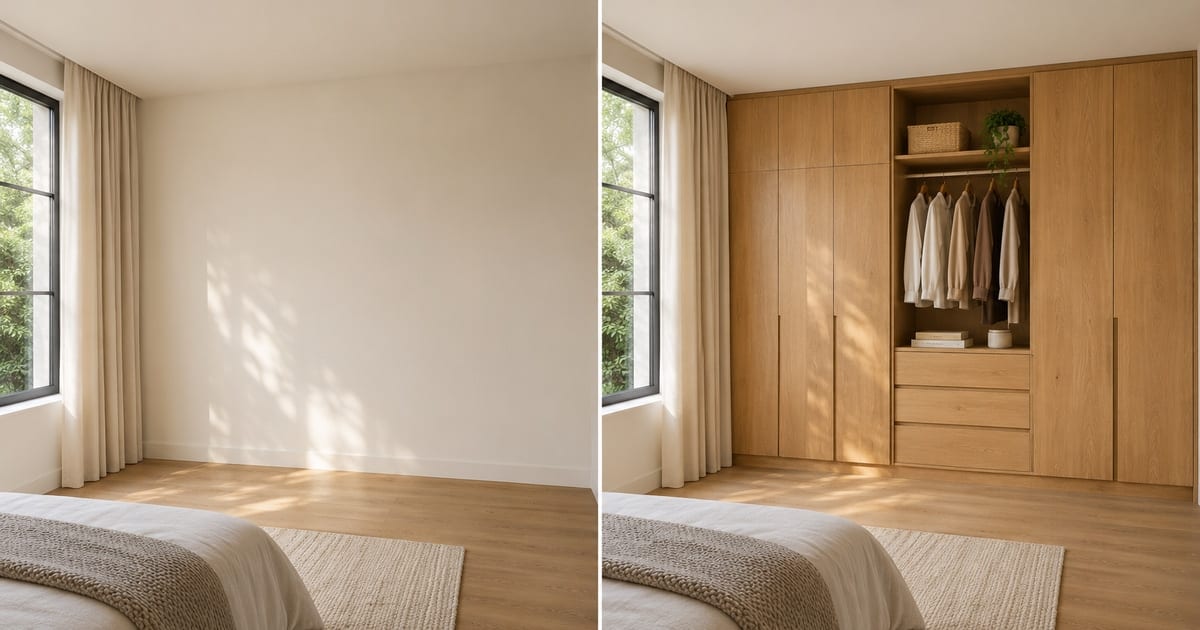
A wardrobe is usually the largest piece of storage a household ever buys, and it is usually chosen from a showroom sample or a catalog render of somebody else's bedroom. This designer places a wardrobe on a photo of your own room: floor-to-ceiling built-ins, sliding doors for a tight space, a walk-in closet, or a corner unit. Change the finish, add mirror doors, LED lighting or loft storage with one tap, and see whether the design suits the wall before a carpenter takes a measurement.
- Prepared Wardrobe Designer AI direction
- 수정 가능한 프롬프트
- 전체 결과 검토 필수
Choose a source image for Wardrobe Designer AI
JPG, PNG, WebP, HEIC 등 지원되는 형식을 사용할 수 있습니다. 이 도구의 업로드 한도는 Free 20 MB, Premium 이상 50 MB입니다.
AI 옷장 디자인에 대한 설정
준비된 설정
- 출발점
- 원본 이미지 한 장 업로드
- 페이지가 올바른 편집 작업 흐름으로 열리므로, 업로드만 하면 바로 시작할 수 있습니다.
- 준비된 워크플로우
- Prepared Wardrobe Designer AI staging direction
- Wardrobe Designer AI opens with the Wardrobe Designer AI direction preselected, so there is no need to find the operation manually.
- 출력 형식
- 업로드한 원본과 동일
- 결과물은 업로드한 이미지의 가로세로 비율을 유지합니다.
- 검토 규칙
- 사용하기 전에 생성된 전체 결과 검토
- 생성된 이미지는 결과가 달라질 수 있으며, 다운로드 전 최종 결과는 사용자의 승인을 거칩니다.
최적의 용도
- Compare sliding-door and hinged-door wardrobes on one wall
- Show a carpenter or interior designer the look you want
- Decide between a walk-in closet and a built-in before ordering
자주 묻는 질문
- Can I use this picture to order the wardrobe?
- Use it to settle the design: the style, finish, door type and what goes inside. It is a concept at plausible scale, not a measured drawing. Hand it to your carpenter or supplier as the look you want, and let them measure the wall, check the door swing and confirm the real dimensions.
- Which wardrobe suits a small room?
- Sliding doors save the swing space a hinged door needs, and floor-to-ceiling units use height instead of floor area. Try both on the same photo and look at how much floor remains in each version, which is the number that matters in a small room.
- Can I add mirror doors, lights and a dressing table?
- Yes. The "Add to your result" buttons include mirror doors, LED strip lighting, a shoe rack, drawers, loft storage and a dressing table. Combine as many as you like and add your own wording in the custom instructions box.
- What should the photo show?
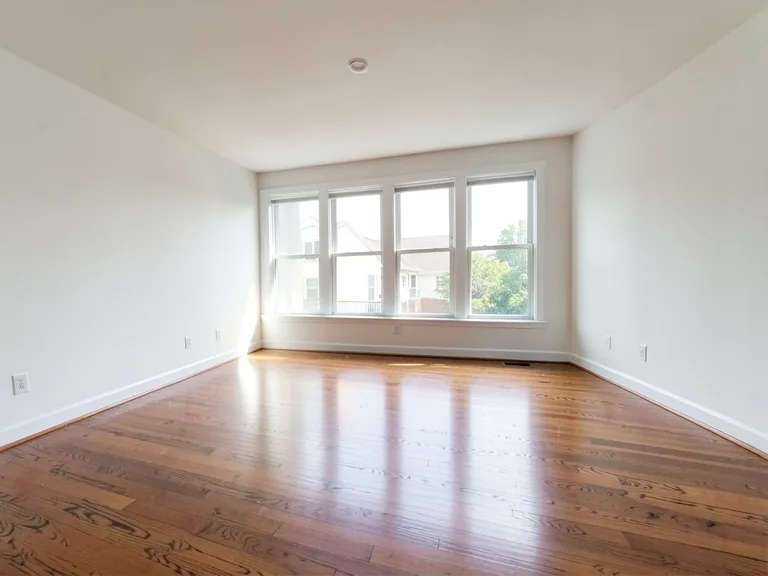
- The whole wall where the wardrobe will go, floor to ceiling, shot from a few steps back and held level. Clear the wall of boxes and hanging clothes so the AI places the design on bare wall rather than around clutter.
AI 공간 연출로 할 수 있는 일
시작하기 전에 주요 기능을 검토하세요.
- 방 전체의 가구 배치를 자동으로 계획
- 거실, 침실, 사무실, 식당을 새 스타일로 꾸미기
- 보존 fixed architecture and 카메라 원근
- Premium 일괄 처리 모드로 매물 사진 세트 처리
설정 참고
5 설정
AI 공간 연출에 사용 가능한 제어 기능입니다.
작업 흐름
- 단일 이미지 또는 일괄 이미지프리셋
- 이미지 한 장을 처리하거나, Premium ‘일괄 이미지’로 여러 장에 같은 자동 레시피를 적용하고 ZIP 파일 하나로 다운로드하세요.옵션: 단일 이미지일괄 이미지
스타일
- 원탭 프리셋프리셋
- 준비된 스타일을 한 번의 탭으로 고르세요. 생성할 때 선택한 프리셋이 자동으로 적용됩니다.옵션: 모던 거실스칸디나비아럭셔리한 인테리어집 office침실식당보헤미안인더스트리얼미드센추리 모던팜하우스해안풍아이 방
- 맞춤 지시 (선택)텍스트 입력
- 요청된 변경 사항, 관련 재료, 조명, 관점 및 변경되지 않아야 하는 세부 사항을 설명합니다.
선택
- 선택 브러시 크기슬라이더범위: 4–160px · 기본값: 32px
- 자동 선택이 기본값입니다. 이미지에 더 정밀한 편집 경계가 필요할 때만 '영역 직접 조정'을 열고 이 브러시 두께를 설정하세요.
출력
- AI가 인물의 얼굴 특징과 제품 디테일을 유지하도록 요청켜기 / 끄기
- 요청에 따라 변경되지 않는 한 주요 주제, 모양, 브랜딩, 레이블 및 읽을 수 있는 텍스트를 유지하라는 명시적 지침을 추가합니다.
AI 옷장 디자인 관련 도구
AI 옷장 디자인 이후 일반적인 다음 단계를 위한 도구입니다.
가상 홈스타일링 및 부동산
AI 부동산 사진 편집기
AI로 부동산 사진을 편집하세요. 가구나 TV를 추가하고, 벽을 칠하고, 잡동사니를 제거하고, 하늘을 바꾸고, 조경을 개선하고, 황혼의 외관을 만드세요.
지금 사용해 보기
가상 홈스타일링 및 부동산
가상 스테이징 AI
부동산 매물을 위한 AI 가구로 빈 방을 가상으로 연출해 보세요. 거실, 침실, 사무실, 식당, 고급스러운 컨셉을 만들어보세요.
지금 사용해 보기
사진 향상
AI 사진 화질 개선기
하나의 향상 워크플로에서 노이즈, 선명도, 색상 및 배율을 조정한 다음 결과를 원본과 비교하세요.
지금 사용해 보기이 도구 사용 가이드
- How to Create Furnishing Proposals for Interior Design Clients with AICreate AI furnishing proposals for interior design clients with Pixoate. Compare room concepts and assemble clear presentation PDFs for discussion.
- Beautifully Staged, Believably Sized: Why Virtual Furniture Must Fit the RoomVirtual furniture needs believable proportions. Explore room-scale reviews and Pixoate comparisons that keep attractive staging concepts grounded in reality.
각 변화를 확인하세요
모든 사진이 원본 그대로 슬래시를 지나 반대편에서 완성된 결과물로 나옵니다.