ਕੰਧਾਂ ਉੱਤੇ ਰੰਗ ਅਜ਼ਮਾ ਕੇ ਵੇਖੋ
AI ਨਾਲ ਬਣਿਆ ਨਤੀਜਾ ਵੱਖਰਾ ਹੋ ਸਕਦਾ ਹੈ; ਪ੍ਰਕਾਸ਼ਿਤ ਕਰਨ ਤੋਂ ਪਹਿਲਾਂ ਪੂਰਾ ਨਤੀਜਾ ਜਾਂਚੋ
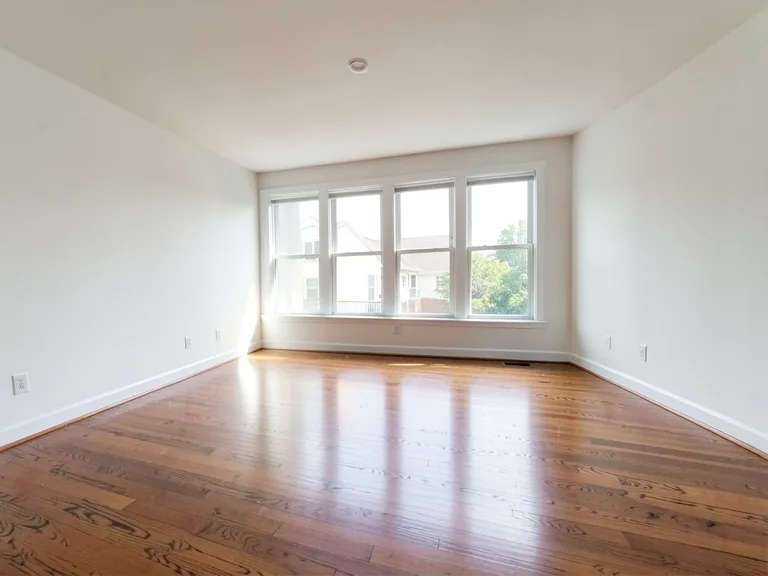
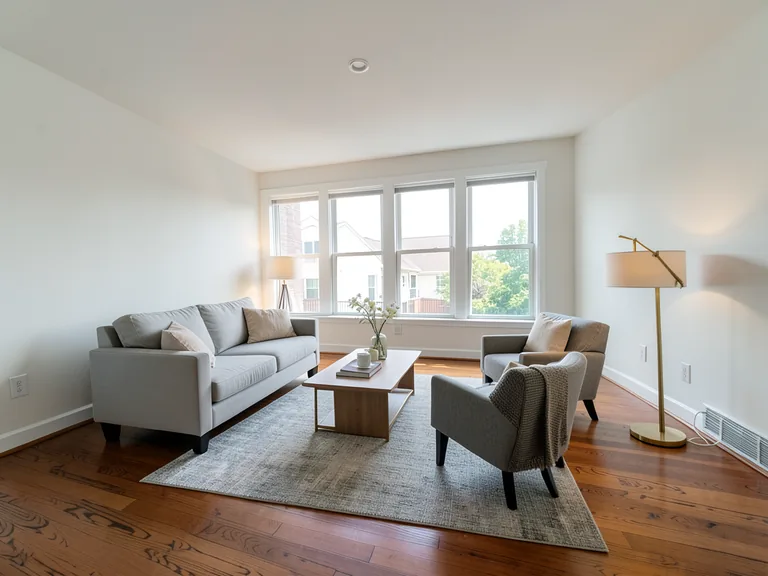
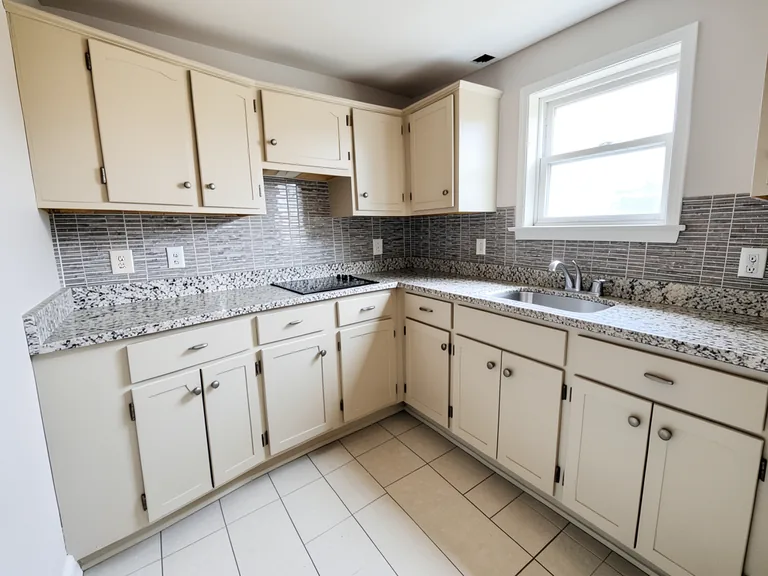
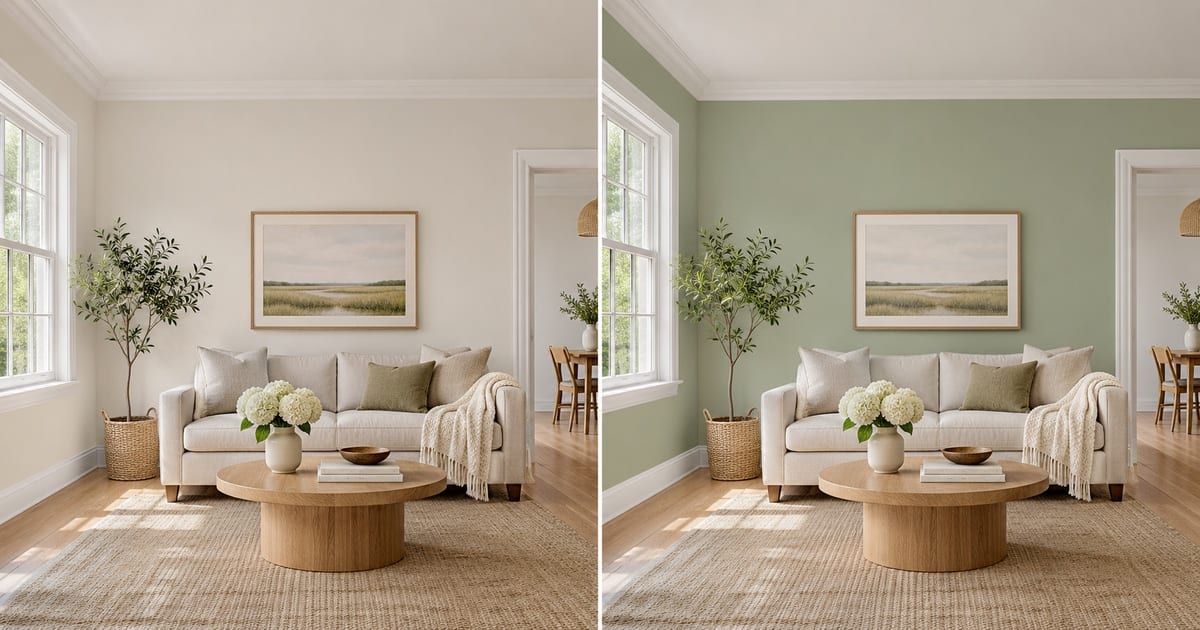
A swatch the size of a postcard tells you very little. It looks different at noon and at night, and a color that felt calm on a screen can turn heavy once it covers four walls. This visualizer repaints a photo of your own room, so you judge the color against your floor, your furniture and your window light, and keep the trim, ceiling and doors exactly as they are. Pick a color, add an accent wall or white trim with one tap, and compare versions before you open a single tin.
- Prepared Interior Paint Visualizer direction
- ਬਦਲਣਯੋਗ ਪ੍ਰੌਂਪਟ
- ਪੂਰੇ ਨਤੀਜੇ ਦੀ ਜਾਂਚ ਲਾਜ਼ਮੀ ਹੈ
Choose a source image for Interior Paint Visualizer
JPG, PNG, WebP, HEIC ਅਤੇ ਹੋਰ ਸਮਰਥਿਤ ਫਾਰਮੈਟ। ਇਸ ਟੂਲ ਵਿੱਚ Free ਨਾਲ 20 MB ਤੱਕ ਅਤੇ Premium ਜਾਂ ਇਸ ਤੋਂ ਉੱਪਰਲੇ ਪਲਾਨਾਂ ਨਾਲ 50 MB ਤੱਕ ਅੱਪਲੋਡ ਕਰ ਸਕਦੇ ਹੋ।
ਕੰਧਾਂ ਉੱਤੇ ਰੰਗ ਅਜ਼ਮਾ ਕੇ ਵੇਖੋ ਲਈ ਸੈੱਟਅੱਪ ਕਰੋ
ਤਿਆਰ ਸੈਟਿੰਗ
- ਸ਼ੁਰੂਆਤੀ ਬਿੰਦੂ
- ਇੱਕ ਸਰੋਤ ਚਿੱਤਰ ਅੱਪਲੋਡ ਕਰੋ
- ਪੰਨਾ ਸਹੀ ਐਡਿਟਿੰਗ ਵਰਕਫਲੋ ਉੱਤੇ ਖੁੱਲ੍ਹਦਾ ਹੈ; ਸ਼ੁਰੂ ਕਰਨ ਲਈ ਸਿਰਫ਼ ਅੱਪਲੋਡ ਕਰਨਾ ਲਾਜ਼ਮੀ ਹੈ।
- ਤਿਆਰ ਵਰਕਫਲੋ
- Prepared Interior Paint Visualizer workflow
- Interior Paint Visualizer opens with the Interior Paint Visualizer direction preselected, so there is no need to find the operation manually.
- ਆਉਟਪੁੱਟ ਫਾਰਮੈਟ
- ਤੁਹਾਡੇ ਅੱਪਲੋਡ ਵਰਗਾ ਹੀ
- ਨਤੀਜੇ ਦਾ ਆਕਾਰ ਤੁਹਾਡੇ ਅੱਪਲੋਡ ਕੀਤੇ ਚਿੱਤਰ ਵਰਗਾ ਹੀ ਰਹਿੰਦਾ ਹੈ।
- ਨਿਯਮ ਦੀ ਸਮੀਖਿਆ ਕਰੋ
- ਵਰਤਣ ਤੋਂ ਪਹਿਲਾਂ ਬਣਾਏ ਗਏ ਪੂਰੇ ਨਤੀਜੇ ਦੀ ਜਾਂਚ ਕਰੋ
- ਬਣਾਏ ਚਿੱਤਰ ਵੱਖਰੇ ਹੋ ਸਕਦੇ ਹਨ; ਡਾਊਨਲੋਡ ਤੋਂ ਪਹਿਲਾਂ ਅੰਤਿਮ ਨਤੀਜੇ ਨੂੰ ਮਨਜ਼ੂਰ ਕਰਨ ਦਾ ਹੱਕ ਵਰਤੋਂਕਾਰ ਕੋਲ ਰਹਿੰਦਾ ਹੈ।
ਸਭ ਤੋਂ ਵਧੀਆ ਵਰਤੋਂ
- Compare three wall colors on one photo before buying paint
- Show a landlord, partner or client the repainted room
- Try an accent wall or two-tone finish without committing
ਅਕਸਰ ਪੁੱਛੇ ਜਾਣ ਵਾਲੇ ਸਵਾਲ
- Will the color in the picture match the paint in the tin?
- Not exactly, and no visualizer can promise that. Photos and screens shift color, and your light changes it again. The picture shows how a hue sits with your floor, furniture and daylight, which is what settles most decisions. Confirm the final choice with a sample on the wall at morning, noon and evening.
- Does it repaint only the walls?
- The instruction asks for the walls only, keeping the ceiling, trim, doors, windows and furniture as they are. Look along the edges where a wall meets a curtain, a picture frame or a shelf, and if anything bled, run it again with a short note about that spot.
- Can I try an accent wall, white trim or a two-tone wall?
- Yes. Under "Add to your result" you can tap an accent wall, crisp white trim, a painted ceiling or a two-tone finish, and it is combined with the color you chose and anything you type in the custom instructions box.
- Which photo gives the most believable result?
- A daylight photo with the walls fully in the frame, taken straight on, with no strong color cast from curtains or a bright window. Turn off warm lamps if you can, so the AI sees the true wall color to start from.
ਤੁਸੀਂ ਏਆਈ ਰੀਅਲ ਅਸਟੇਟ ਫ਼ੋਟੋ ਐਡੀਟਰ ਨਾਲ ਕੀ ਕਰ ਸਕਦੇ ਹੋ
ਸ਼ੁਰੂ ਕਰਨ ਤੋਂ ਪਹਿਲਾਂ ਮੁੱਖ ਸਮਰੱਥਾਵਾਂ ਦੀ ਸਮੀਖਿਆ ਕਰੋ।
- ਪ੍ਰਗਟ ਸੰਕਲਪਾਂ ਲਈ ਸਟੇਜ ਨੂੰ ਆਪਣੇ ਆਪ ਪੂਰਾ ਕਰੋ
- ਚੁਣੇ ਟੀਵੀ, ਕੰਧੀ ਰੰਗ ਜਾਂ ਬਾਗਬਾਨੀ ਬਿਲਕੁਲ ਸਹੀ ਢੰਗ ਨਾਲ ਜੋੜੋ
- ਵਰਣਨ ਕੀਤੀਆਂ ਕੇਬਲਾਂ, ਬਿੰਨਾਂ, ਚਿੰਨ੍ਹਾਂ ਅਤੇ ਧਿਆਨ ਭਟਕਾਉਣ ਵਾਲੀਆਂ ਗੜਬੜੀਆਂ ਨੂੰ ਹਟਾਓ
- ਅਸਮਾਨ ਨੂੰ ਬਦਲੋ ਅਤੇ ਯਥਾਰਥਵਾਦੀ ਸੰਧਿਆ ਬਾਹਰੀ ਬਣਾਓ
- ਲੋੜ ਪੈਣ 'ਤੇ ਸਵੈਚਲਿਤ ਸੰਪਾਦਨ ਖੇਤਰਾਂ ਨੂੰ ਹੱਥੀਂ ਸੋਧੋ
ਸੈਟਿੰਗਾਂ ਦਾ ਹਵਾਲਾ
5 ਸੈਟਿੰਗਾਂ
ਏਆਈ ਰੀਅਲ ਅਸਟੇਟ ਫ਼ੋਟੋ ਐਡੀਟਰ ਲਈ ਉਪਲਬਧ ਨਿਯੰਤਰਣ।
ਕੰਮ
- ਕਿਸਮ ਦਾ ਸੰਪਾਦਨ ਕਰੋਡ੍ਰੌਪਡਾਊਨ
- Choose the edit to perform; prompts, selection tools and output controls follow the selected edit type.ਚੋਣਾਂ: ਟੈਕਸਟ-based editਜਨਰੇਟਿਵ ਭਰੋਜਾਦੂਈ ਇਰੇਜ਼ਰਅਸਮਾਨ ਬਦਲਕਮਰੇ ਦੀ ਸਟੇਜਿੰਗ
- ਇੱਕ ਛੋਹ ਵਾਲੇ ਪ੍ਰੀਸੈੱਟਪ੍ਰੀਸੈਟ
- ਇੱਕ ਟੈਪ ਨਾਲ ਤਿਆਰ ਦਿਸ਼ਾ ਚੁਣੋ; ਬਣਾਉਣ ਵੇਲੇ ਚੁਣੀ ਪ੍ਰੀਸੈੱਟ ਆਪਣੇ ਆਪ ਵਰਤੀ ਜਾਂਦੀ ਹੈ।ਚੋਣਾਂ: ਸ਼ਾਮਲ ਕਰੋ furnitureਸ਼ਾਮਲ ਕਰੋ TVਕੰਧਾਂ ਨੂੰ ਨਿੱਘਾ ਚਿੱਟਾ ਰੰਗ ਕਰੋਸੰਝ skyਅਸਮਾਨ ਨੂੰ ਬਦਲੋਗੜਬੜ ਹਟਾਓਲੈਂਡਸਕੇਪਿੰਗ ਨੂੰ ਤਾਜ਼ਾ ਕਰੋ
- ਕਸਟਮ ਹੁਕਮ (ਇਛਾ ਮੌਤ)ਟੈਕਸਟ ਇਨਪੁੱਟ
- ਮੰਗੀ ਗਈ ਤਬਦੀਲੀ, ਸੰਬੰਧਿਤ ਸਮੱਗਰੀ, ਰੌਸ਼ਨੀ, ਦ੍ਰਿਸ਼ਟਿਕੋਣ, ਅਤੇ ਉਹ ਵੇਰਵੇ ਜਿਨ੍ਹਾਂ ਨੂੰ ਬਦਲਣਾ ਨਹੀਂ ਚਾਹੀਦਾ, ਦਾ ਵਰਣਨ ਕਰੋ।
ਚੋਣ
- ਚੋਣ ਬੁਰਸ਼ ਆਕਾਰਸਲਾਈਡਰਰੇਂਜ: 4–160px · ਮੂਲ: 32px
- ਪੀੜ੍ਹੀ ਤੋਂ ਪਹਿਲਾਂ ਲੋੜੀਂਦੇ ਸਹੀ ਜੋੜ, ਭਰਨ, ਜਾਂ ਬਦਲਣ ਵਾਲੇ ਖੇਤਰ ਦੀ ਨਿਸ਼ਾਨਦੇਹੀ ਕਰਨ ਲਈ ਵਰਤੇ ਗਏ ਬੁਰਸ਼ ਦੀ ਚੌੜਾਈ ਨੂੰ ਸੈੱਟ ਕਰੋ।
ਆਊਟਪੁੱਟ
- ਏਆਈ ਨੂੰ ਵਿਸ਼ੇ ਦੀ ਪਛਾਣ ਅਤੇ ਉਤਪਾਦ ਦੇ ਵੇਰਵੇ ਸੁਰੱਖਿਅਤ ਰੱਖਣ ਲਈ ਕਹੋਚਾਲੂ/ਬੰਦ
- ਸਪਸ਼ਟ ਹਦਾਇਤ ਜੋੜਦਾ ਹੈ ਕਿ ਜਦ ਤੱਕ ਬੇਨਤੀ ਵਿੱਚ ਬਦਲਾਅ ਨਾ ਮੰਗਿਆ ਹੋਵੇ, ਮੁੱਖ ਵਿਸ਼ਾ, ਆਕਾਰ, ਬ੍ਰਾਂਡਿੰਗ, ਲੇਬਲ ਅਤੇ ਪੜ੍ਹਨ ਯੋਗ ਟੈਕਸਟ ਬਰਕਰਾਰ ਰਹਿਣ।
ਕੰਧਾਂ ਉੱਤੇ ਰੰਗ ਅਜ਼ਮਾ ਕੇ ਵੇਖੋ ਲਈ ਸੰਬੰਧਿਤ ਟੂਲ
ਕੰਧਾਂ ਉੱਤੇ ਰੰਗ ਅਜ਼ਮਾ ਕੇ ਵੇਖੋ ਤੋਂ ਬਾਅਦ ਆਮ ਅਗਲੇ ਪੜਾਵਾਂ ਲਈ ਟੂਲ।
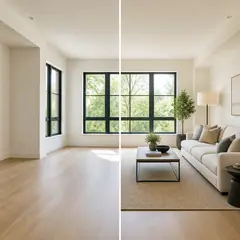
ਵਰਚੁਅਲ ਸਜਾਵਟ ਅਤੇ ਜਾਇਦਾਦ
ਵਰਚੁਅਲ ਸਜਾਵਟ ਏਆਈ
ਰੀਅਲ ਐਸਟੇਟ ਲਿਸਟਿੰਗਾਂ ਲਈ ਖਾਲੀ ਕਮਰੇ ਏਆਈ ਫਰਨੀਚਰ ਨਾਲ ਵਰਚੁਅਲ ਢੰਗ ਨਾਲ ਸਜਾਓ। ਲਿਵਿੰਗ ਰੂਮ, ਬੈੱਡਰੂਮ, ਦਫ਼ਤਰ, ਡਾਇਨਿੰਗ ਅਤੇ ਸ਼ਾਨਦਾਰ ਧਾਰਨਾਵਾਂ ਬਣਾਓ।
ਹੁਣੇ ਅਜ਼ਮਾਓ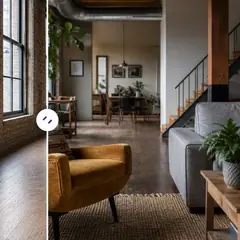
ਵਰਚੁਅਲ ਸਜਾਵਟ ਅਤੇ ਜਾਇਦਾਦ
ਏਆਈ ਕਮਰੇ ਦੀ ਸਜਾਵਟ
AI ਫਰਨੀਚਰ ਅਤੇ ਸਜਾਵਟ ਵਾਲੇ ਸਟੇਜ ਖਾਲੀ ਜਾਂ ਮਿਤੀ ਵਾਲੇ ਕਮਰੇ। ਲਿਵਿੰਗ ਰੂਮ, ਬੈੱਡਰੂਮ, ਦਫਤਰ, ਡਾਇਨਿੰਗ ਰੂਮ ਅਤੇ ਅੰਦਰੂਨੀ ਸ਼ੈਲੀ ਦੀਆਂ ਧਾਰਨਾਵਾਂ ਬਣਾਓ।
ਹੁਣੇ ਅਜ਼ਮਾਓ
ਫ਼ੋਟੋ Enhancement
AI ਫ਼ੋਟੋ ਐਨਹਾਂਸਰ
ਇੱਕ ਸੁਧਾਰ ਵਰਕਫਲੋ ਵਿੱਚ ਸ਼ੋਰ, ਤਿੱਖਾਪਨ, ਰੰਗ ਅਤੇ ਪੈਮਾਨੇ ਨੂੰ ਵਿਵਸਥਿਤ ਕਰੋ, ਫਿਰ ਨਤੀਜੇ ਦੀ ਅਸਲੀ ਨਾਲ ਤੁਲਨਾ ਕਰੋ।
ਹੁਣੇ ਅਜ਼ਮਾਓਇਸ ਟੂਲ ਦੀਆਂ ਗਾਈਡਾਂ
- How to Prepare Real Estate Listing Photos in Bulk for an AgencyOrganize bulk real estate photo editing with Pixoate. Keep properties, room sequences and concept images clear across an agency's listing workflow.
- How to Remove Temporary Clutter from Real Estate Photos with AIRemove temporary clutter from real estate photos with Pixoate. Review cables and stray objects while preserving the property's actual condition.
ਹਰ ਰੂਪਾਂਤਰ ਲਾਗੂ ਹੁੰਦਾ ਵੇਖੋ
ਹਰ ਫੋਟੋ ਸਲੈਸ਼ ਨੂੰ ਬਿਨਾਂ ਛੂਹ ਕੇ ਪਾਰ ਕਰਦੀ ਹੈ ਅਤੇ ਦੂਜੇ ਪਾਸੇ ਤੋਂ ਬਾਹਰ ਆਉਂਦੀ ਹੈ।