
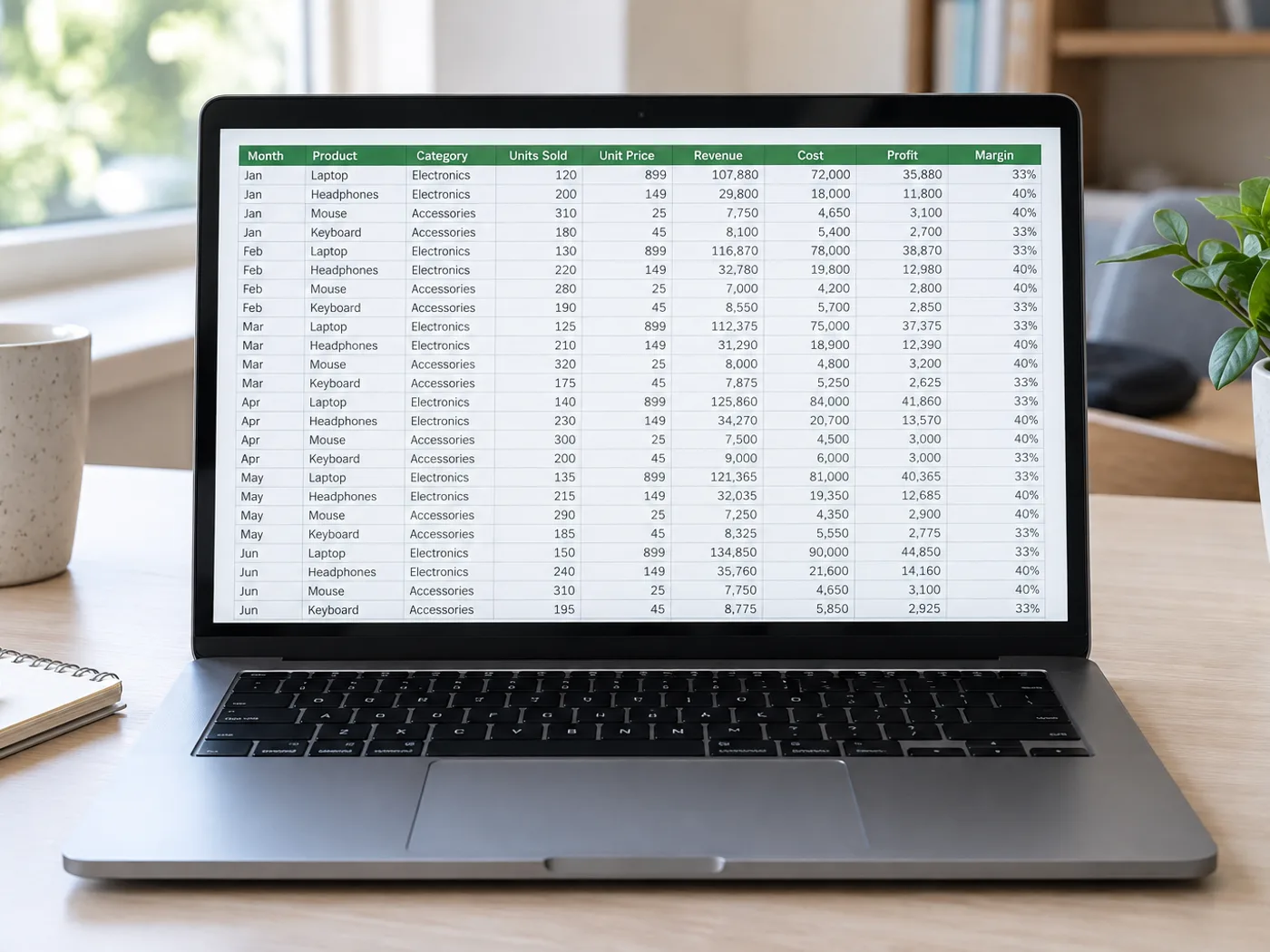
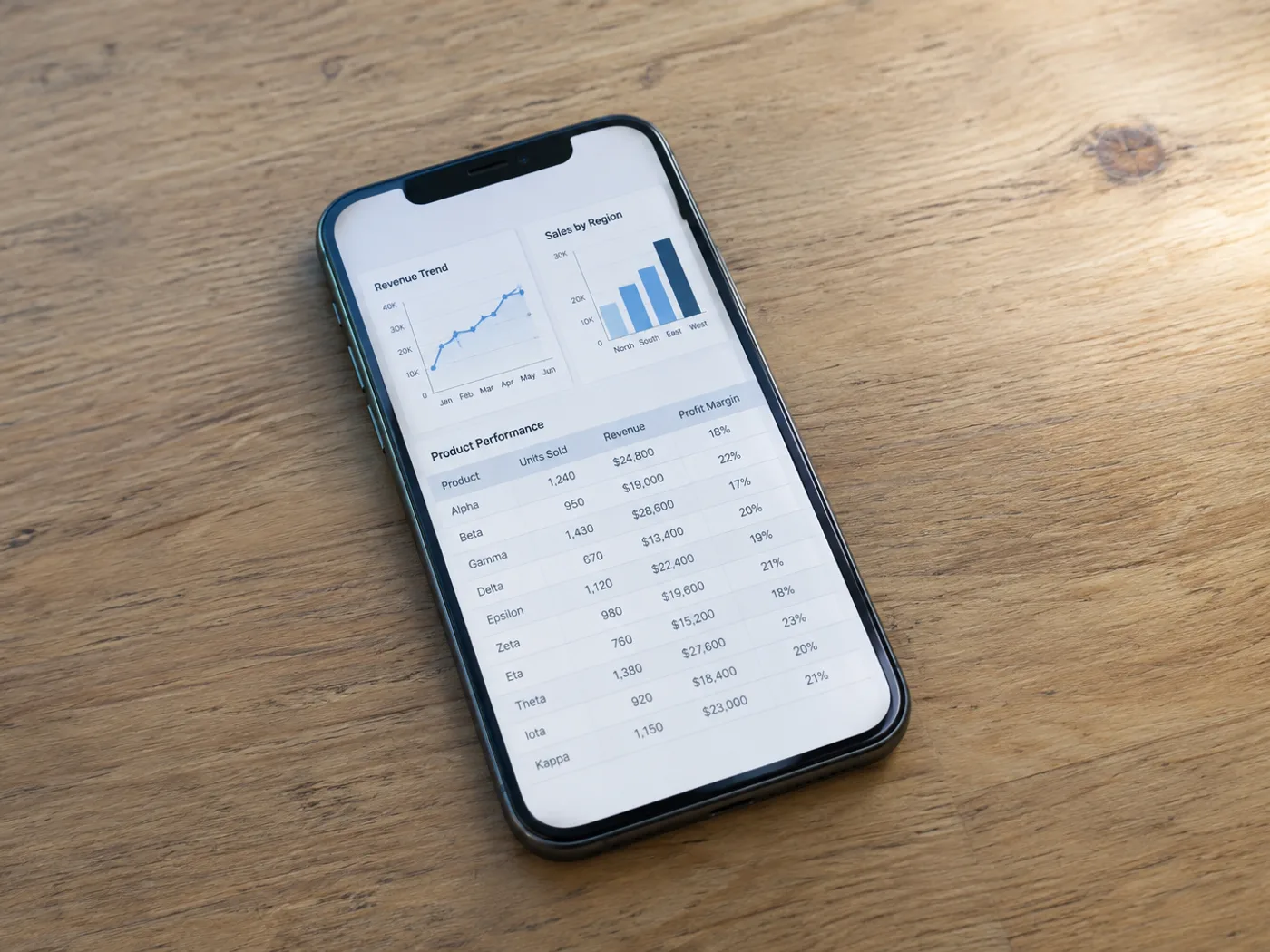
เจ…เจธเจฒ เจตเจฐเจคเฉ‹เจ‚ เจตเจฐเจ—เจพ เจฎเฉ‚เจฒ เจฆเจธเจคเจพเจตเฉ‡เจœเจผ เจ…เจคเฉ‡ เจซเจฟเจฐ โ€œเจ‡เจฎเฉ‡เจœ เจคเฉ‹เจ‚ Excelโ€ เจคเฉ‹เจ‚ เจฌเจพเจ…เจฆ เจฆเจธเจคเจพเจตเฉ‡เจœเจผ เจฆเฉ€ เจ…เจธเจฒ เจนเจพเจฒเจค เจœเจพเจ‚ เจฌเจฃเฉ€ เจ†เจ‰เจŸเจชเฉเฉฑเจŸ เจซเจพเจˆเจฒเฅค
เจฌเจพเจ…เจฆ
เจชเจนเจฟเจฒเจพเจ‚
เจ‡เจฎเฉ‡เจœ เจคเฉ‹เจ‚ Excel

Screenshot to Excel โ€” Recover Screen Table Data

Turn a screenshot of a dashboard or report table into Excel cells. Review clipped rows, wrapped headers and recognized numbers before exporting XLSX.

  • Dashboard figures for a weekly report
  • Comparison tables in presentations

เจ†เจชเจฃเฉ€ เจธเจพเจฐเจฃเฉ€ เจฆเฉ€ เจคเจธเจตเฉ€เจฐ เจ…เฉฑเจชเจฒเฉ‹เจก เจ•เจฐเฉ‹

Choose a screenshot that includes the table headers and complete rows

All image formats (JPG, PNG, WEBP, HEIC, TIFFโ€ฆ)

A dashboard without an export button should not mean manual entry

When a dashboard shows a table but offers no spreadsheet export, capture the visible rows and extract them into Excel. Keep the headers in the screenshot so you can identify the columns and check the resulting grid.

Dashboard figures for a weekly report

Recover a visible metrics table from a reporting interface and check its date range before combining the numbers with your own worksheet.

Comparison tables in presentations

Move a table from a slide screenshot into editable cells without retyping every displayed option or price.

Capture complete screen rows before creating Excel cells

  1. Capture the table at a readable browser zoom, including headers and the last complete row.
  2. Extract the screenshot and remove interface labels or extra rows from the review grid.
  3. Check against the displayed report, then export the corrected Excel workbook.

Clipped rows, overlapping captures and dashboard access

Can screenshot to Excel recover rows below the screen?
No. OCR can only read pixels in the uploaded screenshot. Capture additional sections separately or use the application's own export if available.
How do I avoid duplicate rows across overlapping screenshots?
Include a recognizable row identifier and check overlaps when you combine the resulting worksheets. This page does not automatically reconcile separate captures.
Should dashboard menus stay in the screenshot?
Crop unnecessary navigation while retaining table headers. Extra interface text can be mistaken for table content and may need removal during review.
Will extracting a screenshot connect to my dashboard account?
No. The input is the image you provide. The converter does not log into the dashboard or fetch underlying account data.
เจตเจฐเจคเจฃ เจฒเจˆ เจฎเฉเจซเจผเจค ยท เจธเจพเจˆเจจเจ…เฉฑเจช เจฆเฉ€ เจฒเฉ‹เฉœ เจจเจนเฉ€เจ‚ ยท เจฌเจฟเจจเจพเจ‚ เจตเจพเจŸเจฐเจฎเจพเจฐเจ•เจ…เฉฑเจชเจฒเฉ‹เจก เจ†เจตเจพเจœเจพเจˆ เจตเจฟเฉฑเจš เจเจจเจ•เฉเจฐเจฟเจชเจŸ เจ•เฉ€เจคเฉ‡ เจ—เจ เจนเจจเจธเจพเจกเฉ€ เจงเจพเจฐเจจ เจจเฉ€เจคเฉ€ เจฆเฉ‡ เจคเจนเจฟเจค เจนเจŸเจพเจ‡เจ† เจ—เจฟเจ†

Tools for common next steps after Screenshot to Excel โ€” Recover Screen Table Data.

เจธเจพเจฐเฉ‡ เจŸเฉ‚เจฒ เจตเฉ‡เจ–เฉ‹

OCR เจ…เจคเฉ‡ เจกเจพเจŸเจพ เจเจ•เจธเจŸเจฐเฉˆเจ•เจธเจผเจจ

เจ‡เจฎเฉ‡เจœ เจคเฉ‹เจ‚ CSV

เจ‡เฉฑเจ• เจธเจ•เฉเจฐเฉ€เจจเจธเจผเฉŒเจŸ เจœเจพเจ‚ เจซเฉ‹เจŸเฉ‹ เจคเฉ‹เจ‚ เจ‡เฉฑเจ• เจธเจพเจฐเจฃเฉ€ เจเจ•เจธเจŸเจฐเฉˆเจ•เจŸ เจ•เจฐเฉ‹ เจ…เจคเฉ‡ เจฎเจพเจจเจคเจพ เจชเฉเจฐเจพเจชเจค เจ•เจคเจพเจฐเจพเจ‚ เจ…เจคเฉ‡ เจ•เจพเจฒเจฎเจพเจ‚ เจจเฉ‚เฉฐ CSV เจตเจœเฉ‹เจ‚ เจกเจพเจŠเจจเจฒเฉ‹เจก เจ•เจฐเฉ‹เฅค

เจนเฉเจฃเฉ‡ เจ…เจœเจผเจฎเจพเจ“

OCR เจ…เจคเฉ‡ เจกเจพเจŸเจพ เจเจ•เจธเจŸเจฐเฉˆเจ•เจธเจผเจจ

เจ‡เจฎเฉ‡เจœ เจคเฉ‹เจ‚ เจŸเฉˆเจ•เจธเจŸ (OCR)

30+ เจธเจฎเจฐเจฅเจฟเจค เจญเจพเจธเจผเจพเจตเจพเจ‚ เจตเจฟเฉฑเจš เจธเจ•เฉเจฐเฉ€เจจเจธเจผเฉŒเจŸ, เจซเฉ‹เจŸเฉ‹ เจœเจพเจ‚ เจธเจ•เฉˆเจจ เจคเฉ‹เจ‚ เจธเฉฐเจชเจพเจฆเจจเจฏเฉ‹เจ— เจŸเฉˆเจ•เจธเจŸ เจเจ•เจธเจŸเจฐเฉˆเจ•เจŸ เจ•เจฐเฉ‹เฅค

เจนเฉเจฃเฉ‡ เจ…เจœเจผเจฎเจพเจ“

PDF เจ…เจคเฉ‡ เจฆเจธเจคเจพเจตเฉ‡เจœเจผ

เจ‡เจฎเฉ‡เจœ เจคเฉ‹เจ‚ PDF

Combine images into a multi-page PDF. Optionally add recognized text for search and copying.

เจนเฉเจฃเฉ‡ เจ…เจœเจผเจฎเจพเจ“

เจนเจฐ เจฐเฉ‚เจชเจพเจ‚เจคเจฐ เจฒเจพเจ—เฉ‚ เจนเฉเฉฐเจฆเจพ เจตเฉ‡เจ–เฉ‹

เจนเจฐ เจซเฉ‹เจŸเฉ‹ เจธเจฒเฉˆเจธเจผ เจจเฉ‚เฉฐ เจฌเจฟเจจเจพเจ‚ เจ›เฉ‚เจน เจ•เฉ‡ เจชเจพเจฐ เจ•เจฐเจฆเฉ€ เจนเฉˆ เจ…เจคเฉ‡ เจฆเฉ‚เจœเฉ‡ เจชเจพเจธเฉ‡ เจคเฉ‹เจ‚ เจฌเจพเจนเจฐ เจ†เจ‰เจ‚เจฆเฉ€ เจนเฉˆเฅค

AI เจจเจพเจฒ เจธเฉเจงเจพเจฐเจตเจฐเจšเฉเจ…เจฒ เจธเจœเจพเจตเจŸเจ•เฉเจฆเจฐเจคเฉ€ เจธเฉเฉฐเจฆเจฐเจคเจพAI เจชเฉ‡เจธเจผเฉ‡เจตเจฐ เจชเฉ‹เจฐเจŸเจฐเฉ‡เจŸเจกเจฟเจธเจชเฉ‹เจธเฉ‡เจฌเจฒ เจกเจพเจ‡เจฐเฉˆเจ•เจŸ เจซเจฒเฉˆเจธเจผAmazon เจฒเจฟเจธเจŸเจฟเฉฐเจ— เจฆเฉ€เจ†เจ‚ เจซเฉ‹เจŸเฉ‹เจ†เจ‚เจ…เจธเจฒเฉ€ เจธเฉเจจเจนเจฟเจฐเฉ€ เจตเฉ‡เจฒเฉ‡ เจฆเฉ€ เจฎเฉเฉœ เจฐเฉŒเจธเจผเจจเฉ€เจฐเจธเฉ‹เจˆ เจฆเฉ€ เจจเจตเฉ€เจ‚ เจฌเจฃเจคเจฐเจธเจฎเจพเจฐเจŸ เจฐเฉ€เจซเฉ‹เจ•เจธเจ‰เจคเจชเจพเจฆเจพเจ‚ เจฆเฉ‡ เจ‡เจธเจผเจคเจฟเจนเจพเจฐเจตเจพเจŸเจฐเจ•เจฒเจฐเจฌเฉˆเจ•เจ—เฉเจฐเจพเจŠเจ‚เจก เจฐเฉ€เจฎเฉ‚เจตเจฐ






















