
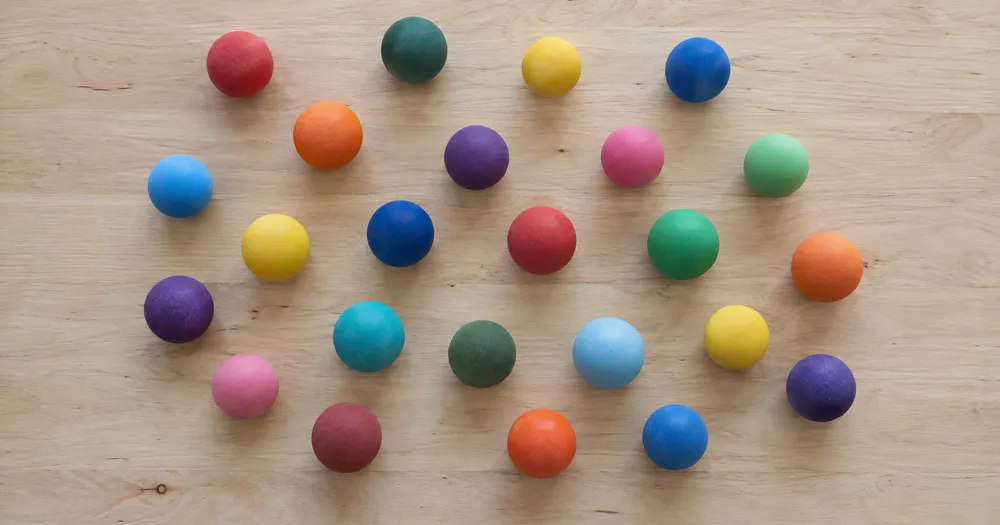
Policz piłki w wiadrze lub torbie ze zdjęcia
Działa z JPG, PNG, WEBP · Bezpłatnie do 20 MB, Premium 50 MB
Rozłóż obiekty piłki tak, aby jak najmniej na siebie zachodziły — najlepiej w jednej warstwie — i sfotografuj je z góry przy równomiernym oświetleniu. Narzędzie powstało z myślą o grupie kluby, strzelnice, sklepy i kolekcjonerzy — sprawdź i popraw każde zdjęcie przed dodaniem go do zestawienia CSV lub PDF.
- Sprawdź zdjęcie, a następnie policz widoczne obiekty piłki
- Upload a photo and get an automatic count
- Review the markers to catch balls counted twice or missed
- Bezpłatne korzystanie · Bez rejestracji · Bez znaku wodnego
Prześlij obraz
Wskazówki dla dokładnego zliczania
• Użyj równomiernie oświetlonego zdjęcia, na którym obiekt piłki w całości mieści się w kadrze
• Keep your balls visible and avoid overlapping items
• Kropki i mapa cieplna pokazują zachowane wykrycia — sprawdź i popraw wynik liczenia
O liczniku Piłki
The balls counter counts visible balls from your photo and marks detections for review. Counting starts automatically once the photo and item are ready. Visibility, overlap and similar-looking items can affect the total. Built for clubs, ranges, shops and collectors.
Jak to działa
1. Sfotografuj swój obiekt: piłki
2. Upload your photo to count balls automatically
3. Review the markers and correct the tally if needed
4. Dodaj do arkusza zliczeń i wyeksportuj wynik jako CSV
Idealne do
• Sprzęt jest liczony po każdej sesji treningowej
• Kontrole wyposażenia klubu na początku i na końcu sezonu
• Kontrola zapasów i zwrotów w sklepie
• Rejestrowanie strat w semestrze lub sezonie
Najczęściej zadawane pytania
- Czy działa na luźnym stosie?
- Może zaznaczyć tylko widoczną warstwę. Rozłóż elementy na głębokość jednej warstwy, zaznacz wyraźny przykład oraz przejrzyj i popraw znaczniki wyników. Traktuj liczbę widocznych twarzy na dużym stosie jako szacunkową i używaj tego samego kadrowania pomiędzy kontrolami.
- Co zrobić, jeśli na zdjęciu znajdują się nie tylko obiekty piłki?
- The counter automatically looks for balls in your photo. Similar-looking distractors can still affect the result, so review every marker before using the total.
- Czy mogę zliczyć kilka zdjęć w jeden łączny wynik?
- Yes — count each photo and add every reviewed result to the tally sheet as a labelled row. Export the tally as CSV or a PDF report, or save it to your account.
- Czy to jest za darmo i prywatne?
- Tak. Możesz policzyć, sprawdzić i pobrać bezpłatny wynik bez konta. Pobieranie jest bezpłatne i bez znaku wodnego. Rejestracja nie jest wymagana. Zdjęcia przetwarzane na serwerze są szyfrowane podczas przesyłania i usuwane zgodnie z zasadami bezpieczeństwa.
Co możesz zrobić za pomocą Licznik obiektów
Zanim zaczniesz, przejrzyj główne możliwości.
- Zamiast liczyć ręcznie, licz obiekty na zdjęciu
- Licz monety, pigułki, komórki, części i koraliki
- Opcjonalnie oznacz przykład, aby liczyć konkretny przedmiot
- Sprawdź policzone wykrycia za pomocą znaczników nakładki
- Przeprowadź zbiorczy audyt wielu zdjęć
- Dostosuj czułość, aby ignorować drobne plamki
Odniesienie do ustawień
15 ustawień
Dostępne elementy sterujące dla Licznik obiektów.
Prześlij
- Pojedyncze zdjęcie / Audyt masowyUstawienia gotowe
- Wybierz liczbę pojedynczych zdjęć lub audyt zbiorczy Premium. Przejrzyj każdy wynik.Opcje: Pojedyncze zdjęcieAudyt masowy
Liczba
- Uwzględnione znacznikiSuwakZasięg: 0–1 · Domyślne: 0.21
- Starts at 21%; slide toward Show more to include weaker markers or Only strongest to hide them.
- Styl nakładkiUstawienia gotowe
- Wybierz kropki, mapę cieplną, oba lub czysty podgląd.Opcje: ObaKropkiCiepłoBrak
- Co liczyćWprowadzanie tekstu
- Enter the item to count, then press Enter or leave the field to start automatically. Review every result marker.
Zaawansowane
- Nakładka wynikuLista rozwijana
- Choose how count markers appear in the on-screen preview; the download keeps its own markers.Opcje: Kropki + mapa cieplnaTylko kropkiTylko mapa cieplna
Zliczenie
- Dodaj do zliczeńJedno kliknięcie
- Add this count to the tally sheet under the name of the object that was counted. Signed-in accounts add finished counts automatically unless that is turned off under Account settings; in bulk mode every photo also has its own Add to tally button.
- EtykietaWprowadzanie tekstu
- Rename a tally row. Edits and removals wait until you choose Save changes, so you can fix several rows at once.
- LiczbaWprowadzanie numeru
- Correct a row's count; totals, the chart and exports follow once the change is saved.
- Save changesJedno kliknięcie
- Apply every edited or removed tally row in one step, or choose Discard changes to leave the sheet as it was.
Chart
- By objectUstawienia gotowe
- The chart is the same in every counting tool and covers the tallies of all of them. By object draws a separate line chart for each tally name, such as pipes and people. By tool draws a chart for each counting tool.Opcje: By objectBy tool
- OkresUstawienia gotowe
- Choose how far back the chart looks. Days without a count appear as zero.Opcje: 7 days30 days90 days12 months
History
- Counting setupGaleria
- Keep comparable counts together. A first setup is created for you, so the first count can be saved straight away.
- Observed atWprowadzanie tekstu
- The date and time of the count, shown as a date and a time field.
- NutyWprowadzanie tekstu
- Starts with every detected object and its count, one per line, such as Pipes - 11. Edit it before saving.
- Save countJedno kliknięcie
- Save the count to your account history. Open a saved count later to correct it or download its source photo.
Powiązane narzędzia dla Licznik obiektów
Narzędzia do typowych kolejnych kroków po Licznik obiektów.

Liczenie i magazyn
Licznik obiektów na żywo
Skieruj telefon na oddzielone, w pełni widoczne przedmioty i przeglądaj znaczniki detektora, gdy liczba będzie aktualizowana w czasie rzeczywistym.
Wypróbuj teraz
Liczenie i magazyn
Licznik osób
Oszacuj, ile osób widać na zdjęciu. Przed oficjalnym użyciem sprawdź znaczniki i zweryfikuj wynik.
Wypróbuj teraz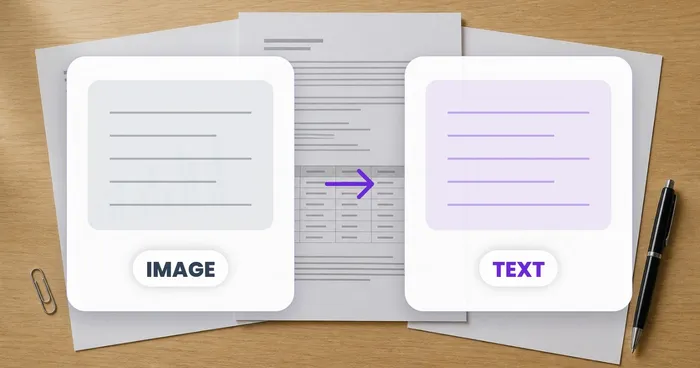
OCR i ekstrakcja danych
Obraz na tekst (OCR)
Wyodrębnij edytowalny tekst ze zrzutu ekranu, zdjęcia lub skanu w ponad 30 obsługiwanych językach.
Wypróbuj terazJak Licznik obiektów pomaga Ci osiągnąć cel
Prawdziwe problemy, które rozwiązuje każdego dnia — dla firm, twórców i codziennych zadań. Znajdź przypadek użycia, który Ci odpowiada i zacznij.
Zweryfikowane inwentaryzacje cykliczne magazynu
Use Bulk audit to run Distinct objects mode across każde shelf zdjęcie in the queue, review każde wynik, i correct the per-shelf twszystkiey before exporting a cycle count.
Inwentaryzacja drobnych części dla twórców i sprzedawców na Etsy
Oznacz koralik, śrubę lub element, którego potrzebujesz w ustawieniach Przykłady — 1-3 przykłady, po jednym na typ części — a następnie uruchom liczenie. Sprawdź dopasowane znaczniki pod kątem błędów w tle, a następnie dodaj poprawiony wynik do arkusza sumarycznego.
Zliczanie materiałów w klasie i laboratorium
Stwórz wstępne zestawienie kostek, liczników, probówek lub zestawów laboratoryjnych z pomocą AI, a następnie sprawdź i popraw oznaczenia przed wyeksportowaniem zestawienia do zamówienia.
Udostępnialne raporty inwentaryzacji dla zespołów
Zapisz ukończoną inwentaryzację na swoim koncie, wygeneruj markowy raport PDF i udostępnij link tylko do odczytu, aby menedżerowie lub współpracownicy mogli przejrzeć liczenie bez ponownego przesyłania czegokolwiek.
Wsadowe liczenie kontrolne zapakowanych wyrobów gotowych
Run Similar items mode after marking 1-3 example units in the Examples setting — one per pack type in the shot. Review każde marker i correct misses or duplicates before shipping.
Liczenie kolekcji hobbystycznych: LEGO, karty kolekcjonerskie i modele
Oznacz 1-3 przykładowe elementy w ustawieniach Przykładów — jeden dla każdego rodzaju elementu, który liczysz — a następnie uruchom liczenie. Przejrzyj znaczniki wyników i popraw liczbę zamiast rozpoczynać ręczne liczenie od zera.
Poradniki do tego narzędzia
- A Shelf Can Look Full While the Products Customers Want Run LowA full-looking shelf can hide gaps in the products people want. Explore Pixoate visible-object counts and the context needed for a useful stock review.
- How to Count Shop Inventory from Shelf PhotosCount visible shelf stock, review object markers and export a tally. Learn how to handle hidden items, mixed products and inventory discrepancies.
Obejrzyj each transformation li
Every zdjęcie crosses the slash untouched i comes out the other side finished.























