
Jak to działa
Upload one portrait and choose the effect strength. AI applies a light photographic finish with instructions to preserve the same person, expression, and composition. Compare the result with your original before downloading.
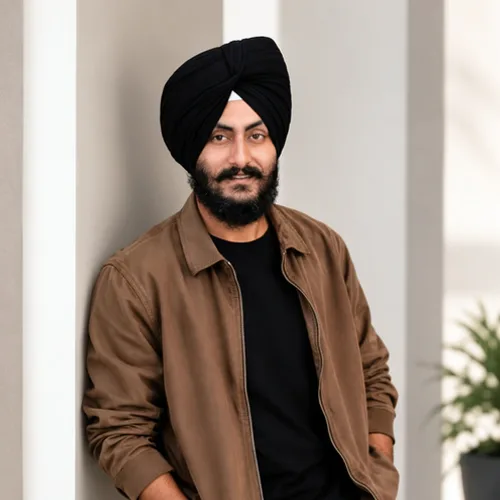

Dodaj portretowi delikatne wykończenie oświetlenia, koloru i kontrastu.
Zanim zaczniesz, przejrzyj dostępne możliwości efektów.
Upload one portrait and choose the effect strength. AI applies a light photographic finish with instructions to preserve the same person, expression, and composition. Compare the result with your original before downloading.
Prześlij zdjęcie, dostosuj intensywność Wykończenie zdjęcia portretowego, porównaj jego przetworzony podgląd ze źródłem i pobierz gotowy wynik.
Użyj kontroli intensywności, aby zrównoważyć obróbkę Wykończenie zdjęcia portretowego ze szczegółami i charakterem oryginalnego zdjęcia.
Zmniejszony podgląd Wykończenie zdjęcia portretowego zapewnia responsywność dostosowań. Bezpłatne pliki do pobrania są czyste i mają rozmiar internetowy; Premium lub kredyt odblokowuje oryginalną rozdzielczość.
Przesyłane pliki Wykończenie zdjęcia portretowego są przetwarzane na bezpiecznych serwerach i automatycznie usuwane zgodnie ze zwykłymi zasadami przechowywania Pixoate.
Upload one portrait and choose the effect strength. AI applies a light photographic finish with instructions to preserve the same person, expression, and composition. Compare the result with your original before downloading.
Wykończenie zdjęcia portretowego wykorzystuje akcję AI. Każdy oddzielny dodatek jest pokazywany przed rozpoczęciem przetwarzania tego efektu.
clear, well-focused portraits that need a subtle lighting or color adjustment.
Mniej pasuje do: blurred faces, very dark photos, distant subjects, and images without a clear portrait.
Narzędzia do typowych kolejnych kroków po Efekty fotograficzne.
Kreatywne & Design
Turn a zdjęcie into classic, storybook, sticker, watercolor, or custom cartoon artwork z editable AI directions.
Wypróbuj terazKreatywne & Design
Przekonwertuj zdjęcie na obraz w stylu szkicu ołówkiem i dostosuj głębię cieni przed pobraniem.
Wypróbuj terazEdycja zdjęć i narzędzia
Zamień obraz na czarno-biały. Dostosuj intensywność i wyświetl podgląd rezultatu.
Wypróbuj terazNajmocniejsze propozycje efektów są wyświetlane na początku tego pasa, przed resztą katalogu.























