
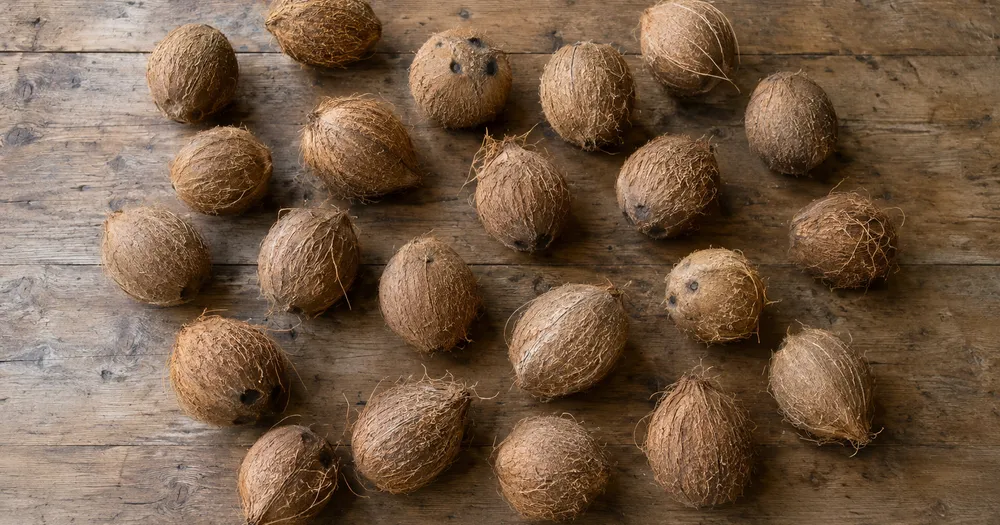
Посчитать кокосы в куче по фото
Работает с JPG, PNG, WEBP · Бесплатно до 20 MB, Premium 50 МБ
Разложите объекты кокосы так, чтобы они как можно меньше перекрывались — лучше всего в один слой, — и сфотографируйте сверху при равномерном освещении. Инструмент создан для аудитории фермы, упаковочные цеха и оптовые торговцы продуктами — проверьте и исправьте каждое фото перед добавлением в ведомость CSV или PDF.
- Проверьте фотографию, затем посчитайте видимые объекты кокосы
- Upload a photo and get an automatic count
- Review the markers to catch coconuts counted twice or missed
- Бесплатно · Без регистрации · Без водяного знака
Загрузить изображение
Советы для точного подсчёта
• Используйте равномерно освещённую фотографию, на которой объект кокосы полностью находится в кадре
• Keep your coconuts visible and avoid overlapping items
• Точки и тепловая карта показывают сохраненные обнаружения — просмотрите и исправьте подсчеты.
О счётчике Кокосы
The coconuts counter counts visible coconuts from your photo and marks detections for review. Counting starts automatically once the photo and item are ready. Visibility, overlap and similar-looking items can affect the total. Built for farms, packhouses and produce wholesalers.
Как это работает
1. Сфотографируйте объект: кокосы
2. Upload your photo to count coconuts automatically
3. Review the markers and correct the tally if needed
4. Добавьте в таблицу подсчёта и экспортируйте результат в CSV
Идеально подходит для
• Подсчитывайте урожай по мере поступления грузов из рощи.
• Проверка подсчета по накладной покупателя.
• Подсчет оптовых партий перед продажей.
• Отчеты об оплате лесозаготовительных бригад.
Часто задаваемые вопросы
- Работает ли он на неупорядоченной куче?
- Он может отмечать только видимый слой. Распределите элементы на один слой, отметьте четкий пример, просмотрите и исправьте маркеры результатов. Считайте количество видимых лиц в большой стопке оценочным и используйте одинаковую структуру между проверками.
- Что делать, если на фотографии есть не только объекты кокосы?
- The counter automatically looks for coconuts in your photo. Similar-looking distractors can still affect the result, so review every marker before using the total.
- Можно ли посчитать несколько фото в один общий итог?
- Yes — count each photo and add every reviewed result to the tally sheet as a labelled row. Export the tally as CSV or a PDF report, or save it to your account.
- Это бесплатно и конфиденциально?
- Да. Подсчитайте, проверьте и скачайте бесплатный результат без аккаунта. Скачивания бесплатны и не содержат водяного знака. Регистрация не нужна. Фото, обработанные на сервере, шифруются при передаче и удаляются согласно Политике безопасности.
Что можно сделать с помощью Счётчик фруктов
Прежде чем начать, ознакомьтесь с основными возможностями.
- Подсчёт фруктов в ящиках, лотках и таре для сбора урожая
- Подсчитывайте яблоки, апельсины, манго и многое другое
- Проверяйте каждый маркер подсчитанного плода перед оценкой урожая
- Считайте итоги урожая по промаркированным ящикам
- Массово пересчитайте ящики в режиме пакетного аудита
- При необходимости отметьте фрукт, чтобы уточнить подсчёт в скоплениях
Справочник по настройкам
14 настроек
Доступные элементы управления для Счётчик фруктов.
Загрузить
- Одно фото / Массовый подсчётПресеты
- Выберите подсчет одной фотографии или массовый аудит Premium. Просмотрите каждый результат.Параметры: Одно фотоМассовый аудит
Количество
- Включённые маркерыСлайдерДиапазон: 0–1 · По умолчанию: 0.21
- Starts at 21%; slide toward Show more to include weaker markers or Only strongest to hide them.
- Стиль наложенияПресеты
- Выберите точки, тепловую карту, и то, и другое или чистый предварительный просмотр.Параметры: ОбаТочкиТеплоНет
Дополнительно
- Наложение результатаВыпадающий список
- Choose how count markers appear in the on-screen preview; the download keeps its own markers.Параметры: Точки + тепловая картаТолько точкиТолько тепловая карта
Подсчёт
- Добавить в подсчётВ один клик
- Add this count to the tally sheet under the name of the object that was counted. Signed-in accounts add finished counts automatically unless that is turned off under Account settings; in bulk mode every photo also has its own Add to tally button.
- МеткаТекстовое поле
- Rename a tally row. Edits and removals wait until you choose Save changes, so you can fix several rows at once.
- КоличествоЧисловое поле
- Correct a row's count; totals, the chart and exports follow once the change is saved.
- Save changesВ один клик
- Apply every edited or removed tally row in one step, or choose Discard changes to leave the sheet as it was.
Chart
- By objectПресеты
- The chart is the same in every counting tool and covers the tallies of all of them. By object draws a separate line chart for each tally name, such as pipes and people. By tool draws a chart for each counting tool.Параметры: By objectBy tool
- ПериодПресеты
- Choose how far back the chart looks. Days without a count appear as zero.Параметры: 7 days30 days90 days12 months
History
- Counting setupГалерея
- Keep comparable counts together. A first setup is created for you, so the first count can be saved straight away.
- Observed atТекстовое поле
- The date and time of the count, shown as a date and a time field.
- НотыТекстовое поле
- Starts with every detected object and its count, one per line, such as Pipes - 11. Edit it before saving.
- Save countВ один клик
- Save the count to your account history. Open a saved count later to correct it or download its source photo.
Сопутствующие инструменты для Счётчик фруктов
Инструменты для общих следующих шагов после Счётчик фруктов.

Подсчет и инвентаризация
Счётчик объектов
Оцените количество объектов на фото. Перед использованием результата проверьте и исправьте пронумерованные маркеры.
Попробовать сейчас
Подсчет и инвентаризация
Живой счётчик объектов
Направьте телефон на отдельные, полностью видимые предметы и просматривайте маркеры детектора по мере обновления счетчика в режиме реального времени.
Попробовать сейчас
Подсчет и инвентаризация
Счётчик бутылок
Посчитайте бутылки на полках, в ящиках или в холодильных камерах по одному фото — все найденные объекты отмечаются для проверки.
Попробовать сейчасКак Счётчик фруктов помогает вам справиться с задачей
Реальные проблемы, которые он решает каждый день — для бизнеса, авторов и повседневных задач. Найдите вариант использования, который подходит вам, и начните.
Учёт урожайности в день сбора
Откройте «Массовый аудит», чтобы запустить режим «Отличительные объекты» для каждой фотографии ящика, затем просмотрите каждый результат, прежде чем сравнивать промежуточный итог с прошлым сезоном.
Запасы на фермерском рынке и придорожной лавке
Запустите режим «Похожие объекты» для одного вида фрукта перед открытием и повторно при закрытии, затем проверьте и скорректируйте оба подсчёта, прежде чем использовать разницу как оценку продаж.
Выборочная оценка сада для прогноза урожайности
Сфотографируйте хорошо освещённый участок кроны и позвольте ИИ подсчитать видимые плоды как метод выборки, используя ползунок чувствительности обнаружения для настройки на частично скрытые плоды при оценке урожайности всего сада.
Сортировка на упаковочном пункте и проверка ящиков
В настройке «Примеры» отметьте 1–3 фрукта — по одному для каждого сорта в ящике — и до закрытия ящика используйте результат режима «Похожие объекты» как предварительный. Затем осмотрите настоящий ящик и исправьте пропуски или дубликаты до подтверждения на упаковочном участке.
Обзор количества оптовых поставок
Используйте отмеченное изображение, чтобы просмотреть черновик доставки с помощью искусственного интеллекта, сравнить его с квалифицированным ручным или физическим подсчетом и сохранить исправленный результат с обычными записями о доставке. Изображение само по себе не является доказательством количества.
Подсчёт урожая с домашнего огорода
Сфотографируйте корзину с домашними помидорами, яблоками или ягодами во время сбора урожая, чтобы получить оценку урожая, затем проверьте и скорректируйте метки, прежде чем добавить строку в итог за сезон.
Наблюдайте за каждой трансформацией
Каждая фотография проходит через разделитель без изменений и выходит готовой.























