
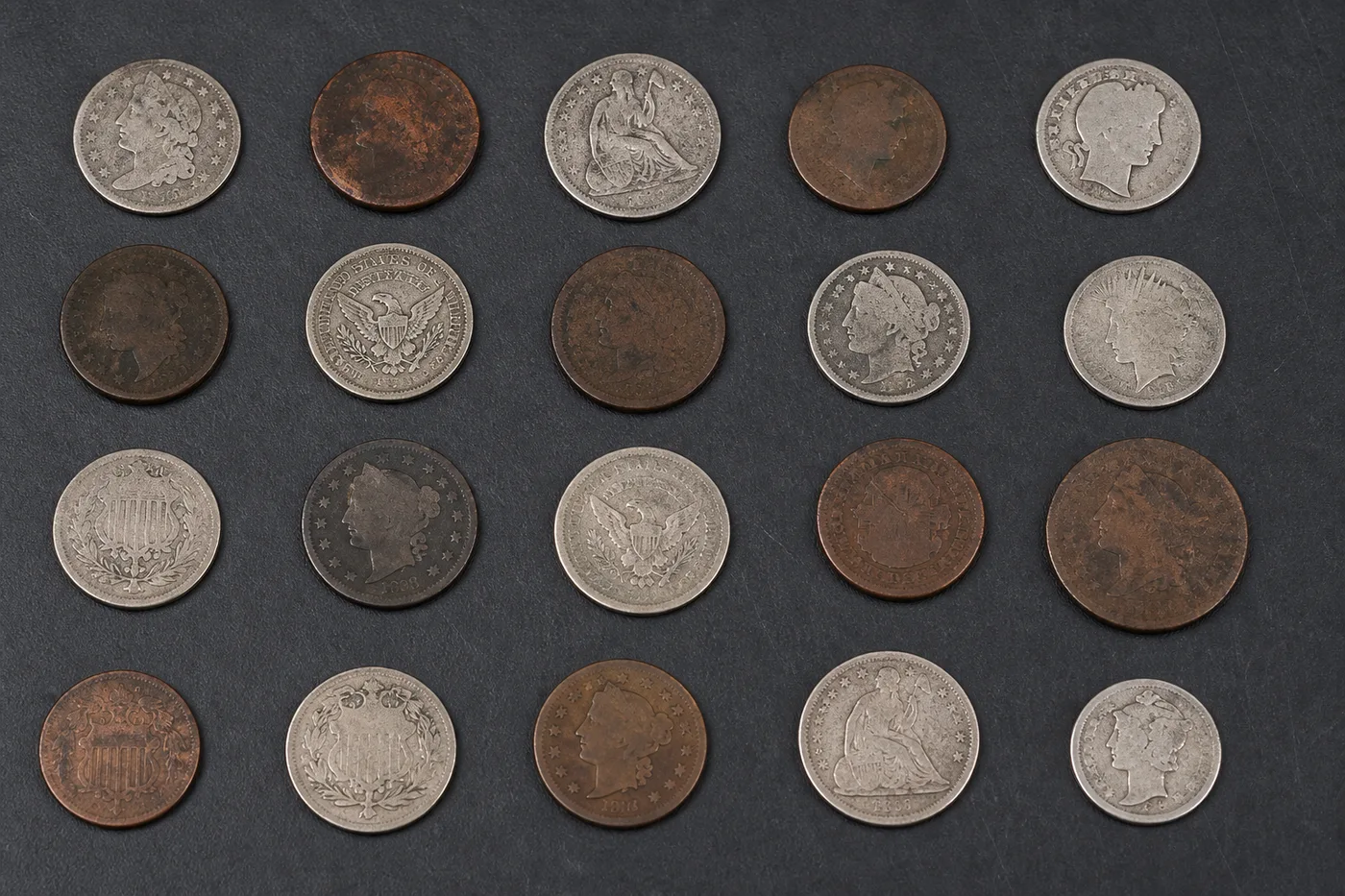
Contar monedas en una foto: contador de monedas AI
Funciona con JPG, PNG, WEBP · Gratis hasta 20 MB, Premium 50 MB
Photograph coins spread flat, upload the photo and review the tally markers against the photo. Built for till floats, collection jars and coin collections.
- Revisa la foto y cuenta los monedas visibles
- Upload a photo and get an automatic count
- Review the markers to catch coins counted twice or missed
- Gratis · Sin registro · Sin marca de agua
Subir imagen
Consejos para un conteo preciso
• Usa una foto uniforme y bien iluminada con el monedas completo dentro del encuadre
• Keep your coins visible and avoid overlapping items
• Los puntos y el mapa de calor muestran detecciones retenidas: revise y corrija el recuento
Acerca de Contador de monedas
The coin counter counts visible coins from your photo and marks detections for review. Counting starts automatically once the photo and item are ready. Visibility, overlap and similar-looking items can affect the total. Built for shops, collectors and cash offices.
Cómo funciona
1. Fotografía tu monedas
2. Upload your photo to count coins automatically
3. Review the markers and correct the tally if needed
4. Añádelo a la hoja de recuento y exporta tu conteo como CSV
Ideal para
• Recuentos de fondo de caja y tesorería
• Recuentos de botes de recolección y donaciones
• Inventarios de colecciones de monedas
• Conteos de máquinas recreativas y expendedoras
Lo que puedes hacer con Contador de monedas
Revise las capacidades principales antes de comenzar.
- Calcule las monedas visibles en una foto automáticamente
- Revise los recuentos de cajas y cajas de efectivo de un vistazo
- Cuenta botes de monedas y colecciones de cambio al instante
- Opcionalmente, marque una moneda para un recuento específico de la denominación.
- Mira cada moneda marcada con un número superpuesto
- Suma varias fotos a un mismo total acumulado
- Descarta las detecciones sueltas y diminutas para un recuento más limpio
Referencia de configuración
14 ajustes
Controles disponibles para Contador de monedas.
Subir
- Foto individual / Auditoría masivaAjustes predefinidos
- Elija un recuento de una sola fotografía o una auditoría masiva Premium. Revisa cada resultado.Opciones: Foto únicaAuditoría por lotes
Cantidad
- Marcadores incluidosControl deslizanteRango: 0–1 · Predeterminado: 0.21
- Empieza en el 21 %; desliza hacia Mostrar más para incluir marcadores menos definidos o hacia Solo los más destacados para ocultarlos.
- Estilo de superposiciónAjustes predefinidos
- Elija puntos, un mapa de calor, ambos o una vista previa limpia.Opciones: AmbosPuntosCalorNinguno
Avanzado
- Superposición de resultadosDesplegable
- Choose how count markers appear in the on-screen preview; the download keeps its own markers.Opciones: Puntos + mapa de calorSolo puntosSolo mapa de calor
Recuento
- Añadir al recuentoUn clic
- Add this count to the tally sheet under the name of the object that was counted. Signed-in accounts add finished counts automatically unless that is turned off under Account settings; in bulk mode every photo also has its own Add to tally button.
- EtiquetaEntrada de texto
- Rename a tally row. Edits and removals wait until you choose Save changes, so you can fix several rows at once.
- CantidadCampo numérico
- Correct a row's count; totals, the chart and exports follow once the change is saved.
- Save changesUn clic
- Apply every edited or removed tally row in one step, or choose Discard changes to leave the sheet as it was.
Chart
- By objectAjustes predefinidos
- The chart is the same in every counting tool and covers the tallies of all of them. By object draws a separate line chart for each tally name, such as pipes and people. By tool draws a chart for each counting tool.Opciones: By objectBy tool
- PeriodoAjustes predefinidos
- Choose how far back the chart looks. Days without a count appear as zero.Opciones: 7 days30 days90 days12 months
History
- Counting setupGalería
- Keep comparable counts together. A first setup is created for you, so the first count can be saved straight away.
- Observed atEntrada de texto
- The date and time of the count, shown as a date and a time field.
- NotasEntrada de texto
- Starts with every detected object and its count, one per line, such as Pipes - 11. Edit it before saving.
- Save countUn clic
- Save the count to your account history. Open a saved count later to correct it or download its source photo.
Herramientas relacionadas para Contador de monedas
Herramientas para los siguientes pasos comunes después de Contador de monedas.

Conteo e inventario
Contador de objetos
Calcula aproximadamente la cantidad de objetos de una foto. Revisa y corrige los marcadores numerados antes de usar el recuento.
Pruébalo ahora
Conteo e inventario
Contador de Objetos en Vivo
Apunte su teléfono a elementos separados y completamente visibles y revise los marcadores del detector a medida que el recuento se actualiza en tiempo real.
Pruébalo ahora
Conteo e inventario
Contador de botellas
Cuente botellas en estantes, cajas o cámaras frigoríficas a partir de una foto, con las detecciones contadas marcadas para su revisión.
Pruébalo ahoraPreguntas frecuentes
Cómo Contador de monedas te ayuda a lograrlo
Problemas reales que resuelve todos los días: para empresas, creadores y tareas cotidianas. Encuentre el caso de uso que más le convenga y comience.
Conciliación de caja de la oficina
Fotografíe monedas separadas en el cierre en el modo Objetos distintos, revise cada marcador de detección, luego corrija y exporte el recuento de denominaciones como CSV para la conciliación de registros.
Recuentos de botes solidarios y recaudaciones
Extienda un frasco de recolección o un cubo de donación en una capa visible, ejecute el modo Artículos similares para un borrador asistido por IA, luego revise y corrija los marcadores antes de compartir el recuento con su tesorero.
Inventario de colecciones de monedas para reventa
Marca de 1 a 3 monedas nítidas en el ajuste Ejemplos —una por cada tipo o año que buscas— y luego ejecuta el conteo. Revisa cada marcador coincidente y corrige el recuento antes de poner precio a un lote para revender.
Auditorías de retail con varias cajas
Abre Auditoría por lotes para aplicar el modo Objetos distintos a cada foto de bandeja de la cola; después revisa cada resultado y suma los recuentos corregidos en un total general para la oficina central.
Recaudaciones de máquinas expendedoras y recreativas
Calcule las cajas de monedas vaciadas de las máquinas expendedoras o recreativas en la ruta, revise y corrija cada resultado, luego agregue el recuento verificado de cada máquina como su propia fila en el informe de ruta.
Seguimiento del ahorro de tu bote personal de monedas sueltas
Extienda un frasco o una alcancía con monedas sueltas en casa, ejecute el modo Artículos similares para obtener una estimación, luego revise y corrija los marcadores antes de usar el conteo para realizar un seguimiento de un desafío de ahorro.
Preparación de depósitos bancarios y rollos de monedas
Cuenta el cambio suelto antes de canjear monedas por efectivo en el banco: fotografía cada denominación, confirma que tienes suficiente para completar los rollos antes de envolverlos y evita la comisión que te quita una máquina de monedas de autoservicio.
Ve cada transformación en acción
Cada foto cruza el separador sin cambios y sale terminada al otro lado.























