


Flou d'arrière-plan d'image en ligne — Flou d'arrière-plan photo gratuit
Fonctionne avec JPG, PNG, WEBP et plus
Floutez l'arrière-plan d'une image en ligne pour des portraits, des portraits ou des images de produits tout en gardant votre sujet net. Essayez-en un gratuitement ou appliquez le même flou à un lot avec Premium.
- Des contours d'une précision au pixel près — jusqu'aux cheveux et aux détails fins
- Obtenez un PNG transparent, prêt à intégrer dans n'importe quelle création
- Pas de masquage manuel et pas de halo à nettoyer par la suite
Déposez une photo ici — votre sujet reste net, l'arrière-plan devient flou
Choisissez vos réglages avant d'importer
Choisissez vos paramètres avant d’ajouter un fichier. Ils seront appliqués au démarrage du traitement.
Moteur
Conseils pour la suppression d'arrière-plan
• Les photos nettes et bien éclairées donnent les bords les plus nets
• Les arrière-plans chargés conviennent : un faible contraste entre le sujet et l'arrière-plan est à l'origine des problèmes.
• Zoomez sur les cheveux et les bords fins avant de télécharger, pas après.
• Enregistrer au format PNG : un JPG ne peut pas contenir de transparence et le remplit de blanc.
À propos de la suppression d'arrière-plan par IA
Une découpe avec un halo blanc ou des cheveux rongés est pire que pas de découpe : quelqu'un doit la réparer à la main avant de pouvoir l'utiliser. Celui-ci contient des cheveux et des bords fins et exporte un fichier PNG transparent prêt pour les listes de produits, les photos de profil et les graphiques marketing.
Comment ça marche
1. Téléchargez la photo que vous devez découper
2. Vérifiez d’abord les bords – cheveux et détails fins
3. Ajoutez une couleur, une photo ou un arrière-plan flou si vous en avez besoin
4. Téléchargez le PNG transparent
Idéal pour
• Photos de produits qu'une place de marché continue de rejeter
• Portraits où la pièce derrière vous est distrayante
• Listes de commerce électronique nécessitant un arrière-plan cohérent
• Contenu des réseaux sociaux qui doit être de n'importe quelle couleur
• Travail de conception où le sujet tombe sur une nouvelle mise en page
Ce que vous pouvez faire avec Flouter l'arrière-plan
Passez en revue les principales fonctionnalités avant de commencer.
- Floutez l'arrière-plan derrière votre sujet
- Obtenez un effet de profondeur de champ façon mode portrait
- Gardez votre sujet net et adoucissez le reste
- Appliquer un effet de profondeur de champ aux photos de portrait
- Préparer des photos de portrait pour les mises en page sociales
Outils associés pour Flouter l'arrière-plan
Outils pour les prochaines étapes courantes après Flouter l'arrière-plan.

Studio : Arrière-plan
Supprimer l'arrière-plan
Supprimez l'arrière-plan d'une photo et téléchargez un PNG transparent. Vérifiez les cheveux et les contours avant utilisation.
Essayez maintenant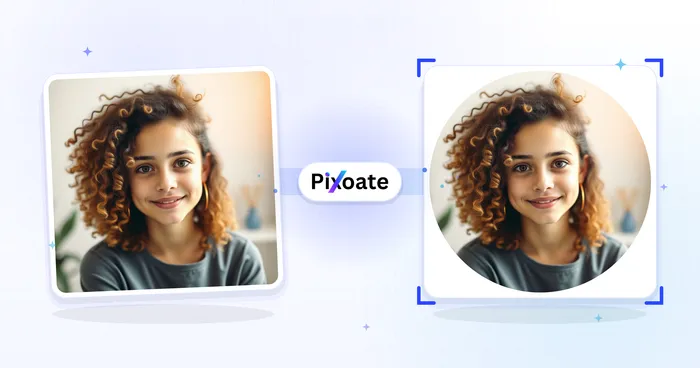
Studio : Portrait & Portrait professionnel
Créateur de photo de profil
Créez une photo de profil avec un arrière-plan flou, uni ou personnalisé.
Essayez maintenant
Studio : Arrière-plan
Changer d'arrière-plan
Replace a background with a photo, color, gradient or library design. Choose from 21,000+ backgrounds.
Essayez maintenantFoire aux questions
Comment Flouter l'arrière-plan vous aide à mener à bien vos tâches
De vrais problèmes qu'il résout chaque jour, pour les entreprises, les créateurs et les tâches quotidiennes. Trouvez le cas d’utilisation qui vous convient et lancez-vous.
Photos de profil au format portrait
Donnez à vos photos prises au téléphone ou à la webcam un rendu de profondeur de champ digne d'un reflex — le sujet reste net pendant que l'arrière-plan se floute délicatement — pour des avatars LinkedIn, CV et réseaux sociaux professionnels, sans appareil doté d'un mode portrait.
Des photos produit et des visuels d'annonce sans distraction
Atténuez une pièce encombrée ou une étagère chargée derrière un produit pour le faire ressortir : le contexte reste visible, sans le bruit visuel, pour vos photos de marketplace, de catalogue et de social commerce.
Voyez chaque transformation prendre forme
Chaque photo franchit la séparation intacte et ressort finalisée.























