
Hitung batang bambu dalam satu bundel dari foto
Dapat digunakan dengan JPG, PNG, WEBP · Gratis hingga 20 MB, Premium 50 MB
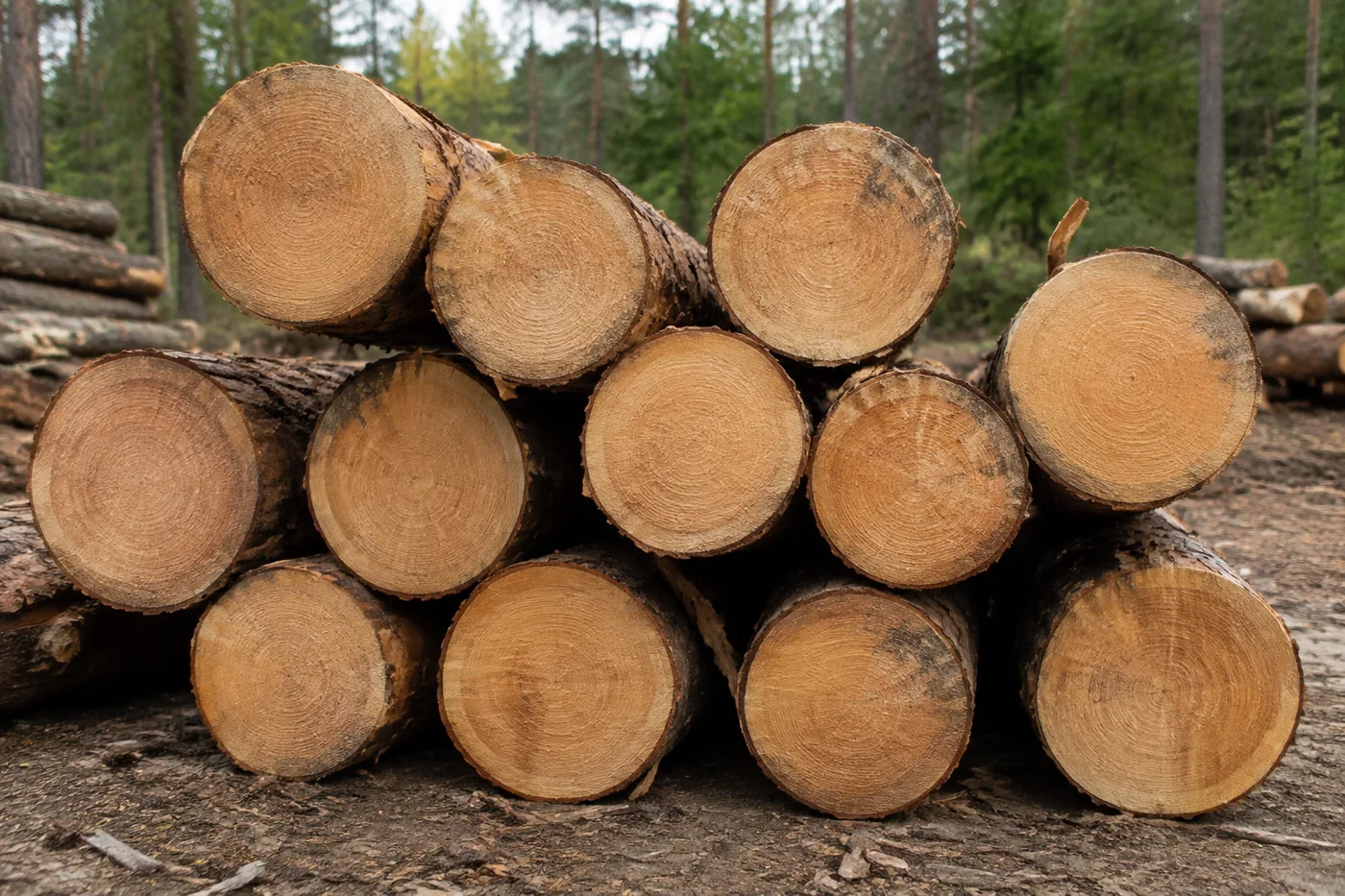
Foto ujung potongan bundel dari depan agar penampang tiang bambu terlihat jelas — AI menandai deteksi yang dihitung untuk ditinjau. Dibuat untuk lapangan kayu, pabrik penggergajian kayu dan tim kehutanan — tinjau dan koreksi setiap foto sebelum menambahkannya ke rekap CSV atau PDF.
- Tinjau foto, lalu hitung tiang bambu yang terlihat
- Count without marking; add example boxes if you need a guided recount
- Hindari menghitung tiang bambu yang sama dua kali agar totalnya akurat
- Gratis digunakan · Tanpa perlu mendaftar · Tanpa tanda air
Dapat digunakan dengan JPG, PNG, WEBP · Gratis hingga 20 MB, Premium 50 MB
Unggah Gambar
Tips untuk hitungan yang akurat
• Gunakan foto yang terang dan merata, dengan seluruh tiang bambu berada di dalam bingkai
• Pastikan setiap contoh yang ditandai membingkai satu tiang bambu secara utuh, bukan bagian yang berulang
• Titik dan peta panas menunjukkan deteksi yang dipertahankan — tinjau dan perbaiki hasil hitungan
Tentang Penghitung Batang Bambu
The bamboo poles counter counts visible bamboo poles from your photo and marks detections for review. Auto mode uses the selected item name. For a guided recount, mark up to three examples of what you want counted. Visibility, overlap and similar-looking items can affect the total. Built for timber yards, sawmills and forestry teams.
Cara Kerjanya
1. Foto tiang bambu milik Anda
2. Check that bamboo poles is selected, then choose Count
3. Review the markers and correct the tally; add example boxes for a guided recount if needed
4. Tambahkan ke lembar tally dan ekspor hitungan Anda sebagai CSV
Cocok Untuk
• Aliran udara yang memuat truk di gerbang pekarangan
• Memanen dan mengirimkan hasil penghitungan dari lokasi pemotongan
• Inventarisasi pekarangan dari bundel yang diikat berdasarkan diameter
• Mendokumentasikan kuantitas untuk nota penjualan atau pengangkutan
Pertanyaan yang sering diajukan
- Bagaimana saya harus memfoto satu ikatan untuk dihitung?
- Foto ujungnya secara lurus, cukup dekat sehingga setiap ujung setidaknya beberapa piksel lebarnya, dengan cahaya merata dan tanpa bayangan kuat di dalam bundel. Gunakan titik-titik untuk meninjau setiap deteksi yang dipertahankan, lalu perbaiki yang terlewat atau ganda sebelum menggunakan totalnya.
- Bagaimana jika foto juga memuat objek selain tiang bambu?
- Auto mode uses the selected item name to find what to count. For a guided recount, mark one complete, clearly visible bamboo poles — up to 3 examples for different-looking kinds. Similar-looking distractors can still affect the result, so review every marker before using the total.
- Bisakah saya menghitung beberapa foto menjadi satu total?
- Yes — count each photo and add every reviewed result to the tally sheet as a labelled row. If you use example boxes, mark them separately on each photo. Export the tally as CSV or a PDF report, or save it to your account.
- Apakah ini gratis dan privat?
- Ya. Anda dapat menghitung, meninjau, dan mengunduh hasil gratis tanpa akun. Unduhan gratis tanpa watermark. Tidak perlu mendaftar. Foto yang diproses di server dienkripsi selama pengiriman dan dihapus sesuai Kebijakan Keamanan kami.
Apa yang dapat Anda lakukan dengan Penghitung Batang Kayu
Tinjau kemampuan utama sebelum Anda mulai.
- Hitung kayu gelondongan dan kayu pada tumpukan atau truk secara langsung
- Hitung beban untuk penskalaan dan pemeriksaan pengiriman
- Tinjau setiap penanda kayu gelondongan yang dihitung dan perbaiki totalnya
- Audit beberapa muatan dalam satu sesi massal
- Tambahkan setiap truk ke penghitungan berjalan berdasarkan label
- Opsional: tandai satu gelondongan kayu untuk menyempurnakan hitungan
Referensi pengaturan
12 pengaturan
Kontrol yang tersedia untuk Penghitung Batang Kayu.
Unggah
- Foto tunggal / Audit MassalPreset
- Pilih jumlah foto tunggal atau audit massal Premium. Tinjau setiap hasil.Opsi: Foto tunggalAudit Massal
Jumlah
- Tambah ke tallySatu klik
- Tambahkan foto ini sebagai baris dalam pengambilan stok saat ini.
- Mode penghitunganPreset
- Chooses the mesin penghitung: Otomatis and Item serupa count from Anda contoh yang Anda tandai — mark 1 to 3, satu yang utuh log per different-looking kind; Objek terpisah labels separate, terlihat sepenuhnya items without an example.Opsi: OtomatisItem serupaObjek berbeda
- Penanda yang disertakanPenggeserJangkauan: 0–1 · Bawaan: 0.21
- Dimulai dari 21%; geser ke Show more untuk menyertakan penanda yang lebih samar, atau Only strongest untuk menyembunyikannya.
- Gaya hamparanPreset
- Pilih titik, peta panas, keduanya, atau pratinjau bersih.Opsi: KeduanyatitikPanasTidak Ada
- Apa yang harus dihitungMasukan teks
- Memberi nama objek yang akan dihitung dan sudah terisi otomatis dengan batang kayu; kosongkan atau ubah untuk menghitung objek lain di dalam foto.
- Sensitivitas deteksiPenggeserJangkauan: 0–1 · Bawaan: 0.5
- Sesuaikan sensitivitas deteksi untuk item yang terlihat lebih besar atau lebih kecil.
Contoh
- Tandai contoh batang kayuGambarlah pada gambar
- Seret kotak rapat di sekeliling ujung log yang lengkap dan terlihat jelas. Penghitung menggunakannya sebagai referensi visual; tinjau setiap penanda hasil untuk item yang mirip atau terlewat.
Rekap
- LabelMasukan teks
- Ganti nama baris ini sehingga dapat diidentifikasi dalam pengambilan stok yang diekspor.
- JumlahMasukan angka
- Perbaiki jumlah baris ini; total dan ekspor diperbarui secara otomatis.
Lanjutan
- Overlay hasiltarik-turun
- Pilih bagaimana penanda hitungan muncul pada hasil yang diunduh.Opsi: Titik + heatmapHanya titikPeta panas saja
- Abaikan deteksi kecilPenggeserJangkauan: 0–1 · Bawaan: 0
- Abaikan deteksi di bawah ukuran yang dipilih.
Alat terkait untuk Penghitung Batang Kayu
Alat untuk langkah umum selanjutnya setelah Penghitung Batang Kayu.

Penghitungan & Inventaris
Penghitung Objek
Perkirakan jumlah objek dari sebuah foto. Tinjau dan koreksi penanda bernomor sebelum menggunakan jumlahnya.
Coba sekarang
Penghitungan & Inventaris
Penghitung Objek Langsung
Arahkan ponsel Anda ke item yang terpisah dan terlihat sepenuhnya, lalu tinjau penanda detektor saat hitungan diperbarui secara real time.
Coba sekarang
Penghitungan & Inventaris
Penghitung Botol
Hitung botol di rak, dalam krat, atau di ruang pendingin dari satu foto, dengan deteksi yang dihitung ditandai untuk ditinjau.
Coba sekarangBagaimana Penghitung Batang Kayu membantu Anda menyelesaikannya
Masalah nyata yang dipecahkannya setiap hari — untuk bisnis, kreator, dan tugas sehari-hari. Temukan kasus penggunaan yang cocok untuk Anda dan mulailah.
Peninjauan Pengiriman Truk Kayu
Foto ujung kayu gelondongan di truk secara langsung dari depan untuk mendapatkan hitungan awal berbantuan AI, lalu tinjau muatan fisiknya, perbaiki rekapnya, dan ikuti prosedur pengiriman seperti biasa sebelum menandatangani. Jangan menandatangani hanya berdasarkan gambar.
Audit Area Penerimaan Penggergajian Kayu
Buka Audit massal to run Objek terpisah mode across Setiap stack foto, Lalu Tinjau Setiap marked hasil Sebelum weekly reconciliation.
Penghitungan Stok Pemasok Kayu Bakar
Gunakan mode Item Serupa untuk draf hitungan kayu bakar yang telah dipotong dan ditumpuk, lalu tinjau dan perbaiki penanda terhadap muatan fisiknya sebelum mencantumkan jumlahnya dalam listing penjualan.
Penghitungan Panen Kehutanan berdasarkan Kelas Diameter
For a per-size breakdown, mark an example log in the Examples pengaturan Satu diameter class at a time Sebelum each count, and log each reviewed pass as its own tally row instead of using Satu mixed total.
Catatan Kayu Asuransi & Kerusakan Badai
Gunakan gambar bertanda sebagai draf berbantuan AI saat mendokumentasikan kayu tumbang atau kayu hasil penyelamatan, lalu peroleh bukti manual resmi yang disyaratkan oleh pihak asuransi atau proses kontrak. Gambar dan hitungan AI ini bukan bukti kerugian atau jumlah dengan sendirinya.
Menghitung Persediaan Kayu Bakar Pribadi untuk Persiapan Musim Dingin
Hitung tumpukan kayu bakar Anda sendiri sebelum musim dingin untuk mengetahui berapa banyak batang yang tersedia dan apakah Anda perlu memesan lebih, menggunakan mode Item serupa pada tumpukan kayu rumahan alih-alih muatan lapangan kayu komersial.
Saksikan setiap transformasi selesai
Setiap foto crosses the slash untouched and comes out the other side finished.























