

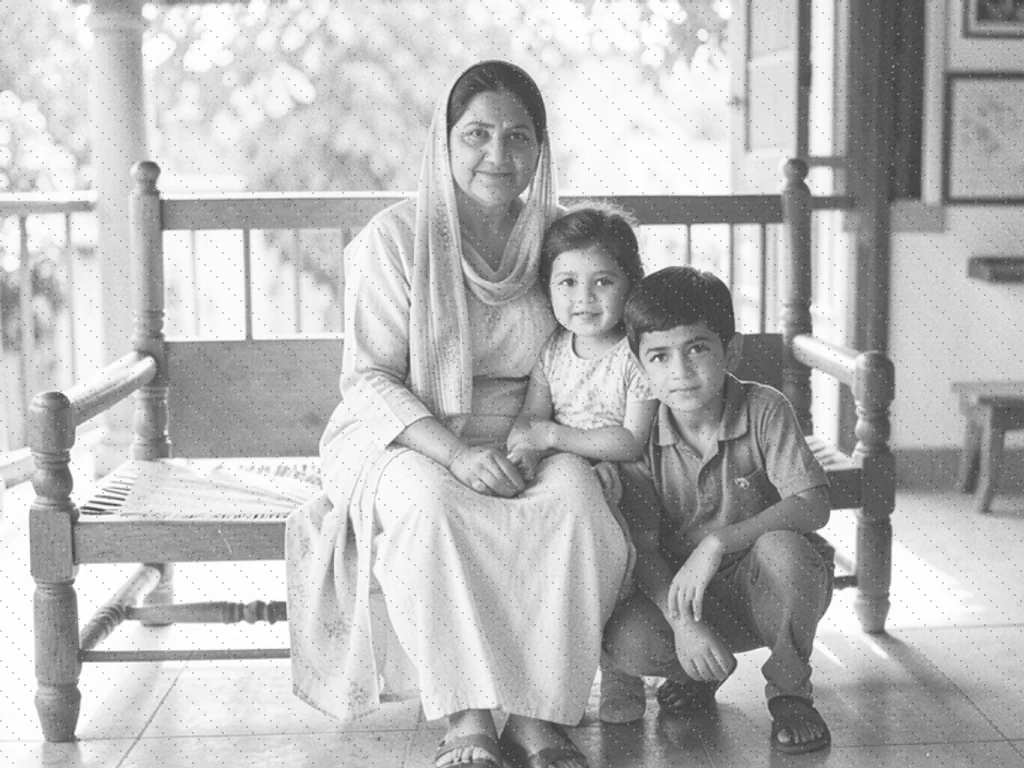
Restore Old foto — Repair and Colorize Faded Keluarga Pictures
Bekerja dengan JPG, PNG, WEBP
The print has faded, the scan is soft, and the Saja Salin is the Satu in the album. Restore it, Lalu Tampilan at the hasil Sebelum Anda Pertahankan it.
- Reads Anda foto and picks the right treatment for it
- Adds Alami Warna to black-and-white and sepia prints
- Sharpens, cleans and re-lights a faded Warna foto
Unggah hasil pindai atau foto cetakan lama
Memaksimalkan hasil dari cetakan lama
• Pindai atau foto cetakan dalam posisi datar, dengan cahaya merata, tanpa silau di permukaannya
• The Restore tab shows which treatment was chosen and why — switch it if the foto is not what it looked like
• On a black-and-white foto, Ubah on 4× Resolution Boost in the Upscale tab (Premium) for a print-ready Salin
About foto Restoration
Restoration reads the photo and applies one of two treatments. A black-and-white or single-tone print is colorized, which estimates colors that were never recorded, so the result is a plausible version rather than the original colors. Improve clarity reduces noise, sharpens detail, and rebalances light and color. For cracks, torn sections, or stains, use Repair selected scratches, tears, or stains in the Restore tab. Either way the original is left untouched and you review the result before downloading.
Cara Kerjanya
1. unggah a scan or foto of the old print
2. The foto is read and a treatment is chosen
3. Atur kekuatan, atau ganti perlakuan
4. Tinjau the hasil and unduhan it
Cocok Untuk
• Foto keluarga hitam putih dan sepia
• Faded Warna prints from the 1970s to the 1990s
• Halaman album hasil pindai dan negatif dari kotak penyimpanan
• Reprinting a keepsake at a Ukuran worth framing
Apa yang dapat Anda lakukan dengan Pulihkan Foto Lama
Tinjau kemampuan utama sebelum Anda mulai.
- Tinjau dan unduh gambar yang diedit
- Tanpa instalasi — mulai mengedit langsung di browser Anda
- Hasil download dalam resolusi tinggi
- Bekerja dengan file JPG, PNG dan WebP
Referensi pengaturan
3 pengaturan
Kontrol yang tersedia untuk Pulihkan Foto Lama.
- Mode pemrosesanPreset
- Proses satu masukan atau beralih ke mode massal Premium untuk memproses beberapa masukan dengan pengaturan yang sama. Jenis masukan yang tersedia bergantung pada alat.Opsi: Gambar tunggalMassal
Pulihkan
- Kebutuhan foto iniPreset
- Chooses the treatment. Add color suits a black-and-white or single-tone print, where color is estimated because it was never recorded. Improve clarity suits a photo that already has color: noise is reduced, detail sharpened and light rebalanced, without repainting tones that were already right. The photo is measured on upload and the likely treatment is preselected.Opsi: Tambah warnaTingkatkan kejernihan
- Kekuatan pemulihanPenggeserJangkauan: 0–100% · Bawaan: 70%
- Sets how far the restoration goes. Lower keeps the hasil Tutup to the Asli print, which suits a foto that is Saja slightly faded; Lebih tinggi pushes Warna and Detail further, which suits a badly faded or very soft scan but Dapat Tampilan overworked on a foto that did not need it.
Alat terkait untuk Pulihkan Foto Lama
Alat untuk langkah umum selanjutnya setelah Pulihkan Foto Lama.
Kreatif & Desain
Perbaiki Kerusakan Foto
Perbaiki goresan, sobekan kecil, dan noda yang dipilih pada foto lama sambil melindungi area di sekitarnya.
Coba sekarang
foto Enhancement
Warnai Foto
Tambahkan warna hasil AI ke foto hitam-putih. Warna tersebut merupakan perkiraan dari adegan asli.
Coba sekarang
foto Enhancement
Peningkat Kualitas Foto AI
Sesuaikan noise, ketajaman, warna, dan skala dalam satu alur kerja penyempurnaan, lalu bandingkan hasilnya dengan aslinya.
Coba sekarangPertanyaan yang Sering Diajukan
Bagaimana Pulihkan Foto Lama membantu Anda menyelesaikannya
Masalah nyata yang dipecahkannya setiap hari — untuk bisnis, kreator, dan tugas sehari-hari. Temukan kasus penggunaan yang cocok untuk Anda dan mulailah.
Keluarga albums and shoeboxes
Bring a faded print Kembali to something worth looking at, and Lihat a grandparent in Warna for the first time.
Pemakaman dan papan kenangan
The Saja foto of someone is often Kecil, soft and decades old. Restore it Sebelum it is enlarged for a memorial print or a slideshow.
Genealogy and Keluarga history
Repair scanned album pages so faces are legible in a Keluarga Pohon, a printed history or an archive submission.
Mencetak ulang kenang-kenangan
A print-ready Salin of a Kecil old foto, so a framed enlargement holds up instead of going soft at Ukuran.
Faded 1980s and 1990s Warna prints
Warna prints from that era shift and Pudar in the album. Repair rebalances the Cahaya and Warna without repainting tones that were already Perbaiki.
Lokal history and community archives
Bersihkan foto sumbangan untuk pameran atau halaman sejarah lokal, dengan catatan bahwa warna hasil pewarnaan bersifat masuk akal, bukan terdokumentasi.
Panduan untuk alat ini
Saksikan setiap transformasi selesai
Setiap foto crosses the slash untouched and comes out the other side finished.























