

AI Art Effects
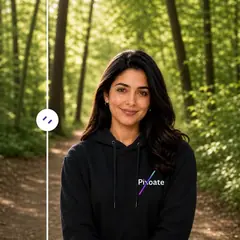
Create a linocut, engraving, screenprint, or cross-stitch treatment from the original photo.
リノカットプリント エフェクト用の写真をアップロードしてください
AI Art Effects でできること
始める前に、主な機能を確認してください。
- Create ink and engraving treatments
- Try screenprint and stitched artwork
- Keep the original subject geometry while changing the style
設定リファレンス
2 設定
AI Art Effects で使用可能なコントロール。
スタイル
- Treatmentドロップダウン
- Choose the artistic treatment for your photograph.オプション: リノカットプリント銅版画CMYK スクリーンプリントクロスステッチの肖像画
- 強さスライダーレンジ: 0–100% · デフォルト: 40%
- Adjust the strength before applying the selected treatment.
無料で利用可能 · 登録不要 · 透かしなしアップロードは転送中に暗号化されます保持ポリシーに基づいて削除されました
Related tools for AI Art Effects
Tools for common next steps after AI Art Effects.


よくある質問
変換結果を一つずつ確認
すべての写真はスラッシュをそのまま通過し、反対側が完成して出てきます。























