

AI画像エディター — 編集・置換・拡張・場面変更
精密で高品質な編集のために設計 · AIの結果にはばらつきがあります
希望する結果を説明すると、編集範囲の自動検出で場面全体を変更できます。正確な配置、物の置き換え、必要に応じた微調整にはブラシを使ってください。
- 目的別の編集モードを1つのワークフローに
- 場面づくり・不要物除去・空・背景の自動編集
- 画像拡張と縦横比変換では、準備済みの元画像領域をそのままコピー
画像を選択
JPG、PNG、WebP、HEICなどの対応形式を利用できます。このツールのアップロード上限はFreeで20 MB、Premium以上で50 MBです。
Purpose-built AI editors
Choose a focused image-editing workflow
Every workflow uses the same protected editing engine, with task-specific controls, prompts, and guidance.

透かし除去
写真をアップロードすると、重ね表示を自動検出し、その範囲を修復します。
Open workflow
AIポートレート背景変更
ポートレートの光の当たり方に合う背景を選び、被写体の輪郭を確認してください。
Open workflow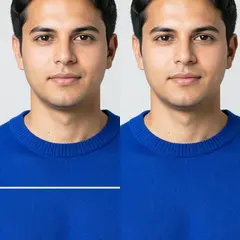
写真の傷を修復
細いブラシで、それぞれの亀裂と白っぽい縁を塗ってください。大きく欠けた部分には「破れた範囲」を選んでください。
Open workflow
AI画像拡張
希望の縦横比を選び、必要なら画像の外側の場面を説明して、元の写真の周囲に広がる構図を生成します。
Open workflow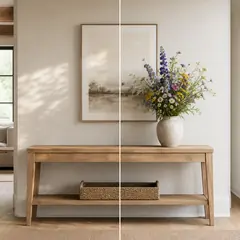
AI生成塗りつぶし
範囲を塗って置き換える内容を説明し、結果を確認してからダウンロードしてください。
Open workflow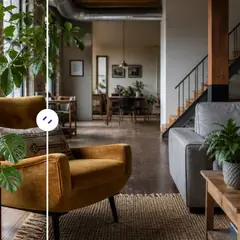
AIオブジェクト削除
対象物とその位置を説明して自然な補完を自動生成するか、範囲を手動で調整してください。
Open workflow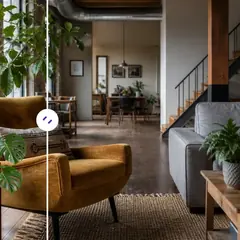
AIオブジェクト置換
対象物を指定し、置き換える内容を説明します。ダウンロード前に、置き換え後の画像と周囲を確認できます。
Open workflow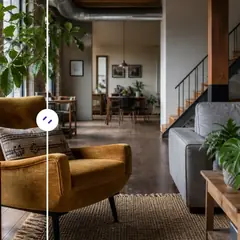
AI で写真にオブジェクトを追加
空いている範囲を選び、物を説明すると、その場所に生成します。
Open workflow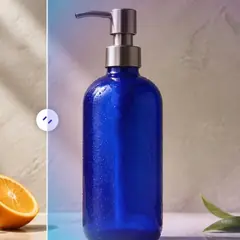
AI背景変更
場面のプリセットを選ぶか、まったく新しい環境を説明してください。主な被写体は自動で切り分けられます。
Open workflow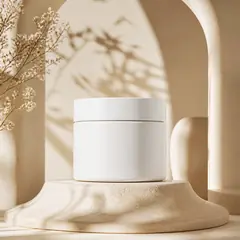
AI商品背景生成
シチュエーションを選び、商品を取り囲むシーンを生成します。使用前に商品の輪郭や細部を確認してください。
Open workflow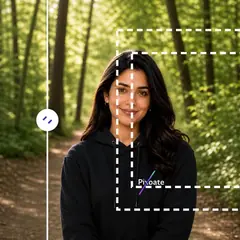
AI画像拡張
より広い縦横比を選び、現在の切り抜きの周囲に自然な空間を再構成します。
Open workflow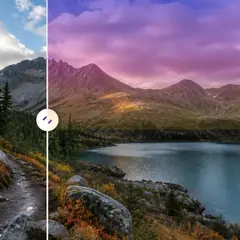
AI空置換
空のプリセットを選ぶか、希望する空の雰囲気を説明してください。
Open workflow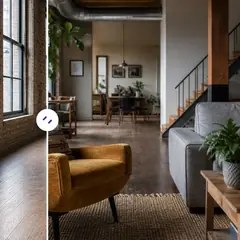
AIルームステージング
部屋のスタイルを選んでプロンプトを調整すると、家具を配置した部屋全体のイメージを自動生成します。必要な場合だけ編集範囲を微調整してください。
Open workflow
AI商品シーン生成
日常の使用シーンやキャンペーン向けの設定を選び、商品の周囲に生成します。
Open workflow
AIバーチャルステージング
部屋の用途とスタイルを選び、物件掲載用のイメージ全体を自動生成。特殊な間取りでは手動の微調整も利用できます。
Open workflow
AI不動産写真編集
不動産向けの目的別プリセットを選んでください。自動処理では範囲を塗る必要がなく、配置が重要な編集では正確な範囲の指定を求めます。
Open workflowAI画像編集 でできること
始める前に、主な機能を確認してください。
- 写真を正方形、縦長、または横長のレイアウトに拡張します
- ペイントされた領域を新しく記述されたコンテンツで塗りつぶします
- 写真内の選択したオブジェクトを削除または置換します
- 空、背景、天気、またはシーンのスタイルを変更する
- 建築構造を保ちながら空室を演出
- 商品写真をスタジオやライフスタイルのシーンに配置
- ペイントされたローカル編集の外側の元のピクセルを保護する
設定リファレンス
5 設定
AI画像編集 で使用可能なコントロール。
編集
- 編集タイプドロップダウン
- 画像、プロンプト、オプションの選択、および出力形状が一貫して処理されるように、集中的な編集ワークフローを選択します。オプション: 透かし除去傷の修復テキストベース編集ジェネレーティブフィルマジック消しゴムオブジェクト置換者背景チェンジャー製品の背景AI 拡張画像の切り抜きを元に戻す風景からポートレートへポートレートから風景へ空の置き換えルームステージング製品風景プロ品質ヘッドショット
- 編集内容を説明するテキスト入力
- 視覚的な変化を最大 1000 文字で説明してください。オブジェクトの削除、置換、シーンの変更にはこれが必要ですが、拡張は追加の指示なしで実行できます。
選択範囲
- 選択ブラシのサイズスライダーレンジ: 16–160px · デフォルト: 64px
- ジェネレーティブ フィルとオブジェクトの置換には、ペイントされた領域が必要です。自動クリーンアップ、背景、空、およびステージング モードでは、領域を手動で調整することによってのみ同じブラシが公開されます。手動選択範囲外のピクセルは、準備されたソースから復元されます。
出力
- 拡大されたアスペクト比プリセット
- 生成されたフレーム内に元の画像を保持しながら、ワークフローを展開および切り抜き解除するための新しいキャンバス形状を選択します。オプション: 正方形 1:1ポートレート 4:5ストーリー9:16ワイド16:9ポートレート 3:4風景 4:3
- AI に被験者の身元と製品の詳細を保存するよう依頼するオン/オフ
- 指示が明示的に変更しない限り、主要な主題の形状、アイデンティティ、ロゴ、ラベル、および判読可能なテキストを保持するよう編集者に依頼してください。
AI画像編集 の関連ツール
AI画像編集 の後の一般的な次のステップのためのツール。
よくある質問
このツールのガイド
変換結果を一つずつ確認
すべての写真はスラッシュをそのまま通過し、反対側が完成して出てきます。























