
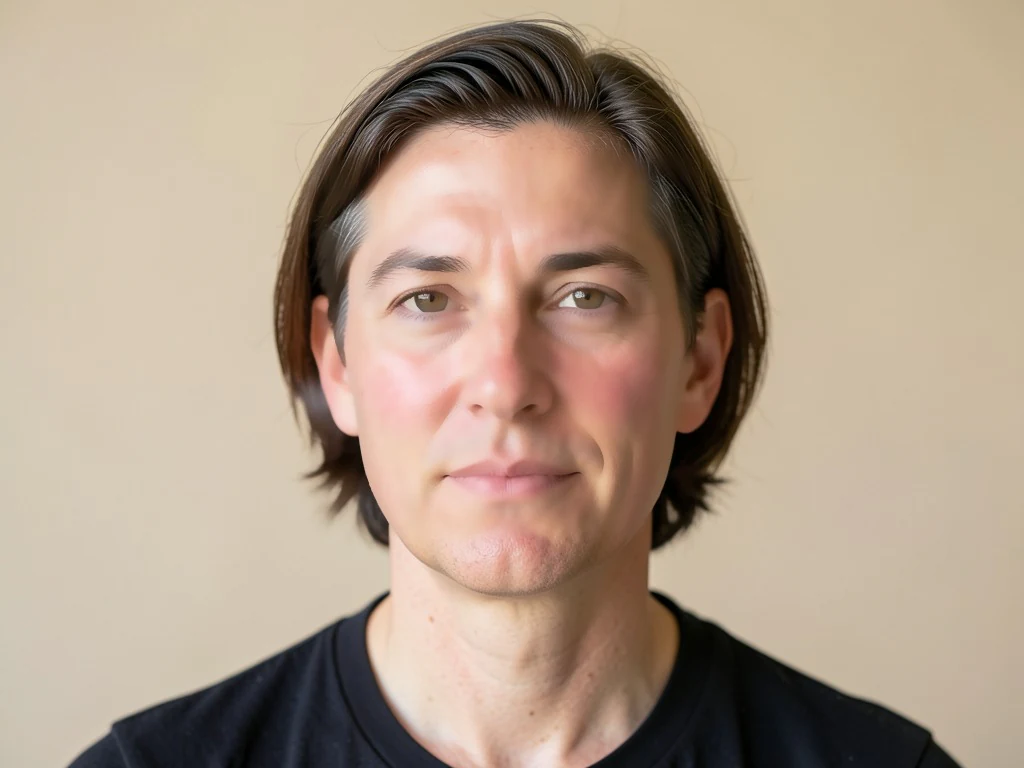
Retouch selfies naturally — smooth, not plastic
Harsh light and uneven tone? Skin is smoothed and evened in one tap while eyes, hair and edges stay sharp — a natural retouch in seconds.
- 輪郭を保つ肌のなめらか処理 — 目や髪はくっきりのまま
- 肌の色ムラを整え、赤みや凹凸をやわらげます
- Free daily allowance · no signup · clean, full-quality results on every plan
Works with JPG, PNG, WEBP · Free up to 20 MB, Premium 50 MB


Drop a selfie or portrait — get a naturally retouched version back
ベストな結果を得るためのコツ
• 最も自然な仕上がりにするには弱めに設定してください
• まずシミ除去ツールでシミを消してください
• プロ用や証明写真には弱めの強度を使ってください
顔ビューティー加工について
顔ビューティーは顔の肌部分を検出し、そこだけにエッジを保つスムージングを適用。目、眉、唇、髪、輪郭をくっきり保ったまま、質感とトーンを均一にします。この選択的なアプローチにより、全体にかけるフィルターのようなぼやけてプラスチックな見た目ではなく、洗練された自然な仕上がりになります。
使い方
1. 自撮りやポートレートをアップロード
2. AIが顔の肌を特定
3. 肌はなめらかに、輪郭はくっきりのまま
4. 強さを調整してダウンロード
こんな用途に最適
• 自撮りやポートレート写真
• プロフィール写真やSNS写真
• プロのプロフィール写真
• イベントや集合写真
What you can do with 顔ビューティー加工
Everything this tool helps you accomplish — no learning curve, no setup.
- Smooth skin on selfies and portraits
- Even out uneven skin tone in one tap
- Softly retouch faces for a natural look
- Keep eyes, hair and edges sharp
- Adjust how much smoothing to apply
Settings information
1 setting
Every control in 顔ビューティー加工, explained — what it does and when to use it.
調整
- なめらかさの強さSliderRange: 0–1 · デフォルト: 0.7
- 肌をどのくらい滑らかにするかを「ナチュラル」から「グラマラス」まで調整します — 自然に見えるビジネス向けヘッドショットには低めに、SNS映えする洗練された仕上がりには高めに設定してください。
顔ビューティー加工が終わったら、次はこちらを
顔ビューティー加工と相性のよい厳選ツール。ファイルをそのままに、作業を続けられます。
肌トラブル除去
Breakout in your best photo? Blemishes, spots and dark marks are healed automatically while natural skin texture stays intact — done in seconds.
今すぐ試すAI 写真高画質化
Noise, blur, bad lighting? One click removes noise, sharpens detail, fixes color and upscales — phone photos come back crisp and vivid in seconds.
今すぐ試すAI画像アップスケーラー
Photo too small to print or post? Upscale it 2x, 3x or 4x while edges stay crisp and detail holds — done in seconds. Full-resolution downloads with Premium.
今すぐ試す背景を削除
Stop tracing edges by hand — get a clean transparent PNG with hair-level edge detail in seconds. Free cut-outs download clean at up to 2048px, no signup — Premium exports at the original resolution.
今すぐ試す写真フィルター・エフェクト
Flat photos get scrolled past. Pick a cinematic, vintage, glitch, or beauty effect, preview every look instantly, and download the one you love in seconds. Free to start, no credit card.
今すぐ試す画像をKB単位で圧縮
Form says 'max 100KB'? Compress JPG, PNG or WebP to any exact target — 20KB, 50KB, 100KB — without visible quality loss, in seconds. Free to start, no credit card.
今すぐ試すよくある質問
顔の肌の領域を検出し、その部分だけにエッジを保ったスムージングを適用します。そのため、目、眉、唇、髪、輪郭のくっきり感を保ちながら、肌の凹凸や赤みだけをやわらげます。この選択的な処理により、全体にかけるフィルター特有のぼやけた作り物のような質感を避けられます。
quality肌トラブル除去は、ニキビや吹き出物などの気になる部分をピンポイントで消します。顔ビューティー加工は、肌全体の質感や色を整えて、ムラのない洗練された仕上がりにします。この2つは相性抜群で、まず肌トラブルを除去してからビューティー加工するのがおすすめです。
featuresはい。強度スライダーで、ほとんど分からない控えめなレタッチから、しっかりとした華やかな仕上がりまで調整できます。証明写真やビジネス向けの写真では、低めに設定すると最も自然な仕上がりになります。
featuresYes, free every day with no signup, and every free result downloads clean — nothing stamped on it. Premium lifts the daily cap and adds batch processing. Your photo is uploaded only to process and deleted automatically afterwards.
privacyLinkedIn の写真、履歴書、身分証風のポートレートでは、スムージング強度スライダーを「ナチュラル」付近に保つと、近くで見ても肌の質感が自然なままになります。カジュアルな SNS 投稿では「グラマー」寄りにして、より滑らかで洗練された仕上がりにできます。ライブプレビューが即座に更新されるので、ダウンロード前に両方を比較できます。
tipsYes — Pixoate supports batch and bulk processing. Switch to Batch mode, add up to 100 photos, set your options once, and every photo is processed with the same settings before you download a single ZIP. Bulk processing is a Premium feature; the output uses the same quality and settings as single mode.
featuresYes — with bulk processing you configure the settings a single time and they apply to every item in the batch, up to 100 photos. There is no need to repeat the setup per item, and Temporary uploaded and generated files are processed securely and deleted automatically.
usage顔ビューティー加工でできること
ビジネス、クリエイター、日々の作業で毎日役立つ、実際の課題を解決します。あなたに合う使い方を見つけて、数秒で始めましょう。
自分らしさを保ったマッチングプロフィール写真
「なめらかさの強さ」スライダーを「ナチュラル」付近に保つと、Tinder、Hinge、Bumble向けの写真で、疲れた肌や赤みをやわらげつつ、プロフィールが偽物と見なされるような過度になめらかな見た目を避けられます。
インフルエンサー&UGCコンテンツの仕上げ補正
スポンサー投稿や商品写真の肌を公開前に滑らかにし、本格的なスタジオレタッチのワークフローなしで、ブランドコンテンツを洗練された見た目に保ちます。
不動産業者&エージェントの物件用ヘッドショット
不動産エージェントの顔写真を弱めのナチュラル強度で処理し、MLS掲載、名刺、庭看板の写真に使えます。仲介会社が期待する洗練されつつ信頼感のある仕上がりを保ちつつ、エージェント写真を偽物に見せてしまうプラスチックのような過度なスムージングを避けます。
社員名簿向けの統一感ある企業用証明写真
各社員のヘッドショットを、同じ弱めのNatural強度設定で1枚ずつ処理することで、全体的なぼかしフィルターがどの写真の本物の肌質も損なうことなく、社員名簿やLinkedInページが一貫して洗練された印象になります。
納品前のウェディング・ポートレート校正レタッチ
撮影で撮った各ポートレートの肌の色合いと質感を、弱めのナチュラル強度で滑らかにしてから、カップルやクライアントに校正用を送ることで、写真家が手作業でやるはずの写真ごとの手動レタッチを削減できます。
Pixoate






















