

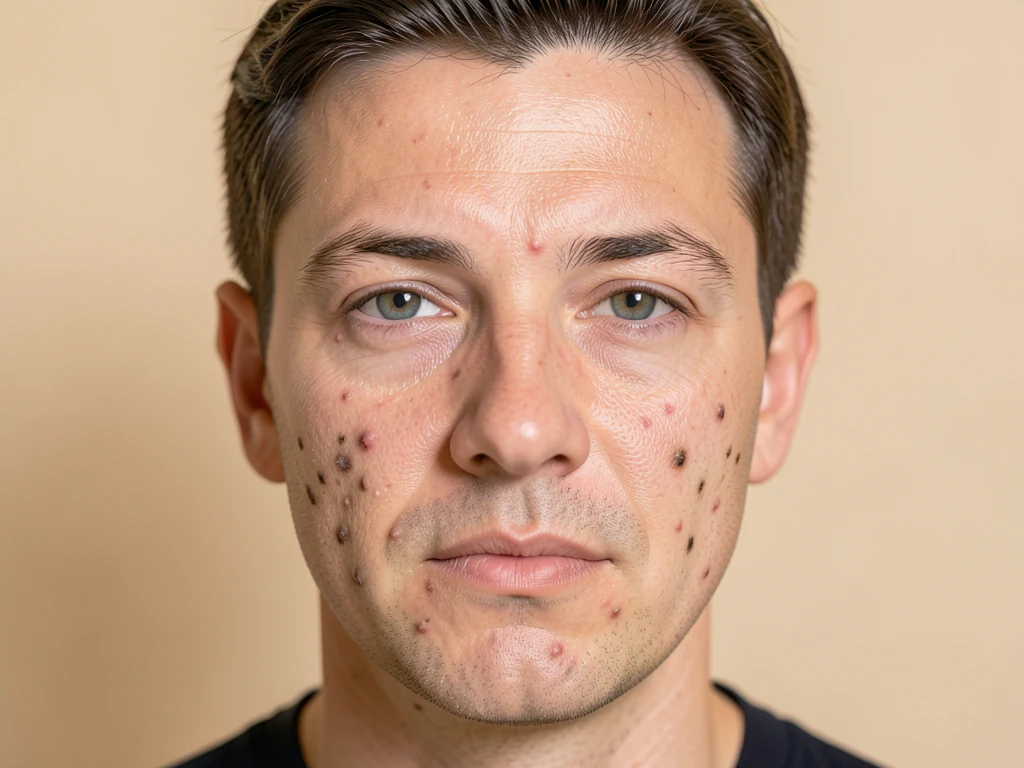
シミ除去剤 — オンラインの写真からニキビやニキビを除去します
JPG、PNG、WEBP に対応
鮮明なポートレートの小さなニキビやシミを、顔立ちや周囲の肌の質感を保ったまま目立たなくします。
- ニキビ・吹き出物・シミ・黒ずみを自動検出して修復
- Protects eyes, lips and facial hair
- Works best with the complete face visible
Drop a portrait with the full face visible
ベストな結果を得るためのコツ
• おでこ全体、目、あごを含めてください。頬のクローズアップやコラージュには対応していません
• 小さなシミが残る場合は、「レタッチの強さ」と「最大スポットサイズ」を少しずつ上げてください
• ダウンロードする前に仕上がりを確認してください。深い傷や広範囲の赤みが残る場合があります
肌トラブル除去について
The blemish remover detects small dark, red or bright spots on facial skin and blends them with nearby skin. Eyes, lips and facial hair are protected. Upload a sharp portrait with the complete face visible. If no safe visible repair is possible, the tool explains this before creating a download.
使い方
1. 自撮りやポートレートをアップロード
2. AIが肌と肌トラブルを検出
3. 周囲のきれいな肌を使って肌トラブルを修復
4. 強さを調整してダウンロード
こんな用途に最適
• 自撮りやポートレート写真
• プロフィール写真やマッチングアプリ用写真
• 証明写真やプロフィール写真
• 明るい場所で撮影され、小さなシミが点在している顔
肌トラブル除去 でできること
始める前に、主な機能を確認してください。
- 顔写真からニキビ、ニキビ、シミを除去する
- 黒ずみやシミを自動的に除去します
- 整形的な外観ではなく、自然な肌の質感を保ちます
- 適用するレタッチの量を調整します
- 目、唇、主要な顔の特徴を保護します
- 治癒を小さな傷だけに限定する
設定リファレンス
5 設定
肌トラブル除去 で使用可能なコントロール。
- 処理モードプリセット
- 1件ずつ処理するか、Premium の一括処理モードに切り替えて複数の入力に同じ設定を適用できます。対応する入力形式はツールによって異なります。オプション: 1枚の画像一括処理
調整
- レタッチの強さスライダーレンジ: 0–1 · デフォルト: 0.7
- 肌トラブルをどのくらい強く除去するかを「軽め」から「強」まで調整します — まずは低めから始め、ニキビや跡がまだ残っている場合にだけ上げてください。
微調整
- ヒールの強度スライダーレンジ: 0–1 · デフォルト: 0.9
- 肌のあれをどこまで消すかを「ナチュラル」から「しっかり」まで設定します — 低くすると本来の肌の質感が残り、高くするとよりきれいに整います。
- スポットの最大サイズスライダーレンジ: 0–1 · デフォルト: 0.5
- ツールが除去する箇所の最大サイズを、「小さいもののみ」から「大きいものまで」の範囲で指定します。上げると大きなシミも消え、下げるとごく小さな点だけを処理します。
- 特徴の保護スライダーレンジ: 0–1 · デフォルト: 0.8
- 目・眉・唇・鼻の周囲の保護マージンを広げ、これらが編集されないようにします — 顔のパーツが加工されたように見える場合は、「標準」から「最大」寄りに上げてください。
肌トラブル除去 の関連ツール
肌トラブル除去 の後の一般的な次のステップのためのツール。
よくある質問
肌トラブル除去でできること
ビジネス、クリエイター、日常業務など、実際の問題を毎日解決します。自分に合ったユースケースを見つけて始めましょう。
卒業アルバム&卒業写真のクリーンアップ
卒業アルバムや卒業写真の締め切り前に、一時的な吹き出物を消しましょう。大きめのニキビには「Max spot size」を上げ、「Feature protection」を高く保って目や眉が手つかずのまま残るようにします。
自然に見えるマッチングプロフィールの肌補正
Retouch の強度と Heal の強さを弱めに設定すれば、実際の肌の質感を消さずにニキビや黒ずみを目立たなくでき、プロフィール写真を偽りのない自然な仕上がりに保てます。
モデル・タレントのキャスティング応募
コンプカードやオーディション提出用の写真の肌荒れを、事務所に送る前にきれいにしましょう。「Feature protection」により、キャスティング判断のために顔の比率が正確に保たれます。
納品前のウェディングパーティーポートレート
最終的なギャラリーを引き渡す前に、ポーズ写真のブライダルパーティーの直前の吹き出物や肌荒れを、全体ぼかしフィルターのような不自然な見た目にすることなく修正できます。
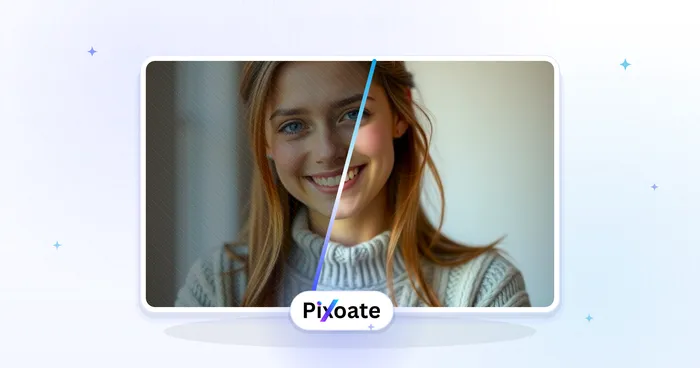
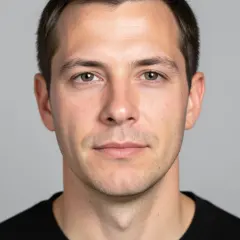
変換結果を一つずつ確認
すべての写真はスラッシュをそのまま通過し、反対側が完成して出てきます。























