

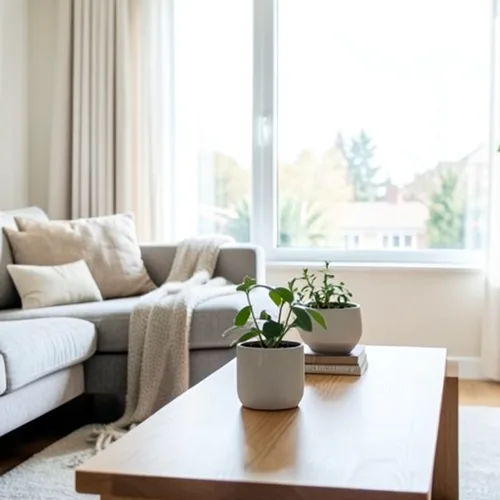
The same source image before and after applying ウィグルグラム3D.
ウィグルグラム3D photo effect applied to the same source image
Original source image before the ウィグルグラム3D photo effect

オンライン 3D 揺動写真フィルター

Create a clean eight-frame depth loop where nearer and farther parts move by different amounts. Control the strength, compare the result, and download a finished image from your browser.

ウィグルグラム3D エフェクト用の写真をアップロードしてください

ウィグルグラム3D エフェクトでできること

始める前に、利用可能なエフェクト機能を確認してください。

  • Apply the ウィグルグラム3D effect to any photo
  • Fine-tune the effect strength to taste
  • Preview your photo live as you edit
  • Download your edited photo in high quality
  • Apply ウィグルグラム3D to many photos at once

使い方

Wigglegram 3D estimates which parts of your photo are nearer or farther and keeps one plane near the center of the composition steady. Eight frames then move nearer and farther surfaces sideways by different amounts in a smooth back-and-forth rhythm; intensity changes how far they really move instead of fading a still copy over every frame. Nearer surfaces stay in front where things overlap, edges stay clean, and the narrow gaps that open beside foreground objects are filled by continuing the background behind them. At full strength, movement is capped at 2% of the image width and fades to nothing at the side edges. The unchanged center view appears twice so the loop plays seamlessly, and image and transparency move together in a lossless animated WebP. Very large photos are scaled down proportionally to 1.75 megapixels so all eight lossless frames stay small enough to download.


処理中

ウィグルグラム3Dは AI アクションを使用します。このエフェクトの処理が開始される前に、個別の許容値が表示されます。

こんな方に最適

中央に配置したポートレート、ペット、製品、静物、室内、建築物、前景・中景・背景が明確に分かれたシーン.

以下にはあまり適していません: 平坦なシーン、中央から外れた被写体、非常に細い髪や葉、透過または反射する物体、動きのある元写真、元写真に隠れた表面が必要になるほど大きな視点移動.

ウィグルグラム3Dの使い方

    選択した ウィグルグラム3D 効果についてのよくある質問

    ウィグルグラムとは何ですか?
    メガネを通してではなく、2 つ以上の視点の間で急速に交互に表示される立体画像。モーション自体が奥行きを表現するため、特別な機器を使用せずにどの画面でも動作します。
    優れたウィグルグラムとは何でしょうか?
    Place the main subject near the centre and include recognisable detail both in front of and behind it. The central depth stays most stable while other layers move relative to it. One photo cannot reveal surfaces hidden from the camera, so the tool limits motion and continues only the farther visible background across narrow gaps; complex hair, glass, reflections, and wide separations can still reveal imperfect edges. Lower the intensity when that happens.

    その他の深さと寸法効果

    スマート再フォーカス

    深さと寸法高度なAI

    自動検出した1つの主被写体をくっきり保ち、深度に応じた自然な背景ぼかしを加えます

    ページを開く

    ティルトシフトジオラマ

    深さと寸法高度なAI

    深度を利用した明瞭なフォーカス帯で、俯瞰した街路や風景をミニチュア風のシーンに変換します

    ページを開く

    奥行きアナグリフ3D

    深さと寸法高度なAI

    Create a comfortable red-cyan 3D view for standard glasses from the estimated depth of your photo

    ページを開く

    クリスタル屈折

    深さと寸法高度なAI

    Refract only the background through bounded crystal facets while keeping the detected subject fixed

    ページを開く

    パララックス切り抜きポスター

    深さと寸法高度なAI

    人物や物体を複製せず、元画像の位置に沿った5つの大きな紙面レイヤーを作成します

    ページを開く

    地形的な奥行き線

    深さと寸法高度なAI

    Trace 18 clean depth contour bands over your photo without moving people or objects

    ページを開く

    紙の奥行きジオラマ

    深さと寸法高度なAI

    Style the frame as up to seven layered paper sheets without duplicating people or objects

    ページを開く

    大気感のある奥行き霧

    深さと寸法高度なAI

    Add soft atmospheric haze that grows with the estimated distance in your photo

    ページを開く

    Near — Far スプリットトーン

    深さと寸法高度なAI

    Apply cool-far and warm-near color grading from the estimated depth of your photo

    ページを開く

    レンズボールワールド

    深さと寸法

    境界を限定したガラス球の内側だけでシーンを圧縮・反転し、球の外側の全ピクセルは変更しません

    ページを開く

    レンチキュラー奥行きプリント

    深さと寸法高度なAI

    Interlace depth-shifted strips only across the background while keeping the detected subject fixed

    ページを開く

    注目の効果を動画で確認

    特に効果の高い候補を先に表示し、その後に残りのカタログが続きます。




























