

AI-lichaamsvorm aanpassen
Make bounded waist, torso, shoulder, or posture adjustments to a clearly visible person.
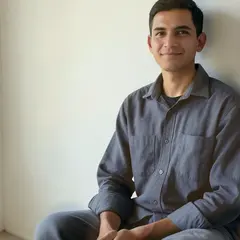
Upload een foto voor het Lichaam slank-effect
Wat u kunt doen met AI-lichaamsvorm aanpassen
Bekijk de belangrijkste mogelijkheden voordat u begint.
- Choose a supported body adjustment
- Select a person in a group photo
- Compare a bounded adjustment without regenerating the face
Referentie instellingen
3 instellingen
Beschikbare besturingselementen voor AI-lichaamsvorm aanpassen.
Vorm
- BehandelingDropdownmenu
- Choose a supported adjustment to the existing body shape.Opties: Lichaam slankTaille aanpassenSchouder aanpassenHouding correct
- IntensiteitSchuifregelaarBereik: 0–100% · Standaard: 40%
- Adjust the strength before applying the selected treatment.
Persoon
- Bij wie moet dit veranderen?Teken op afbeelding
- Choose a detected person when more than one face is visible.
Gerelateerde tools voor AI-lichaamsvorm aanpassen
Hulpmiddelen voor algemene volgende stappen na AI-lichaamsvorm aanpassen.
AI-beeldstudio
Opnieuw belichten met AI
Adjust golden-hour warmth, soft studio light, or shadow visibility while keeping the subject in place.
Probeer het nu
AI-beeldstudio
Portretachtergrond veranderen met AI
Wijzig de achtergrond van een portret met voorinstellingen voor studio, kantoor en tuin. Verfijn de selectie en vergelijk het resultaat voordat je het downloadt.
Probeer het nu
Portret- en portretstudio
Gezicht verfraaien
Pas instelbare huidvereffening en tooncorrectie toe terwijl u gezichtsdetails en randen bekijkt.
Probeer het nuVeelgestelde vragen
Bekijk each transformation land
Every foto crosses the slash untouched and comes out the other side finished.























