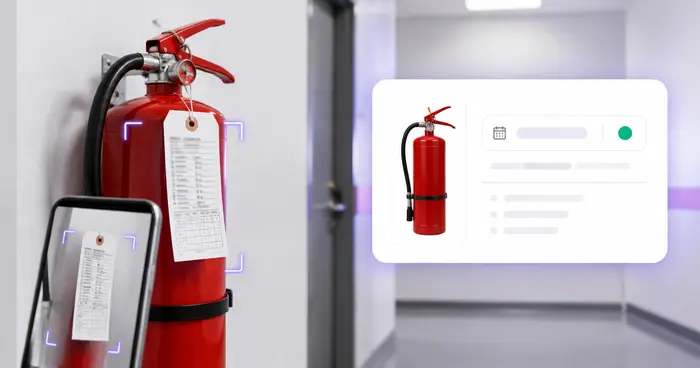
Requirements are fragmented
Federal, state, county, city, and professional authorities can each have their own forms, fees, terms, and renewal process.

Administrative tracker only. Requirements vary by activity, location, and agency; verify status and renewal instructions with the issuing authority.
Renewal dates hide across wall certificates, PDF permits, agency portals, and inboxes. Turn each document into a verified row and give the responsible owner time to act before the deadline.
The real problem
A local permit may renew on one date, a state license on another, and a professional credential somewhere else. The document exists, but the deadline is not assigned or visible.
Federal, state, county, city, and professional authorities can each have their own forms, fees, terms, and renewal process.
A framed license or archived PDF does not notify the operator, office manager, or outside advisor responsible for renewal.
A readable expiration date does not reveal suspension, changed requirements, pending filings, grace periods, or whether the activity needs another permit.
How Pixoate helps
Pixoate extracts common document fields, lets your team correct the agency, jurisdiction, number, and dates, and can remind the signed-in owner before the verified expiration. Official status still comes from the issuing authority.
Use a clear photo, scan, or PDF from the issuing agency and handle one credential per source when possible.
Confirm business name, credential type, issuing agency, jurisdiction, number, issue date, and expiration date.
Save or export the tracker, record the renewal reference, and choose reminder intervals before the verified deadline.
Track city and county permits across stores, offices, restaurants, salons, and service areas.
Keep company, trade, and professional credential dates visible without a full compliance platform.
Maintain one renewal worklist for the owner while preserving each agency's original document and instructions.
No. Requirements and fees vary by business activity, location, government rules, and profession. Check the relevant issuing agencies and qualified advisors.
No. Only the appropriate issuing authority can establish official status. OCR cannot detect suspensions, revocations, pending actions, or requirement changes.
Yes. The workflow accepts PDFs and images. Review every extracted field and retain the original agency document and renewal instructions.
The register includes issue date and expiration date. Reminders are tied only to a valid expiration date that the signed-in user has verified.
Yes as an administrative list. Issuing agency and jurisdiction are separate editable fields, but the tool does not interpret or reconcile differing legal requirements.
Use a non-secret portal reference, filing identifier, instruction note, or internal owner. Do not store account passwords, payment-card data, or other unnecessary secrets.
Hulpmiddelen voor algemene volgende stappen na Vervaldatums van bedrijfsvergunningen bijhouden.
OCR en gegevensextractie
Neem gegevens van brandblusserlabels over in een register per locatie en plan herinneringen vóór de geverifieerde volgende onderhoudsdatum.
Probeer het nuOCR en gegevensextractie
Neem gegevens uit verzekeringsbewijzen over in een bewerkbaar leveranciersregister en plan herinneringen voor verlenging vóór de vervaldatum.
Probeer het nuOCR en gegevensextractie
Lees productdatums en batchcodes uit labelfoto’s, maak een bewerkbare controlelijst en stel desgewenst herinneringen in.
Probeer het nuEvery foto crosses the slash untouched and comes out the other side finished.