
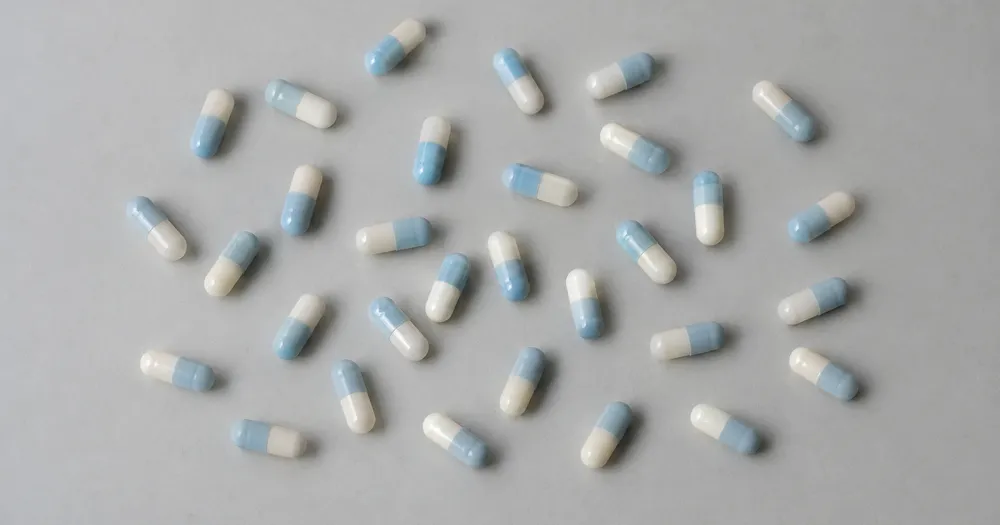
Tel capsules in een bakje van een foto
Werkt met JPG, PNG, WEBP · Gratis tot 20 MB, Premium 50 MB
Spreid capsules in één laag op een dienblad of vlak oppervlak en fotografeer recht van boven. Getelde detecties krijgen punten ter controle. Gemaakt voor apotheken, klinieken, laboratoria en verzorgingshuizen — controleer en corrigeer elke foto voordat je die aan een CSV- of PDF-telling toevoegt.
- Controleer de foto en tel daarna zichtbare capsules
- Upload a photo and get an automatic count
- Review the markers to catch capsules counted twice or missed
- Gratis te gebruiken · Geen registratie nodig · Zonder watermerk
Afbeelding uploaden
Tips voor een nauwkeurige telling
• Gebruik een gelijkmatig belichte foto waarin de volledige capsules in beeld staat
• Keep your capsules visible and avoid overlapping items
• Stippen en heatmap tonen de behouden detecties — controleer en corrigeer de telling
Over de teller voor Capsules
The capsules counter counts visible capsules from your photo and marks detections for review. Counting starts automatically once the photo and item are ready. Visibility, overlap and similar-looking items can affect the total. Built for pharmacies, clinics, labs and care homes.
Hoe het werkt
1. Fotografeer je capsules
2. Upload your photo to count capsules automatically
3. Review the markers and correct the tally if needed
4. Voeg toe aan het telblad en exporteer je telling als CSV
Perfect voor
• Conceptafgiftetellingen voor verificatie door gekwalificeerde apothekers
• Tellen van vervaldatumbatches en retouren
• Voorraadcontroles naast gereguleerde telprocedures
• Ondersteuning voor tweede controle waarbij een handmatige telling verplicht is
Veelgestelde vragen
- Moeten de items van elkaar gescheiden zijn voordat ze geteld worden?
- Een lichte aanraking kan werken, maar volledige overlappingen verbergen items en maken het resultaat minder betrouwbaar. Verdeel ze één laag diep onder gelijkmatig licht, markeer een duidelijk voorbeeld en bekijk elke resultaatmarkering.
- Wat gebeurt er als er meer dan alleen capsules op de foto staat?
- The counter automatically looks for capsules in your photo. Similar-looking distractors can still affect the result, so review every marker before using the total.
- Kan ik meerdere foto's tot één totaal optellen?
- Yes — count each photo and add every reviewed result to the tally sheet as a labelled row. Export the tally as CSV or a PDF report, or save it to your account.
- Is het gratis en privé?
- Ja. U kunt gratis tellen, controleren en het resultaat downloaden zonder account. Downloads zijn gratis en zonder watermerk. Registratie is niet nodig. Foto’s die op de server worden verwerkt, worden tijdens de overdracht versleuteld en volgens ons beveiligingsbeleid verwijderd.
Wat u kunt doen met Pillenteller
Bekijk de belangrijkste mogelijkheden voordat u begint.
- Tel pillen en tabletten vanaf één foto
- Gebruik een gemarkeerde schatting per bak als controle naast de handmatige telling
- Laat een gekwalificeerd persoon elke markering van getelde pillen beoordelen
- Markeer optioneel een voorbeeld om een lastige telling te verfijnen
- Tel veel trays in batches tijdens een bulkaudit
- Filter kleine stippen eruit met een maatafsnijding
Referentie instellingen
14 instellingen
Beschikbare besturingselementen voor Pillenteller.
Uploaden
- Eén foto / BulkcontroleVoorinstellingen
- Kies voor een enkele fototelling of een Premium bulkaudit. Beoordeel elk resultaat.Opties: Enkele fotoBulkaudit
Aantal
- Opgenomen markeringenSchuifregelaarBereik: 0–1 · Standaard: 0.21
- Starts at 21%; slide toward Show more to include weaker markers or Only strongest to hide them.
- Overlay-stijlVoorinstellingen
- Kies punten, een heatmap, beide of een schoon voorbeeld.Opties: BeidePuntenWarmteGeen
Geavanceerd
- ResultaatoverlayDropdownmenu
- Choose how count markers appear in the on-screen preview; the download keeps its own markers.Opties: Stippen + heatmapAlleen stippenAlleen heatmap
Telling
- Toevoegen aan tellingEén klik
- Add this count to the tally sheet under the name of the object that was counted. Signed-in accounts add finished counts automatically unless that is turned off under Account settings; in bulk mode every photo also has its own Add to tally button.
- EtiketTekstinvoer
- Rename a tally row. Edits and removals wait until you choose Save changes, so you can fix several rows at once.
- AantalNummerinvoer
- Correct a row's count; totals, the chart and exports follow once the change is saved.
- Save changesEén klik
- Apply every edited or removed tally row in one step, or choose Discard changes to leave the sheet as it was.
Chart
- By objectVoorinstellingen
- The chart is the same in every counting tool and covers the tallies of all of them. By object draws a separate line chart for each tally name, such as pipes and people. By tool draws a chart for each counting tool.Opties: By objectBy tool
- PeriodeVoorinstellingen
- Choose how far back the chart looks. Days without a count appear as zero.Opties: 7 days30 days90 days12 months
History
- Counting setupGalerij
- Keep comparable counts together. A first setup is created for you, so the first count can be saved straight away.
- Observed atTekstinvoer
- The date and time of the count, shown as a date and a time field.
- NotenTekstinvoer
- Starts with every detected object and its count, one per line, such as Pipes - 11. Edit it before saving.
- Save countEén klik
- Save the count to your account history. Open a saved count later to correct it or download its source photo.
Gerelateerde tools voor Pillenteller
Hulpmiddelen voor algemene volgende stappen na Pillenteller.

Tellen en voorraad
Objectenteller
Estimate an object count from a photo. Review and correct the numbered markers before using the count.
Probeer het nu
Tellen en voorraad
Live objectenteller
Richt uw telefoon op afzonderlijke, volledig zichtbare items en bekijk de detectormarkeringen terwijl de telling in realtime wordt bijgewerkt.
Probeer het nu
Tellen en voorraad
Flessenteller
Tel flessen op schappen, in kratten of in koelruimtes vanaf één foto, met getelde detecties gemarkeerd voor controle.
Probeer het nuHoe Pillenteller je helpt de klus te klaren
Echte problemen die het elke dag oplost – voor bedrijven, makers en alledaagse taken. Vind de use case die bij u past en begin.
Dubbele controles van apotheekvullingen in seconden
Fotografeer een gevulde tray als tweede controle op een handmatige telling. Een gekwalificeerd apotheker moet elke getelde detectie beoordelen, de AI-telling corrigeren en de vereiste medicatieprocedure volgen voordat er wordt vrijgegeven.
Audittrail voor concepten van gecontroleerde stoffen
Behandel de AI-telling als een concept, laat een bevoegd persoon de vereiste handmatige procedure voor gecontroleerde middelen uitvoeren en exporteer alleen het gecorrigeerde resultaat samen met de officiële registratie. Het AI-rapport is op zichzelf geen compliance-auditspoor.
Medicatierondetellingen in verzorgingshuizen
Gebruik een fototelling alleen als tweede controle. Bevoegd zorgpersoneel moet de markeringen controleren en corrigeren en de vereiste handmatige medicatietelling tussen diensten uitvoeren; AI mag die procedure niet vervangen.
Kwaliteitscontrole bij de productie van supplementen en capsules
Voer de modus Soortgelijke items uit op een productiemonster nadat je de specifieke capsule of tablet hebt gemarkeerd in de instelling Voorbeelden, en laat een gekwalificeerde reviewer de markeringen verifiëren voordat deze worden verzonden.
Voorraadcontroles over meerdere laden voor apotheken
Open Bulk-audit om de modus Unieke objecten te laten uitvoeren op elke trayfoto, laat vervolgens een gekwalificeerde persoon elke markering controleren en elke tray corrigeren voordat de telling wordt geëxporteerd.
Bekijk each transformation land
Every foto crosses the slash untouched and comes out the other side finished.























