
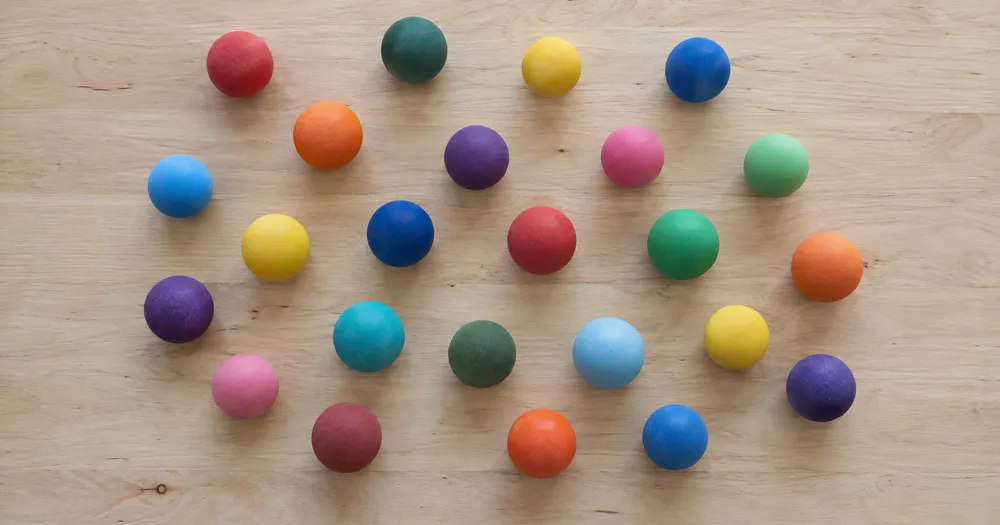
Посчитайте шарики в ведре или мешке по фото.
Работает с JPG, PNG, WEBP · Бесплатно до 20 MB, Premium 50 МБ
Разложите объекты мячи так, чтобы они как можно меньше перекрывались — лучше всего в один слой, — и сфотографируйте сверху при равномерном освещении. Инструмент создан для аудитории клубы, тиры, магазины и коллекционеры — проверьте и исправьте каждое фото перед добавлением в ведомость CSV или PDF.
- Проверьте фотографию, затем посчитайте видимые объекты мячи
- Upload a photo and get an automatic count
- Review the markers to catch balls counted twice or missed
- Бесплатно · Без регистрации · Без водяного знака
Загрузить изображение
Советы для точного подсчёта
• Используйте равномерно освещённую фотографию, на которой объект мячи полностью находится в кадре
• Keep your balls visible and avoid overlapping items
• Точки и тепловая карта показывают сохраненные обнаружения — просмотрите и исправьте подсчеты.
О счётчике Мячи
The balls counter counts visible balls from your photo and marks detections for review. Counting starts automatically once the photo and item are ready. Visibility, overlap and similar-looking items can affect the total. Built for clubs, ranges, shops and collectors.
Как это работает
1. Сфотографируйте объект: мячи
2. Upload your photo to count balls automatically
3. Review the markers and correct the tally if needed
4. Добавьте в таблицу подсчёта и экспортируйте результат в CSV
Идеально подходит для
• Снаряжение учитывается после каждой тренировки.
• Проверка инвентаря клуба в начале и конце сезона.
• Проверка магазинных запасов и возвратов
• Регистрация убытков за период или сезон.
Часто задаваемые вопросы
- Работает ли он на неупорядоченной куче?
- Он может отмечать только видимый слой. Распределите элементы на один слой, отметьте четкий пример, просмотрите и исправьте маркеры результатов. Считайте количество видимых лиц в большой стопке оценочным и используйте одинаковую структуру между проверками.
- Что делать, если на фотографии есть не только объекты мячи?
- The counter automatically looks for balls in your photo. Similar-looking distractors can still affect the result, so review every marker before using the total.
- Можно ли посчитать несколько фото в один общий итог?
- Yes — count each photo and add every reviewed result to the tally sheet as a labelled row. Export the tally as CSV or a PDF report, or save it to your account.
- Это бесплатно и конфиденциально?
- Да. Подсчитайте, проверьте и скачайте бесплатный результат без аккаунта. Скачивания бесплатны и не содержат водяного знака. Регистрация не нужна. Фото, обработанные на сервере, шифруются при передаче и удаляются согласно Политике безопасности.
Что можно сделать с помощью Счётчик объектов
Прежде чем начать, ознакомьтесь с основными возможностями.
- Считайте объекты на фотографии, а не вручную.
- Подсчитывайте монеты, таблетки, ячейки, детали и бусины
- При необходимости отметьте пример, чтобы выбрать конкретный предмет
- Проверяйте найденные объекты с помощью маркеров на изображении
- Проводите массовую проверку по множеству фото
- Точно настройте чувствительность, чтобы игнорировать мелкие пятнышки
Справочник по настройкам
15 настроек
Доступные элементы управления для Счётчик объектов.
Загрузить
- Одно фото / Массовый подсчётПресеты
- Выберите подсчет одной фотографии или массовый аудит Premium. Просмотрите каждый результат.Параметры: Одно фотоМассовый аудит
Количество
- Включённые маркерыСлайдерДиапазон: 0–1 · По умолчанию: 0.21
- Starts at 21%; slide toward Show more to include weaker markers or Only strongest to hide them.
- Стиль наложенияПресеты
- Выберите точки, тепловую карту, и то, и другое или чистый предварительный просмотр.Параметры: ОбаТочкиТеплоНет
- Что считатьТекстовое поле
- Enter the item to count, then press Enter or leave the field to start automatically. Review every result marker.
Дополнительно
- Наложение результатаВыпадающий список
- Choose how count markers appear in the on-screen preview; the download keeps its own markers.Параметры: Точки + тепловая картаТолько точкиТолько тепловая карта
Подсчёт
- Добавить в подсчётВ один клик
- Add this count to the tally sheet under the name of the object that was counted. Signed-in accounts add finished counts automatically unless that is turned off under Account settings; in bulk mode every photo also has its own Add to tally button.
- МеткаТекстовое поле
- Rename a tally row. Edits and removals wait until you choose Save changes, so you can fix several rows at once.
- КоличествоЧисловое поле
- Correct a row's count; totals, the chart and exports follow once the change is saved.
- Save changesВ один клик
- Apply every edited or removed tally row in one step, or choose Discard changes to leave the sheet as it was.
Chart
- By objectПресеты
- The chart is the same in every counting tool and covers the tallies of all of them. By object draws a separate line chart for each tally name, such as pipes and people. By tool draws a chart for each counting tool.Параметры: By objectBy tool
- ПериодПресеты
- Choose how far back the chart looks. Days without a count appear as zero.Параметры: 7 days30 days90 days12 months
History
- Counting setupГалерея
- Keep comparable counts together. A first setup is created for you, so the first count can be saved straight away.
- Observed atТекстовое поле
- The date and time of the count, shown as a date and a time field.
- НотыТекстовое поле
- Starts with every detected object and its count, one per line, such as Pipes - 11. Edit it before saving.
- Save countВ один клик
- Save the count to your account history. Open a saved count later to correct it or download its source photo.
Сопутствующие инструменты для Счётчик объектов
Инструменты для общих следующих шагов после Счётчик объектов.

Подсчет и инвентаризация
Живой счётчик объектов
Направьте телефон на отдельные, полностью видимые предметы и просматривайте маркеры детектора по мере обновления счетчика в режиме реального времени.
Попробовать сейчас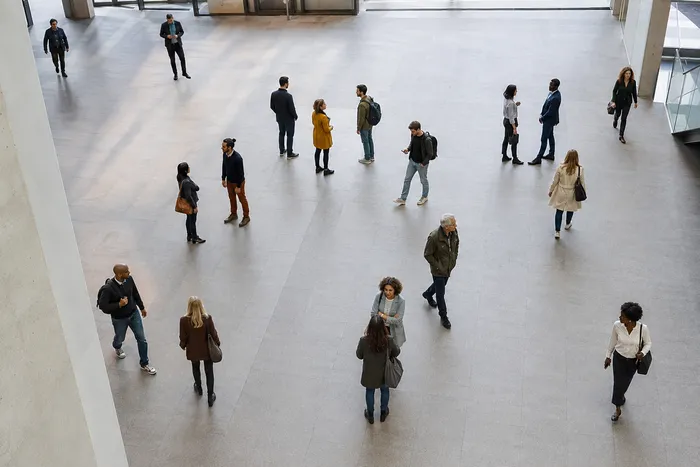
Подсчет и инвентаризация
Счётчик людей
Оцените, сколько людей изображено на фото. Перед официальным использованием проверьте маркеры и подтвердите количество.
Попробовать сейчас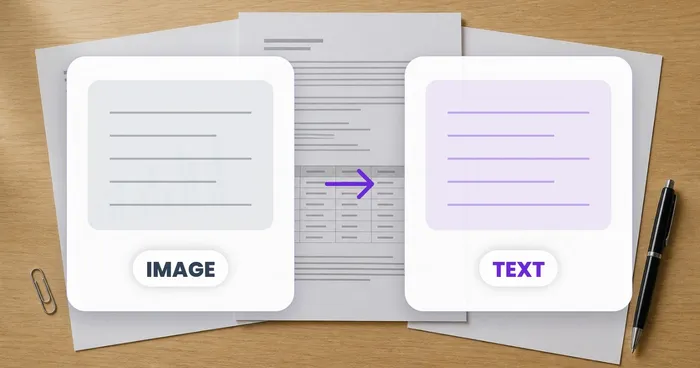
OCR и извлечение данных
Изображение в текст (OCR)
Извлекайте редактируемый текст из снимка экрана, фотографии или отсканированного изображения на более чем 30 поддерживаемых языках.
Попробовать сейчасКак Счётчик объектов помогает вам справиться с задачей
Реальные проблемы, которые он решает каждый день — для бизнеса, авторов и повседневных задач. Найдите вариант использования, который подходит вам, и начните.
Проверенная циклическая инвентаризация склада
Используйте массовый аудит, чтобы запустить режим отдельных объектов для каждой фотографии полки в очереди, просмотреть каждый результат и исправить подсчет по каждой полке перед экспортом счетчика циклов.
Учёт мелких деталей для мастеров и продавцов Etsy
Отметьте нужную бусину, винт или деталь в настройке «Примеры» — от 1 до 3 образцов, по одному на каждый тип детали — и запустите подсчёт. Проверьте совпавшие отметки на ошибки из-за фона и добавьте исправленный результат в таблицу подсчёта.
Учёт расходников для класса и лаборатории
Создайте черновой подсчёт игральных костей, счётчиков, пробирок или лабораторных наборов с помощью ИИ, затем проверьте и исправьте метки перед экспортом итога для повторного заказа.
Отчёты об инвентаризации для команд с возможностью поделиться
Сохраните завершённую инвентаризацию в свою учётную запись, сформируйте фирменный PDF-отчёт и поделитесь ссылкой только для чтения, чтобы руководители или коллеги могли проверить подсчёт без повторной загрузки чего-либо.
Пакетные подсчёты для контроля упакованной готовой продукции
Запустите режим «Похожие товары» после того, как в настройках «Примеры» отмечено 1–3 единицы-примера — по одному на каждый тип упаковки в кадре. Перед отправкой проверьте каждый маркер и исправьте промахи или дубликаты.
Подсчёт коллекций для хобби: LEGO, коллекционные карточки и модели
В настройке «Примеры» отметьте 1–3 образца — по одному для каждого подсчитываемого типа — и запустите подсчёт. Проверьте отметки результатов и скорректируйте количество, вместо того чтобы начинать ручной подсчёт с нуля.
Руководства по этому инструменту
- A Shelf Can Look Full While the Products Customers Want Run LowA full-looking shelf can hide gaps in the products people want. Explore Pixoate visible-object counts and the context needed for a useful stock review.
- How to Count Shop Inventory from Shelf PhotosCount visible shelf stock, review object markers and export a tally. Learn how to handle hidden items, mixed products and inventory discrepancies.
Наблюдайте за каждой трансформацией
Каждая фотография проходит через разделитель без изменений и выходит готовой.























