
从照片中计算托盘中的轴承数
支持 JPG、PNG、WEBP 图片格式 · 免费方案上限为 20 MB,Premium 套餐上限为 50 MB
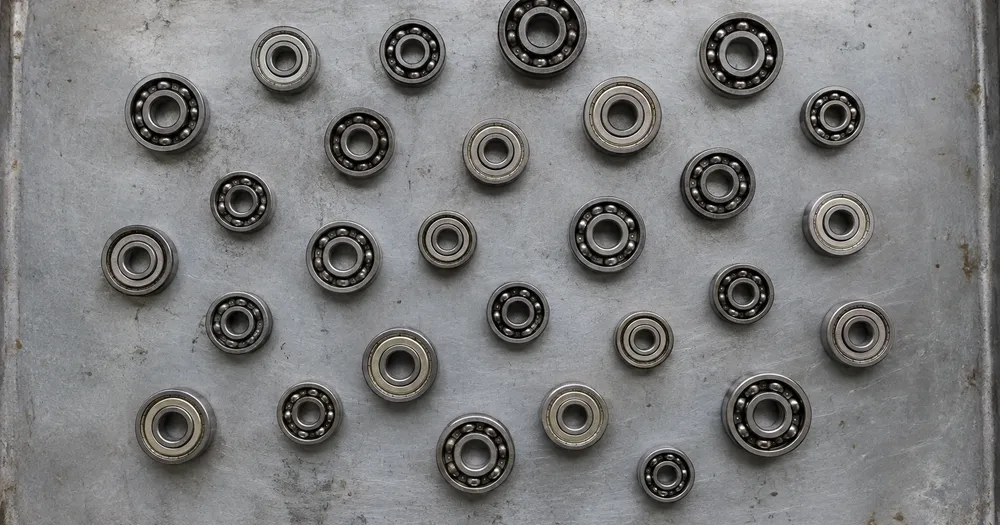
将 轴承 单层铺在托盘或平面上,并从正上方拍摄;已计数的检测结果会以圆点标记供检查。专为 工厂、紧固件供应商和维修店 打造,添加到 CSV 或 PDF 汇总表前请检查并修正每张照片。
- 检查照片,然后统计可见的 轴承
- Upload a photo and get an automatic count
- Review the markers to catch bearings counted twice or missed
- 免费使用 · 无需注册 · 无水印
上传图片
精准计数的小贴士
• 使用光线均匀、曝光良好的照片,并确保 轴承 完整位于画面中
• Keep your bearings visible and avoid overlapping items
• 点和热图显示保留的检测 - 检查并更正计数
关于 轴承 计数器
The bearings counter counts visible bearings from your photo and marks detections for review. Counting starts automatically once the photo and item are ready. Visibility, overlap and similar-looking items can affect the total. Built for factories, fastener suppliers and maintenance stores.
工作原理
1. 拍摄您的 轴承
2. Upload your photo to count bearings automatically
3. Review the markers and correct the tally if needed
4. 添加到统计表,并将计数结果导出为 CSV
适用场景
• 存储高价值备件数量
• 根据采购订单进行进货验证
• 停机前准备维护套件
• 备件调节的库存数据
常见问题
- 计数前物品需要分开摆放吗?
- 轻微的触摸可以起作用,但完全重叠会隐藏项目并使结果不太可靠。在均匀的光线下将它们深铺一层,标记一个清晰的示例,并检查每个结果标记。
- 如果照片中除了 轴承 还有其他物体怎么办?
- The counter automatically looks for bearings in your photo. Similar-looking distractors can still affect the result, so review every marker before using the total.
- 我可以把好几张照片合计成一个总数吗?
- Yes — count each photo and add every reviewed result to the tally sheet as a labelled row. Export the tally as CSV or a PDF report, or save it to your account.
- 免费吗?是否私密?
- 可以。无需账户即可计数、检查并下载免费结果。下载免费无水印,无需注册。服务器处理的照片在传输中加密,并按安全政策删除。
使用 物体计数器 可以做什么
在开始之前查看主要功能。
- 计数照片中的物体,而不是手工计数
- 清点硬币、药片、电池、零件和珠子
- 可选:标记一个示例,只统计指定物品
- 通过叠加标记核对计数检测结果
- 对大量照片进行批量核验
- 微调灵敏度,忽略微小杂点
设置参考
15 个设置
物体计数器 的可用控件。
上传
- 单张照片 / 批量审计预设
- 选择单张照片计数或高级批量审核。检查每一个结果。选项: 单张照片批量审计
数量
- 已计入的标记滑块范围: 0–1 · 默认: 0.21
- Starts at 21%; slide toward Show more to include weaker markers or Only strongest to hide them.
- 叠加样式预设
- 选择点、热图、两者或干净的预览。选项: 两者点热感无
- 要统计的对象文字输入
- Enter the item to count, then press Enter or leave the field to start automatically. Review every result marker.
高级
- 结果叠加层下拉框
- Choose how count markers appear in the on-screen preview; the download keeps its own markers.选项: 圆点 + 热力图仅圆点仅热力图
统计
- 添加到统计一键
- Add this count to the tally sheet under the name of the object that was counted. Signed-in accounts add finished counts automatically unless that is turned off under Account settings; in bulk mode every photo also has its own Add to tally button.
- 标签文字输入
- Rename a tally row. Edits and removals wait until you choose Save changes, so you can fix several rows at once.
- 数量数字输入框
- Correct a row's count; totals, the chart and exports follow once the change is saved.
- Save changes一键
- Apply every edited or removed tally row in one step, or choose Discard changes to leave the sheet as it was.
Chart
- By object预设
- The chart is the same in every counting tool and covers the tallies of all of them. By object draws a separate line chart for each tally name, such as pipes and people. By tool draws a chart for each counting tool.选项: By objectBy tool
- 时段预设
- Choose how far back the chart looks. Days without a count appear as zero.选项: 7 days30 days90 days12 months
History
- Counting setup图库
- Keep comparable counts together. A first setup is created for you, so the first count can be saved straight away.
- Observed at文字输入
- The date and time of the count, shown as a date and a time field.
- 音符文字输入
- Starts with every detected object and its count, one per line, such as Pipes - 11. Edit it before saving.
- Save count一键
- Save the count to your account history. Open a saved count later to correct it or download its source photo.


物体计数器 如何助您完成任务
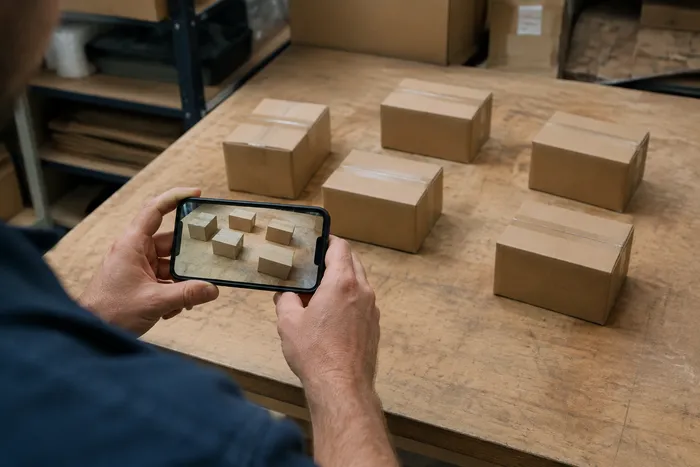
它每天为企业、创作者和日常任务解决实际问题。找到适合您的用例并开始。
已核验的仓库周期盘点结果
使用批量审核对队列中的每个货架照片运行不同对象模式,查看每个结果,并在导出周期计数之前更正每个货架的计数。
面向手作者与 Etsy 卖家的小零件库存
在“示例”设置中标记您需要的珠子、螺钉或组件 - 1-3 个示例,每种零件类型一个 - 然后运行计数。检查匹配标记是否存在背景错误,然后将更正的结果添加到计数表中。
教室与实验室用品清点
为骰子、筹码、试管或实验套件生成 AI 辅助草稿统计,核对并修正标记后再导出补货清点表。
可分享给团队的库存盘点报告
将完成的库存盘点保存到你的账户,生成带品牌标识的 PDF 报告,并分享只读链接,让经理或团队成员无需重新上传任何内容即可查看盘点结果。
已包装成品的批量质检计数
在“示例”设置中标记 1-3 个示例单位后运行“相似物品”模式 - 镜头中每种包装类型一个。在发货前检查每个标记并纠正遗漏或重复的内容。
乐高、卡牌和模型等收藏爱好的清点
在“示例”设置中标记 1-3 个示例件(您要计数的每种件类型一个),然后运行计数。检查结果标记并更正计数,而不是从零开始手动计数。
本工具指南
- A Shelf Can Look Full While the Products Customers Want Run LowA full-looking shelf can hide gaps in the products people want. Explore Pixoate visible-object counts and the context needed for a useful stock review.
- How to Count Shop Inventory from Shelf PhotosCount visible shelf stock, review object markers and export a tally. Learn how to handle hidden items, mixed products and inventory discrepancies.























