
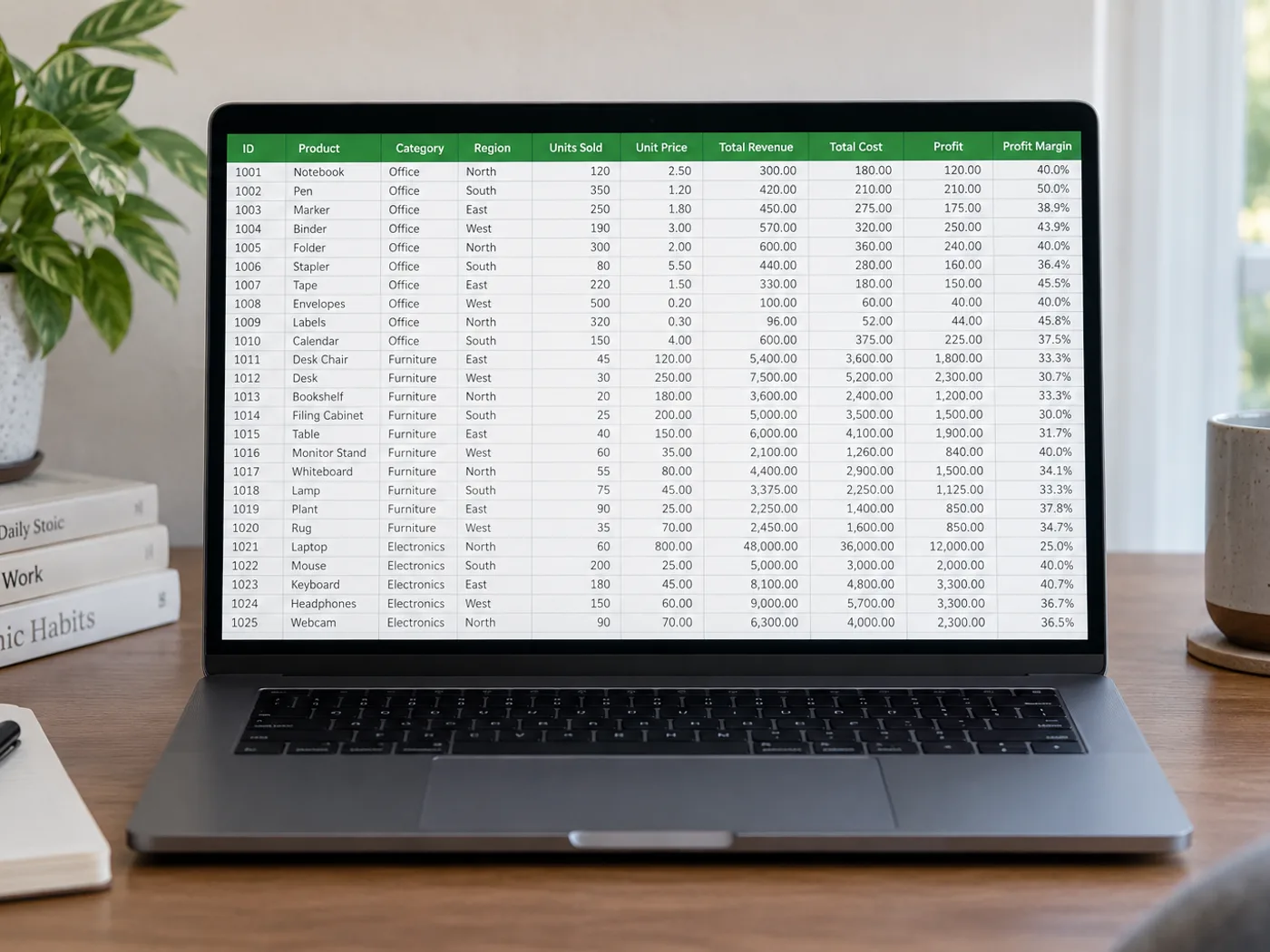
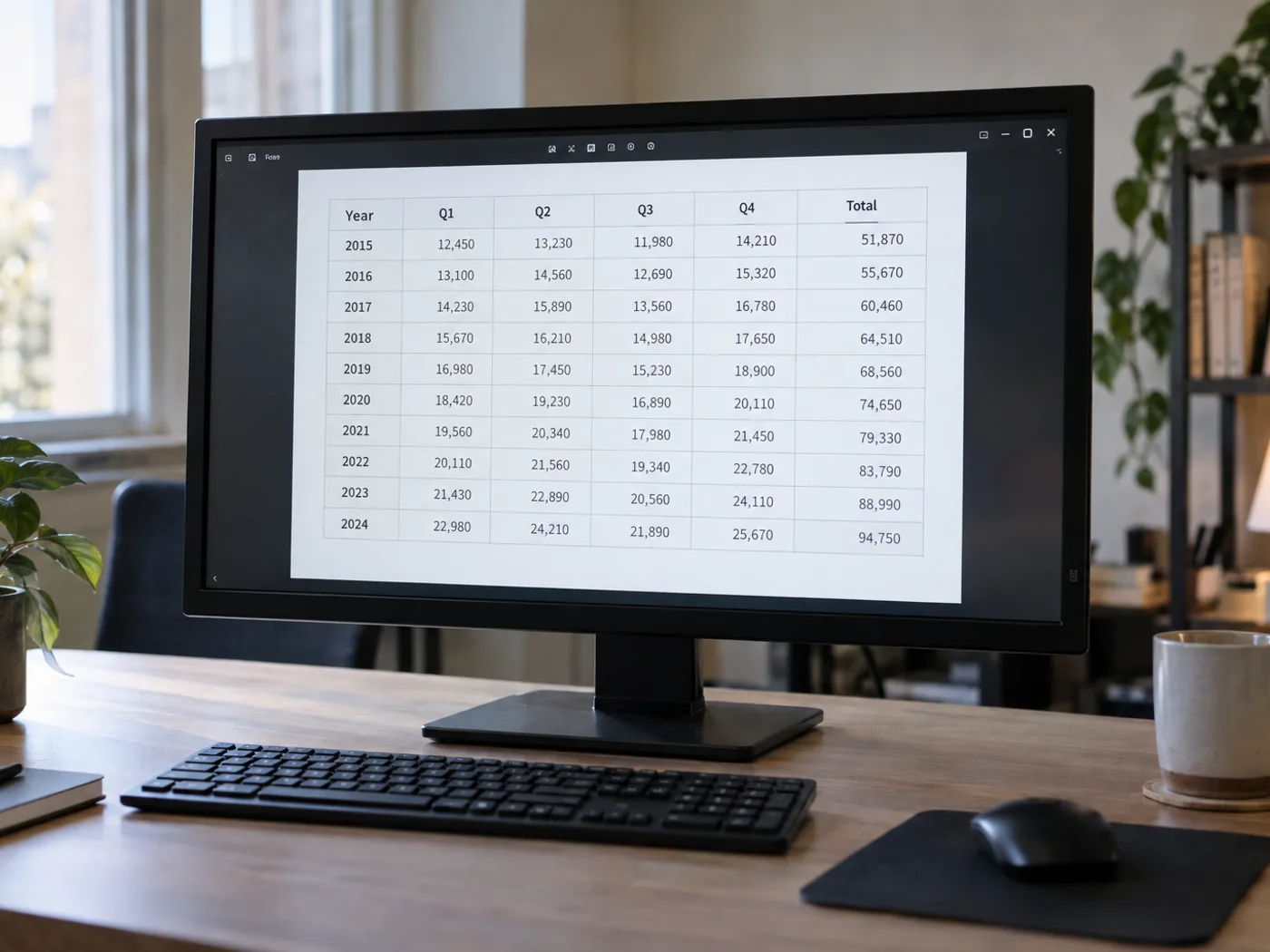
Your PNG table is clear, but its cells are still locked in an image
PNG exports often preserve sharp table lettering, but the cells are still pixels. Read a saved PNG table into a worksheet and review the extracted columns before opening it in Excel for sorting, filtering or further cleanup.
Report tables exported as PNG
Rebuild the visible data from an image-only report attachment when the author has not supplied the underlying workbook.
Reference tables with product identifiers
将名称和代码导入工作表,并在与现有记录合并前检查前导零以及字母和数字的组合。
Recover worksheet cells from the original PNG
- Save the PNG at its original dimensions instead of enlarging a small thumbnail.
- Read the table and inspect narrow columns, wrapped headers and identifier fields.
- 修正识别错误的单元格,导出 XLSX,并在 Excel 中打开时检查标识符格式。
Handling transparent PNGs, charts and leading zeros
- Should I convert a PNG to JPG before extracting Excel cells?
- No. Upload the PNG directly. Converting it to JPG can introduce compression artifacts around small characters without adding information.
- What if my PNG table has a transparent background?
- Text must remain clearly distinguishable from the background. If the preview is difficult to read, prepare a copy with a contrasting background before extraction.
- 包含图表的 PNG 会转换成数据工作表吗?
- This page is intended for visible table cells. A plotted line or bar does not supply the original data series; use the source table where available.
- 工作簿中的 00127 这类代码应如何处理?
- 将提取的代码与 PNG 进行对比,并在 Excel 中确认单元格格式。当前导零具有意义时,请将标识符设为文本。


























