
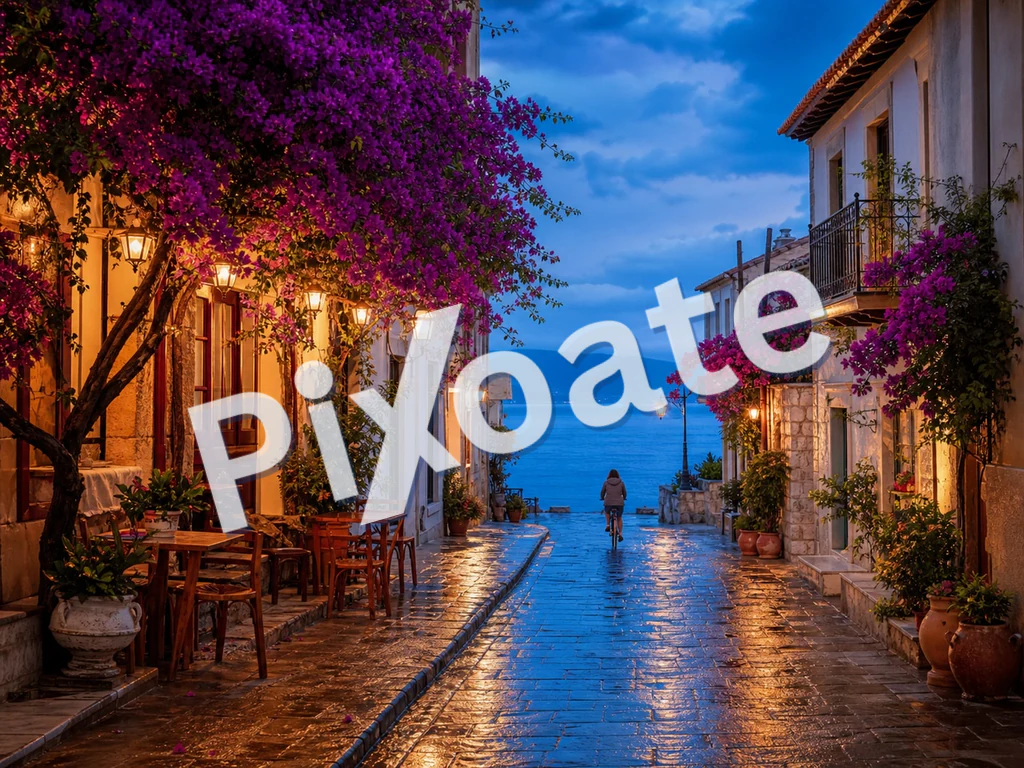
Immagine filigrana online: aggiungi una filigrana di testo o logo gratuitamente
JPG, PNG, WEBP e altro ancora
Invii le prove e tornano ripubblicate senza il tuo nome sopra. Filigrana ogni immagine con il tuo testo o logo prima che lasci le tue mani.
- Stampa il tuo nome o logo sulle prove prima di inviarle
- Filigrane di testo o logo, affiancate sull'immagine o posizionate una sola volta
- Regola l'opacità, le dimensioni e la posizione in modo da proteggere senza rovinare lo scatto
Trascina la tua foto — posiziona il testo o il logo e scarica la copia con la filigrana
Cosa puoi fare con Filigrana sull'immagine
Esamina le funzionalità principali prima di iniziare.
- Aggiungi una filigrana di testo alle tue foto
- Applica il tuo logo sulle immagini dei prodotti
- Impedisci che le tue foto vengano riutilizzate senza credito
- Posiziona, ruota e ridimensiona la filigrana
- Imposta l'opacità della filigrana per una sovrapposizione discreta
- Applica la filigrana a molte immagini in blocco e scarica uno ZIP
Riferimento alle impostazioni
11 impostazioni
Controlli disponibili per Filigrana sull'immagine.
Filigrana
- FiligranaPreimpostazioni
- Alterna la filigrana fra testo digitato e un'immagine del logo caricata; i controlli sottostanti cambiano in base al tipo scelto.Opzioni: TestoMarchio
- Testo rapidoPreimpostazioni
- Frasi preimpostate applicabili con un clic — come una riga di copyright, CONFIDENTIAL o DRAFT — che riempiono all'istante il campo di testo della filigrana e restano modificabili.Opzioni: ©2026© PixoateCONFIDENZIALEBOZZACAMPIONENON COPIAREANTEPRIMA
- Testo della filigranaInserimento testo
- Il testo esatto impresso su ogni immagine; scrivi la tua frase oppure parti da un testo predefinito e modificalo.
- CarattereMenu a discesa
- Carattere usato per la filigrana di testo, dal sans-serif pulito al serif classico fino agli stili display in grassetto; scegline uno che resti leggibile anche a dimensioni ridotte.Opzioni: system-uiArialGeorgiaCourier NewImpactTimes New Roman
- GrassettoAttivo / Disattivo
- Ispessisce il testo della filigrana perché resti leggibile anche con opacità bassa o dimensioni ridotte.
- ColoreSelettore colore
- Imposta il colore della filigrana di testo con un selettore completo o con i campioni predefiniti a un tocco; scegli una tonalità che contrasti con le tue foto.Opzioni: #ffffff#000000#dc2626#16a34a#1e40af#4387f4#eab308
- Carica il logo (un PNG con sfondo trasparente funziona meglio)Campo file
- Immagine secondaria usata come filigrana quando è selezionata la scheda Logo; un PNG trasparente si integra nel modo più pulito sulle tue foto.
Posizione
- PosizionePreimpostazioni
- Colloca la filigrana in uno dei nove punti dell'immagine oppure la ripete a mosaico su tutta l'inquadratura per una protezione anti-copia più efficace.Opzioni: In alto a sinistraIn altoIn alto a destraSinistraCentroDestraIn basso a sinistraIn bassoIn basso a destraAffianca
- RotazioneCursoreIntervallo: -90–90° · Predefinito: 0°
- Inclina la filigrana fino a 90 gradi in entrambe le direzioni; un'inclinazione diagonale si legge in modo naturale ed è più difficile da eliminare con un ritaglio.
Stile
- OpacitàCursoreIntervallo: 5–100% · Predefinito: 50%
- Quanto risulta coprente la filigrana, da un tenue 5% alla piena opacità; i valori più bassi lasciano la foto ben visibile sotto.
- ScalaCursoreIntervallo: 2–40% · Predefinito: 18%
- Dimensione della filigrana in percentuale rispetto a ciascuna immagine, così la filigrana mantiene proporzioni coerenti su foto di dimensioni diverse all'interno dello stesso batch.
Strumenti correlati per Filigrana sull'immagine
Strumenti per i passaggi successivi comuni dopo Filigrana sull'immagine.

PDF e documenti
Filigrana sul PDF
Aggiungi testo come RISERVATO o BOZZA sulle pagine PDF con carattere, colore, opacità e angolazione regolabili.
Provalo ora
Creativo e design
Aggiungi testo all'immagine
Aggiungi testo con stile con caratteri, colori e contorni personalizzati ai formati immagine supportati, quindi scarica l'immagine modificata.
Provalo ora
Fotoritocco e utilità
Comprimi immagine in KB
Comprimi file JPG, PNG o WebP fino alla dimensione scelta, ad esempio 20 KB, 50 KB o 100 KB, quindi esamina il risultato.
Provalo oraDomande frequenti
Come Filigrana sull'immagine ti aiuta a portare a termine il lavoro
Problemi reali che risolve ogni giorno: per aziende, creatori e attività quotidiane. Trova il caso d'uso adatto a te e inizia.
Protezione del portfolio fotografico
Applica una discreta filigrana di copyright alle anteprime della gallery del cliente, così il cliente può vedere il lavoro ma anche le versioni rubate e ripubblicate continuano a riconoscere la tua paternità. Elabora in blocco l'intero servizio in un solo caricamento, scarica in ZIP e consegna al cliente.
Branding dei prodotti e-commerce
Imprimi su ogni foto di prodotto il logo o l'URL del tuo negozio, così quando i clienti fanno uno screenshot e lo condividono, il tuo brand viaggia insieme all'immagine. La modalità affiancata copre ogni area per la massima diffusione.
Annunci immobiliari
Aggiungi un branding coerente dell'agenzia alle foto dell'elenco prima di pubblicarle. Un piccolo logo nell'angolo mantiene visibile la proprietà identificandone la fonte.
Copertura di conferenze ed eventi
Il fotografo che documenta un evento applica il logo dell'evento a ogni foto della galleria prima di condividerla con partecipanti e sponsor. Stimola l'engagement sui social e protegge da un uso commerciale non autorizzato.
Anteprima di foto stock prima del rilascio
Quando proponi il tuo lavoro ad agenzie stock o piattaforme di licensing, una filigrana "PROOF" o "SAMPLE" impedisce l'uso gratuito durante la finestra di revisione. Rimuovi la filigrana dalle proposte accettate.
Post in blocco sui social media
Applica una filigrana di brand coerente a una cartella di immagini per i social media prima di programmarle. Ti risparmia il passaggio manuale in Canva su ogni singolo post.
Protezione dagli screenshot per corsi ed ebook
I docenti applicano una filigrana agli screenshot delle lezioni e alle esportazioni delle slide con una scritta ripetuta 'CONFIDENZIALE' o il nome del corso così i contenuti a pagamento del corso non possono essere ricondivisi liberamente fuori dalla piattaforma.
Timbratura di fascicoli e foto di prove
Timbra prove scansionate o foto di ispezione con un riferimento del caso e una filigrana 'CONFIDENZIALE' ruotata usando la posizione Mosaico, rendendo evidente la ridistribuzione non autorizzata di documenti sensibili.
Note di credito per collezioni digitali di musei e archivi
Timbra scansioni ad alta risoluzione di opere d'arte, manoscritti o reperti con la citazione dell'istituzione prima di pubblicarle online, così la collezione resta consultabile pubblicamente mentre ogni immagine riutilizzata mantiene la giusta attribuzione.
Guide per questo strumento
Guarda ogni trasformazione applicarsi
Ogni foto attraversa la barra senza modifiche e ne esce dall'altro lato già completata.
 Miglioramento dell'intelligenza artificiale
 Arredamento virtuale
 Bellezza naturale
 Ritratti professionali con IA
 Flash diretto usa e getta
 Foto per inserzioni Amazon
 Riilluminazione autentica dell'ora d'oro
 Ristrutturazione della cucina
 Rifocalizzazione Intelligente
 Pubblicità di prodotti
 Acquerello
 Rimozione sfondo










