
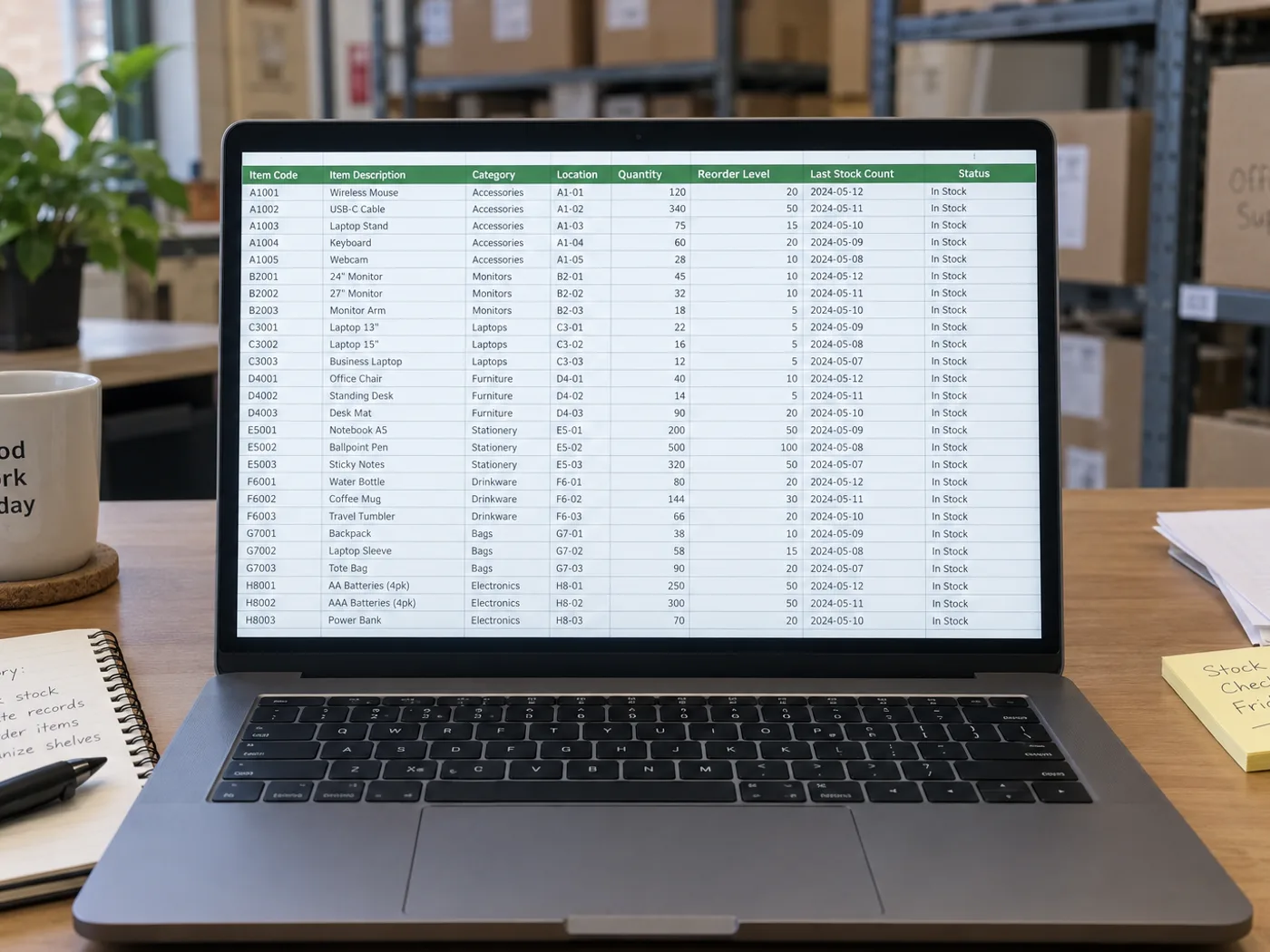
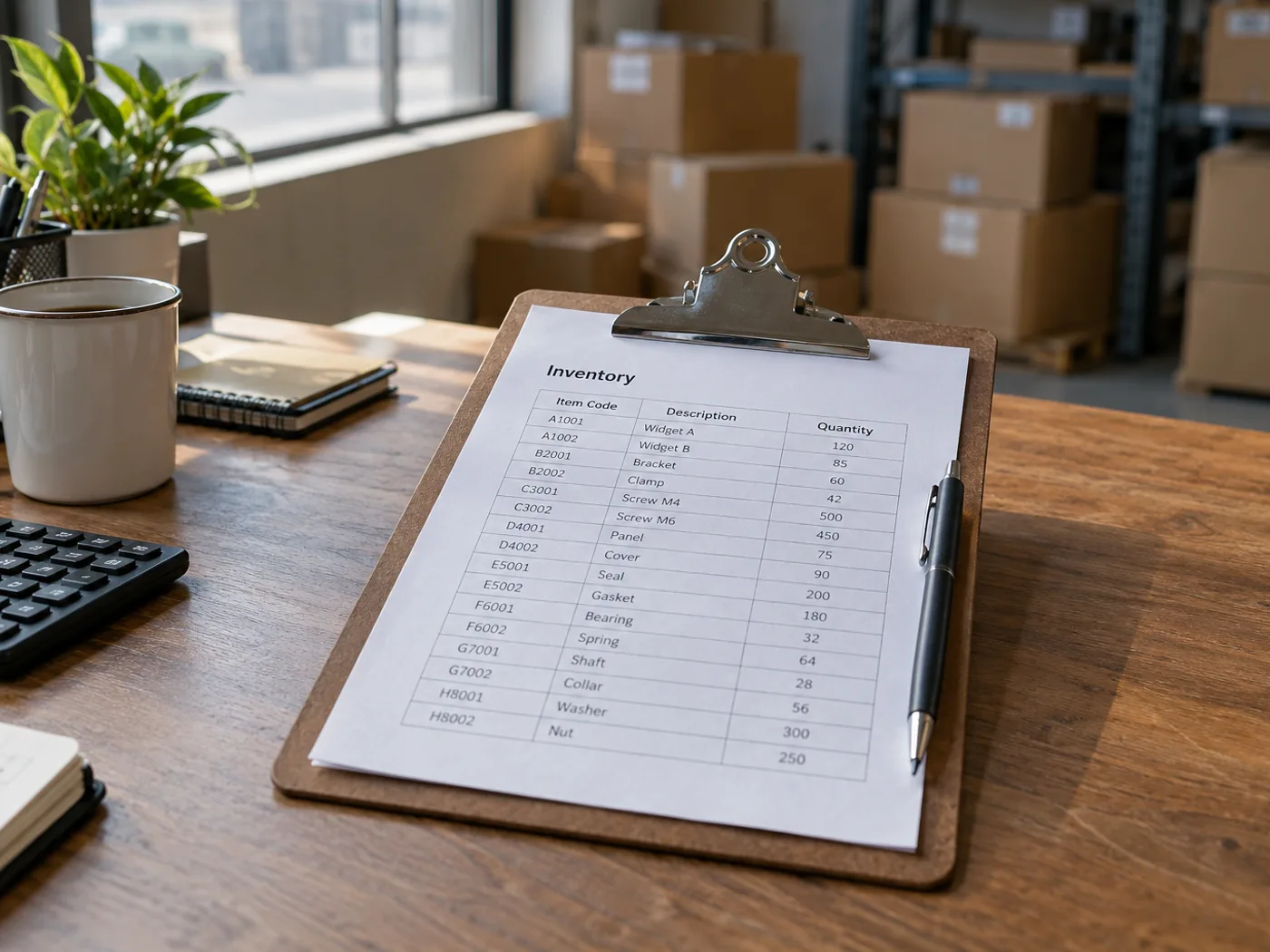
Đưa số liệu kiểm kê viết tay vào sổ tính quản lý kho
Đưa phiếu kiểm kê đã chụp vào Excel mà không cần gõ lại từng mục hiển thị. Kiểm tra chính tả SKU, đơn vị tính và các chỉnh sửa viết tay trước khi gộp những hàng đã trích xuất vào sổ quản lý hàng tồn kho.
Chuẩn bị phiếu kiểm kê kho
Chuyển từng phiếu kiểm kê đã hoàn tất, sau đó kiểm tra mã vị trí và số lượng trước khi đối chiếu số lượng thực tế với tồn kho trên hệ thống.
Kiểm kê hàng tồn trong bếp và cửa hàng
Khôi phục số lượng đã ghi vào bảng tính, phân biệt rõ số thùng, số đơn vị lẻ và khối lượng khi lập kế hoạch bổ sung hàng.
Kiểm tra mã và đơn vị đếm trước khi đối chiếu tồn kho
- Chụp phẳng phiếu kiểm đếm, lấy đủ các tiêu đề SKU, vị trí và số lượng.
- Kiểm tra những chỗ chữ viết tay khó đọc và xác định từng số lượng tính theo món, thùng hay đơn vị khác.
- Tải xuống XLSX và đối chiếu các hàng đã kiểm tra với sổ theo dõi tồn kho hiện có.
Số lượng viết tay, SKU lặp lại và cập nhật hàng tồn kho
- Chuyển bảng tồn kho sang Excel có đếm các vật thể trong ảnh không?
- Không. Công cụ đọc phiếu đã ghi sẵn số lượng kiểm đếm. Hãy dùng công cụ đếm vật thể nếu ảnh chụp các sản phẩm thay vì các dòng ghi chép tồn kho.
- Có thể trích xuất số lượng hàng tồn kho viết tay không?
- Chữ viết tay rõ ràng có thể đọc được, nhưng các con số bị gạch hoặc chồng lên nhau cần được kiểm tra thủ công. Hãy xác nhận số lượng cuối cùng cần dùng từ tờ gốc.
- Trích xuất một bảng có cập nhật hệ thống tồn kho của tôi không?
- Không. Bạn nhận được một tệp bảng tính để kiểm tra. Việc nhập hoặc cập nhật tồn kho vẫn là thao tác riêng trong hệ thống quản lý kho của bạn.
- Nên xử lý SKU trùng nhau ở các ô chứa khác nhau như thế nào?
- Giữ thông tin ở cột vị trí cho từng hàng. Đừng gộp các mã hàng trùng nhau khi chưa quyết định sẽ cộng số lượng các ô chứa hay theo dõi riêng từng ô.


























