
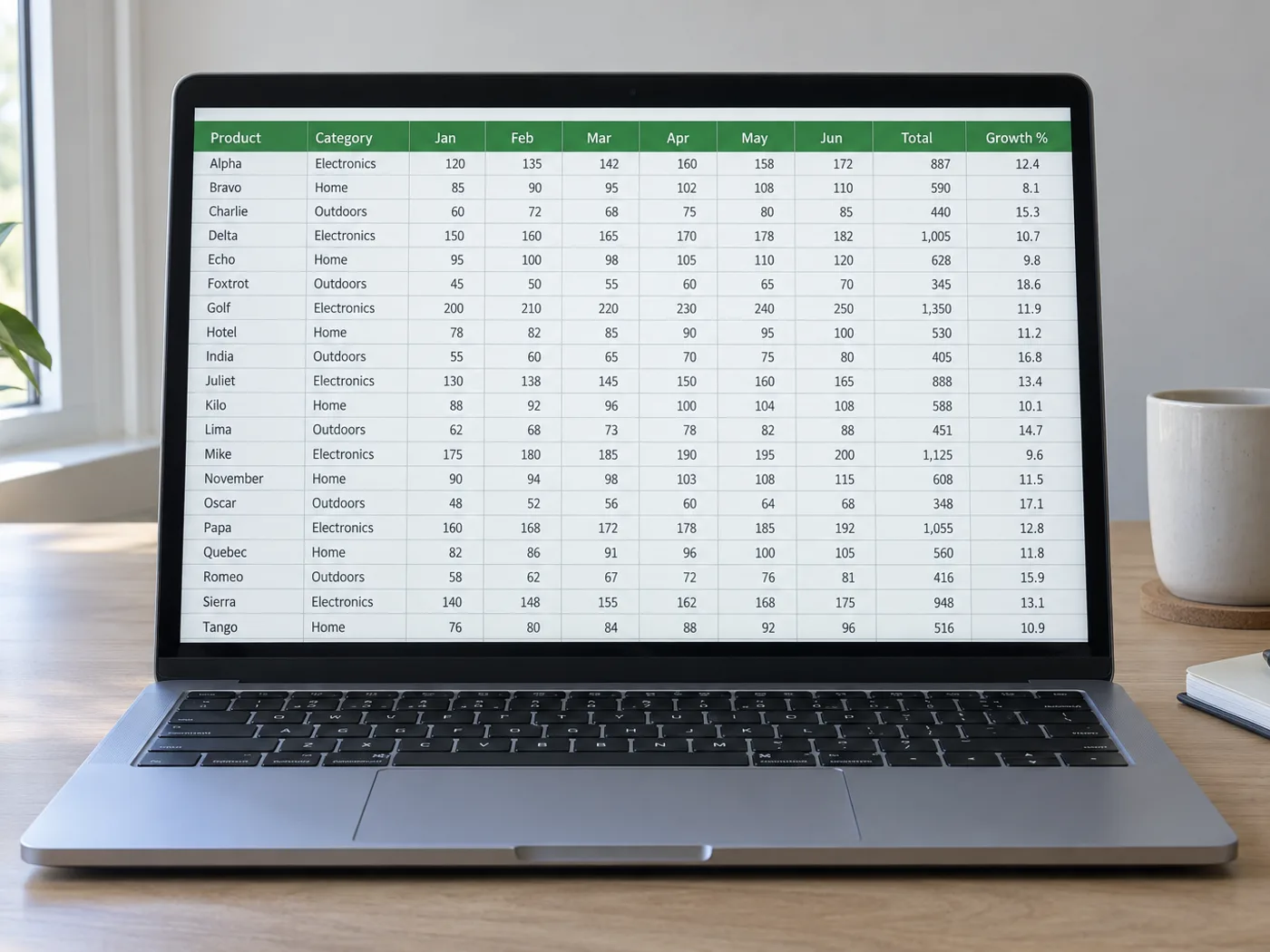
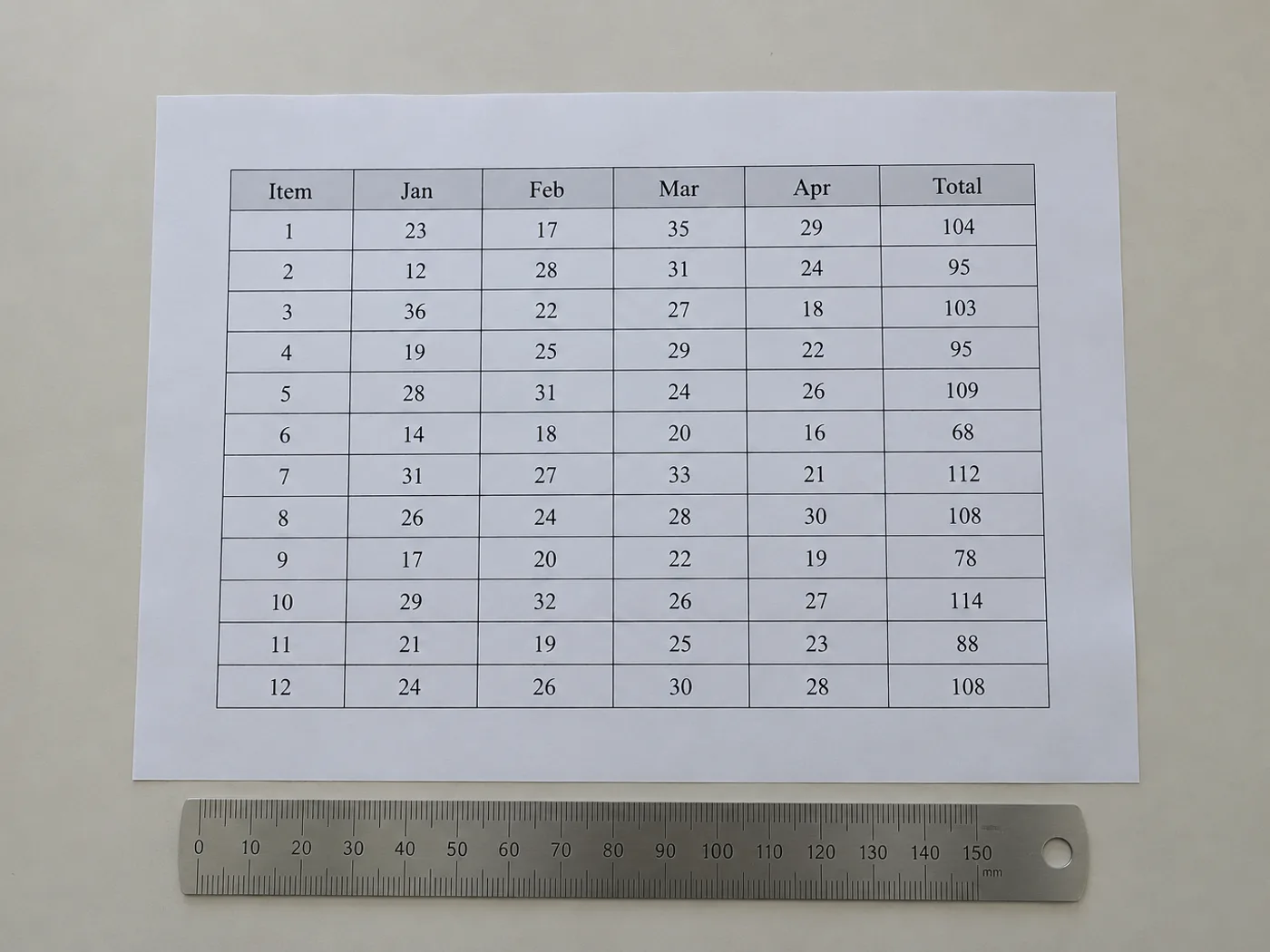
Tabel tanpa buku kerja sumber tetap membutuhkan sel yang dapat digunakan
Pulihkan isi sel tabel yang terlihat saat yang Anda miliki hanyalah gambar. Kisi tinjauan memungkinkan Anda memperbaiki struktur yang terdeteksi sebelum mengekspor, terutama untuk kolom tanpa batas dan judul yang mencakup lebih dari satu bidang.
Tabel referensi yang telah diterbitkan
Siapkan salinan tabel laporan yang dapat disunting untuk perhitungan Anda sendiri, sambil mempertahankan sumber asli dan label satuannya.
Tabel tanpa garis kisi yang digambar
Pastikan nilai yang disejajarkan dengan spasi telah masuk ke kolom yang tepat sebelum menggunakannya sebagai data spreadsheet.
Bangun ulang struktur tabel sebelum menggunakan angkanya
- Pangkas hingga hanya satu tabel dan pertahankan keterangan atau satuan yang diperlukan untuk memahami nilainya.
- Bandingkan kolom dan baris yang terdeteksi dengan gambar; perbaiki entri grid yang hilang atau berlebih.
- Ekspor sel yang telah ditinjau, lalu buat ulang format khusus presentasi di Excel.
Kolom tanpa batas, header gabungan, dan baris yang hilang
- Apakah garis kisi harus terlihat pada gambar tabel agar dapat diekstrak ke Excel?
- Kesejajaran yang jelas juga dapat menandakan kolom. Tata letak tanpa garis tepi perlu ditinjau lebih teliti karena teks yang terbungkus dan jarak tidak merata dapat menggeser batas yang terdeteksi.
- Apakah judul yang digabungkan akan tetap tergabung di Excel?
- Jangan mengandalkan rekonstruksi tata letak yang persis. Periksa header yang diekstrak, lalu gabungkan atau pisahkan sel di Excel agar sesuai dengan makna tabel.
- Bagaimana jika gambar tabel memuat catatan kaki?
- Sediakan catatan kaki sebagai konteks, tetapi hapus yang masuk ke kisi data sebagai baris palsu. Jika perlu, pertahankan maknanya dalam catatan terpisah.
- Bagaimana cara memperbaiki baris yang hilang sebelum mengekspor XLSX?
- Gunakan kisi peninjauan yang dapat disunting untuk menambahkan atau memperbaiki baris, lalu bandingkan jumlah baris dengan gambar sebelum mengunduh buku kerja.


























