
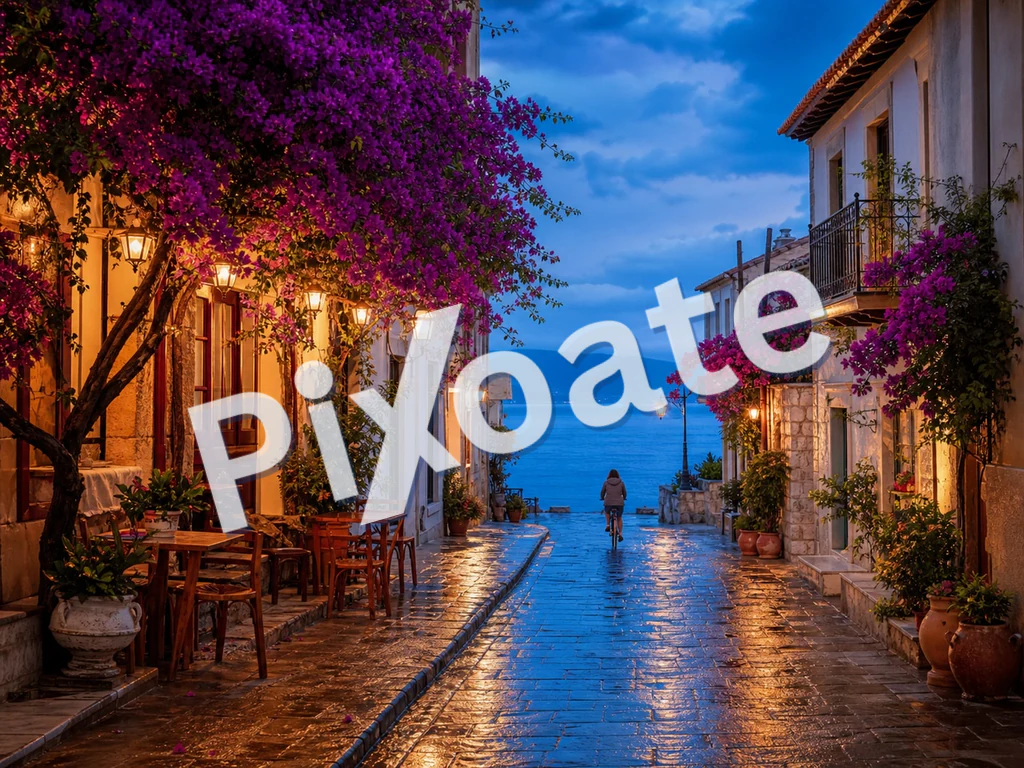
透かしツール

画像にウォーターマークを追加 — 無料

テキストやロゴの透かしで写真を保護。不透明度・位置・タイル状の繰り返しを調整して、フル画質でダウンロードできます。

  • テキストまたはロゴの透かし、タイル状にも単一にも
  • 不透明度、サイズ、位置を調整
  • 無料 · 登録不要 · ファイルは自動削除

JPG、PNG、WEBPほか · 最大50 MB

© PIXOATE© PIXOATE© PIXOATE© PIXOATE© PIXOATE© PIXOATE© PIXOATE© PIXOATE© PIXOATE© PIXOATE© PIXOATE© PIXOATE© PIXOATE© PIXOATE© PIXOATE© PIXOATE© PIXOATE© PIXOATE© PIXOATE© PIXOATE© PIXOATE© PIXOATE© PIXOATE© PIXOATE
Watermark added

透かしを入れる画像を1つ以上ドロップ

ファイルは処理後に自動削除されますHTTPSで安全に処理

画像へのウォーターマーク追加は完了しましたか?次はこちらもお試しください

画像透かしと相性の良い厳選ツール。ファイルを失うことなく作業を続けられます。

すべてのツールを見る
PDFDRAFT

PDF に透かしを入れる

Stamp CONFIDENTIAL, DRAFT or any text diagonally across every PDF page, with opacity, font, rotation and color controls. Free, no signup; files processed securely on our server and auto-deleted.

今すぐ試す
YOURTEXT

画像にテキストを追加

JPG、PNG、SVG、WEBP、GIF画像にお好みのテキストを追加できます。複数のテキストボックス、カスタマイズ可能なフォント、色、配置に対応しています。

今すぐ試す
5MB0.4MB

画像をKB単位で圧縮

JPG、PNG、WebP などを、目に見える品質を損なうことなく目標サイズちょうどに圧縮できます——20KB、50KB、100KB、お好みの KB まで自由自在。複数の画像をまとめて一括圧縮でき、しかも無料です。

今すぐ試す

画像をリサイズ

JPG、PNG、GIF、WebP、SVGの画像を正確な幅と高さにリサイズしたり、パーセントで拡大縮小したりできます。1枚のリサイズはもちろん、複数枚を一括でリサイズしてZIPにまとめてダウンロードも可能。ライブプレビュー付きで、縦横比と画質を維持します。無料・登録不要・透かしなし。

今すぐ試す

枠を追加

ライブプレビューを見ながら、写真にお好みの枠やフレームを追加できます。単色、グラデーション、白いポラロイド風フレーム、角丸など自由自在。無料、ウォーターマークなし、登録不要です。

今すぐ試す

画像オーバーレイ

ドラッグでの位置調整とブレンドコントロールを使って、ある画像を別の画像の上に重ね合わせ。目を引く合成画像を作成できます。

今すぐ試す

Frequently Asked Questions

画像を1つ以上ドロップし、「テキスト」タブに切り替えて、透かしのテキスト(©、™、ブランド名など)を入力し、フォント、色、位置、不透明度、サイズ、回転をリアルタイムで調整します。調整に合わせてプレビューが更新されます。仕上がりに満足したら、1枚の画像なら「ダウンロード」、まとめて処理する場合は「すべてダウンロード(ZIP)」をクリックしてください。

usage

Yes — drop or select dozens of images and the same watermark settings are applied to every one. Output is packaged as a single ZIP so you can save it once and unzip into your delivery folder. Your images are uploaded to our secure server to composite the final watermark and are automatically deleted afterward; we never keep or share them.

features

どちらも有効です。テキストの透かしは設定が手早く読みやすい一方、ロゴの透かしはブランドアイデンティティを強め、ポートフォリオではより本格的に見えます。クライアント向けギャラリーでは、写真に斜めに低い不透明度でロゴを入れておくと、無断ダウンロードによってライセンス料が損なわれるのを防げます。

tips

9 種類の位置プリセット(四隅、辺、中央)から選ぶか、「タイル(繰り返し)」を選んで透かしの繰り返しパターンで画像全体を覆いましょう。タイルモードは盗用対策として最も強力です。画像を使おうとする人は、すべての領域から透かしを取り除かなければなりません。

features

コントラストのある色(暗いシーンには白、明るいシーンには黒)を選ぶか、どちらでも読みやすい不透明度30〜40%のニュートラルなグレーをお使いください。不透明度スライダーは5%から100%まで5%刻みで調整でき、視認性と見た目のバランスを最適に整えられます。

tips

PNG の入力は PNG のまま(ロスレス)に保たれます。JPG の入力は品質92% で再エンコードされ、ほぼすべての写真で元の画像と見分けがつきません。この処理で EXIF メタデータは削除されるため、公開して共有する際のプライバシー保護にも役立ちます。

quality

Yes. The on-screen overlay you see while adjusting sliders is only a browser approximation; the final watermark is composited on our secure servers for pixel-accurate, full-resolution output, and the file is deleted automatically afterward. We never keep or share your images — but if you need a strict never-uploaded guarantee for confidential imagery, use a desktop watermarking tool that runs fully offline.

privacy

はい。透かし入れはたっぷりの1日あたりの利用枠付きで無料で、当社のロゴを出力に付けることは一切ありません。多数の画像を一度に一括で透かし処理する機能(例:ウェディングアルバム一式を1つのZIPにまとめる)はPremiumの機能です。

pricing

いいえ。これは透かしを追加するツールであり、除去するツールではありません。ご自身が所有する写真に、自分のテキストやロゴの透かしを付けるものです。画像にすでにある透かしを消したり編集して取り除いたりはしません。

features

The Font dropdown offers six typefaces — system-ui, Arial, Georgia, Courier New, Impact and Times New Roman — covering clean sans-serif, classic serif and bold display looks. The separate Bold checkbox thickens whichever font you pick, which helps small watermark text stay legible at low opacity or small scale.

features

The Scale slider runs from 2% to 40% of the image and sets how large the text or logo renders regardless of the photo's resolution, so the same setting looks consistent across a batch of differently-sized images. Use 8-15% for a discreet corner mark and 25%+ for a bold, hard-to-crop-out logo watermark.

features

The Rotation slider swings from -90° to 90° and angles your text or logo diagonally across the photo instead of sitting flat. A 30-45° rotation is a common anti-theft trick because it makes the watermark harder to crop out cleanly while still reading naturally left-to-right.

tips

Yes — the Quick text row offers one-click presets including the current year copyright symbol, CONFIDENTIAL, DRAFT, SAMPLE, DO NOT COPY and PREVIEW. Clicking one instantly fills the watermark text field, which you can still edit afterward if you need a variation.

usage

For a subtle brand mark, use Bottom-right position, 10-15% scale, 30-40% opacity and a color that contrasts gently with your typical backgrounds. For strong anti-theft protection, switch Position to Tile, raise opacity to 40-50%, set rotation to around 30-45° and increase scale slightly — this covers the whole frame so no single crop can remove it.

tips

Upload a PNG with a transparent background for the cleanest logo watermark — a logo with a solid white or colored background will render as an opaque block sitting on top of the photo instead of blending in. JPG logos work too, but only if you're fine showing that background color over every photo. Switch to the Logo tab and use the 'Upload logo' file picker; the live preview updates immediately so you can check the look before applying it.

features

The on-screen preview is an approximate overlay so it can update instantly as you drag sliders; the actual watermark is composited on the server using precise pixel positioning for each image's exact resolution. Position, scale, rotation and opacity all carry over exactly, but minor differences in font rendering or edge anti-aliasing can appear between the browser preview and the final render. If you're watermarking mixed-size images in a batch, check the downloaded ZIP rather than judging the whole set from a single file's preview.

technical

Every photo you add is uploaded to our backend, which composites the text or logo watermark at full resolution and returns a processed file (or a ZIP for a batch) for you to download — it is not rendered entirely client-side with canvas and JSZip. Files are still handled securely and auto-deleted after processing, the same as every other tool on the site; only the live on-screen preview you see while dragging sliders runs locally, as an approximation of the final server-rendered result.

privacy

How Watermark Image helps you get it done

Real problems it solves every day — for businesses, creators, and everyday tasks. Find the use case that fits you and start in seconds.

Photography

フォトグラファーのポートフォリオ保護

クライアント用ギャラリーのプレビューにさりげない著作権ウォーターマークを入れれば、クライアントは作品を確認できる一方で、盗用・再投稿された画像にもあなたのクレジットが残ります。撮影全体を一度のアップロードでまとめて処理し、ZIPでダウンロードしてクライアントに納品できます。

For E-commerce

ECサイトの商品ブランディング

すべての商品写真にストアのロゴや URL を入れておけば、買い物客がスクリーンショットを撮って共有しても、ブランドが画像とともに広がります。タイルモードは全体をくまなく覆い、最大限のリーチを実現します。

Real Estate

不動産リスティング

すべての物件写真に不動産会社のブランディングを入れておけば、スクレイパーが第三者サイトに再掲載した際も会社のクレジットが残ります。この用途では、隅にロゴの透かしを入れる方法が最も人気です。

Events

カンファレンス・イベントの取材

イベントを撮影するフォトグラファーは、参加者やスポンサーに共有する前に、ギャラリー内のすべての写真にイベントロゴを適用します。SNSでのエンゲージメントを高めると同時に、無断の商業利用を防ぎます。

For Business

ストックフォトの先行公開

ストックエージェンシーやライセンスプラットフォームに売り込むとき、「PROOF」や「SAMPLE」の透かしを入れておけば、審査期間中の無断使用を防げます。採用された作品では透かしを外しましょう。

Marketing

SNSへの一括投稿

予約投稿の前に、SNS用画像のフォルダ全体に統一したブランドウォーターマークを適用。投稿ごとにCanvaで手作業する手間を省けます。

Education

Course & Ebook Screenshot Protection

Instructors watermark lesson screenshots and slide exports with a tiled 'CONFIDENTIAL' or course-name mark so paid course content can't be freely reshared outside the platform.

Legal

事件ファイル・証拠写真のスタンプ

Stamp scanned evidence or inspection photos with a case reference and a rotated 'CONFIDENTIAL' watermark using Tile position, making unauthorized redistribution of sensitive documents obvious.

Publishing

Museum & Archive Digital Collection Credit Lines

Stamp high-resolution scans of artwork, manuscripts or artifacts with an institution credit line before publishing them online, so the collection stays publicly viewable while every reused image still carries proper attribution.






















