
Сравните позиции в счёте без повторного ввода таблицы
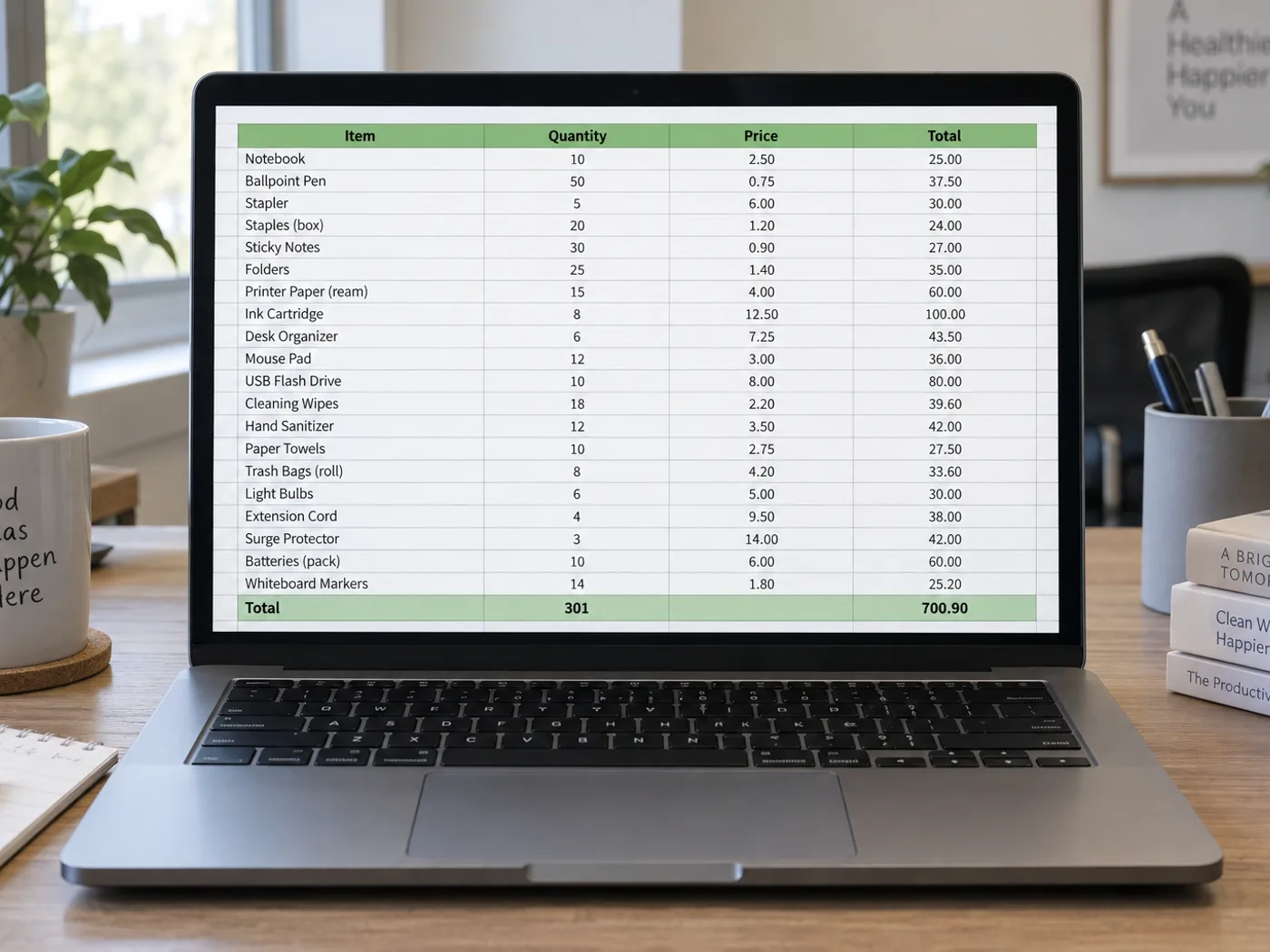
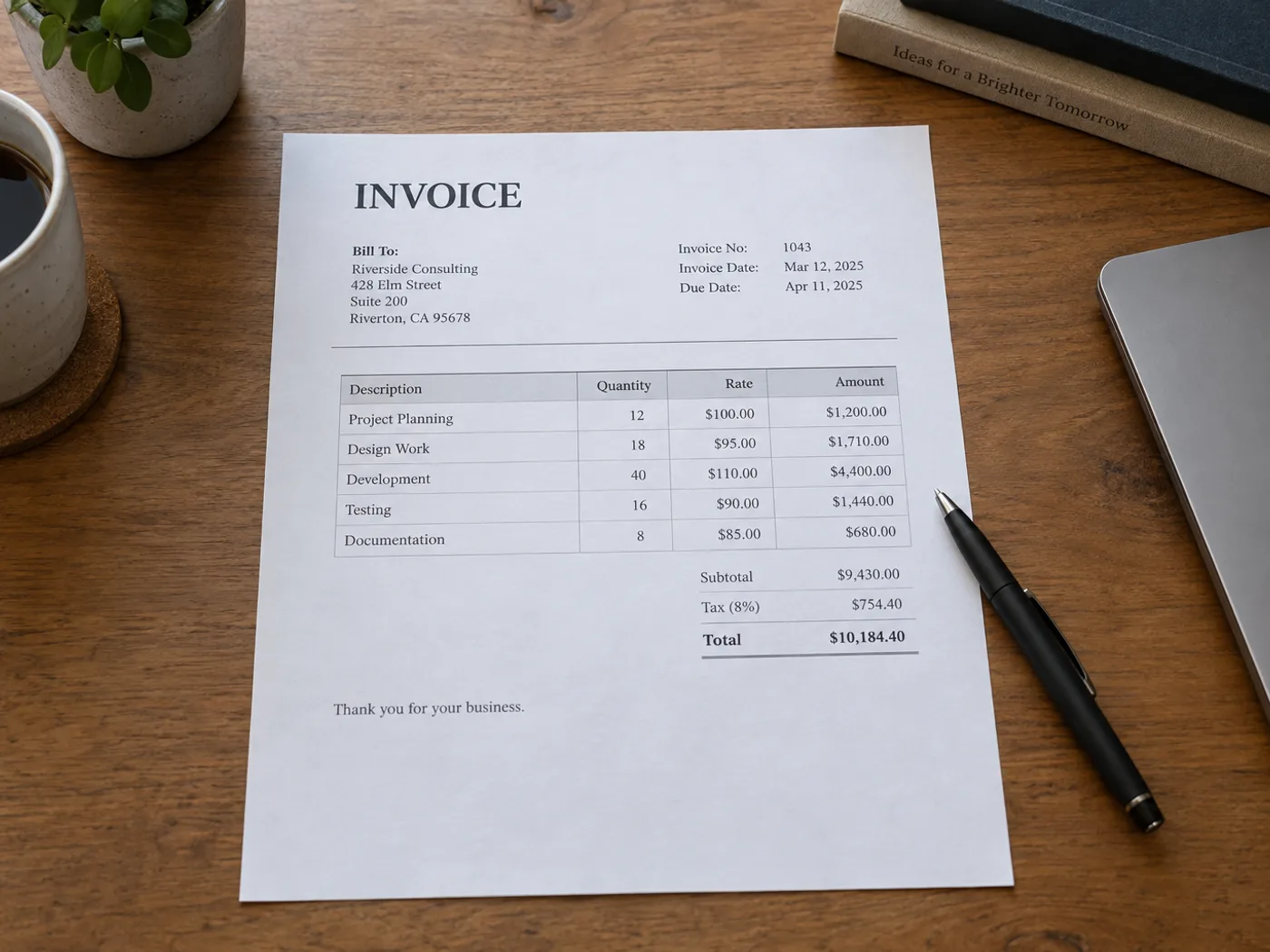
Извлеките из фотографии или скана таблицу позиций счёта, чтобы сверить её с заказом. Проверяйте отдельно столбцы с количеством, ценой за единицу и суммой: соседние блоки с адресом и инструкциями по оплате не являются строками счёта.
Сравнение заказов на закупку
Перенесите данные поставщика о количестве товаров и ценах в электронную таблицу, проверьте распознавание и сравните их со своими заказами.
Распределение затрат по проектам
Подготовьте проверенный список позиций счёта, прежде чем добавлять коды проектов или распределять расходы в существующей книге бюджета.
Подготовьте строки счёта для собственной сверки
- Выберите читаемое изображение счёта, на котором видны все заголовки столбцов с товарными позициями.
- Сверьте извлечённые коды товаров, количество, цены за единицу и суммы по строкам с исходником.
- Удалите из таблицы текст, не относящийся к товарным позициям, и экспортируйте XLSX для собственной сверки.
PDF-счета, налоговые формулы и сопоставление с заказами на закупку
- Принимает ли инструмент преобразования счёта в Excel готовый PDF-счёт?
- Эта страница принимает изображения. Для PDF используйте инструмент «PDF в Excel» или загрузите скриншот нужной таблицы из счёта.
- Воссоздаются ли расчёты налогов в счёте в виде формул?
- Конвертер считывает отображаемые значения. Проверьте способ расчёта в СЧЁТЕ и самостоятельно добавьте нужные формулы Excel.
- Можно ли сопоставить извлечённый счёт с заказом на покупку здесь?
- Результат содержит табличные данные для проверки. Сопоставление с заказами на закупку или учётной системой выполняется в рамках Вашего рабочего процесса.
- Как обрабатывать счета с несколькими таблицами товаров?
- Извлекайте и проверяйте по одной чётко ограниченной таблице. Не рассчитывайте, что отдельные сводки по налогам или продолжения таблицы будут правильно объединены.


























