
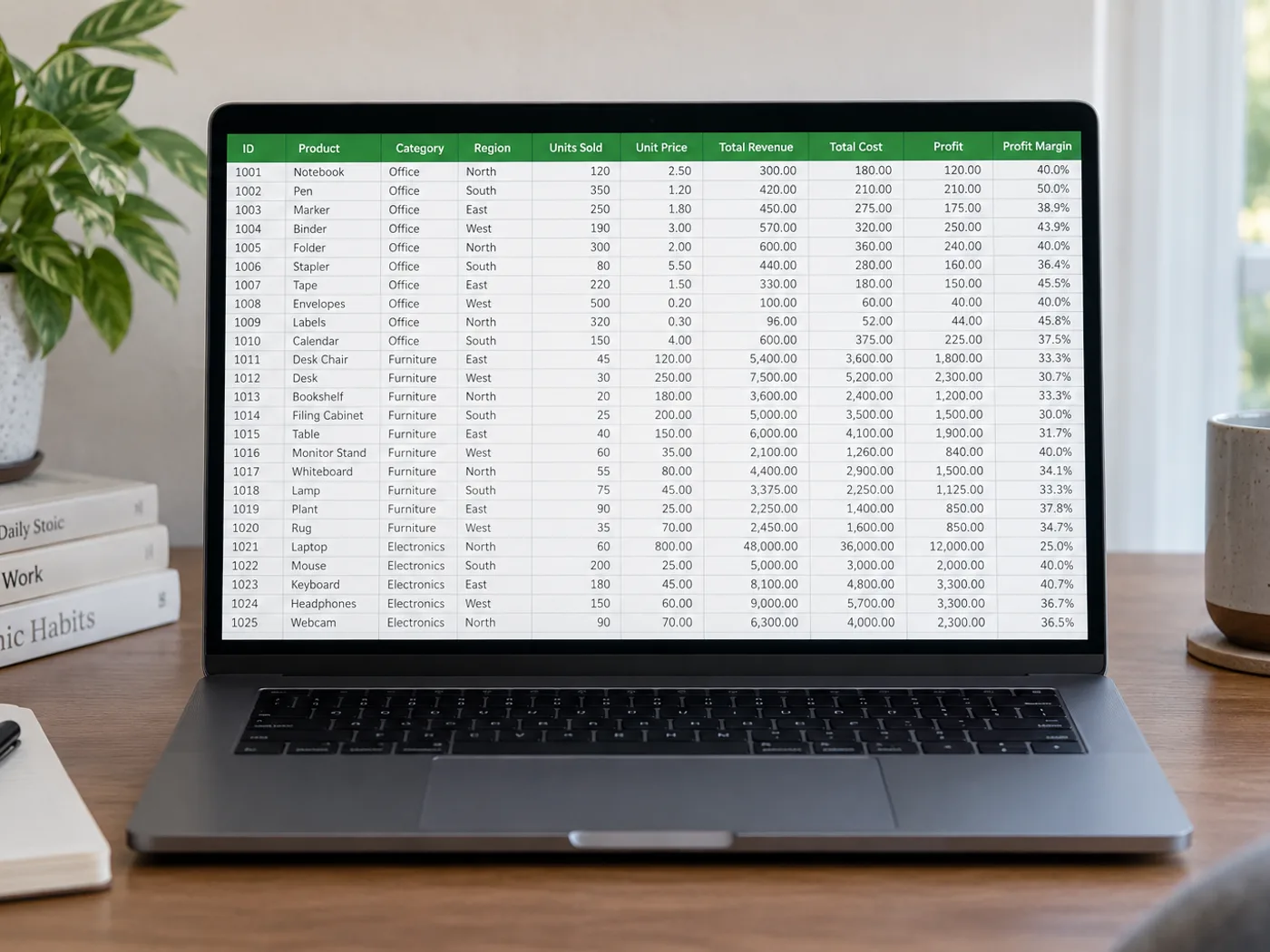
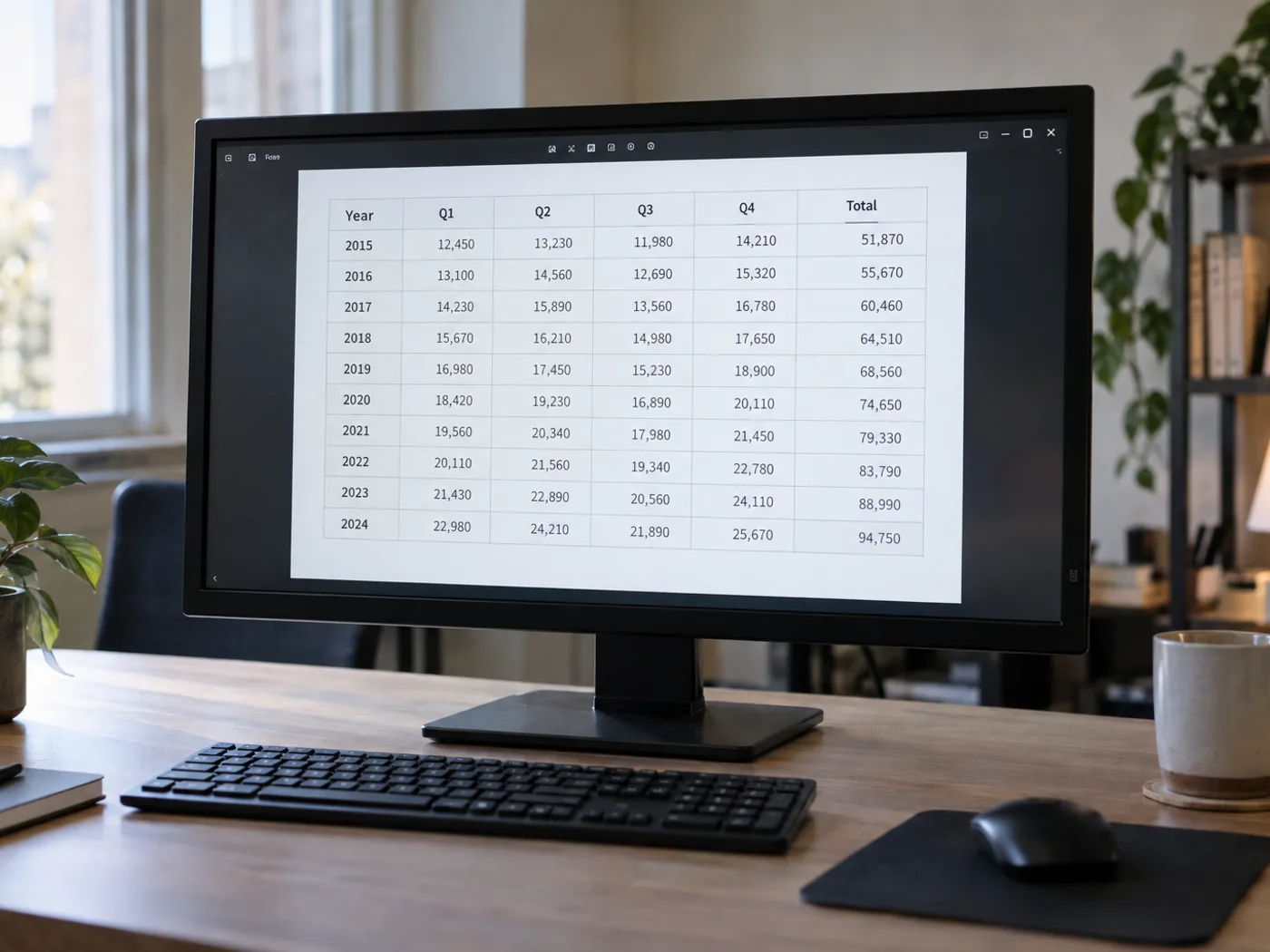
Таблица в PNG хорошо видна, но её ячейки всё ещё недоступны для редактирования
При сохранении в PNG текст в таблице часто остаётся чётким, но её ячейки по-прежнему состоят из пикселей. Преобразуйте сохранённую PNG-таблицу в электронную таблицу и проверьте извлечённые столбцы, прежде чем открыть её в Excel для сортировки, фильтрации или дальнейшей обработки.
Таблицы из отчётов в формате PNG
Восстановите видимые данные из приложения к отчёту, доступного только в виде изображения, если автор не предоставил исходную книгу.
Справочные таблицы с идентификаторами товаров
Перенесите имена и коды в таблицу, проверив начальные нули и сочетания букв и цифр, прежде чем объединять их с существующими записями.
Извлечение ячеек таблицы из исходного PNG
- Сохраните PNG в исходных размерах, а не увеличивайте маленькую миниатюру.
- Прочитайте таблицу и проверьте узкие столбцы, заголовки с переносами строк и поля идентификаторов.
- Исправьте неверно распознанные ячейки, экспортируйте в XLSX и проверьте формат идентификаторов при открытии файла в Excel.
Работа с прозрачными PNG, диаграммами и ведущими нулями
- Нужно ли преобразовать PNG в JPG перед извлечением ячеек Excel?
- Нет. Загрузите PNG напрямую. Преобразование в JPG может добавить артефакты сжатия вокруг мелких символов, не добавив никакой информации.
- Что делать, если у моей таблицы в PNG прозрачный фон?
- Текст должен чётко выделяться на фоне. Если предпросмотр трудно читать, подготовьте копию с контрастным фоном перед извлечением текста.
- Превращается ли PNG с диаграммой в таблицу данных?
- Эта страница предназначена для распознавания видимых ячеек таблицы. Линия или столбец на диаграмме не содержит исходного ряда данных; по возможности используйте исходную таблицу.
- Как работать с кодами вроде 00127 в книге?
- Сравните извлечённый код с PNG и проверьте формат его ячеек в Excel. Если начальные нули важны, задайте для идентификаторов текстовый формат.


























