
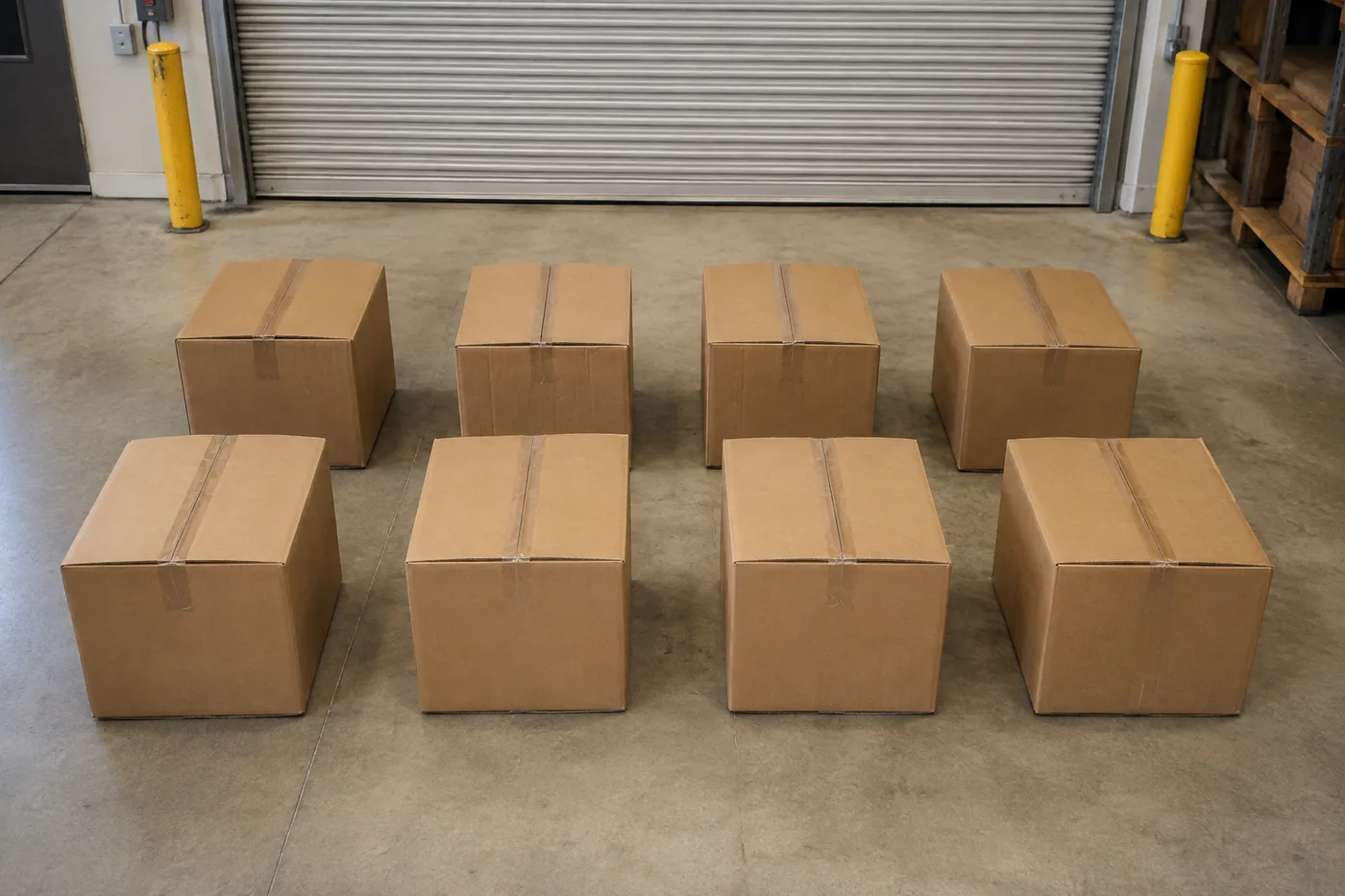
Đếm các hộp trong một bức ảnh - Hộp AI và Bộ đếm thùng carton
Hoạt động với JPG, PNG, WEBP · Miễn phí lên tới 20 MB, 50 MB cao cấp
Photograph the pallet, stack or truck load, upload the photo and review the tally markers against the photo. Built for goods-in, dispatch and warehouse audits.
- Xem lại ảnh, rồi đếm các hộp nhìn thấy được
- Upload a photo and get an automatic count
- Review the markers to catch boxes counted twice or missed
- Sử dụng miễn phí · Không cần đăng ký · Không có hình mờ
Tải ảnh lên
Mẹo để đếm chính xác
• Dùng ảnh đủ sáng, ánh sáng đều và có toàn bộ hộp nằm trong khung hình
• Keep your boxes visible and avoid overlapping items
• Dấu chấm và bản đồ nhiệt hiển thị các phát hiện được giữ lại — xem lại và sửa bản kiểm kê
Giới thiệu Bộ đếm hộp & thùng carton
The box & carton counter counts visible boxes from your photo and marks detections for review. Counting starts automatically once the photo and item are ready. Visibility, overlap and similar-looking items can affect the total. Built for warehouses, wholesalers and goods-in teams.
Cách hoạt động
1. Chụp ảnh hộp
2. Upload your photo to count boxes automatically
3. Review the markers and correct the tally if needed
4. Thêm vào bảng kiểm đếm và xuất số đếm của bạn ra CSV
Hoàn hảo cho
• Rà soát các bản nháp hàng nhập và gửi đi
• Đếm pallet và tải trọng xe tải
• Kiểm kê định kỳ trong kho
• Kiểm tra đơn hàng bán buôn
Bạn có thể làm gì với Bộ đếm hộp & thùng carton
Xem lại các khả năng chính trước khi bạn bắt đầu.
- Đếm hộp và thùng carton trên pallet và trong các chồng hàng
- Kiểm tra nhanh ước tính tải trọng xe tải và lô hàng nhập
- Kiểm tra từng điểm đánh dấu thùng carton đã đếm và chỉnh lại tổng số
- Chạy kiểm đếm hàng loạt trên bộ ảnh kho hàng
- Thêm nhiều chồng hàng vào một bảng đếm liên tục
- Bỏ qua các phát hiện lạc nhỏ lẻ để tăng độ chính xác
Tham khảo cài đặt
cài đặt 14
Các điều khiển có sẵn cho Bộ đếm hộp & thùng carton.
Tải lên
- Ảnh đơn / Kiểm kê hàng loạtCài đặt sẵn
- Chọn số lượng ảnh đơn hoặc kiểm tra hàng loạt Premium. Xem xét mọi kết quả.Tùy chọn: Ảnh đơnKiểm kê hàng loạt
Số lượng
- Điểm đánh dấu được tínhThanh trượtPhạm vi: 0–1 · Mặc định: 0.21
- Starts at 21%; slide toward Show more to include weaker markers or Only strongest to hide them.
- Kiểu lớp phủCài đặt sẵn
- Chọn dấu chấm, bản đồ nhiệt, cả hai hoặc bản xem trước rõ ràng.Tùy chọn: Cả haiDấu chấmNhiệtKhông có
Nâng cao
- Lớp phủ kết quảDanh sách thả xuống
- Choose how count markers appear in the on-screen preview; the download keeps its own markers.Tùy chọn: Chấm + bản đồ nhiệtChỉ chấmChỉ bản đồ nhiệt
Kiểm đếm
- Thêm vào bảng kiểm đếmMột cú nhấp
- Add this count to the tally sheet under the name of the object that was counted. Signed-in accounts add finished counts automatically unless that is turned off under Account settings; in bulk mode every photo also has its own Add to tally button.
- NhãnNhập văn bản
- Rename a tally row. Edits and removals wait until you choose Save changes, so you can fix several rows at once.
- Số lượngÔ nhập số
- Correct a row's count; totals, the chart and exports follow once the change is saved.
- Save changesMột cú nhấp
- Apply every edited or removed tally row in one step, or choose Discard changes to leave the sheet as it was.
Chart
- By objectCài đặt sẵn
- The chart is the same in every counting tool and covers the tallies of all of them. By object draws a separate line chart for each tally name, such as pipes and people. By tool draws a chart for each counting tool.Tùy chọn: By objectBy tool
- Khoảng thời gianCài đặt sẵn
- Choose how far back the chart looks. Days without a count appear as zero.Tùy chọn: 7 days30 days90 days12 months
History
- Counting setupThư viện
- Keep comparable counts together. A first setup is created for you, so the first count can be saved straight away.
- Observed atNhập văn bản
- The date and time of the count, shown as a date and a time field.
- Nốt nhạcNhập văn bản
- Starts with every detected object and its count, one per line, such as Pipes - 11. Edit it before saving.
- Save countMột cú nhấp
- Save the count to your account history. Open a saved count later to correct it or download its source photo.
Các công cụ liên quan dành cho Bộ đếm hộp & thùng carton
Công cụ dành cho các bước tiếp theo phổ biến sau Bộ đếm hộp & thùng carton.

Đếm & kiểm kê
Bộ đếm vật thể
Ước tính số lượng vật thể từ một bức ảnh. Hãy xem lại và chỉnh các điểm đánh dấu được đánh số trước khi sử dụng kết quả.
Dùng thử ngay
Đếm & kiểm kê
Đếm vật thể trực tiếp
Hướng điện thoại của bạn vào các mục riêng biệt, hiển thị đầy đủ và xem lại các điểm đánh dấu của máy dò khi số lượng cập nhật theo thời gian thực.
Dùng thử ngay
Đếm & kiểm kê
Bộ đếm chai
Đếm chai trên kệ, trong sọt hoặc trong kho lạnh chỉ từ một tấm ảnh, kèm các vật thể đã phát hiện và đếm được đánh dấu sẵn để bạn kiểm tra lại.
Dùng thử ngayCâu hỏi thường gặp
Bộ đếm hộp & thùng carton giúp bạn hoàn thành công việc như thế nào
Những vấn đề thực tế mà nó giải quyết hàng ngày — cho doanh nghiệp, người sáng tạo và các công việc hàng ngày. Tìm trường hợp sử dụng phù hợp với bạn và bắt đầu.
Kiểm Nhận Một Chuyến Xe Tải Đối Chiếu Với Bảng Kê
Chụp ảnh từng pallet để có bản kiểm đếm thùng carton nháp, sau đó kiểm tra tải hàng thực tế, sửa các điểm đánh dấu, và hoàn tất việc kiểm tra bảng kê thông thường trước khi nghiệm thu nhập hàng.
Chạy kiểm kê định kỳ trong kho từ điện thoại
Đi dọc các lối đi chụp từng chồng hàng bằng camera điện thoại, thêm mọi số đếm vào Bảng kiểm đếm, và xuất toàn bộ lượt kiểm kê dưới dạng CSV hoặc PDF gắn thương hiệu vào cuối vòng.
Đếm một đợt xuất hàng nhiều điểm trong một lô
Mở Kiểm tra hàng loạt để chạy chế độ Đối tượng riêng biệt trên mỗi ảnh pallet, sau đó xem lại mọi kết quả trước khi sử dụng tổng số lần gửi đi.
Tách riêng một SKU trên pallet hỗn hợp
Đối với một kích thước thùng carton hoặc SKU, hãy đánh dấu một thùng carton hoàn chỉnh trong cài đặt Ví dụ trước khi đếm, sau đó xem lại từng điểm đánh dấu để tìm các hộp trông tương tự trên pallet.
Chuyển giao số lượng đã kiểm tra cho bộ phận nhập kho
Sau khi kiểm tra và chỉnh sửa kết quả đếm theo hàng thực tế, hãy lưu lại và chia sẻ liên kết chỉ xem để người phụ trách nhập kho có thể xem lại. Ảnh đã đánh dấu không tự nó là bằng chứng về số lượng.
Kiểm tra đơn hàng sỉ trước khi xuất kho
Chụp ảnh các thùng hàng đã đóng gói để có số liệu đếm sơ bộ, sau đó kiểm tra lại đơn hàng thực tế, sửa lại các điểm đánh dấu và hoàn tất quy trình kiểm tra xuất kho thông thường trước khi giao hàng.
Ngắm nhìn từng vùng đất chuyển hóa
Mỗi bức ảnh đều vượt qua dấu gạch chéo và đi ra phía bên kia.























