
Bảng điều khiển không có nút xuất dữ liệu không đồng nghĩa với việc phải nhập thủ công
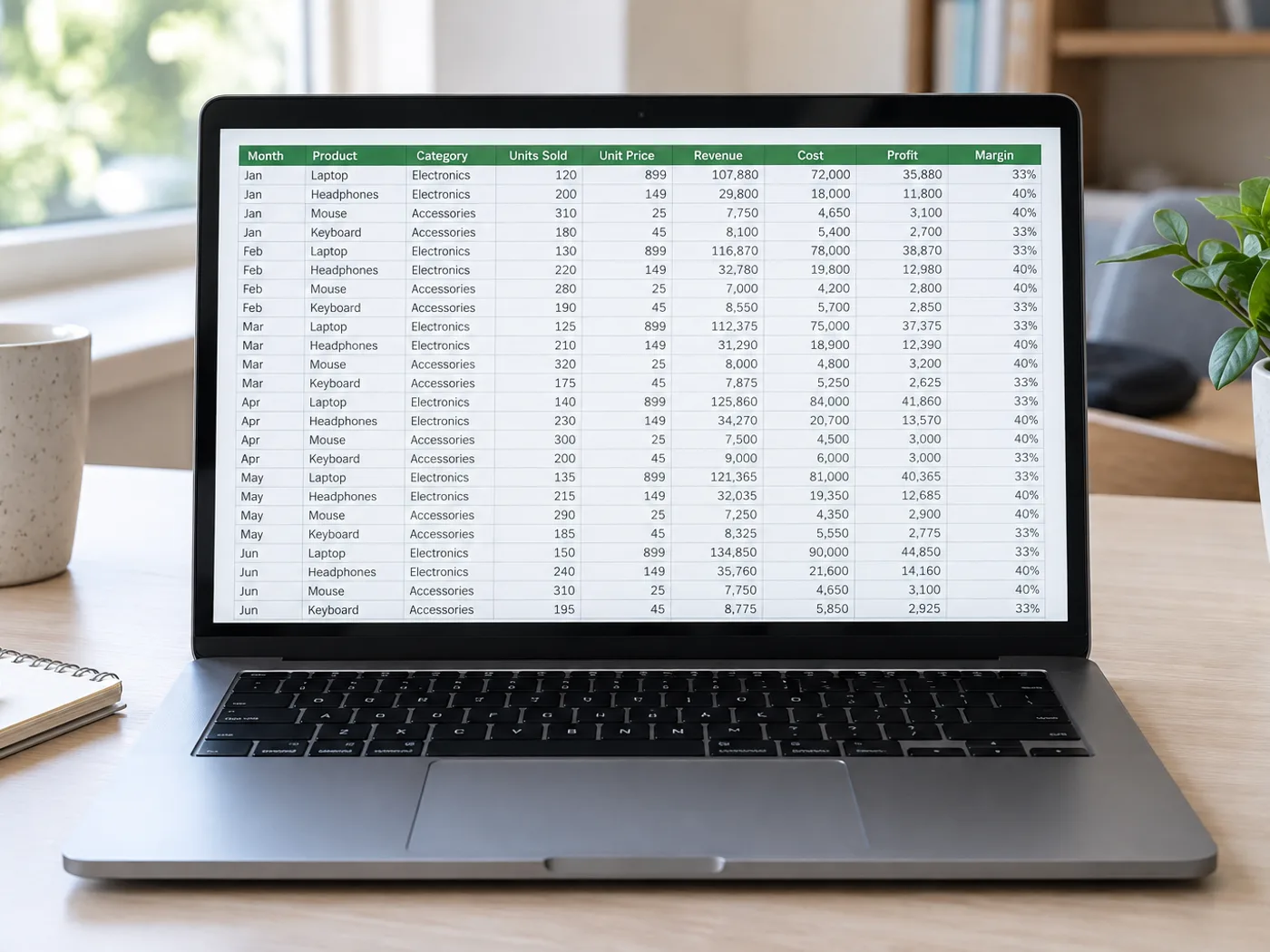
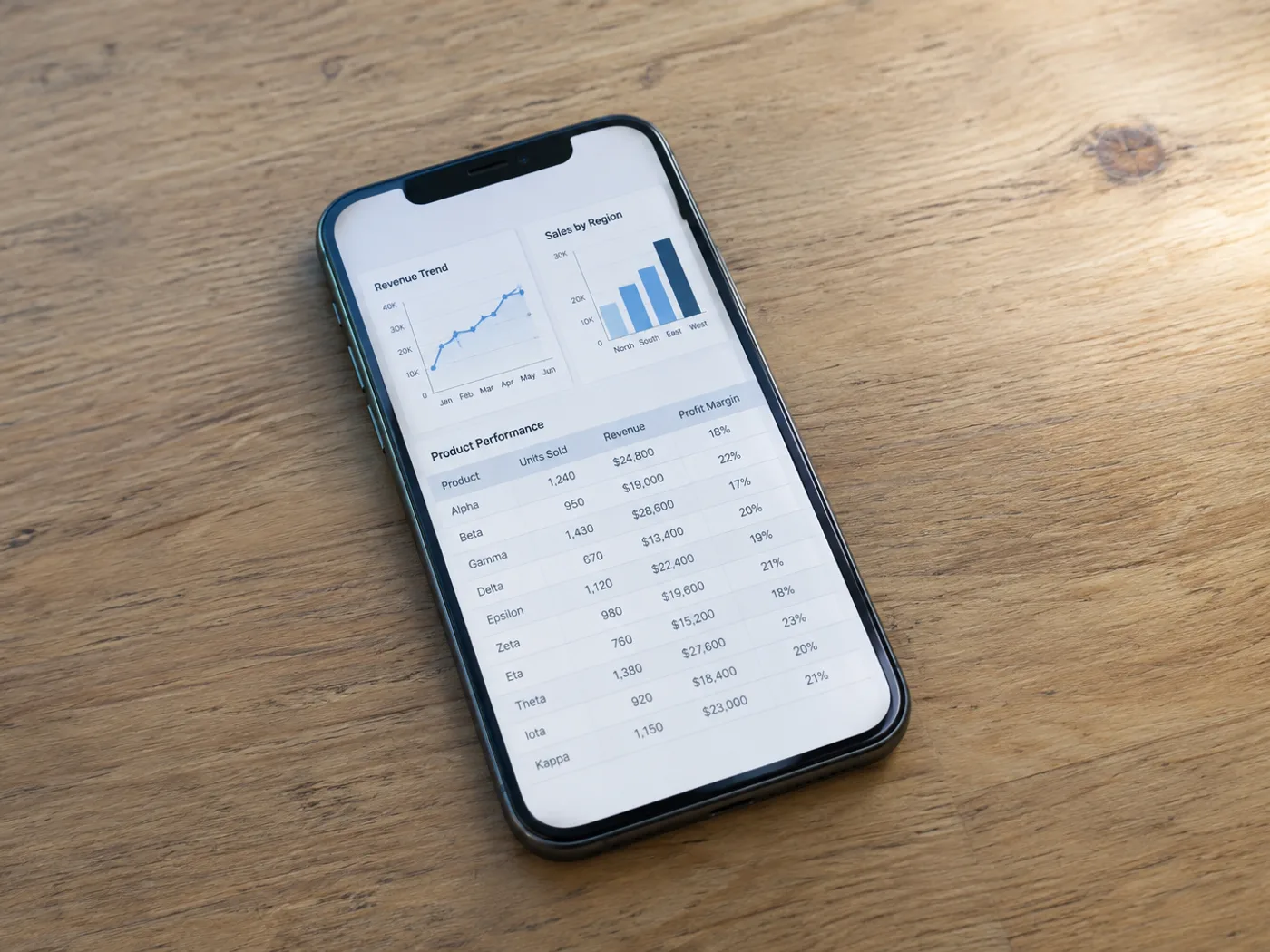
Khi trang tổng quan hiển thị bảng nhưng không có tùy chọn xuất bảng tính, hãy chụp các hàng đang hiển thị rồi trích xuất sang Excel. Giữ hàng tiêu đề trong ảnh chụp màn hình để nhận biết các cột và kiểm tra bảng kết quả.
Số liệu bảng điều khiển cho báo cáo hằng tuần
Khôi phục bảng chỉ số nhìn thấy trên giao diện báo cáo và kiểm tra khoảng thời gian của dữ liệu trước khi kết hợp số liệu với trang tính riêng.
Bảng so sánh trong bài thuyết trình
Chuyển bảng trong ảnh chụp trang chiếu thành các ô có thể chỉnh sửa mà không cần gõ lại từng tùy chọn hay mức giá hiển thị.
Chụp đầy đủ các hàng trên màn hình trước khi tạo ô Excel
- Chụp bảng ở mức thu phóng trình duyệt dễ đọc, bao gồm tiêu đề và hàng cuối cùng hiển thị đầy đủ.
- Trích xuất ảnh chụp màn hình và xóa nhãn giao diện hoặc các hàng thừa khỏi lưới kiểm tra.
- Đối chiếu với báo cáo đang hiển thị, sau đó xuất sổ làm việc Excel đã chỉnh sửa.
Các hàng bị cắt, ảnh chụp chồng lấn và quyền truy cập trang tổng quan
- Công cụ chuyển ảnh chụp màn hình sang Excel có thể khôi phục các hàng nằm bên dưới màn hình không?
- Không. OCR chỉ đọc được các điểm ảnh trong ảnh chụp màn hình đã tải lên. Hãy chụp riêng các phần còn lại hoặc dùng chức năng xuất dữ liệu của ứng dụng nếu có.
- Làm thế nào để tránh các hàng trùng lặp giữa những ảnh chụp màn hình chồng lấn?
- Hãy đưa vào một mã nhận diện hàng dễ nhận biết và kiểm tra phần trùng lặp khi ghép các trang tính kết quả. Trang này không tự đối chiếu các ảnh chụp riêng lẻ.
- Có nên giữ menu điều hướng của bảng điều khiển trong ảnh chụp màn hình không?
- Cắt bỏ phần điều hướng không cần thiết nhưng giữ lại tiêu đề bảng. Văn bản thừa trên giao diện có thể bị nhầm là nội dung bảng và cần được xóa khi rà soát.
- Trích xuất ảnh chụp màn hình có kết nối với tài khoản trang tổng quan của tôi không?
- Không. Dữ liệu đầu vào là hình ảnh bạn cung cấp. Công cụ chuyển đổi không đăng nhập vào bảng điều khiển hay lấy dữ liệu gốc của tài khoản.


























