
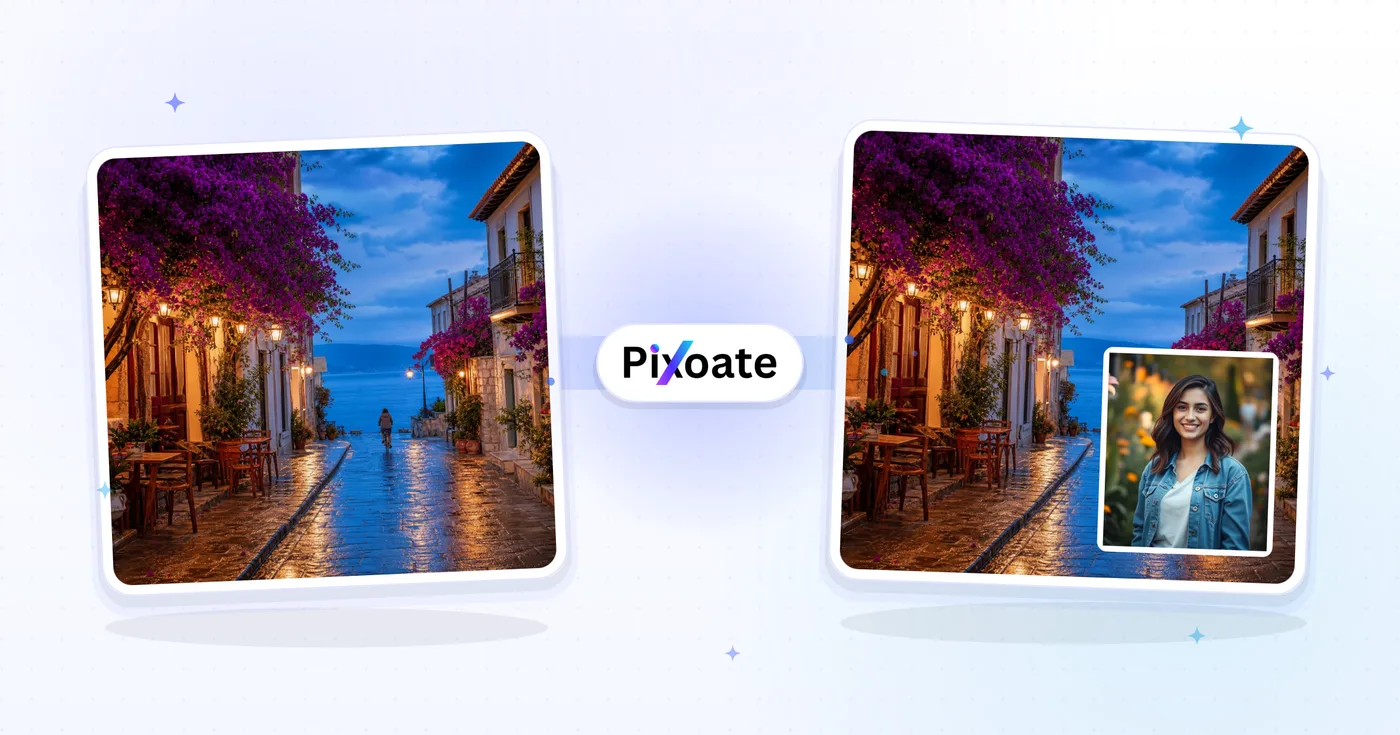
Image Overlay — Put One Image on Top of Another Online
Position an image overlay, adjust its opacity and blend mode, and export the combined image.
Upload Base Image
Upload Overlay Image
How to overlay images online and add one image to another
This free image overlay tool puts one picture on top of another and exports a single combined image. Upload a base image and an overlay image, drag the overlay into place, set how strongly it blends and pick a blend mode for creative composites. It suits logos, stickers, watermarks and other composites, and it works in a phone or computer browser.
Add photo to photo: put one image on top of another online
To overlay pictures online, upload the base image first, then the overlay image, and the interactive preview shows both. Drag the overlay where you want it, and pull a handle on its edge or corner to resize it, which is how to put one image on another in a single pass. The Blend Percentage slider runs from Subtle to Strong and starts at 85, so the overlay is almost solid until you lower it. Select Overlay my images to create the combined picture.
The base image is the one underneath and the overlay image is the one that sits on it, so the same steps place a photo on top of a photo, a logo on a picture or a sticker on a scene.
- Upload your base image, then your overlay image.
- Drag the overlay into place and resize it with the handles.
- Set the Blend Percentage and choose a Blend mode.
- Select Overlay my images, then use Download.
Overlay images with transparency online
For a clean pic overlay, use a PNG with a transparent background: it keeps its see-through areas, so a logo or sticker sits on the picture without a white box. A JPG overlay is a solid rectangle. To get a clean edge from any picture, make the image transparent first, or cut out only a face and hair to drop a person onto the base image.
Blend two photos with a blend mode
To blend two photos, open the Blend mode menu, which offers 16 modes, including Multiply, Screen, Overlay, Soft light, Difference and Luminosity. The preview only fades the overlay with the Blend Percentage, so the chosen mode shows up in the finished image rather than on screen. Run it once, compare the result with the preview, and change the mode or the percentage if the mix is too strong.
Add text, a mark or a second picture
This tool places one picture at a time. For words over a photo, add text to the image with fonts, colors and outlines, and for a text or logo mark with opacity and rotation controls, stamp a watermark on the photo. When 2 photos should sit next to each other instead of on top, arrange them in a collage.
Before you overlay
- Use a PNG with a transparent background for logos and stickers, because a JPG brings its own solid box.
- Choose a base image that is at least as large as the final result you need.
- The Position & Size tab accepts exact X and Y pixel values when dragging is too coarse.
- The finished image downloads as a JPG, so keep your original files if you need transparency later.
- The free download is web-size; Premium unlocks the original-resolution result and batch overlays.
Before you layer one image on another
A logo with a white box behind it looks pasted on, so make the logo transparent first; to drop only a person onto the base image, cut out their face and hair as a PNG.
When the photos should sit next to each other rather than on top, arrange them in a grid or stacked strip.
What you can do with Image Overlay Tool
Review the main capabilities before you begin.
- Overlay one image on top of another
- Drag to position the top image precisely
- Blend two photos with adjustable opacity
- Choose a blend mode for creative composites
- Resize the overlay to fit your layout
- Create logo and watermark composites
Settings reference
7 settings
Available controls for Image Overlay Tool.
- Processing modePresets
- Process one input, or switch to Premium batch mode to process multiple inputs with shared settings. Available input types depend on the tool.Options: Single imageBatch
Blend
- Blend modeDropdown
- Chooses how the overlay's colors combine with the base photo: Multiply darkens, Screen lightens, Overlay boosts contrast, while Normal simply places the image on top.Options: NormalMultiplyScreenOverlayDarkenLightenColor dodgeColor burnHard lightSoft lightDifferenceExclusionHueSaturationColorLuminosity
- Blend PercentageSliderRange: 10–100% · Default: 85%
- Sets the overlay's opacity from subtle to strong; lower it for a see-through watermark, keep it near 100% for a bold, solid sticker or logo.
Position & Size
- X PositionNumber input
- Horizontal placement of the overlay in pixels from the base image's left edge, from 0 up to the base image width; you can also drag the overlay in the preview.
- Y PositionNumber input
- Vertical placement of the overlay in pixels from the base image's top edge, from 0 up to the base image height, for pixel-perfect alignment instead of dragging.
- WidthNumber input
- Exact overlay width in pixels, from 20 px up to the full base image width; also adjustable by dragging the corner and edge handles or pinching on touchscreens.
- HeightNumber input
- Exact overlay height in pixels, from 20 px up to the full base image height, letting you size a logo or watermark precisely instead of eyeballing it.
Related tools for Image Overlay Tool
Tools for common next steps after Image Overlay Tool.
Photo Editing & Utilities
Watermark Image
Add a text or logo watermark. Adjust its position, opacity, size and rotation.
Try it now
Creative & Design
Add Text to Image
Add styled text with custom fonts, colors and outlines to supported image formats, then download the edited image.
Try it now
Creative & Design
Photo Collage Maker
Arrange photos in a grid, side-by-side layout or stacked strip with adjustable spacing and borders.
Try it nowFrequently Asked Questions
How Image Overlay Tool helps you get it done
Real problems it solves every day — for businesses, creators, and everyday tasks. Find the use case that fits you and start.
Watermarking
Add watermarks to protect your images and establish brand identity
Photo Collages
Create beautiful photo collages by overlaying multiple images together
Brand Overlays
Add logos, text, and brand elements to images for marketing materials
Creative Effects
Create artistic effects by overlaying textures, patterns, and design elements
Social Media Graphics
Create engaging social media posts with overlayed text, stickers, and effects
Document Enhancement
Add overlays to documents, presentations, and educational materials
E-commerce Sale & New-Arrival Badges
Overlay a 'Sale,' 'New' or discount-percentage sticker PNG onto product photos at an exact X/Y position, then reuse the same numeric coordinates across your whole catalog so every listing has consistent badge placement.
Cinematic Light-Leak & Film-Grain Grading
Layer a light-leak, grain or texture PNG over a photo using the Screen, Soft Light or Multiply blend mode at 40-70% strength for a moody, film-like grade that a plain opacity overlay can't achieve.
Wedding & Event Photo Frame Overlays
Add a decorative frame, date stamp or venue logo overlay to event photography before printing or sharing in a client gallery, resizing the frame to match each photo's exact dimensions with the Width/Height fields.
App Store Screenshot Mockups
Composite an app UI screenshot onto a device-frame background, or a feature-callout graphic onto a screenshot, at pixel-precise position and size — ready for App Store and Google Play listing images.
Guides for this tool
Watch each transformation land
Every photo crosses the slash untouched and comes out the other side finished.























