
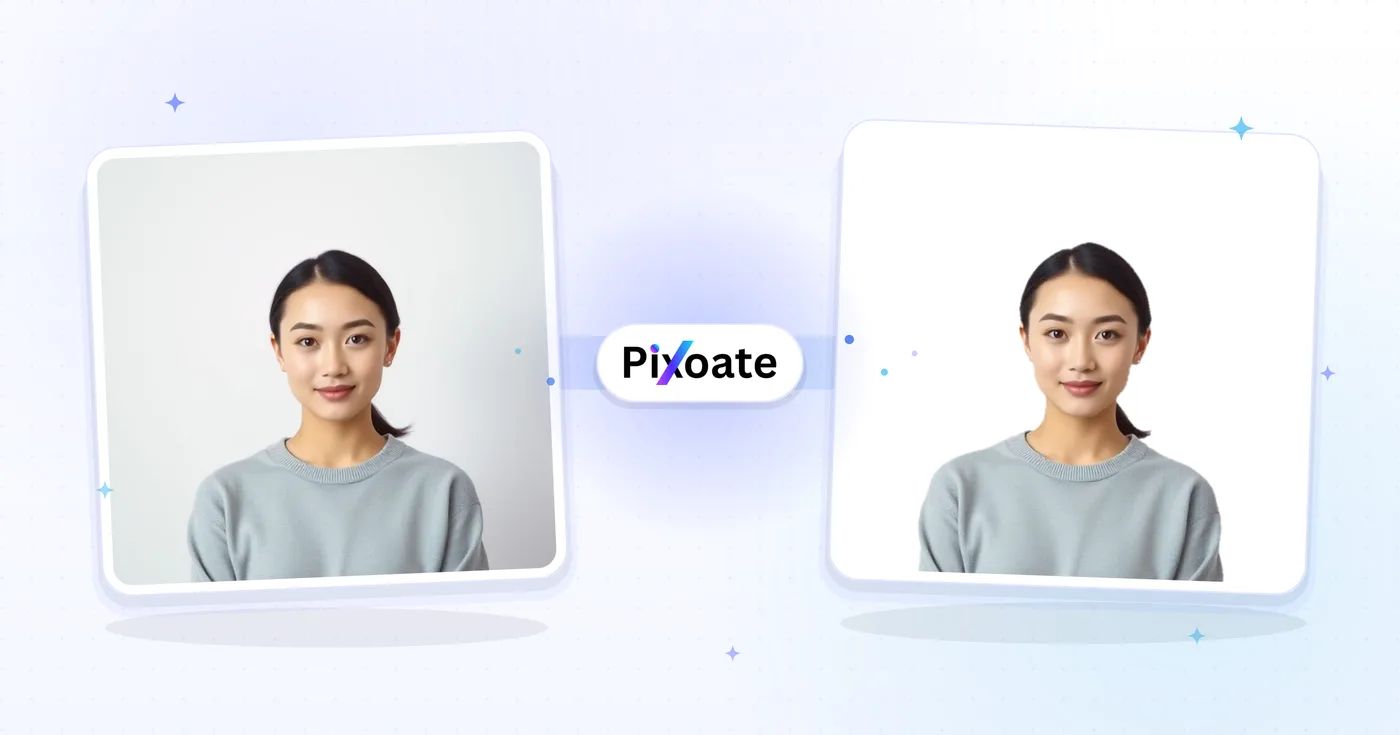
Passport Photo Maker — Passport Size Photo Online Free
Resize a photo to selected passport and visa dimensions with a positioning guide. Verify current authority requirements before submission.
Drop a portrait photo — prepare a passport-size crop
Passport Photo Sizes
US Passport
US Passport: 2x2 inches (51x51mm) Visa photos: 2x2 inches (51x51mm)
UK Passport
UK Passport: 35x45mm UK Driving License: 45x35mm
EU Passport
EU Passport: 35x45mm Schengen Visa: 35x45mm
Canada Passport
Canada Passport: 50x70mm Canadian Citizenship: 50x70mm
Australia Passport
Australia Passport: 35x45mm Australian Visa: 35x45mm
New Zealand Passport
New Zealand Passport: 35x45mm NZ Citizenship: 35x45mm
South Africa Passport
South Africa Passport: 35x45mm SA ID Book: 35x45mm
India Passport
India Passport: 35x45mm India Visa: 35x45mm
How to Use
Upload a clear portrait, choose a starting preset, review the crop and automated guidance, then verify the current issuing-authority rules before use.
Passport photo capabilities
Common Size Presets
Start with common country and document dimensions, then confirm the exact size, editing, print, and delivery rules for your application.
Direct controls
Resize photos instantly with our intuitive interface. No complex software needed.
Security and retention
Server-processed files are handled under our Security policy.
What you can do with Passport Resize
Review the main capabilities before you begin.
- Start with common passport and visa photo sizes
- Fit US 2x2, UK and EU 35x45mm starting formats
- Preview an automatic face-positioned crop
- Choose a background only when editing is allowed
- Run automated framing and quality guidance
- Build print sheets when the authority accepts them
- Pick output format and quality for the destination
Settings reference
11 settings
Available controls for Passport Resize.
- Processing modePresets
- Process one input, or switch to Premium batch mode to process multiple inputs with shared settings. Available input types depend on the tool.Options: Single photoBatch
Size
- Country / documentDropdown
- Picks a country or document starting preset with displayed physical dimensions; the selected profile also enables its configured face crop, background controls and automated photo guidance.Options: 🇺🇸 United States — 2×2 in (51×51 mm)🇨🇦 Canada — 50×70 mm🇧🇷 Brazil — 50×70 mm (5×7 cm)🇲🇽 Mexico — 35×45 mm🇪🇺 EU / Schengen — 35×45 mm🇬🇧 United Kingdom — 35×45 mm🇩🇪 Germany — 35×45 mm🇫🇷 France — 35×45 mm🇮🇹 Italy — 35×45 mm🇪🇸 Spain — 35×45 mm🇳🇱 Netherlands — 35×45 mm🇵🇱 Poland — 35×45 mm🇸🇪 Sweden — 35×45 mm🇨🇭 Switzerland — 35×45 mm🇳🇴 Norway — 35×45 mm🇮🇪 Ireland — 35×45 mm🇮🇳 India — 35×45 mm🇨🇳 China — 33×48 mm🇯🇵 Japan — 35×45 mm🇰🇷 South Korea — 35×45 mm🇸🇬 Singapore — 35×45 mm🇵🇭 Philippines — 2×2 in (51×51 mm)🇵🇰 Pakistan — 35×45 mm🇧🇩 Bangladesh — 35×45 mm🇹🇭 Thailand — 35×45 mm🇭🇰 Hong Kong — ≈35×45 mm🇦🇪 United Arab Emirates — 35×45 mm🇹🇷 Turkey — 35×45 mm🇿🇦 South Africa — 35×45 mm🇳🇬 Nigeria — 35×45 mm🇰🇪 Kenya — 35×45 mm🇦🇺 Australia — 35×45 mm🇳🇿 New Zealand — 35×45 mm
- Other sizesDropdown
- Chooses one of the plain centimetre sizes shown in the live selector, including its exact pixel dimensions, when a country-specific document preset is not needed.Options: 2.5cm × 3.5cm (94 × 132 pixels)3.5cm × 3.5cm (132 × 132 pixels)3.5cm × 4.5cm (132 × 170 pixels)4cm × 6cm (151 × 226 pixels)5cm × 7cm (189 × 264 pixels)
Output
- What's this photo for?Presets
- Switches between a high-resolution physical-print workflow and a smaller online-application file; the choice changes the available DPI values and whether the quality slider is shown.Options: PrintingUpload / online form
- QualitySliderRange: 10–100% · Default: 92%
- Sets compression quality for the exported photo; a higher value preserves more visible detail, while the issuing authority or receiving portal still controls the required format and file limits.
- Output FormatDropdown
- Chooses the saved file type; it defaults to match your uploaded image, and JPEG offers the widest compatibility with print kiosks and application portals.Options: JPEGPNGWebP
- Print resolutionDropdown
- Sets the live tool's available density from 150 DPI for web/email through 1200 DPI for sharp printing; the selected purpose determines which values appear.Options: 150 DPI (web/email)300 DPI (print)600 DPI900 DPI1200 DPI (max)
- Print sheetDropdown
- Tiles copies onto a 4×6, 5×7 or A4 page; use that sheet only when the issuing authority accepts the selected printing method. Single photo exports one image.Options: Single photo4×6 inch (multiple copies)5×7 inchA4
AI
- Auto-crop to faceOn / Off
- Detects your face and positions it within the selected preset's configured head-size and eye-line guide. It is available after choosing a country starting preset and does not provide authority approval.
- Replace backgroundOn / Off
- Separates you from the original background and swaps in White, Off-white or Light blue. Use it only when the exact document rules permit digital alteration and accept the chosen color.Options: WhiteOff-whiteLight blue
- Check photo guidanceOn / Off
- Reviews face detection, resolution, head room, centring and background against the configured preset, then shows a pass, warn or fail score. It cannot approve the photo.
Popular presets
Related tools for Passport Resize
Tools for common next steps after Passport Resize.
Photo Editing & Utilities
Resize Image
Resize an image to exact dimensions or by percentage. Preview and download the result.
Try it now
Photo Editing & Utilities
Compress Image to KB
Compress JPG, PNG or WebP files toward a chosen size such as 20KB, 50KB or 100KB, then review the result.
Try it now
Background Studio
Remove Background
Remove a photo background and download a transparent PNG. Review hair and edges before use.
Try it nowFrequently Asked Questions
Choose a starting preset such as US 2x2 inches, UK 35x45 mm, or Canada 50x70 mm. The tool previews positioning and exports the configured dimensions. These presets are preparation guides, not approval; check the issuing authority's current size, editing, printing, and delivery rules before use.
usageMany authorities ask for a recent, sharp, front-facing photo with an even background, neutral expression, and prescribed head position. Rules for glasses, head coverings, background color, editing, and digital files vary, so compare the final photo with the exact document instructions.
tipsYou can use a preset or custom dimensions as a preparation step for visas, permits, student IDs, and badges only when they match that document's current rules. A passport preset is not automatically valid for another document, even in the same country.
featuresChoose the DPI and sheet size requested by the receiving authority or print service, and disable “fit to page” when exact physical dimensions are required. Do not assume home printing is accepted: Canada requires professionally printed photos from a commercial photographer or studio, and Australia requires professional-quality dye-sublimation prints.
qualityEditing runs on our servers and uploads are handled under our Security policy. The output has no Pixoate watermark. Review the current application requirements and the final photo before submission.
privacyOptional AI controls can preview a face-positioned crop and replace the background, while automated checks flag a limited set of likely framing or quality issues. Background replacement and other digital editing are prohibited by some authorities, so those controls are off by default and must only be used when the current document rules allow them.
featuresPick a country starting preset (US, UK, EU/Schengen, Canada, Australia or India) to unlock 'Auto-crop to face'. It detects and positions the face within the preset's configured head-size and eye-line guide. Review the crop and compare it with the issuing authority's current rules; the guide is not an approval check.
featuresThe optional Replace background control can switch the background to white, off-white, or light blue. Use it only when the exact document rules permit digital alteration and accept that color. The US, Canada, Australia, and other authorities restrict editing, so an original photo against the required background is the safer source.
featuresWith a country preset selected, turn on Check photo guidance. The report scores a limited set of checks such as face detection, resolution, head room, centring, and background. It cannot approve a photo or fully check expression, glare, eye gaze, permitted editing, printing, and current administrative rules.
qualityStart with high JPEG quality and the DPI requested by the print service or issuing authority, then compare the exported dimensions and file with its current rules. Do not assume home printing is accepted: Canadian paper passport photos and Australian passport photos require professional services.
qualitySet Print sheet to 4x6 inch, 5x7 inch, or A4 to tile multiple configured copies. Use the sheet only when the issuing authority accepts that print method and a test print measures correctly. Canada does not accept home-printed paper passport photos, and Australia requires professional-quality dye-sublimation prints.
usageChoose the relevant country starting preset, turn on Auto-crop to face and Check photo guidance, and use the quality and DPI requested for your application route. The report is automated guidance, not approval; compare the final image with the issuing authority's current requirements before submitting it.
tipsYes. Alongside the country starting presets, Other sizes includes 2.5×3.5cm, 3.5×3.5cm, 3.5×4.5cm, 4×6cm, and 5×7cm. A generic size performs a centered resize without country-specific positioning guidance. Confirm the exact dimensions and pixel or file limits with the issuing authority before use.
usageYes. New Zealand and South Africa presets include auto-crop and automated photo guidance for the configured 35×45mm format. Requirements can change or differ by application, so verify the current official rules before submitting.
featuresNo. Replace background works with a country or generic size, but it should only be used when the exact document rules permit digital alteration. Auto-crop to face and Check photo guidance require a configured country preset because those controls need a stored positioning guide; they still do not provide authority approval.
featuresThe Upload / online form mode includes a 150 DPI option for a smaller file. Use it only when the receiving portal accepts the resulting pixel dimensions and file size. For printing, select the DPI requested by the authority or professional print service instead of assuming one universal passport standard.
technicalUpload a clear, front-facing photo, pick a country starting preset, and review the configured crop and automated guidance. Export the selected dimensions, then verify the current authority rules for editing, background, file delivery, and printing before use.
usageNo app install is needed. The preparation tool runs in a browser on phone, tablet, or computer: upload a picture, choose a starting size, review the crop, and export the configured file. Files are processed on secure servers and deleted automatically; the issuing authority still decides whether a photo is acceptable.
technicalYes — Pixoate supports batch and bulk processing. Switch to Batch mode, add up to 60 photos on Premium or 200 on Pro, set your options once, and every photo is processed with the same settings before you download a single ZIP. Bulk processing is a Premium feature; the output uses the same quality and settings as single mode.
featuresYes — with bulk processing you configure the settings a single time and they apply to every item in the batch — up to 60 photos on Premium or 200 on Pro. There is no need to repeat the setup per item, and Temporary uploaded and generated files are processed securely and deleted automatically.
usageAlmost always one of three things. The file is over the 11 MB free upload limit — Premium takes 50 MB and Pro 120 MB. The format is not one this tool accepts, so check the list shown on the upload panel. Or the file is not really the format its name says: renaming a file does not change what is inside it, and that is the reason a valid-looking image gets refused.
troubleshootingCropping, rotating, resizing and framing keep your original pixels — quality loss almost always comes from somewhere else. The two usual causes are enlarging a small image past the resolution it actually has, and re-saving a JPG over and over, because each save throws away a little more. Start from the largest original you still have, and export PNG when the image contains text, screenshots or flat color.
troubleshootingPassport Photo Maker supports free standard use within the published processing allowances. Free downloads are clean — no watermark. No signup is required for standard tool use. Photo effects and AI edits have a web-size limit on Free, with the original-resolution result available through Premium or one credit. Crop, resize, rotate, compress and convert stay full size. Premium supports batches of up to 60 files, with the applicable plan limits shown before processing.
pricingNo — Passport Photo Maker runs in the browser on desktop and phone. There is nothing to install, no trial to start, and no license to buy before you can see whether it does what you need. Try it on the file you are actually stuck with rather than a sample.
troubleshootingHow Passport Resize helps you get it done
Real problems it solves every day — for businesses, creators, and everyday tasks. Find the use case that fits you and start.
US 2x2-Inch Photo Size Guide
Prepare a 2x2-inch (51x51mm) crop, then follow the current State Department instructions. US passport photos must not be digitally altered with editing software, apps, filters or AI.
UK 35x45mm Photo Size Guide
Start with a 35x45mm crop and check whether your application is paper or digital. HM Passport Office requires an unaltered photo and professionally printed copies for paper applications.
India 35x45mm Photo Size Guide
Start with the 35x45mm Passport Seva guide, then check the exact passport, visa, minor-photo, and application-channel instructions before using the result.
EU & Schengen 35x45mm Starting Size
Prepare a 35x45mm crop as a common starting point, then verify background, framing, permitted editing, file and printing rules with the issuing member state or consulate.
Custom ID & Badge Photo Crops
Enter custom dimensions for a school, employer or membership badge when the organization accepts an uploaded photo. Government license and state-ID processes vary and may capture the photo in person.
Job Application & LinkedIn Photos
Create professional headshots for job applications, LinkedIn profiles, and corporate ID badges with proper sizing and background
Review Likely Issues Before You Submit
Turn on Check photo guidance after picking a country starting preset to review face detection, resolution, head room, centring and background. Treat the score as preparation guidance, then check every current authority requirement.
Use an Allowed Plain Background
If the exact document rules permit digital alteration, Replace background can switch to White, Off-white or Light blue. When editing is prohibited, take a new unaltered photo against the required background instead.
Build a Multi-Copy Print Sheet When Allowed
Set Print sheet to 4×6, 5×7 or A4 to tile multiple configured copies. Use that file only when the authority accepts self-prepared printing; Canada and Australia require professional services for passport-photo prints.
Visa & Work Permit Photo Preparation
Start from a common country size for visa, study-abroad or work-permit paperwork, then confirm the exact embassy or immigration-portal rules for dimensions, background, editing, file format and delivery.
Newborn & Toddler Passport Photos Made Easy
Auto-crop to face repositions the head to the official ratio even when a squirming baby or toddler isn't perfectly centred in the original shot, saving repeat trips for a photo that keeps getting rejected.
Corporate ID Badge & Staff Photo Standardization
Use a generic size like 3.5x4.5cm plus Replace background set to a single neutral color to give every employee's staff photo the same plain backdrop and dimensions before printing ID badges or uploading to an HR directory — no studio photographer required.
Visa Application Photos
Prepare common visa-photo sizes with country starting presets, then compare the crop, background, editing, and file rules with the issuing embassy or consulate before submitting.