
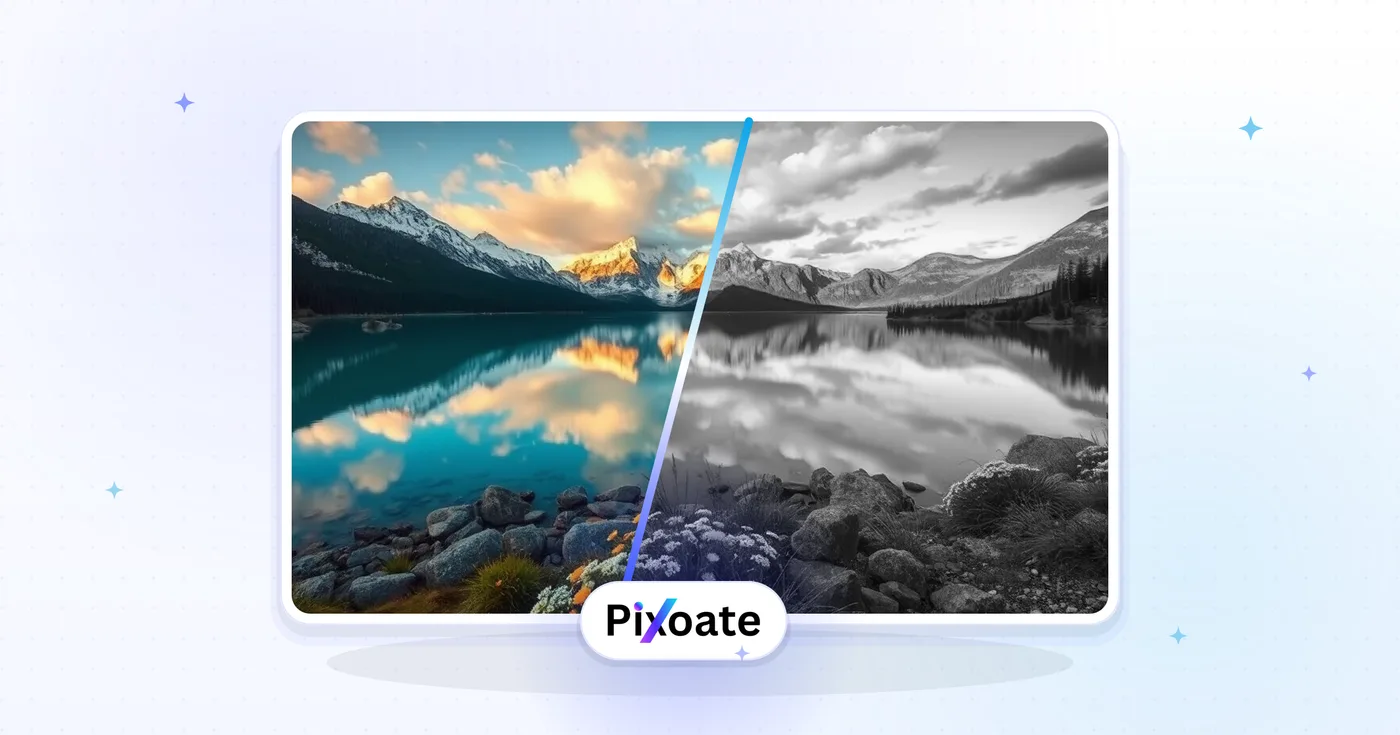
Convert Image to Black and White — Free Black and White Photo Converter
Convert an image to monochrome, adjust the intensity and preview the result before downloading.
Drop a color photo — get a tuned black-and-white version back
Monochrome image converter: turn a color photo into a grayscale picture
This black and white image converter turns a color picture into a monochrome image online. Upload a photo, set the Intensity slider to choose how much color is removed, and download the result as a JPG. As a black and white filter with a live preview it suits portraits, landscapes, street scenes and social media posts.
Convert an image to black and white online
Here is how to make a photo black and white: upload it and the preview switches to monochrome straight away, so you see the effect before anything is processed. The Intensity slider runs from Subtle to Strong, between 10 and 100 percent, and starts at 70. Drag it until faces, textures and skies still show detail, then create the file. The result opens with a before and after slider so you can compare it with your original.
The same steps work for a picture from a phone, a camera or a scan. Converting a color photo to black and white takes one pass with a single slider, and you can adjust Intensity and run it again if the first result is too flat or too dark.
- Upload a color photo in the upload area.
- Drag the Intensity slider and watch the preview change.
- Select See result to create the converted photo.
- Select Download to save the converted photo.
Use the monochrome converter to remove color or keep a faded tone
At 100 percent the slider works as an image color remover: it takes out every trace of color and gives a fully gray picture with extra contrast, which is how you create a grayscale image. Lower settings blend that gray version back into your original, so some muted color stays and the photo looks softer and more washed out. Use a lower value when a hard monochrome feels flat on skin tones or when you want a vintage mood, and Strong when you want bold, dramatic contrast.
Use a black and white converter without Photoshop or an app
There is no software to install, so it works like an app without the download. Open the page in a phone or desktop browser, pick a photo from your device, adjust the slider and download the JPG. As a black and white photo converter it changes the tones in your own photos and does not generate new pictures. Batch mode, a Premium option, converts a whole set at one shared Intensity and returns a ZIP. If a picture needs more work afterward, Continue in Photo Editor lets you crop it, add a caption or fine-tune the light before you save.
Go further with a sketch, a border or color
A monochrome photo is a good starting point for other looks. To redraw it as graphite shading, turn the photo into a pencil sketch. To surround it with a frame, add a border or frame. For colorizing black and white photos, colorize the photo with AI and review the tones, because the colors are estimates of the original scene.
Before you convert
- Start from the sharpest original you have; a copy that was already compressed or shared gives the converter less to work with.
- Photos with a clear subject and strong light and dark areas keep their shapes most clearly in monochrome.
- Check faces, skies and shadows in the preview, and lower the Intensity if the dark areas turn too heavy.
- An ordinary photo downloads as a JPG, while a PNG that has transparent areas keeps its transparency and downloads as a PNG.
- For large prints, remember that the free download is web-size and Premium unlocks the original-resolution result.
Other color treatments to try
To change just one object's color instead of the whole picture, describe the object and its new shade; to bring color back to an old monochrome print, colorize it with AI. For a hand-drawn look, turn the photo into a pencil sketch, and a black-and-white portrait pairs well with a Polaroid-style frame.
What you can do with Black & White Image Converter
Review the main capabilities before you begin.
- Convert color photos to black and white
- Dial in dramatic or subtle monochrome looks
- Create timeless grayscale portraits
- Give images a classic editorial feel
- Prepare striking black-and-white prints
Settings reference
2 settings
Available controls for Black & White Image Converter.
Options
- Single imagePresets
- Switches between converting one photo at a time or queuing many photos to convert at the same intensity and downloading them together as a single ZIP file.Options: Single imageBatch
Effect
- IntensitySliderRange: 10–100% · Default: 70%
- Sets how completely color is removed: 100% gives full monochrome with boosted contrast, while lower values keep a trace of the original color for a softer, faded look.
Related tools for Black & White Image Converter
Tools for common next steps after Black & White Image Converter.

Creative & Design
Photo Filters & Effects
Preview cinematic, vintage, glitch and beauty effects on your photo, then download the look you choose.
Try it now
Creative & Design
Pencil Sketch
Convert a photo into a pencil-sketch style image and adjust the shadow depth before download.
Try it now
Creative & Design
Photo to Cartoon
Turn a photo into classic, storybook, sticker, watercolor, or custom cartoon artwork with editable AI directions.
Try it nowFrequently Asked Questions
How Black & White Image Converter helps you get it done
Real problems it solves every day — for businesses, creators, and everyday tasks. Find the use case that fits you and start.
Instagram Aesthetic & Vintage Look
Make an Instagram feed of mismatched photos look like one set by taking the color out
LinkedIn Headshots & Professional Photos
Convert headshots to elegant black and white for LinkedIn profiles, resume photos, and professional networking
Artistic Expression
Transform photos into artistic black and white compositions for galleries, exhibitions, and art portfolios
Documentary Photography
Create dramatic documentary-style images with high contrast black and white conversion for storytelling
Wedding Photography
Add classic black and white versions to wedding photo collections for timeless memories and albums
Print Publications
Prepare images for newspapers, magazines, and print media that require black and white format
Real Estate Photography
Create dramatic architectural photos in black and white to highlight design elements and textures
Fashion Photography
Transform fashion photos to black and white for editorial shoots, portfolios, and runway presentations
Street Photography
Convert street photography to black and white for a classic, timeless look that emphasizes composition
Product Photography
Create sophisticated product images in black and white for luxury brands and minimalist marketing
Family Portraits
Convert family photos to black and white for elegant wall art, albums, and generational keepsakes
Landscape Photography
Transform landscape photos to black and white to emphasize textures, patterns, and dramatic skies
Batch-Convert an Entire Photo Shoot
Switch to Batch mode, queue an entire shoot, and apply one Intensity setting to every photo before downloading them all as a single ZIP instead of converting image by image.
Podcast & YouTube Channel Branding
Give channel art, episode covers and thumbnails a bold monochrome identity that stands out against the color-saturated thumbnails most creators use.
Memorial & Obituary Portraits
Convert a favorite photo into a classic black-and-white portrait for a memorial program, obituary notice or funeral service slideshow.
Faded Duotone Vintage Film Look
Pull the Intensity slider down to around 20–30% instead of maxing it out, leaving a trace of the original color for a faded, duotone film aesthetic rather than a hard grayscale cut.
Watch each transformation land
Every photo crosses the slash untouched and comes out the other side finished.























