
AI Image Upscaler — Upscale Image to 2x, 3x and 4x Online
Works with JPG, PNG, WEBP
Enlarge photos and artwork with AI that rebuilds real detail, so edges stay sharp and textures stay clean — no pixelation, no smudging.
- Boost resolution up to 4x with AI detail recovery
- Great for prints, product shots and old photos
- Choose crisp 2× or detail-rich 4× output for any use
Drop a low-res image — get a sharp enlarged version back
Upscaling Tips
• Upscaling cannot invent detail that was never captured — start from the best original
• 2x is perfect for most use cases
• 4x works best for detailed artwork
• AI preserves fine details and textures
About AI Image Upscaling
Enlarges photos 2×–4× while rebuilding edges and texture, so faces and text stay sharp — detail is recovered, not stretched, with no pixelation or smudged artifacts.
How It Works
1. Upload your image
2. Choose scale factor (2x, 3x, or 4x)
3. AI processes and enhances
4. Download high-quality result
Perfect For
• Low-resolution photos
• Digital artwork
• Old scanned images
• Social media content
• Print materials
How to increase image resolution with an AI upscaler
This online image upscaler works as an image enlarger: it makes a picture 2x, 3x or 4x as wide and tall and adds AI-generated detail, so edges stay crisp instead of turning into stretched blocks. Use it when a photo is too small for a print, a marketplace minimum or a larger screen. The detail it adds is an estimate, so it makes a small image look better but cannot restore what the original did not capture.
Upscale an image 2x, 3x or 4x
To increase picture quality when the problem is size, set Scale Factor, which sets how many times wider and taller the picture becomes. With Premium, 2x doubles each side, 3x triples it and 4x quadruples it, so a 1000 by 1000 pixel photo becomes 2000, 3000 or 4000 pixels square. Without Premium, the free preview runs at 2x and returns a web-size result, while 3x and 4x need Premium. Nothing runs until you choose Upscale my image.
- Upload the image you want to enlarge.
- Pick 2x, 3x or 4x under Scale Factor.
- Select Upscale my image and wait for the preview.
- Compare the result with your original, then select See result.
- Download the JPG from the result screen.
Fix low resolution photos that turn blocky when stretched
To improve photo resolution on a small file, start at 2x and step up only if you need more. The upscaler redraws edges and texture as it enlarges, so a thumbnail, an old web image or a cropped phone photo comes out smoother than a plain resize. The same run can make photo higher resolution for a banner or a print that would otherwise look blocky. The added detail is estimated, so check faces, lettering and fine patterns afterward.
Unpixelate image files that are blocky because they are small
To unpixelate a picture that looks blocky only because it was small, enlarge it: the AI smooths staircase edges and rebuilds plausible texture. A first run at 2x shows whether enlarging smooths the blocks. A mosaic or pixelate filter applied on purpose is different. It hides information that is no longer in the file, and no upscaler can bring that back.
Make a small photo 4K
To get a photo to 4K, choose 4x under Scale Factor when the source is small, or 2x when it is already about 1920 pixels across. Upscaling an image to 4x takes one run: upload it, pick 4x, select Upscale my image and compare the preview with your original. 4x needs Premium; the free preview stays at 2x. A very small source still looks soft after enlarging, whatever the factor.
Make an image bigger without losing quality for print
No photo enlarger is lossless, so use the smallest factor that reaches the size you need, since higher factors take longer and estimate more detail. To enlarge a picture without losing quality as far as possible, check the width and height on the result screen before you print or list it. The file is a JPG, so if an upload form then rejects it, compress the enlarged JPG toward a target size.
Choose between upscale, enhance and restore
To sharpen an image online without picking a new size, clean it up with the photo enhancer instead: it reduces noise and sharpens edges in one pass. The upscaler sharpens only as a side effect of redrawing edges, so choose it when the picture also has to be bigger. For a faded or scratched print, restore the old photo first and enlarge the result afterward. When you only need exact dimensions with no AI detail, resize to exact pixels or a percentage.
Before you upscale an image
- Start from the largest original you have, since a screenshot or a copy shared through a messaging app gives the AI less to work with.
- Expect a JPG back, so a transparent PNG loses its transparency.
- Review faces, logos and small text in the result, because AI-generated detail can differ from the original.
- Batch mode applies one scale factor to every file and returns a ZIP, and it needs Premium.
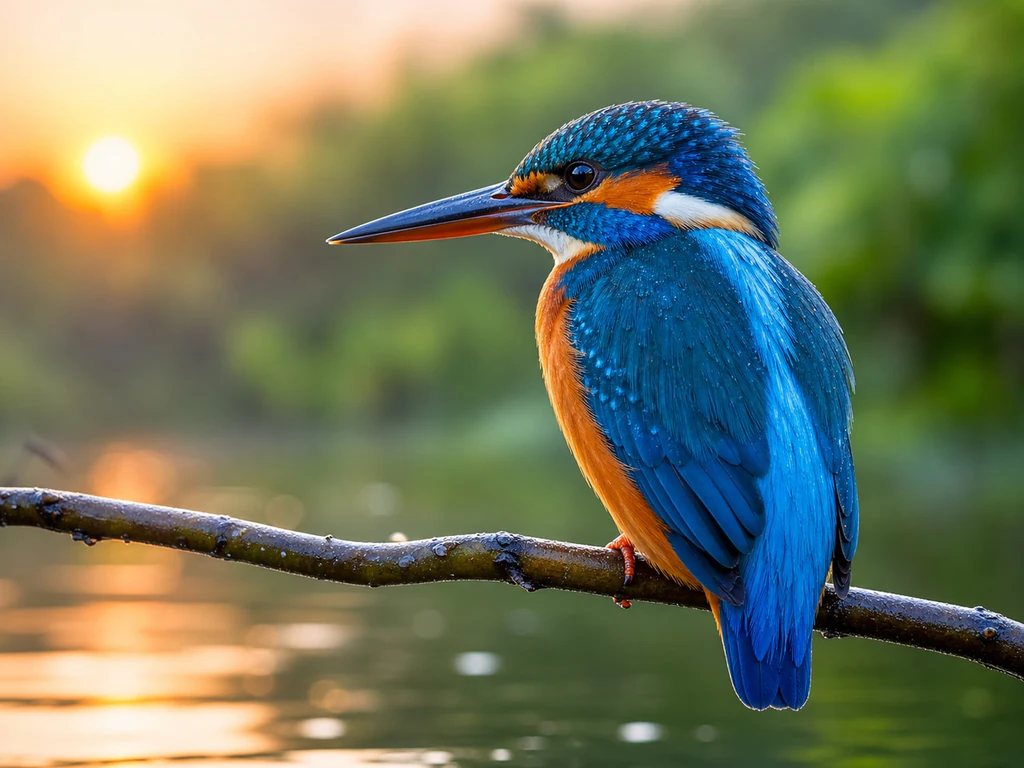
Before and after enlarging an image
If the photo is noisy or dull rather than small, correct noise, tone and sharpness in one pass, and for a cracked or faded print, restore the old photo before you enlarge it. The enlarged file is a JPG, so compress it toward a KB target when an upload form rejects the larger size.
What you can do with Image Upscaler
Review the main capabilities before you begin.
- Reach a minimum pixel size a listing keeps rejecting
- Sharpen low-res photos without losing detail
- Enlarge images for print without blur
- Upscale product shots for bigger displays
- Rescue small or pixelated pictures
Settings reference
2 settings
Available controls for Image Upscaler.
- Processing modePresets
- Process one input, or switch to Premium batch mode to process multiple inputs with shared settings. Available input types depend on the tool.Options: Single imageBatch
Scale
- Scale FactorPresetsRange: 2–4x · Default: 2x
- Choose the AI scale setting. Free uses 2x processing at web size; Premium applies 2x to the original dimensions and unlocks 3x and 4x for posters and large prints.Options: 2x3x4x
Related tools for Image Upscaler
Tools for common next steps after Image Upscaler.

Photo Editing & Utilities
Compress Image to KB
Compress JPG, PNG or WebP files toward a chosen size such as 20KB, 50KB or 100KB, then review the result.
Try it now
Image Conversion
Image Format Converter
Convert between supported PNG, JPG, WebP, AVIF and GIF formats, then review and download the result.
Try it now
Background Studio
Remove Background
Remove a photo background and download a transparent PNG. Review hair and edges before use.
Try it nowFrequently Asked Questions
How Image Upscaler helps you get it done
Real problems it solves every day — for businesses, creators, and everyday tasks. Find the use case that fits you and start.
Amazon & eBay Product Photos
Meet the minimum pixel size Amazon and eBay demand when the supplier only sent you a small image
Print & Poster Enlargement
Enhance small photos for large format printing, posters, banners, and wall art. Useful for turning smartphone photos into gallery-quality prints and professional displays.
Old Family Photo Restoration
Apply color, contrast, denoising and supported upscale settings to scanned family or historical photos, then review the result.
YouTube Thumbnails & Social Media
Enlarge an image to YouTube thumbnail or Instagram size without it going soft and blocky
Real Estate & Property Photos
Bring phone-shot property photos up to the resolution a listing portal will accept
Artwork & Digital Art Enhancement
Upscale digital artwork, illustrations, and creative designs for portfolios, galleries, and print reproduction. Maintain artistic integrity while improving resolution.
Wedding & Event Photography
Enhance wedding photos, event pictures, and special occasion memories for large prints, albums, and digital galleries. Preserve precious moments in high quality.
Website & Blog Images
Improve small images for website headers, blog posts, and online content. High-resolution images improve user experience and professional appearance.
LinkedIn & Professional Headshots
Enhance professional headshots and LinkedIn profile photos for better online presence. High-quality images create stronger first impressions in business networking.
Restaurant & Food Photography
Upscale food photos for restaurant menus, websites, and marketing materials. High-quality food images increase appetite appeal and customer engagement.
Fashion & E-commerce Catalogs
Enhance fashion photos, clothing images, and product catalogs for online stores. High-resolution images improve customer confidence and reduce return rates.
Gaming & Digital Content
Upscale game screenshots, digital artwork, and gaming content for social media, streaming, and content creation. Enhance visual quality for better engagement.
Print-on-Demand Merch Artwork Prep
Upscale a client's low-resolution logo or design file to the pixel dimensions Printful, Printify and similar platforms require for sharp t-shirt, mug and poster prints, avoiding blurry or rejected merch orders.
Zoom-and-Enhance for Research Documentation
Enlarge cropped microscopy stills, archival scans or field-photo details with 2x-4x AI upscaling so fine structures stay legible in papers, reports and slide decks instead of looking pixelated when zoomed in.
NFT & Digital Collectible Resolution Compliance
Bring generative or hand-drawn digital art up to the minimum resolution marketplaces recommend using 4x Premium upscaling, without the smudging a basic resize would introduce.
Retro Game Sprite & Texture Remastering
Upscale low-resolution sprites, tilesets and UI textures pulled from old ROMs so fan remaster and modding projects get crisper assets while keeping the original art style intact.
Guides for this tool
- The Blurry Zoom Problem: What Shoppers Cannot See, They Cannot EvaluateBlurry product image zoom makes details difficult to evaluate. Explore where Pixoate upscaling helps and when a clearer source photograph is needed.
- Upscale Product Images in Bulk for a Catalogue RefreshUse Premium batch upscaling to prepare older product images. Check labels, texture, failed files and delivery size before approving a catalogue update.
Watch each transformation land
Every photo crosses the slash untouched and comes out the other side finished.























