Decimal mistakes multiply
Missing a decimal or digit can distort utilization, rental billing, resale records, and hour-based maintenance planning.
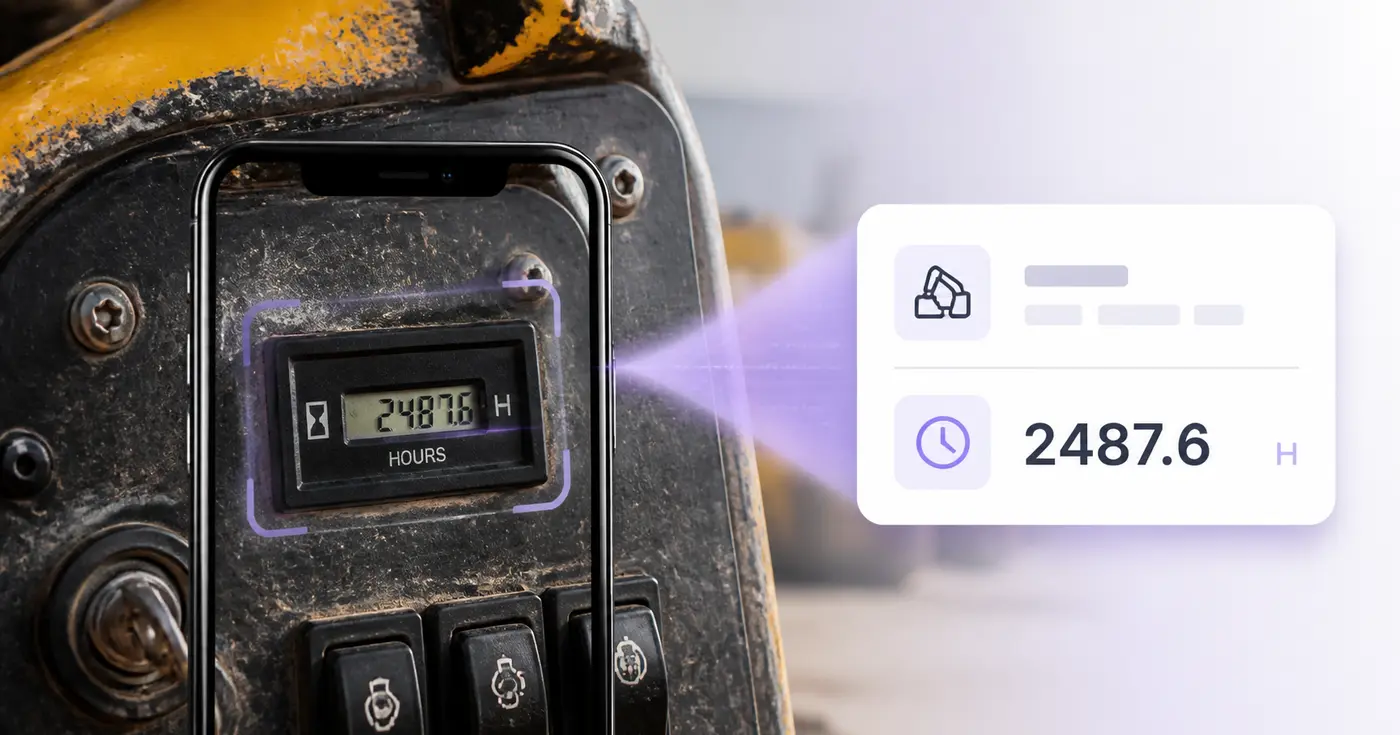
Pixoate records a visible value; it does not determine service intervals, machine condition, or safe-to-operate status.
Maintenance decisions often depend on a small display mounted in a dirty, awkward place. Photograph each meter during the walk-around and turn the readings into a clean register before anyone has to decipher the camera roll.
The real problem
Crews know the meter matters, but manual rounds create loose paper, texted photos, and readings that arrive after maintenance or billing decisions were already made.
Missing a decimal or digit can distort utilization, rental billing, resale records, and hour-based maintenance planning.
Several similar displays in one camera roll become useless when the asset tag or location was never captured.
A spreadsheet that requires office re-entry stays behind the equipment it is supposed to describe.
How Pixoate helps
Pixoate extracts the visible meter value and gives the operator fields for equipment, asset tag, date, location, and notes. Every result remains editable and can move into the system your team already uses.
Clean the lens or display when safe, avoid glare, and include an identifying label when possible.
Confirm all digits and decimals, then complete the equipment, tag, date, operator, and location fields.
Export CSV for a CMMS, rental, billing, or fleet process, or save the editable records.
Log excavator, loader, generator, compressor, and lift hours during routine yard or site checks.
Capture outgoing and incoming hour readings alongside the unit identifier.
Update mower, tractor, pump, and backup-generator registers without clipboard re-entry.
It can attempt printed digital or analog hour-meter displays visible in a clear photo. Obscured, damaged, reflective, or low-contrast meters require manual entry.
No. This version records readings; it does not know the manufacturer service schedule, operating conditions, prior maintenance, or safe-use requirements.
Yes. Upload up to 25 images in one batch, with one meter per image, and verify the resulting rows before export or saving.
The reading stays editable as text so you can preserve the meter exactly as displayed. Verify the decimal position rather than assuming a particular meter format.
Yes. Equipment, asset tag, reading date, operator, location, and notes are separate columns in the table and CSV.
No. Meter transcription says nothing about inspections, maintenance quality, faults, or safe operating condition. Follow the manufacturer and your safety program.
Hulpmiddelen voor algemene volgende stappen na Bedrijfsuren van apparatuur uitlezen.
OCR en gegevensextractie
Lees de kilometerstand uit dashboardfoto’s, controleer het getal, voeg voertuig- en ritgegevens toe en bewaar of exporteer een bewerkbaar logboek.
Probeer het nuOCR en gegevensextractie
Zet meterfoto’s om in bewerkbare meterstanden met gegevens over de meter, eenheid, datum en locatie.
Probeer het nuOCR en gegevensextractie
Haal serienummers, modellen, fabrikanten en tags uit foto’s van apparaatlabels en maak een bewerkbare inventarislijst die je als CSV kunt exporteren.
Probeer het nuEvery foto crosses the slash untouched and comes out the other side finished.