

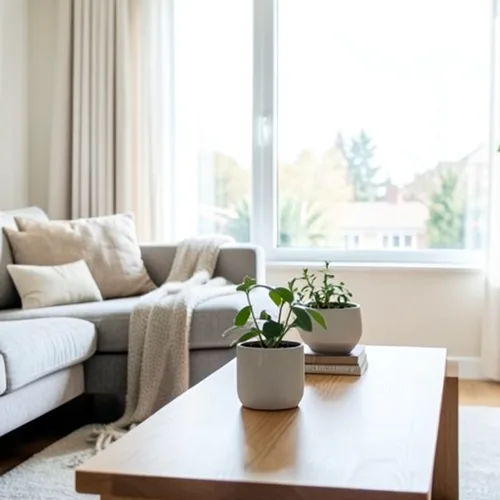
The same source image before and after applying 3D-wigglegram.
3D-wigglegram photo effect applied to the same source image
Original source image before the 3D-wigglegram photo effect

Fotofilter met bewegend 3D-beeld online

Create a clean eight-frame depth loop where nearer and farther parts move by different amounts. Control the strength, compare the result, and download a finished image from your browser.

Upload een foto voor het 3D-wigglegram-effect

Wat je kunt doen met het 3D-wigglegram-effect

Bekijk de beschikbare effectmogelijkheden voordat je begint.

  • Apply the 3D-wigglegram effect to any photo
  • Fine-tune the effect strength to taste
  • Preview your photo live as you edit
  • Download your edited photo in high quality
  • Apply 3D-wigglegram to many photos at once

Hoe het werkt

Wigglegram 3D estimates which parts of your photo are nearer or farther and keeps one plane near the center of the composition steady. Eight frames then move nearer and farther surfaces sideways by different amounts in a smooth back-and-forth rhythm; intensity changes how far they really move instead of fading a still copy over every frame. Nearer surfaces stay in front where things overlap, edges stay clean, and the narrow gaps that open beside foreground objects are filled by continuing the background behind them. At full strength, movement is capped at 2% of the image width and fades to nothing at the side edges. The unchanged center view appears twice so the loop plays seamlessly, and image and transparency move together in a lossless animated WebP. Very large photos are scaled down proportionally to 1.75 megapixels so all eight lossless frames stay small enough to download.


Verwerken

3D-wigglegram gebruikt een AI-actie. Eventuele afzonderlijke toeslagen worden weergegeven voordat dit effect wordt verwerkt.

Beste voor

gecentreerde portretten, huisdieren, producten, stillevens, interieurs, architectuur en scènes met duidelijke scheiding tussen voorgrond, middellange afstand en achtergrond.

Minder geschikt voor: vlakke scènes, onderwerpen buiten het midden, zeer fijn haar of bladeren, transparante of reflecterende objecten, bewegende bronfoto's en grote standpuntwijzigingen waarvoor oppervlakken nodig zijn die in de oorspronkelijke foto verborgen zijn.

Manieren om 3D-wigglegram te gebruiken

    3D-wigglegram vragen

    Wat is een wigglegram?
    Een stereobeeld dat wordt weergegeven als een snelle afwisseling tussen twee of meer gezichtspunten in plaats van door een bril. De beweging zelf brengt diepte over en daarom werkt het op elk scherm zonder speciale apparatuur.
    Wat maakt een goed wigglegram?
    Place the main subject near the centre and include recognisable detail both in front of and behind it. The central depth stays most stable while other layers move relative to it. One photo cannot reveal surfaces hidden from the camera, so the tool limits motion and continues only the farther visible background across narrow gaps; complex hair, glass, reflections, and wide separations can still reveal imperfect edges. Lower the intensity when that happens.

    Meer Diepte en dimensie-effecten

    Slimme herfocus

    Diepte en dimensieGeavanceerde AI

    Houd één automatisch gedetecteerd hoofdonderwerp scherp met een nette, dieptebewuste achtergrondvervaging

    Pagina openen

    Diorama met kantel- en verschuifeffect

    Diepte en dimensieGeavanceerde AI

    Verander straat- en landschapsbeelden vanuit een hoog standpunt in miniatuurscènes met een nette, door diepte ondersteunde focusband

    Pagina openen

    Diepte-anaglyf 3D

    Diepte en dimensieGeavanceerde AI

    Create a comfortable red-cyan 3D view for standard glasses from the estimated depth of your photo

    Pagina openen

    Kristalbreking

    Diepte en dimensieGeavanceerde AI

    Refract only the background through bounded crystal facets while keeping the detected subject fixed

    Pagina openen

    Parallax Uitsnede Poster

    Diepte en dimensieGeavanceerde AI

    Bouw vijf brede, op de bron uitgelijnde papierlagen zonder mensen of objecten te dupliceren

    Pagina openen

    Topografische dieptelijnen

    Diepte en dimensieGeavanceerde AI

    Trace 18 clean depth contour bands over your photo without moving people or objects

    Pagina openen

    Papieren Dieptediorama

    Diepte en dimensieGeavanceerde AI

    Style the frame as up to seven layered paper sheets without duplicating people or objects

    Pagina openen

    Atmosferische dieptemist

    Diepte en dimensieGeavanceerde AI

    Add soft atmospheric haze that grows with the estimated distance in your photo

    Pagina openen

    Gescheiden kleurtinten voor dichtbij en veraf

    Diepte en dimensieGeavanceerde AI

    Apply cool-far and warm-near color grading from the estimated depth of your photo

    Pagina openen

    Lensbal Wereld

    Diepte en dimensie

    Comprimeer en keer de scène om binnen een begrensde glazen bol, terwijl elke pixel erbuiten ongewijzigd blijft

    Pagina openen

    Lenticulaire diepteafdruk

    Diepte en dimensieGeavanceerde AI

    Interlace depth-shifted strips only across the background while keeping the detected subject fixed

    Pagina openen

    Bekijk de aanbevolen effecten in beweging

    De krachtigste effectkeuzes staan vooraan in deze strook, vóór de rest van de catalogus.




























