
Kiểm tra giao dịch trên sao kê mà không phải nhập tay từng dòng
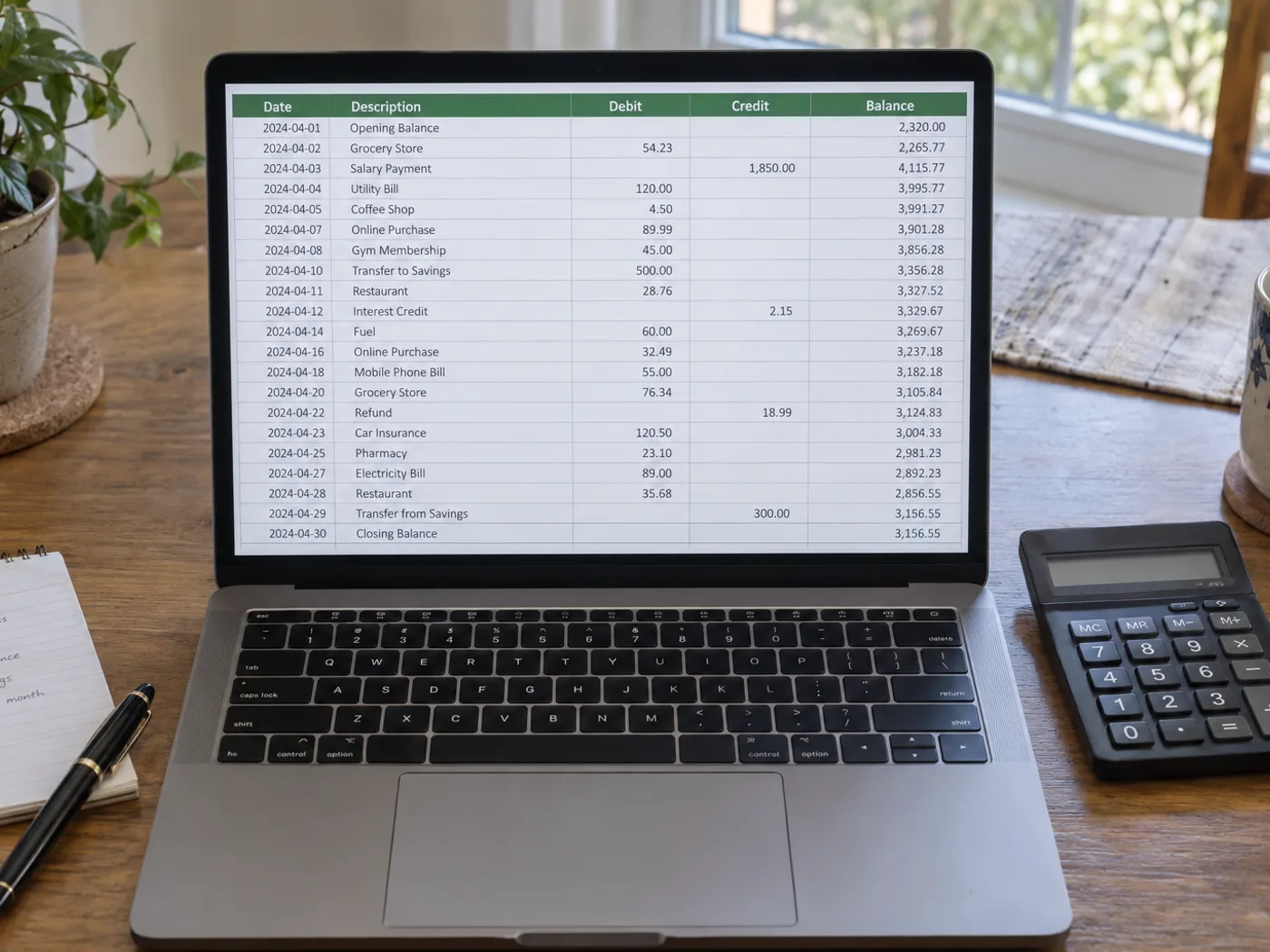
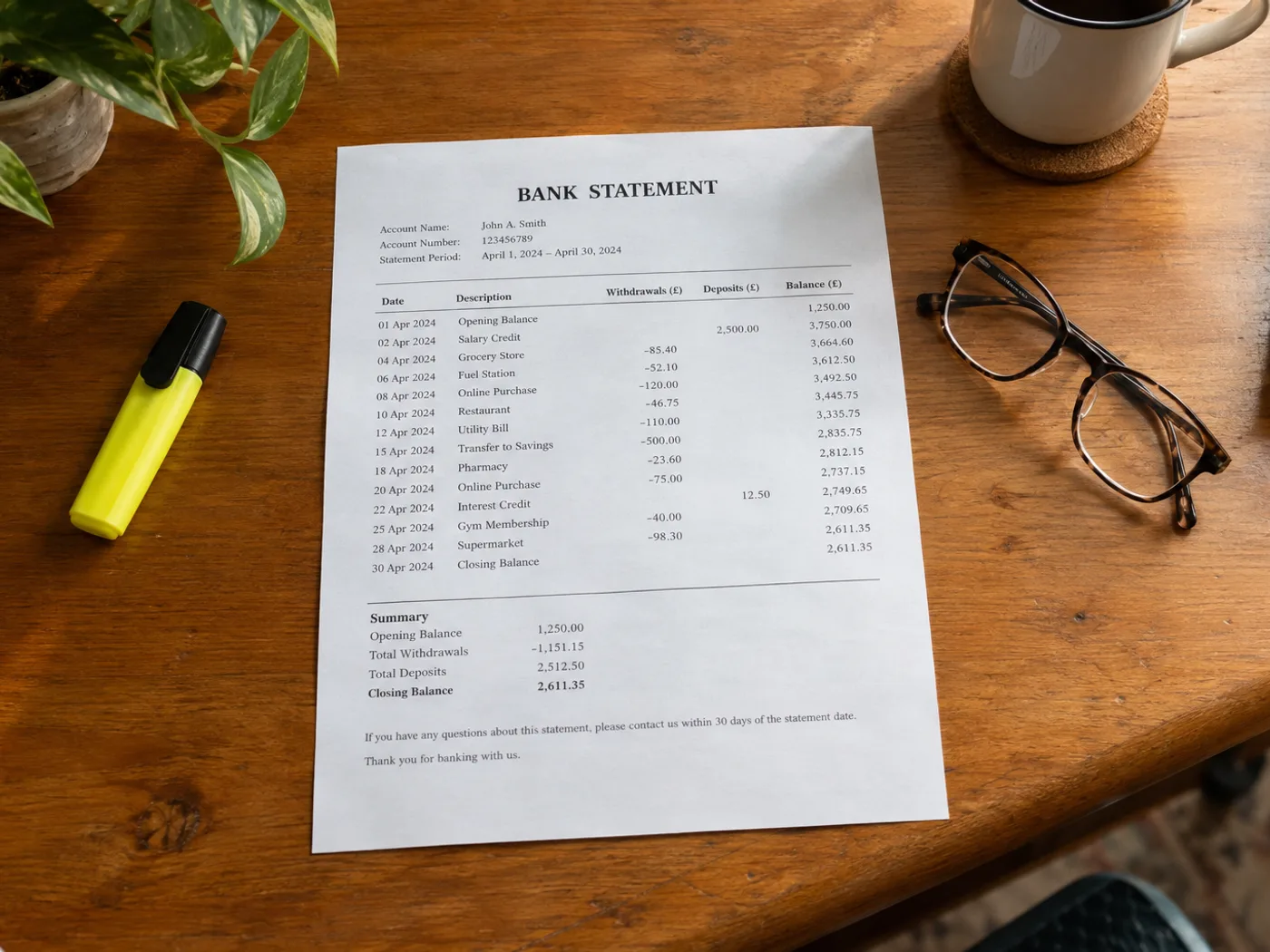
Chuyển bảng giao dịch trong ảnh chụp hoặc bản quét sao kê ngân hàng vào Excel để đối soát thủ công. Kiểm tra cột ghi nợ, ghi có, thứ tự ngày và số dư sau mỗi giao dịch; bảng tính dễ đọc không có nghĩa là nội dung đã được chép chính xác.
Phân loại giao dịch cá nhân
Chuẩn bị các hàng dữ liệu đã kiểm tra trước khi thêm danh mục ngân sách riêng. Xác nhận từng khoản tiền là khoản thu hay khoản chi.
Đối chiếu các khoản ghi trên sao kê với sổ cái
Dùng các mã tham chiếu và số tiền đã trích xuất làm cơ sở để đối chiếu thủ công với hồ sơ bạn đang lưu giữ.
Kiểm tra dấu của số tiền và ngày tháng trước khi đối soát bảng tính
- Chọn ảnh sao kê có tiêu đề giao dịch và thông tin số dư liên quan.
- Kiểm tra từng ngày tháng, dấu của số tiền và mã tham chiếu; chú ý các phần mô tả bị xuống dòng.
- Xuất sổ làm việc đã chỉnh sửa và đối chiếu với bảng kê gốc.
Quyền truy cập ngân hàng, dấu hiệu ghi nợ và giới hạn kiểm tra số dư
- Công cụ này có kết nối với ngân hàng để lấy giao dịch của tôi không?
- Không. Công cụ xử lý ảnh sao kê bạn tải lên, không yêu cầu thông tin đăng nhập ngân hàng hay truy cập tài khoản ngân hàng của bạn.
- Làm thế nào để kiểm tra dấu ghi nợ và ghi có trong kết quả Excel?
- Đối chiếu tiêu đề cột trong nguồn cùng mọi dấu trừ hoặc dấu ngoặc đơn. Xác nhận chiều của từng giao dịch trước khi áp dụng công thức riêng.
- Tôi có thể tải lên sao kê PDF của ngân hàng trên trang này không?
- Dùng công cụ PDF sang Excel nếu đã có tệp PDF. Quy trình xử lý hình ảnh này dành cho bảng sao kê được chụp bằng máy ảnh, quét thành ảnh hoặc chụp màn hình.
- Công cụ chuyển đổi có xác nhận số liệu trên sao kê đã cân đối không?
- Không. OCR có thể đọc sai số tiền hoặc bỏ sót hàng. Hãy đối chiếu tổng số bằng cách độc lập và giữ lại sao kê gốc để tham khảo.


























