
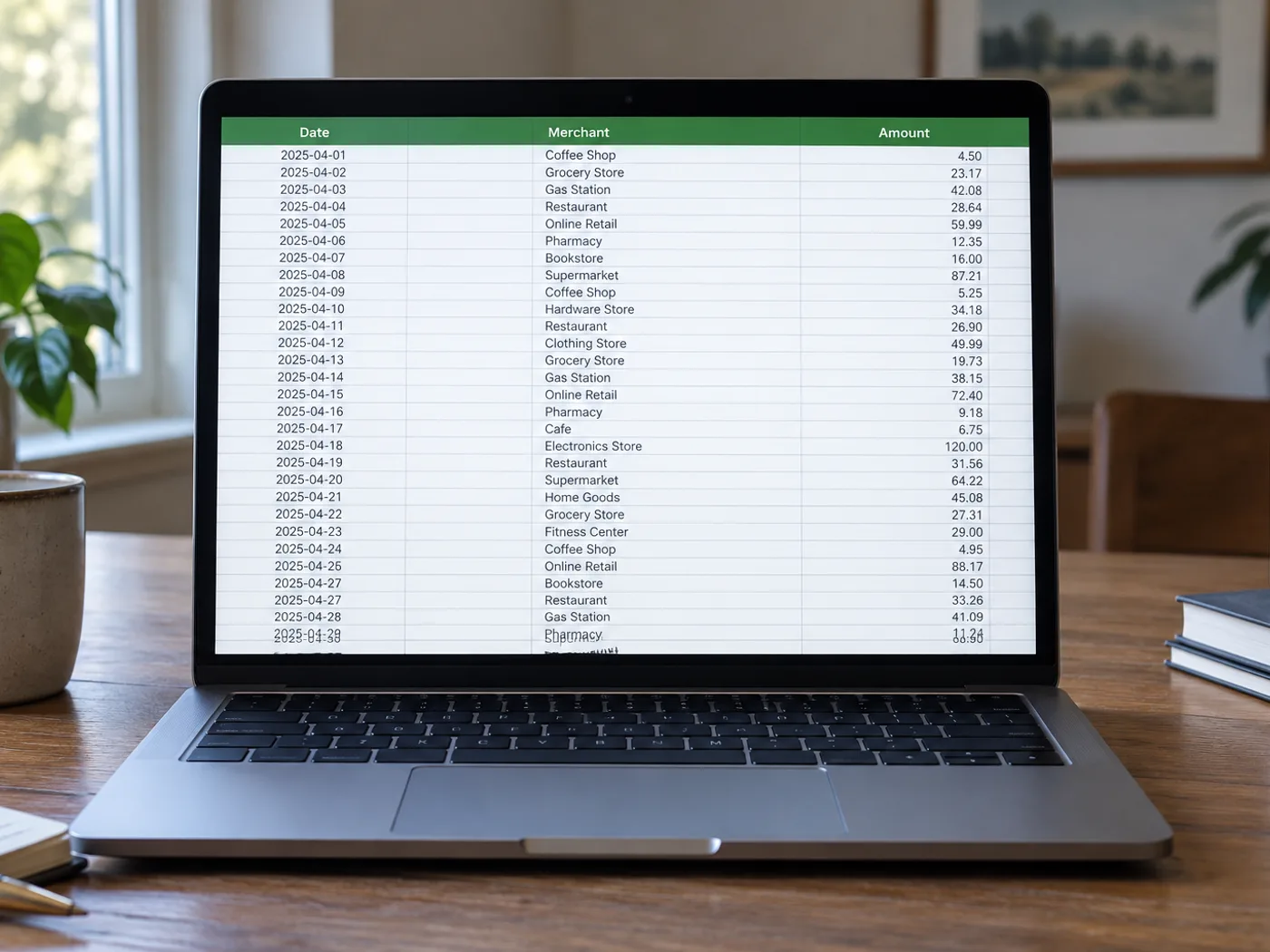
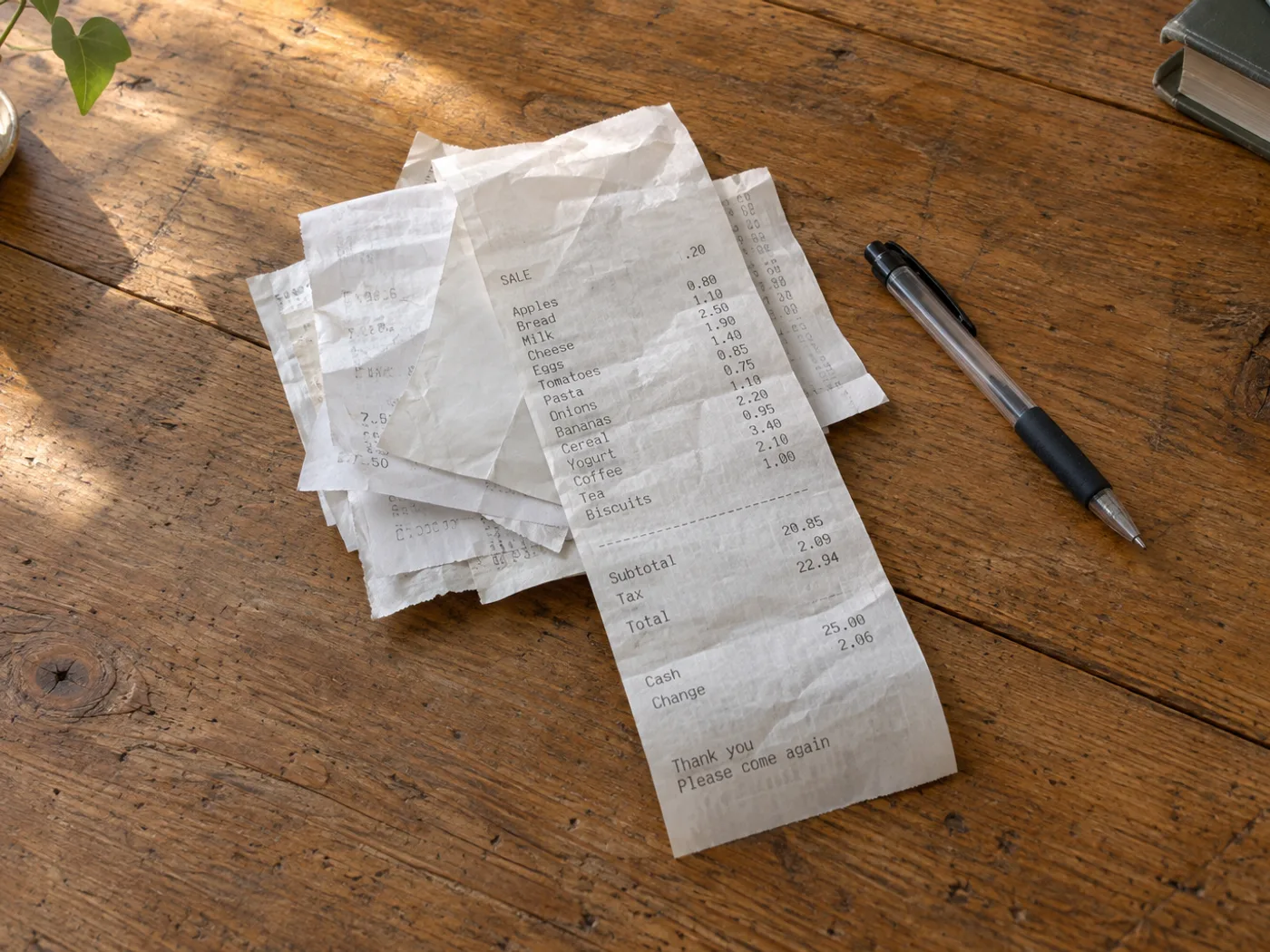
Chuyển chồng chứng từ mua hàng có chi tiết từng món thành trang tính dễ kiểm tra
Chuyển phần liệt kê chi tiết trong ảnh chụp biên lai thành các hàng trong bảng tính để kiểm tra chi phí. Chữ in nhiệt, khoản giảm giá và tên sản phẩm xuống dòng có thể khiến nhận dạng sai, nên hãy đối chiếu mọi khoản tiền quan trọng với biên lai gốc.
Kiểm tra từng khoản chi phí công tác
Tách các mặt hàng đã mua khỏi dòng thuế và thanh toán trước khi tự phân loại chi phí trong sổ làm việc.
So sánh các lần mua lặp lại
Thu thập các dòng hàng trên hóa đơn theo thời gian, sau đó chuẩn hóa tên sản phẩm theo cách thủ công trước khi so sánh đơn giá trong Excel.
Kiểm tra từng khoản trên biên lai trước khi phân loại chi phí
- Làm phẳng hóa đơn và chụp dưới ánh sáng đều để các chữ số bị phai vẫn nhìn rõ.
- Trích xuất và kiểm tra các mô tả xuống dòng, khoản giảm giá âm và cặp số lượng–giá.
- Phân biệt rõ các hàng tạm tính và thuế với từng mặt hàng, sau đó xuất sổ tính đã kiểm tra.
Hóa đơn, khoản giảm giá và tổng tiền bị phai trông như các mặt hàng
- Chuyển biên lai sang Excel có tự động phân loại chi phí không?
- Công cụ trích xuất dữ liệu bảng nhìn thấy trong ảnh. Sau khi kiểm tra sổ tính, hãy phân loại các khoản theo hạng mục kế toán và xác định khoản mua nào được đưa vào hồ sơ đề nghị thanh toán chi phí.
- Biên lai nhiệt bị phai vẫn có thể chuyển đổi được không?
- Chỉ những nét còn đọc được mới có thể nhận dạng đáng tin cậy. Hãy thử chụp cận cảnh với ánh sáng tốt hơn và sửa các số tiền chưa chắc chắn; phần chữ in đã mất không thể khôi phục một cách chắc chắn.
- Tại sao tổng tiền trên biên lai của tôi lại xuất hiện như một mặt hàng khác?
- Biên lai thường dùng khoảng cách để tách các khoản tổng tiền thay vì chia cột rõ ràng. Kiểm tra lưới dữ liệu và phân biệt các dòng tạm tính, thuế, tiền boa và thanh toán trước khi phân tích.
- Sổ tính được trích xuất có thay thế được biên lai không?
- Giữ hóa đơn gốc làm chứng từ đối chiếu. Sổ tính là bản chép lại để kiểm tra và có thể chứa lỗi nhận dạng.


























