
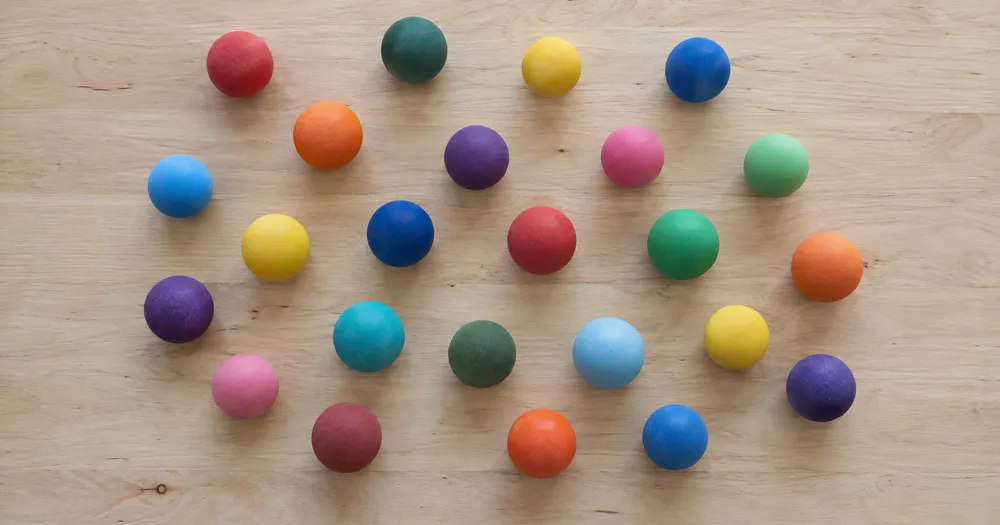
Zählen Sie Bälle in einem Eimer oder einer Tüte anhand eines Fotos
Funktioniert mit JPG, PNG, WEBP · Kostenlos bis 20 MB, Premium 50 MB
Verteilen Sie die Bälle so, dass sie möglichst wenig überlappen — eine Lage ist ideal — und fotografieren Sie sie von oben bei gleichmäßigem Licht. Entwickelt für Clubs, Bereiche, Geschäfte und Sammler — prüfen und korrigieren Sie jedes Foto, bevor Sie es einer CSV- oder PDF-Zählung hinzufügen.
- Prüfen Sie das Foto und zählen Sie dann sichtbare Bälle
- Upload a photo and get an automatic count
- Review the markers to catch balls counted twice or missed
- Kostenlos nutzbar · Keine Registrierung erforderlich · Ohne Wasserzeichen
Bild hochladen
Tipps für eine genaue Zählung
• Verwenden Sie ein gleichmäßig und gut beleuchtetes Foto, auf dem das Bälle vollständig im Bild ist
• Keep your balls visible and avoid overlapping items
• Punkte und Heatmap zeigen beibehaltene Erkennungen – überprüfen und korrigieren Sie die Zählung
Über den Zähler für Bälle
The balls counter counts visible balls from your photo and marks detections for review. Counting starts automatically once the photo and item are ready. Visibility, overlap and similar-looking items can affect the total. Built for clubs, ranges, shops and collectors.
So funktioniert's
1. Fotografieren Sie Ihre Bälle
2. Upload your photo to count balls automatically
3. Review the markers and correct the tally if needed
4. Zur Zählliste hinzufügen und Ihre Zählung als CSV exportieren
Perfekt für
• Die Ausrüstung zählt nach jeder Trainingseinheit
• Überprüfung des Clubbestands zu Saisonbeginn und -ende
• Kontrolle von Ladenbestand und Retouren
• Aufzeichnung von Verlusten über einen Zeitraum oder eine Saison hinweg
Häufig gestellte Fragen
- Funktioniert es bei einem losen Haufen?
- Es kann nur die sichtbare Ebene markieren. Verteilen Sie die Elemente eine Ebene tief, markieren Sie ein klares Beispiel und überprüfen und korrigieren Sie die Ergebnismarkierungen. Behandeln Sie die Zählung der sichtbaren Fläche auf einem großen Stapel als Schätzung und verwenden Sie zwischen den Kontrollen denselben Rahmen.
- Was geschieht, wenn das Foto mehr als nur Bälle enthält?
- The counter automatically looks for balls in your photo. Similar-looking distractors can still affect the result, so review every marker before using the total.
- Kann ich mehrere Fotos zu einer Gesamtsumme zusammenzählen?
- Yes — count each photo and add every reviewed result to the tally sheet as a labelled row. Export the tally as CSV or a PDF report, or save it to your account.
- Ist es kostenlos und privat?
- Ja. Sie können ohne Konto zählen, das Ergebnis prüfen und kostenlos herunterladen. Die Downloads sind ohne Wasserzeichen; eine Registrierung ist nicht erforderlich. Auf dem Server verarbeitete Fotos werden bei der Übertragung verschlüsselt und gemäß unserer Sicherheitsrichtlinie entfernt.
Das können Sie mit Objektzähler machen
Überprüfen Sie die Hauptfunktionen, bevor Sie beginnen.
- Zählen Sie Objekte auf einem Foto, anstatt sie manuell zu zählen
- Münzen, Tabletten, Zellen, Teile und Perlen zählen
- Markieren Sie optional ein Beispiel, um auf ein bestimmtes Element abzuzielen
- Überprüfen Sie die gezählten Erkennungen mit Overlay-Markierungen
- Eine Massenprüfung über viele Fotos hinweg durchführen
- Empfindlichkeit fein einstellen, um winzige Punkte zu ignorieren
Referenz zu den Einstellungen
15 Einstellungen
Verfügbare Steuerelemente für Objektzähler.
Hochladen
- Einzelfoto / MassenauswertungVoreinstellungen
- Wählen Sie eine Einzelfotozählung oder eine Premium-Massenprüfung. Überprüfen Sie jedes Ergebnis.Optionen: Einzelnes FotoSammelprüfung
Anzahl
- Inklusive MarkerSchiebereglerBereich: 0–1 · Standard: 0.21
- Startet bei 21 %. Schieben Sie den Regler in Richtung „Mehr anzeigen“, um schwächere Markierungen einzubeziehen, oder zu „Nur die stärksten“, um sie auszublenden.
- ÜberlagerungsstilVoreinstellungen
- Wählen Sie Punkte, eine Heatmap, beides oder eine saubere Vorschau.Optionen: BeidePunkteWärmeKeine
- Was gezählt werden sollTexteingabe
- Enter the item to count, then press Enter or leave the field to start automatically. Review every result marker.
Erweitert
- Ergebnis-OverlayRunterfallen
- Choose how count markers appear in the on-screen preview; the download keeps its own markers.Optionen: Punkte + HeatmapNur PunkteNur Heatmap
Strichliste
- Zur Zählliste hinzufügenEin Klick
- Add this count to the tally sheet under the name of the object that was counted. Signed-in accounts add finished counts automatically unless that is turned off under Account settings; in bulk mode every photo also has its own Add to tally button.
- BeschriftungTexteingabe
- Rename a tally row. Edits and removals wait until you choose Save changes, so you can fix several rows at once.
- AnzahlZahleneingabe
- Correct a row's count; totals, the chart and exports follow once the change is saved.
- Save changesEin Klick
- Apply every edited or removed tally row in one step, or choose Discard changes to leave the sheet as it was.
Chart
- By objectVoreinstellungen
- The chart is the same in every counting tool and covers the tallies of all of them. By object draws a separate line chart for each tally name, such as pipes and people. By tool draws a chart for each counting tool.Optionen: By objectBy tool
- ZeitraumVoreinstellungen
- Choose how far back the chart looks. Days without a count appear as zero.Optionen: 7 days30 days90 days12 months
History
- Counting setupGalerie
- Keep comparable counts together. A first setup is created for you, so the first count can be saved straight away.
- Observed atTexteingabe
- The date and time of the count, shown as a date and a time field.
- NotenTexteingabe
- Starts with every detected object and its count, one per line, such as Pipes - 11. Edit it before saving.
- Save countEin Klick
- Save the count to your account history. Open a saved count later to correct it or download its source photo.
Verwandte Tools für Objektzähler
Tools für allgemeine nächste Schritte nach Objektzähler.

Zählen & Inventar
Live-Objektzähler
Richten Sie Ihr Telefon auf getrennte, vollständig sichtbare Objekte und überprüfen Sie die Detektormarkierungen, während die Zählung in Echtzeit aktualisiert wird.
Jetzt ausprobieren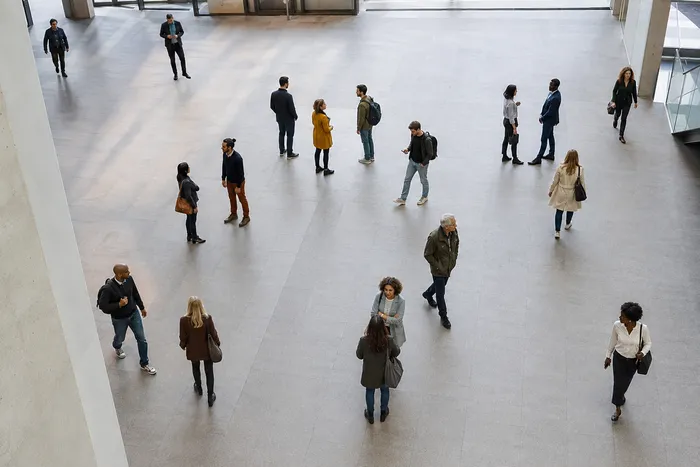
Zählen & Inventar
Personenzähler
Schätzen Sie, wie viele Personen auf einem Foto zu sehen sind. Prüfen Sie die Markierungen und verifizieren Sie die Anzahl vor der offiziellen Verwendung.
Jetzt ausprobieren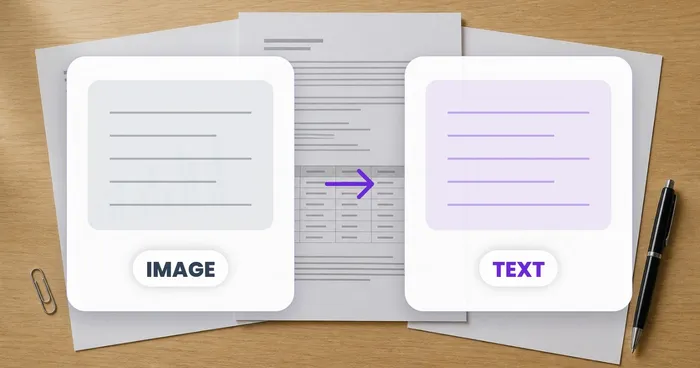
OCR und Datenextraktion
Bild zu Text (OCR)
Extrahieren Sie bearbeitbaren Text aus einem Screenshot, Foto oder Scan in über 30 unterstützten Sprachen.
Jetzt ausprobierenWie Objektzähler dir hilft, es zu erledigen
Es löst jeden Tag echte Probleme – für Unternehmen, Kreative und alltägliche Aufgaben. Finden Sie den für Sie passenden Anwendungsfall und starten Sie.
Überprüfte Lagerzykluszählungen
Nutzen Sie die „Sammelprüfung“, um den Modus „Einzelne Objekte“ auf jedes Regalfoto in der Warteschlange anzuwenden, prüfen Sie jedes Ergebnis und korrigieren Sie die Zählung pro Regal, bevor Sie eine Inventurzählung exportieren.
Kleinteile-Inventar für Bastler und Etsy-Verkäufer
Markieren Sie die gewünschte Perle, Schraube oder das gewünschte Bauteil in der Einstellung „Beispiele“ – 1–3 Beispiele, eines pro Teiletyp – und starten Sie dann die Zählung. Prüfen Sie die passenden Markierungen auf Fehler im Hintergrund und übernehmen Sie das korrigierte Ergebnis in die Strichliste.
Bestandszählung für Klassenzimmer & Labormaterial
Erstellen Sie einen KI-gestützten Entwurf von Würfeln, Spielsteinen, Reagenzgläsern oder Laborkits und überprüfen und korrigieren Sie dann die Markierungen, bevor Sie eine Nachbestellungsliste exportieren.
Teilbare Inventurberichte für Teams
Speichern Sie eine abgeschlossene Inventur in Ihrem Konto, erstellen Sie einen gebrandeten PDF-Bericht und teilen Sie einen schreibgeschützten Link, damit Manager oder Teammitglieder die Zählung überprüfen können, ohne etwas erneut hochladen zu müssen.
QC-Stichzählungen im Stapel für verpackte Fertigwaren
Starten Sie den Modus „Ähnliche Objekte“, nachdem Sie in der Einstellung „Beispiele“ 1–3 Beispieleinheiten markiert haben – eine pro Verpackungsart im Bild. Prüfen Sie jede Markierung und korrigieren Sie übersehene oder doppelte Treffer vor dem Versand.
Hobby-Sammlungszählungen für LEGO, Sammelkarten & Modelle
Markieren Sie in der Einstellung „Beispiele“ 1–3 Beispielteile – eines pro Teiletyp, den Sie zählen – und starten Sie dann die Zählung. Prüfen Sie die Ergebnismarkierungen und korrigieren Sie die Zählung, statt manuell bei null anzufangen.
Anleitungen für dieses Werkzeug
- A Shelf Can Look Full While the Products Customers Want Run LowA full-looking shelf can hide gaps in the products people want. Explore Pixoate visible-object counts and the context needed for a useful stock review.
- How to Count Shop Inventory from Shelf PhotosCount visible shelf stock, review object markers and export a tally. Learn how to handle hidden items, mixed products and inventory discrepancies.
Sehen Sie, wie jede Verwandlung gelingt
Jedes Foto überquert den Schrägstrich unbearbeitet und kommt auf der anderen Seite fertig heraus.























