Kledingkasten ontwerpen met AI
Gegenereerde uitvoer kan variëren; controleer het volledige resultaat vóór publicatie
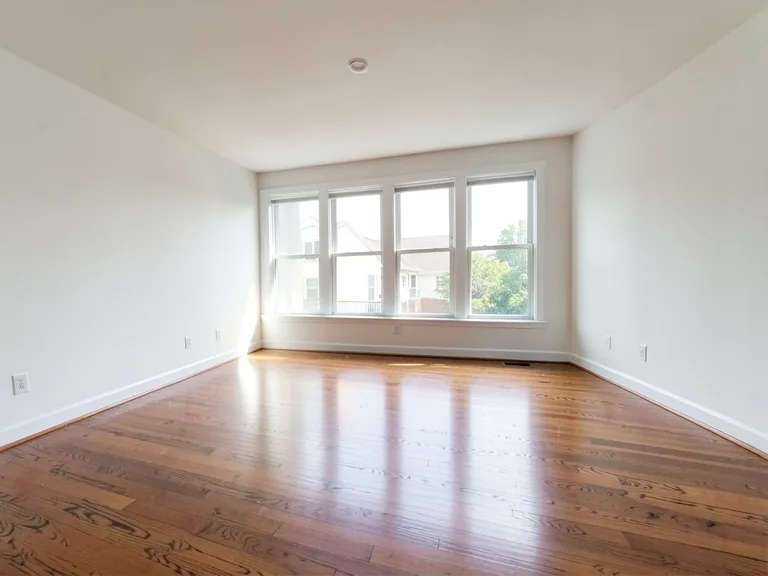
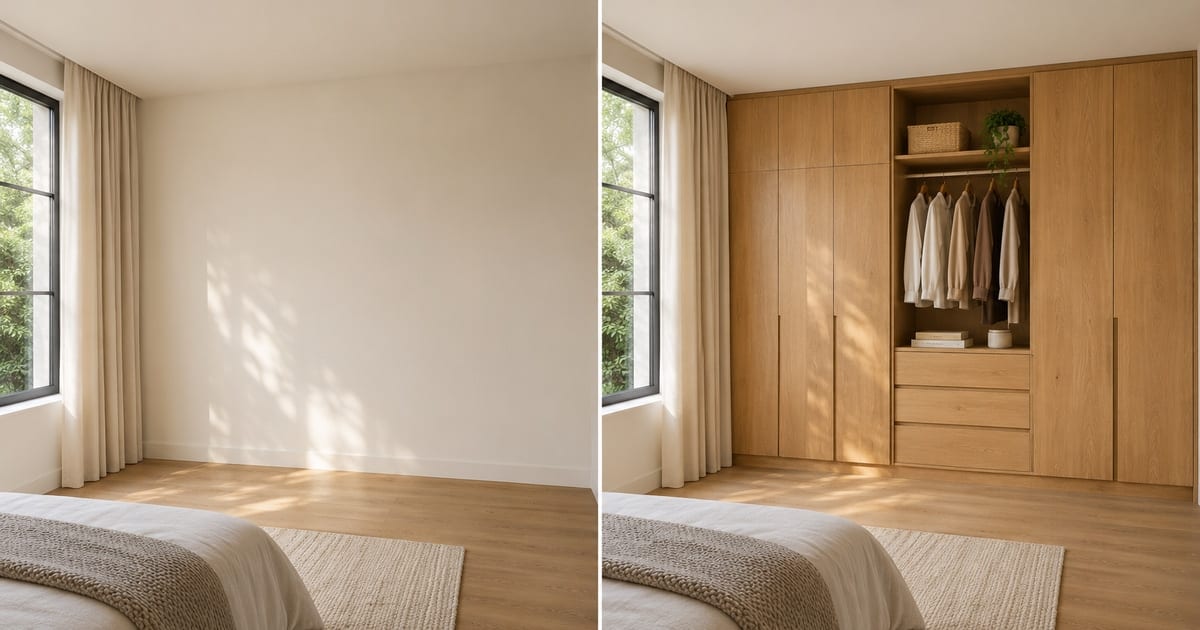
A wardrobe is usually the largest piece of storage a household ever buys, and it is usually chosen from a showroom sample or a catalog render of somebody else's bedroom. This designer places a wardrobe on a photo of your own room: floor-to-ceiling built-ins, sliding doors for a tight space, a walk-in closet, or a corner unit. Change the finish, add mirror doors, LED lighting or loft storage with one tap, and see whether the design suits the wall before a carpenter takes a measurement.
- Prepared Wardrobe Designer AI direction
- Aanpasbare prompt
- Controle van het volledige resultaat vereist
Choose a source image for Wardrobe Designer AI
JPG, PNG, WebP, HEIC en andere ondersteunde formaten. Voor deze tool geldt: Free tot 20 MB, Premium en hogere abonnementen tot 50 MB.
Instellen voor Kledingkasten ontwerpen met AI
Voorbereide instellingen
- Uitgangspunt
- Upload één bronafbeelding
- De pagina opent meteen in de juiste bewerkingsmodus; je hoeft alleen nog te uploaden.
- Voorbereide werkstroom
- Prepared Wardrobe Designer AI staging direction
- Wardrobe Designer AI opens with the Wardrobe Designer AI direction preselected, so there is no need to find the operation manually.
- Uitvoerformaat
- Hetzelfde als je upload
- Het resultaat behoudt de beeldverhouding van de afbeelding die je uploadt.
- Beoordelingsregel
- Controleer het volledige gegenereerde resultaat vóór gebruik
- Gegenereerde beelden kunnen variëren; de gebruiker keurt het eindresultaat goed vóór het downloaden.
Best passende toepassingen
- Compare sliding-door and hinged-door wardrobes on one wall
- Show a carpenter or interior designer the look you want
- Decide between a walk-in closet and a built-in before ordering
Veelgestelde vragen
- Can I use this picture to order the wardrobe?
- Use it to settle the design: the style, finish, door type and what goes inside. It is a concept at plausible scale, not a measured drawing. Hand it to your carpenter or supplier as the look you want, and let them measure the wall, check the door swing and confirm the real dimensions.
- Which wardrobe suits a small room?
- Sliding doors save the swing space a hinged door needs, and floor-to-ceiling units use height instead of floor area. Try both on the same photo and look at how much floor remains in each version, which is the number that matters in a small room.
- Can I add mirror doors, lights and a dressing table?
- Yes. The "Add to your result" buttons include mirror doors, LED strip lighting, a shoe rack, drawers, loft storage and a dressing table. Combine as many as you like and add your own wording in the custom instructions box.
- What should the photo show?
- The whole wall where the wardrobe will go, floor to ceiling, shot from a few steps back and held level. Clear the wall of boxes and hanging clothes so the AI places the design on bare wall rather than around clutter.
Wat u kunt doen met Staging van AI-kamers
Bekijk de belangrijkste mogelijkheden voordat u begint.
- Plan automatisch de plaatsing van meubels in de hele kamer
- Restyle woonkamers, slaapkamers, kantoren en eetkamers
- Behoud vaste architectuur en cameraperspectief
- Proceseigenschappensets in Premium batchmodus
Referentie instellingen
5 instellingen
Beschikbare besturingselementen voor Staging van AI-kamers.
Werkproces
- Enkele afbeelding of batchafbeeldingenVoorinstellingen
- Verwerk één afbeelding of gebruik Premium Batch-afbeeldingen om hetzelfde automatische recept op een set toe te passen en één ZIP te downloaden.Opties: Enkele afbeeldingBatch-afbeeldingen
Stijlen
- Preset met één tikVoorinstellingen
- Kies met één tik een kant-en-klare richting; generatie gebruikt automatisch de geselecteerde preset.Opties: Moderne woonkamerScandinavischLuxe interieurThuiskantoorSlaapkamerEetkamerBohemienIndustrieelMid-century modernLandelijkKustKinderkamer
- Aangepaste instructies (optioneel)Tekstinvoer
- Beschrijf the requested change, relevant materials, lighting, perspective, and details that must remain unchanged.
Selectie
- Selectie penseelgrootteSchuifregelaarBereik: 4–160px · Standaard: 32px
- Automatische selectie is de standaardinstelling. Open Gebied handmatig verfijnen en stel deze penseelbreedte alleen in als de afbeelding een strakkere bewerkingsgrens nodig heeft.
Uitvoer
- Vraag AI om de identiteit van het onderwerp en productdetails te behoudenAan / Uit
- Voegt een expliciete instructie toe om het hoofdonderwerp, de vorm, de branding, de labels en de leesbare tekst te behouden, tenzij het verzoek deze wijzigt.
Gerelateerde tools voor Kledingkasten ontwerpen met AI
Hulpmiddelen voor algemene volgende stappen na Kledingkasten ontwerpen met AI.
Optie – Virtual Staging & Property
AI onroerend goed foto-editor
Bewerk vastgoedfoto's met AI: voeg meubels of een tv toe, verf muren, verwijder rommel, vervang de lucht, verbeter de tuin en maak schemeropnamen van de buitenkant.
Probeer het nu
Optie – Virtual Staging & Property
virtuele inrichting met AI
Richt lege kamers virtueel in met AI-meubels voor vastgoedadvertenties. Maak concepten voor woonkamers, slaapkamers, kantoren, eetruimtes en luxe interieurs.
Probeer het nu
Fotoverbetering
AI Fotoverbeteraar
Pas ruis, scherpte, kleur en schaal aan in één verbeteringsworkflow en vergelijk het resultaat vervolgens met het origineel.
Probeer het nuHandleidingen voor dit hulpmiddel
- How to Create Furnishing Proposals for Interior Design Clients with AICreate AI furnishing proposals for interior design clients with Pixoate. Compare room concepts and assemble clear presentation PDFs for discussion.
- Beautifully Staged, Believably Sized: Why Virtual Furniture Must Fit the RoomVirtual furniture needs believable proportions. Explore room-scale reviews and Pixoate comparisons that keep attractive staging concepts grounded in reality.
Bekijk each transformation land
Every foto crosses the slash untouched and comes out the other side finished.