

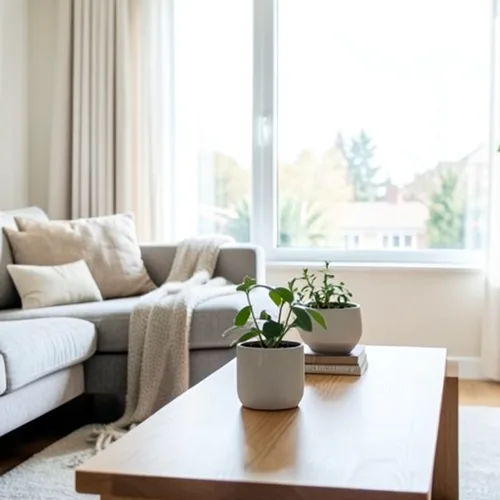
The same source image before and after applying Ruchomy obraz 3D.
Ruchomy obraz 3D photo effect applied to the same source image
Original source image before the Ruchomy obraz 3D photo effect

Wigglegram Filtr zdjęć 3D online

Create a clean eight-frame depth loop where nearer and farther parts move by different amounts. Control the strength, compare the result, and download a finished image from your browser.

Prześlij zdjęcie dla efektu Ruchomy obraz 3D

Co można zrobić z efektem Ruchomy obraz 3D

Zanim zaczniesz, przejrzyj dostępne możliwości efektów.

  • Apply the Ruchomy obraz 3D effect to any photo
  • Fine-tune the effect strength to taste
  • Preview your photo live as you edit
  • Download your edited photo in high quality
  • Apply Ruchomy obraz 3D to many photos at once

Jak to działa

Wigglegram 3D estimates which parts of your photo are nearer or farther and keeps one plane near the center of the composition steady. Eight frames then move nearer and farther surfaces sideways by different amounts in a smooth back-and-forth rhythm; intensity changes how far they really move instead of fading a still copy over every frame. Nearer surfaces stay in front where things overlap, edges stay clean, and the narrow gaps that open beside foreground objects are filled by continuing the background behind them. At full strength, movement is capped at 2% of the image width and fades to nothing at the side edges. The unchanged center view appears twice so the loop plays seamlessly, and image and transparency move together in a lossless animated WebP. Very large photos are scaled down proportionally to 1.75 megapixels so all eight lossless frames stay small enough to download.


Przetwarzanie

Ruchomy obraz 3D wykorzystuje akcję AI. Każdy oddzielny dodatek jest pokazywany przed rozpoczęciem przetwarzania tego efektu.

Najlepsze dla

wyśrodkowane portrety, zwierzęta, produkty, martwe natury, wnętrza, architektura i sceny z wyraźnym rozdzieleniem pierwszego, środkowego i dalszego planu.

Mniej pasuje do: płaskie sceny, obiekty poza środkiem, bardzo drobne włosy lub roślinność, przedmioty przezroczyste lub odblaskowe, ruchome zdjęcia źródłowe oraz duże zmiany punktu widzenia, które wymagałyby powierzchni ukrytych na oryginalnej fotografii.

Sposoby użycia Ruchomy obraz 3D

    Pytania Ruchomy obraz 3D

    Co to jest wigglegram?
    Obraz stereofoniczny pokazany jako szybka zmiana między dwoma lub większą liczbą punktów widzenia zamiast przez okulary. Sam ruch przekazuje głębię, dlatego działa na każdym ekranie bez specjalnego wyposażenia.
    Co składa się na dobry wigglegram?
    Place the main subject near the centre and include recognisable detail both in front of and behind it. The central depth stays most stable while other layers move relative to it. One photo cannot reveal surfaces hidden from the camera, so the tool limits motion and continues only the farther visible background across narrow gaps; complex hair, glass, reflections, and wide separations can still reveal imperfect edges. Lower the intensity when that happens.

    Więcej efektów Głębokość i wymiar

    Inteligentna zmiana ostrości

    Głębokość i wymiarZaawansowana AI

    Zachowaj ostrość jednego automatycznie wykrytego głównego obiektu dzięki czystemu rozmyciu tła zależnemu od głębi

    Otwórz stronę

    Diorama z efektem tilt-shift

    Głębokość i wymiarZaawansowana AI

    Zmień ulice i krajobrazy sfotografowane z góry w miniaturowe sceny dzięki czystemu pasowi ostrości wspomaganemu głębią

    Otwórz stronę

    Anaglif głębi 3D

    Głębokość i wymiarZaawansowana AI

    Create a comfortable red-cyan 3D view for standard glasses from the estimated depth of your photo

    Otwórz stronę

    Załamanie kryształu

    Głębokość i wymiarZaawansowana AI

    Refract only the background through bounded crystal facets while keeping the detected subject fixed

    Otwórz stronę

    Plakat z wycięciem paralaksy

    Głębokość i wymiarZaawansowana AI

    Utwórz pięć szerokich płaszczyzn papieru wyrównanych ze źródłem, bez powielania osób ani obiektów

    Otwórz stronę

    Topograficzne linie głębi

    Głębokość i wymiarZaawansowana AI

    Trace 18 clean depth contour bands over your photo without moving people or objects

    Otwórz stronę

    Diorama papierowej głębi

    Głębokość i wymiarZaawansowana AI

    Style the frame as up to seven layered paper sheets without duplicating people or objects

    Otwórz stronę

    Atmosferyczna mgła głębinowa

    Głębokość i wymiarZaawansowana AI

    Add soft atmospheric haze that grows with the estimated distance in your photo

    Otwórz stronę

    Separacja tonu blisko–daleko

    Głębokość i wymiarZaawansowana AI

    Apply cool-far and warm-near color grading from the estimated depth of your photo

    Otwórz stronę

    Świat Lensballa

    Głębokość i wymiar

    Skompresuj i odwróć scenę wewnątrz ograniczonej szklanej kuli, pozostawiając każdy piksel na zewnątrz bez zmian

    Otwórz stronę

    Druk głębi lentikularnej

    Głębokość i wymiarZaawansowana AI

    Interlace depth-shifted strips only across the background while keeping the detected subject fixed

    Otwórz stronę

    Zobacz wyróżnione efekty w ruchu

    Najmocniejsze propozycje efektów są wyświetlane na początku tego pasa, przed resztą katalogu.




























