

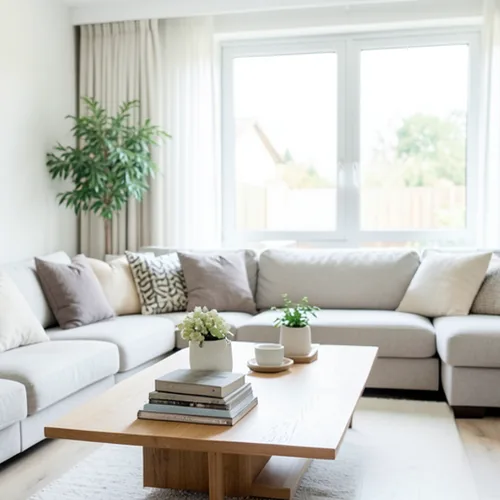
The same source image before and after applying Anaglyphe 3D de profondeur.
Anaglyphe 3D de profondeur photo effect applied to the same source image
Original source image before the Anaglyphe 3D de profondeur photo effect

Filtre photo 3D anaglyphe de profondeur en ligne

Create a comfortable red-cyan 3D view for standard glasses from the estimated depth of your photo. Control the strength, compare the result, and download a finished image from your browser.

Téléversez une photo pour l'effet Anaglyphe 3D de profondeur

Que pouvez-vous faire avec l'effet Anaglyphe 3D de profondeur

Passez en revue les capacités d’effets disponibles avant de commencer.

  • Apply the Anaglyphe 3D de profondeur effect to any photo
  • Fine-tune the effect strength to taste
  • Preview your photo live as you edit
  • Download your edited photo in high quality
  • Apply Anaglyphe 3D de profondeur to many photos at once

Comment ça marche

Depth Anaglyph 3D estimates which parts of your photo are nearer or farther, builds slightly shifted left-eye and right-eye views from that depth, and combines them into one red-cyan image tuned to reduce ghosting through standard 3D glasses. The intensity control changes the real 3D separation instead of fading a ghosted copy over the image. At full strength, nearer surfaces shift by at most 1% and farther surfaces by at most 2% of the image width, and a narrow strip along the frame edges stays flat so nothing is doubled or clipped at the border. Framing and transparency stay the same, and the result is a lossless PNG.


Traitement

Anaglyphe 3D de profondeur utilise une action IA. Toute allocation distincte est affichée avant le début du traitement de cet effet.

Idéal pour

les intérieurs à plusieurs plans, les natures mortes, l’architecture, les paysages, les contenus scientifiques ou muséaux, les pochettes d’album et les images destinées aux lunettes 3D rouge-cyan standard.

Moins adapté à : les scènes planes, les surfaces transparentes ou réfléchissantes, les cheveux et le feuillage sur des arrière-plans de couleur similaire, les objets coupés par le bord de l’image et tout usage qui doit paraître normal sans lunettes, car les franges colorées sont volontaires.

Façons d'utiliser Anaglyphe 3D de profondeur

    questions sur Anaglyphe 3D de profondeur

    Ai-je besoin de lunettes 3D pour voir l’effet ?
    Oui, pour percevoir la profondeur stéréoscopique : utilisez des lunettes standard avec le filtre rouge devant l’œil gauche et le filtre cyan devant l’œil droit. Sans lunettes, le résultat conserve volontairement un rendu graphique rouge-cyan au lieu de restituer une photo aux couleurs normales.
    Le résultat est-il identique à une véritable photographie stéréoscopique prise avec deux appareils ?
    No. One photograph contains no view of surfaces hidden behind foreground objects. Estimating depth and shifting the picture sideways within strict limits creates a convincing stereo pair, but the edges where one object hides another, glass, reflections, hair, and foliage can remain imperfect. The 1% near and 2% far limits keep the 3D depth from becoming excessive; viewing comfort still depends on display size, distance, glasses, and the viewer, so lower the intensity or stop viewing if it feels uncomfortable.

    Plus d'effets Profondeur et dimension

    Refocalisation intelligente

    Profondeur et dimensionIA avancée

    Gardez net un sujet principal détecté automatiquement grâce à un flou d’arrière-plan propre tenant compte de la profondeur

    Ouvrir la page

    Diorama à bascule et décentrement

    Profondeur et dimensionIA avancée

    Transformez des rues et paysages vus en plongée en scènes miniatures grâce à une bande nette et précise assistée par la profondeur

    Ouvrir la page

    Effet wigglegram 3D

    Profondeur et dimensionIA avancée

    Create a clean eight-frame depth loop where nearer and farther parts move by different amounts

    Ouvrir la page

    Réfraction cristalline

    Profondeur et dimensionIA avancée

    Refract only the background through bounded crystal facets while keeping the detected subject fixed

    Ouvrir la page

    Affiche détourée à parallaxe

    Profondeur et dimensionIA avancée

    Créez cinq grands plans de papier alignés sur l’image source sans dupliquer les personnes ni les objets

    Ouvrir la page

    Lignes topographiques de profondeur

    Profondeur et dimensionIA avancée

    Trace 18 clean depth contour bands over your photo without moving people or objects

    Ouvrir la page

    Diorama en papier avec profondeur

    Profondeur et dimensionIA avancée

    Style the frame as up to seven layered paper sheets without duplicating people or objects

    Ouvrir la page

    Brouillard atmosphérique de profondeur

    Profondeur et dimensionIA avancée

    Add soft atmospheric haze that grows with the estimated distance in your photo

    Ouvrir la page

    Virage partiel proche–lointain

    Profondeur et dimensionIA avancée

    Apply cool-far and warm-near color grading from the estimated depth of your photo

    Ouvrir la page

    Monde de Lensball

    Profondeur et dimension

    Compressez et inversez la scène dans une sphère de verre délimitée, tout en gardant chaque pixel extérieur inchangé

    Ouvrir la page

    Tirage lenticulaire avec profondeur

    Profondeur et dimensionIA avancée

    Interlace depth-shifted strips only across the background while keeping the detected subject fixed

    Ouvrir la page

    Découvrez les effets vedettes en mouvement

    Les sélections d’effets les plus marquantes ouvrent ce bandeau avant le reste du catalogue.




























