

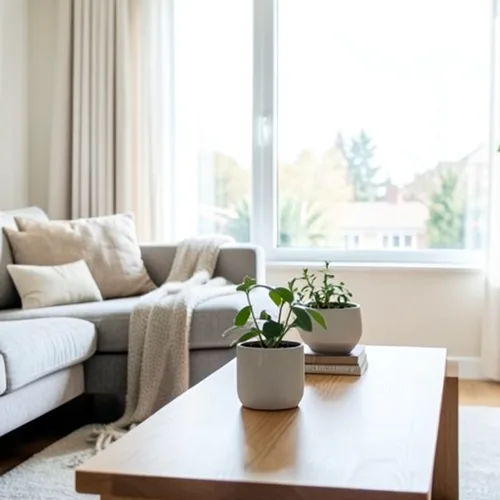
The same source image before and after applying Effet wigglegram 3D.
Effet wigglegram 3D photo effect applied to the same source image
Original source image before the Effet wigglegram 3D photo effect

Filtre photo 3D Wigglegram en ligne

Create a clean eight-frame depth loop where nearer and farther parts move by different amounts. Control the strength, compare the result, and download a finished image from your browser.

Téléversez une photo pour l'effet Effet wigglegram 3D

Que pouvez-vous faire avec l'effet Effet wigglegram 3D

Passez en revue les capacités d’effets disponibles avant de commencer.

  • Apply the Effet wigglegram 3D effect to any photo
  • Fine-tune the effect strength to taste
  • Preview your photo live as you edit
  • Download your edited photo in high quality
  • Apply Effet wigglegram 3D to many photos at once

Comment ça marche

Wigglegram 3D estimates which parts of your photo are nearer or farther and keeps one plane near the center of the composition steady. Eight frames then move nearer and farther surfaces sideways by different amounts in a smooth back-and-forth rhythm; intensity changes how far they really move instead of fading a still copy over every frame. Nearer surfaces stay in front where things overlap, edges stay clean, and the narrow gaps that open beside foreground objects are filled by continuing the background behind them. At full strength, movement is capped at 2% of the image width and fades to nothing at the side edges. The unchanged center view appears twice so the loop plays seamlessly, and image and transparency move together in a lossless animated WebP. Very large photos are scaled down proportionally to 1.75 megapixels so all eight lossless frames stay small enough to download.


Traitement

Effet wigglegram 3D utilise une action IA. Toute allocation distincte est affichée avant le début du traitement de cet effet.

Idéal pour

les portraits centrés, les animaux, les produits, les natures mortes, les intérieurs, l’architecture et les scènes présentant une séparation nette entre le premier plan, le plan intermédiaire et l’arrière-plan.

Moins adapté à : les scènes planes, les sujets décentrés, les cheveux ou feuillages très fins, les objets transparents ou réfléchissants, les photos sources en mouvement et les changements importants de point de vue qui nécessiteraient des surfaces cachées dans la photo d’origine.

Façons d'utiliser Effet wigglegram 3D

    questions sur Effet wigglegram 3D

    Qu'est-ce qu'un wigglegramme ?
    Image stéréo présentée comme une alternance rapide entre deux ou plusieurs points de vue plutôt qu'à travers des lunettes. Le mouvement lui-même transmet de la profondeur, c'est pourquoi il fonctionne sur n'importe quel écran sans équipement spécial.
    Qu’est-ce qui fait un bon wigglegram ?
    Place the main subject near the centre and include recognisable detail both in front of and behind it. The central depth stays most stable while other layers move relative to it. One photo cannot reveal surfaces hidden from the camera, so the tool limits motion and continues only the farther visible background across narrow gaps; complex hair, glass, reflections, and wide separations can still reveal imperfect edges. Lower the intensity when that happens.

    Plus d'effets Profondeur et dimension

    Refocalisation intelligente

    Profondeur et dimensionIA avancée

    Gardez net un sujet principal détecté automatiquement grâce à un flou d’arrière-plan propre tenant compte de la profondeur

    Ouvrir la page

    Diorama à bascule et décentrement

    Profondeur et dimensionIA avancée

    Transformez des rues et paysages vus en plongée en scènes miniatures grâce à une bande nette et précise assistée par la profondeur

    Ouvrir la page

    Anaglyphe 3D de profondeur

    Profondeur et dimensionIA avancée

    Create a comfortable red-cyan 3D view for standard glasses from the estimated depth of your photo

    Ouvrir la page

    Réfraction cristalline

    Profondeur et dimensionIA avancée

    Refract only the background through bounded crystal facets while keeping the detected subject fixed

    Ouvrir la page

    Affiche détourée à parallaxe

    Profondeur et dimensionIA avancée

    Créez cinq grands plans de papier alignés sur l’image source sans dupliquer les personnes ni les objets

    Ouvrir la page

    Lignes topographiques de profondeur

    Profondeur et dimensionIA avancée

    Trace 18 clean depth contour bands over your photo without moving people or objects

    Ouvrir la page

    Diorama en papier avec profondeur

    Profondeur et dimensionIA avancée

    Style the frame as up to seven layered paper sheets without duplicating people or objects

    Ouvrir la page

    Brouillard atmosphérique de profondeur

    Profondeur et dimensionIA avancée

    Add soft atmospheric haze that grows with the estimated distance in your photo

    Ouvrir la page

    Virage partiel proche–lointain

    Profondeur et dimensionIA avancée

    Apply cool-far and warm-near color grading from the estimated depth of your photo

    Ouvrir la page

    Monde de Lensball

    Profondeur et dimension

    Compressez et inversez la scène dans une sphère de verre délimitée, tout en gardant chaque pixel extérieur inchangé

    Ouvrir la page

    Tirage lenticulaire avec profondeur

    Profondeur et dimensionIA avancée

    Interlace depth-shifted strips only across the background while keeping the detected subject fixed

    Ouvrir la page

    Découvrez les effets vedettes en mouvement

    Les sélections d’effets les plus marquantes ouvrent ce bandeau avant le reste du catalogue.




























