
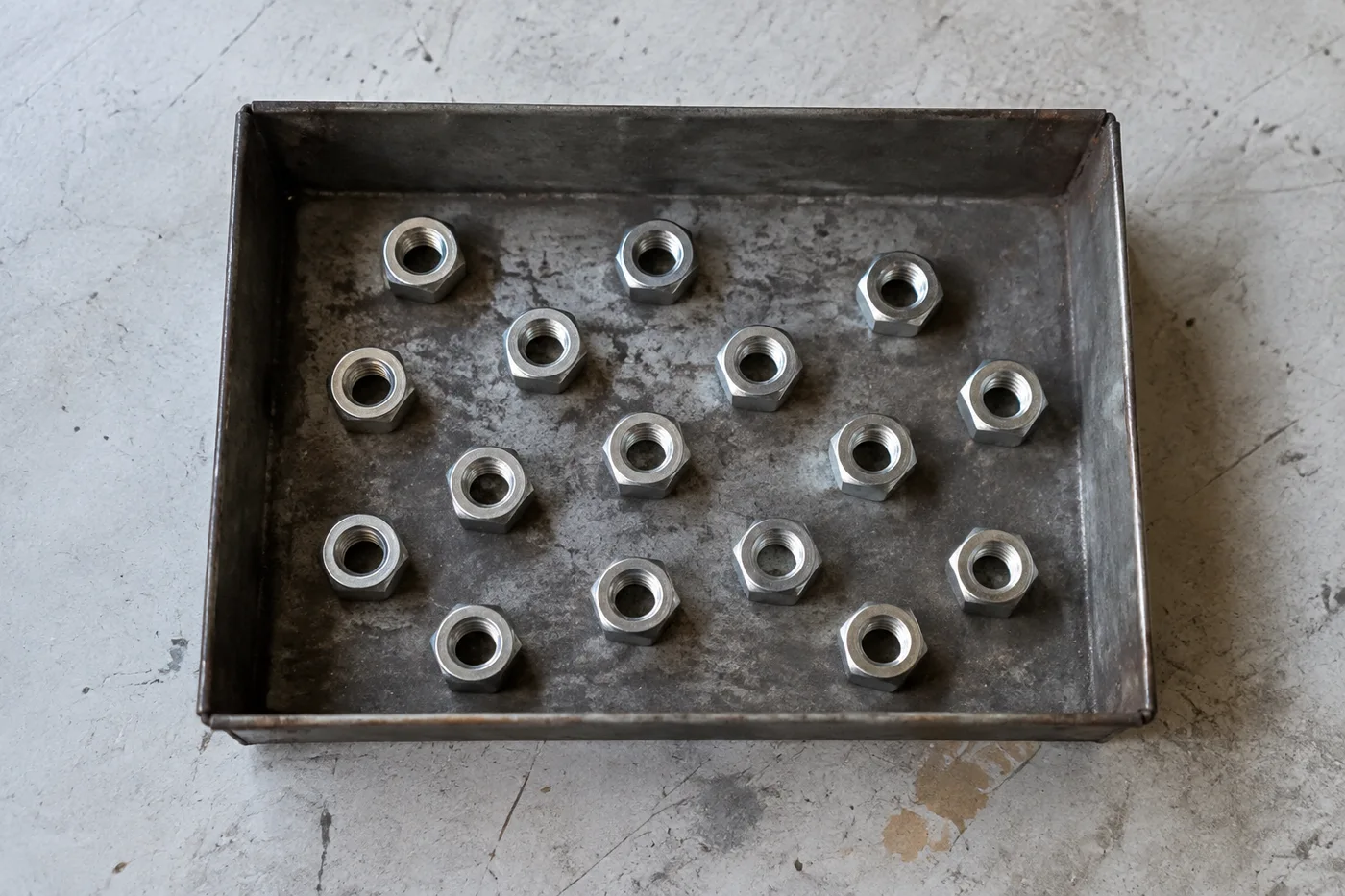
Count Objects in Image — AI Object Counter from a Photo
Works with JPG, PNG, WEBP
Counting a shelf, tray or pallet by hand means losing your place and starting over. Upload the photo, choose Count, and check every marker before you trust the total.
- Upload a photo, choose what to count, then review the markers
- Review or edit the AI-selected reference for difficult photos
- Review the markers to catch items counted twice or missed
- Review each counted detection directly on the marked result
Works with JPG, PNG, WEBP
Drop a photo, then choose Count and review the result markers
Tips for an accurate count
• Use an even, top-down photo with the items fully in frame
• If a dashed AI reference appears, check that it selected a whole item rather than a repeated part
• Dots and heatmap show retained detections — review and correct the tally
About the Object Counter
The object counter uses the selected item name to count visible objects and marks detections for review. Example boxes are optional in Auto mode. For a guided recount, mark up to three complete items. Mixed categories and part-versus-whole scenes can have more than one valid interpretation, so check all result markers before using the total for inventory or quality-control work.
How It Works
1. Upload a photo of your items
2. Review your settings and choose Count; AI selects a compatible counting route
3. Review the dots, heatmap and any dashed reference; correct the tally as needed
4. Add to the tally sheet and export your stock-take as CSV
Perfect For
• Retail stock: packets, boxes and bottles
• Coins, beads, pills, seeds, screws and parts
• Inventory and stock counts
• Lab and quality-control counting
Purpose-built counters by industry
The same AI engine, tuned page-by-page for the things businesses count every day.
Bottle Counter
For shops, bars, beverage distributors and stockrooms
Box & Carton Counter
For warehouses, wholesalers and goods-in teams
Pill Counter
For pharmacies, clinics and care homes
Brick Counter
For builders, site managers and building-material suppliers
Rebar & Rod Counter
For construction sites, steel yards and fabricators
Log Counter
For timber yards, sawmills and forestry teams
Fruit Counter
For farms, packhouses and produce wholesalers
Egg Counter
For poultry farms, hatcheries and food producers
Coin Counter
For shops, collectors and cash offices
Pallet Counter
For warehouses, hauliers and logistics yards
Livestock Counter
For farms, ranches and livestock markets
AI Inventory Counter
For shops, warehouses, pharmacies and distributors
How do I count objects in a photo?
Upload a clear, top-down photo with every item in frame, choose what to count, and press Count. Each counted item gets a marker you can review; for mixed or tricky items, mark one to three examples so only matching items are counted. Add the total to the tally sheet and export it as CSV.
| Counting modes | Auto (name the item), Similar items (match one to three marked examples), Distinct objects (label each object in a mixed scene) |
|---|---|
| Photo formats | JPG, PNG and WebP |
| What you see | Dots and a heatmap on every counted item, plus a running tally sheet |
| Exports | CSV tally sheet free; branded PDF stock-take report with Premium |
| Many photos at once | Bulk audit with Premium counts a queue of photos and adds each total to the tally |
| Teams | Sign in to save stock-takes and share a read-only link |
How to count objects in an image online and check the total
This AI object counter counts items in a picture and marks each one, so you can check the total yourself. Upload a photo of coins, parts, boxes, bottles, seeds or stock, name what to count, choose Count objects and review every marker. As a photo counter it runs on a phone or a computer, and a tally sheet keeps counts from several shelves together.
Count objects in an image online from a photo or camera shot
An even, top-down photo with every item fully visible gives the cleanest count. Add a file you already have, and Auto mode counts the item you name; example boxes are optional. Each counted item gets a marker and the AI count appears above the tally button, so the count is something you can check against the picture rather than a figure to take on trust. To count again after a change, press Count objects once more.
- Add a clear photo with every item in frame, or select Take a photo on a phone.
- Type what to count, such as bottles or screws, in What to count; it is optional but helps on mixed photos.
- Choose Count objects and wait for the markers.
- Review each marker, adjust the settings if items were missed, then add the count to the tally.
Count coins, pills, parts and other items from a photo
You can count things online from a photo as long as they repeat and stay visible: coins, screws, beads, seeds, packets, bottles and produce. To count things from a photo that are not stock, name them plainly in What to count. For a coin counter online, add a picture of the coins, spread them in one layer on a plain surface and review every marker; there is a page that counts coins from a picture with the item name already set. Tablets on a tray have their own page to count tablets from a photo of the tray, set up as a visual second check.
Choose a counting mode for mixed or tricky items
The counter is not tied to one kind of item, and the counting mode decides how items are found. Auto counts the item you name and treats examples as optional. Similar items counts everything that matches one to three examples you mark with a tight box, one per different-looking kind, and Found per example shows how many each one matched. Distinct objects labels each recognizable object in a mixed scene and needs no examples.
Fix a count that is too high or too low
If the counter misses items, raise Detection sensitivity, which appears in Distinct objects mode and in Auto once an example is marked. If shadows or background detail are counted, lower it, or raise Ignore small detections to drop specks. Included markers sets which detections make up the object count in the preview, and Overlay style switches between dots, a heatmap, both or none. Those display controls change only what you see, so reset them to match the downloadable image. If a photo count is still off, type the corrected figure into the tally row so the sheet records the count you verified.
What AI counting from a photo can and cannot see
Photo counting and image counting work from the visible pixels only. AI counting finds the items it can see and recognize, so a stack, a heap or a hidden row is counted only as far as its edges show. Even light, one layer and a straight-down angle give the markers something real to check, and the total stays a draft until you have reviewed them. When a figure will be reported or paid for, count a second photo or recount by hand.
Keep a tally across shelves, bins and photos
Add to tally turns each image count into a labeled row with a running Total and an editable Count field. Export CSV opens in a spreadsheet, while the PDF report and the Copy team link are Premium, and saving a stock-take to your account needs a sign-in. Bulk audit, a Premium option, counts a queue of photos with the Distinct objects detector and gives a grand total. For a stock-take across many shelves, build a reviewed stock-take shelf by shelf.
Before you count
- Photograph from straight above when you can, with items spread in one layer and nothing hidden under another item.
- Use even light, because strong glare and deep shadows are where extra or missing markers appear.
- Mark an example that boxes one whole item, not a repeated part of it.
- Name the item in What to count so a mixed photo is not read as something else.
- Treat the total as a draft until you have reviewed the markers.
After you review the markers
For a count that spans many shelves, build a reviewed stock-take shelf by shelf, or with Premium, count stock live through your phone camera. Crowds get a headcount built for people in a photo, and timber shot end-on has a counter set up for round log ends.
What you can do with Object Counter
Review the main capabilities before you begin.
- Count objects in a photo instead of tallying by hand
- Tally coins, pills, cells, parts and beads
- Optionally mark an example to target a specific item
- Review counted detections with overlay markers
- Run a bulk audit across many photos
- Fine-tune sensitivity to ignore tiny specks
Settings reference
12 settings
Available controls for Object Counter.
Upload
- Single photo / Bulk auditPresets
- Choose a single-photo count or a Premium bulk audit. Review every result.Options: Single photoBulk audit
Count
- Add to tallyOne-click
- Add this photo as a row in the current stock-take.
- Counting modePresets
- Chooses the counting engine: Auto counts the item named in What to count, with example boxes optional; Similar items counts every match of your marked examples — mark 1 to 3, one complete object per different-looking kind; Distinct objects labels separate, fully visible items without an example.Options: AutoSimilar itemsDistinct objects
- Included markersSliderRange: 0–1 · Default: 0.21
- Starts at 21%; slide toward Show more to include weaker markers or Only strongest to hide them.
- Overlay stylePresets
- Choose dots, a heatmap, both or a clean preview.Options: BothDotsHeatNone
- What to countText input
- Type the item to count, such as cow, bottle or car, so other objects in the photo are ignored; leave it blank to count everything.
- Detection sensitivitySliderRange: 0–1 · Default: 0.5
- Adjust detection sensitivity for larger or smaller visible items. Shown in Distinct objects mode, or in Auto once an example is marked.
Examples
- Mark example itemsDraw on image
- Drag a tight box around one complete, clearly visible item. The counter uses it as a visual reference; review every result marker for lookalikes or missed items.
Tally
- LabelText input
- Rename this row so it is identifiable in the exported stock-take.
- CountNumber input
- Correct this row's count; totals and exports update automatically.
Advanced
- Result overlayDropdown
- Choose how count markers appear in the on-screen preview; the download keeps its own markers.Options: Dots + heatmapDots onlyHeatmap only
- Ignore small detectionsSliderRange: 0–1 · Default: 0
- Ignore detections below the selected size. Shown in Distinct objects mode, or in Auto once an example is marked.
Related tools for Object Counter
Tools for common next steps after Object Counter.

Counting & Inventory
Live Object Counter
Aim your phone at separated, fully visible items and review the detector markers as the count updates in real time.
Try it now
Counting & Inventory
People Counter
Estimate how many people appear in a photo. Review the markers and verify the count before official use.
Try it now
OCR & Data Extraction
Image to Text (OCR)
Extract editable text from a screenshot, photo or scan in 30+ supported languages.
Try it nowFrequently Asked Questions
How Object Counter helps you get it done
Real problems it solves every day — for businesses, creators, and everyday tasks. Find the use case that fits you and start.
Reviewed Warehouse Cycle Counts
Use Bulk audit to run Distinct objects mode across every shelf photo in the queue, review every result, and correct the per-shelf tally before exporting a cycle count.
Small-Parts Inventory for Makers & Etsy Sellers
Mark the bead, screw or component you need in the Examples setting — 1-3 examples, one per part type — then run the count. Review the matching markers for background mistakes, then add the corrected result to the tally sheet.
Classroom & Lab Supply Counts
Create an AI-assisted draft of dice, counters, test tubes or lab kits, then review and correct the markers before exporting a reorder tally.
Shareable Stock-Take Reports for Teams
Save a completed stock-take to your account, generate a branded PDF report, and share a read-only link so managers or teammates can review the count without re-uploading anything.
Batch QC Counts for Packed Finished Goods
Run Similar items mode after marking 1-3 example units in the Examples setting — one per pack type in the shot. Review every marker and correct misses or duplicates before shipping.
Hobby Collection Counts for LEGO, Trading Cards & Models
Mark 1-3 example pieces in the Examples setting — one per piece type you're counting — then run the count. Review the result markers and correct the tally instead of starting a manual count from zero.
Guides for this tool
- A Shelf Can Look Full While the Products Customers Want Run LowA full-looking shelf can hide gaps in the products people want. Explore Pixoate visible-object counts and the context needed for a useful stock review.
- How to Count Shop Inventory from Shelf PhotosCount visible shelf stock, review object markers and export a tally. Learn how to handle hidden items, mixed products and inventory discrepancies.
Watch each transformation land
Every photo crosses the slash untouched and comes out the other side finished.























